
Overview
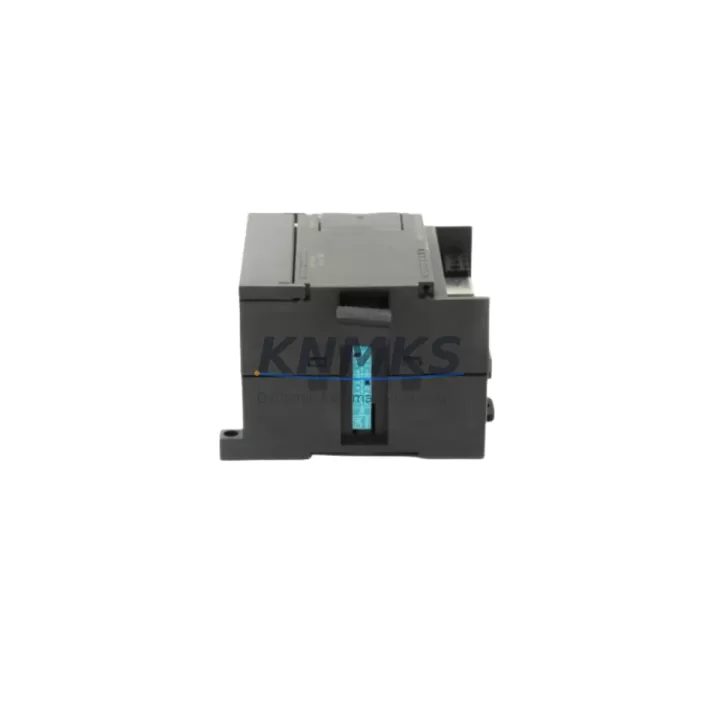
Siemens 6GK7243-1EX00-0XE0 CP 1243-1 Spare Part for Factory Uptime
The Siemens 6GK7243-1EX00-0XE0, commercially designated as the CP 1243-1, is a dedicated communications processor designed for the SIMATIC S7-1200 controller platform. In continuous manufacturing environments — from automotive assembly lines to water treatment facilities — this module serves as the critical Ethernet gateway that connects the S7-1200 CPU to industrial IP networks, SCADA systems, and remote monitoring infrastructure. When this module fails or degrades, the entire communication chain between the field controller and the supervisory layer is severed, leading to blind operation, loss of remote diagnostics, and potential unplanned shutdown. Maintaining a verified spare of the 6GK7243-1EX00-0XE0 in your cabinet-level spare parts kit is a fundamental step in any proactive maintenance strategy.
Maintenance engineers working on S7-1200-based control systems frequently encounter communication faults that trace back not to the CPU itself, but to the CP module — particularly in environments with high electromagnetic interference, unstable power rails, or aging network infrastructure. The CP 1243-1 supports PROFINET, Modbus TCP, and open IE communication, making it a versatile and mission-critical component in multi-protocol plant architectures. A replacement unit sourced from verified stock, pre-tested before dispatch, and backed by a support terms confirmed by quotation eliminates the procurement risk that often extends downtime from hours to days.
Spare Maintenance Table
| Parameter | Specification |
|---|---|
| Part Number | 6GK7243-1EX00-0XE0 |
| Product Name | CP 1243-1 Communications Processor |
| Compatible Platform | SIMATIC S7-1200 (all CPU variants) |
| Communication Protocols | PROFINET IO, Modbus TCP, Open IE (TCP/IP, UDP, ISO-on-TCP) |
| Network Interface | RJ45 Ethernet, 10/100 Mbit/s |
| Supply Voltage | 24 V DC (via S7-1200 backplane) |
| Operating Temperature | 0 °C to +60 °C |
| Protection Rating | IP20 |
| Mounting | DIN rail, right-side expansion slot of S7-1200 CPU |
| Origin | Germany |
| Compatibility | Direct replacement for 6GK7243-1EX00-0XE0; compatible with TIA Portal V13 SP1 and above |
| Maintenance Recommendation | Inspect Ethernet port, firmware version, and IP configuration during annual cabinet overhaul |
| Support terms | 12 Months — covers manufacturing defects and functional failure under normal operating conditions |
Maintenance Planning for Continuous Operation
When a 6GK7243-1EX00-0XE0 fault is identified during a routine cabinet inspection or triggered by a communication alarm in the SCADA system, the replacement workflow extends beyond simply swapping the CP module. A thorough maintenance engineer will simultaneously verify the integrity of the surrounding system components to prevent repeat failures and ensure a clean restoration of communications.
Begin by checking the 24 V DC power supply feeding the S7-1200 rail — a degraded SITOP PSU100S or equivalent DIN-rail power supply can cause intermittent CP resets that mimic module failure. Next, inspect the S7-1200 CPU itself (such as the CPU 1214C or CPU 1215C) for firmware compatibility with the replacement CP 1243-1, as mismatched TIA Portal project versions can prevent the module from initializing correctly. The Ethernet patch cable and RJ45 connector at the CP port should be replaced as a matter of course, particularly in dusty or high-vibration environments where connector wear is accelerated.
If the S7-1200 system includes additional expansion modules — such as a SM 1231 analog input module or SM 1222 digital output module — verify that their configuration data remains intact in the CPU after the CP replacement, as some firmware update sequences can reset module parameters. For systems using the CP 1243-1 to bridge Modbus TCP to legacy field devices, also confirm that the Modbus polling configuration and IP address assignments are correctly restored from the TIA Portal project backup. Finally, check the cabinet’s surge protection device (SPD) on the Ethernet line; a failed SPD is a common root cause of repeated CP module damage in lightning-prone or high-EMI industrial sites.
Site Replacement Workflow
Replacing the 6GK7243-1EX00-0XE0 on a live S7-1200 system follows a structured sequence to minimize downtime and avoid configuration loss. First, export the current TIA Portal project and back up the CPU’s memory card data before powering down the control cabinet. Power off the S7-1200 rail, remove the faulty CP 1243-1 from its right-side expansion slot, and install the replacement unit — no tools are required for the snap-fit DIN rail connector. Restore power, allow the CPU to perform its startup diagnostics, and then download the project configuration to the new CP module via TIA Portal. Verify Ethernet link status, confirm PROFINET device names are correctly assigned, and test Modbus TCP polling to all connected field devices before returning the system to automatic mode.
This workflow typically achieves a full communications restoration in under 60 minutes when a pre-configured spare is available on-site. For plants operating 24/7 — such as petrochemical processing units, continuous casting lines in metallurgy, or desalination facilities — having a tested 6GK7243-1EX00-0XE0 spare on the shelf is the difference between a planned 45-minute maintenance window and an unplanned multi-hour production halt. KNMKS supplies this module from verified stock, with each unit undergoing functional testing prior to dispatch and covered by a support terms confirmed by quotation from the date of delivery.
Spare Parts Support FAQ
Q1: Is the 6GK7243-1EX00-0XE0 a direct drop-in replacement for the same part number already installed in my S7-1200 system?
Yes. The 6GK7243-1EX00-0XE0 is a direct replacement for the same part number. No hardware modification is required. You will need to download the existing TIA Portal project configuration to the new module to restore all communication parameters, IP settings, and protocol assignments.
Q2: What pre-shipment testing does KNMKS perform on this module?
Each 6GK7243-1EX00-0XE0 unit is powered up and tested for Ethernet link establishment, basic PROFINET communication response, and physical port integrity before dispatch. Units that do not pass functional verification are not shipped. A support terms confirmed by quotation cover any manufacturing defect or functional failure under normal operating conditions from the date of delivery.
Q3: How long can KNMKS guarantee supply of this part number?
KNMKS maintains a dedicated stock buffer for high-demand S7-1200 spare parts including the CP 1243-1. For long-term maintenance planning — particularly for plants with 3–5 year overhaul cycles — we recommend confirming your multi-unit requirement in advance so we can reserve stock and provide a firm delivery schedule. Contact our team at admin@knmks.com for volume and long-term supply agreements.
Q4: What should I check if the replacement CP 1243-1 does not establish an Ethernet link after installation?
First verify that the TIA Portal project has been successfully downloaded to the new module and that the IP address configuration matches your network settings. Check the Ethernet cable and switch port for link activity. Confirm the S7-1200 CPU firmware version is compatible with the CP 1243-1 firmware (TIA Portal V13 SP1 minimum). If the issue persists, inspect the 24 V DC supply voltage at the S7-1200 rail — a voltage drop below 20.4 V can prevent the CP from initializing correctly.
© 2026 KNMKS. All rights reserved.
Original Source: https://knmks.com
Contact: admin@knmks.com | +86 18359268345
Product Identification
- Brand / Ecosystem
-
Siemens
Siemens - Model / Series
-
6GK7243-1EX00-0XE0
SIMATIC Series - Product Family
- PLCs & Controllers
- Availability Status
- Available on request after model and quantity confirmation
- Inquiry Type
- B2B RFQ, replacement inquiry and project spare-part request
- Pre-Quote Check
- Exact SKU, brand, series, quantity, nameplate photos and destination country are checked before quotation
System Path
Where this product fits in the KNMKS automation structure.
Specification & Inquiry Focus
- Control platform
- PLC, PAC and modular controllers
- Common needs
- CPU, rack, power and I/O expansion
- Project support
- Replacement, cabinet build and maintenance
Buyer Confirmation
Information KNMKS checks before replying.
- Exact model
- 6GK7243-1EX00-0XE0
- Brand / ecosystem
- Siemens
- Product family
- PLCs & Controllers
- Application note
- Replacement, maintenance, project build or spare-part list
- Useful photos
- Nameplate, installed unit, cabinet layout or connector side
- Delivery details
- Quantity, destination country and target schedule
Document Support
Files and notes can be confirmed during quotation.
- Product photos or nameplate confirmation when available
- Packing and delivery notes before quotation confirmation
- Support scope and delivery terms confirmed per inquiry
- Export document coordination for qualified B2B requests
Inquiry Support
- Model cross-checking before quotation
- CPU, power, rack and expansion module matching
- Support for replacement and project inquiry
What to Send Us
- Brand and exact model number: Siemens 6GK7243-1EX00-0XE0
- Quantity and required delivery time
- Application, replacement requirement or nameplate photo
- Destination country and shipping preference
RFQ Preparation
This is a product inquiry page built for RFQ communication.
Fast Model Check
Send this model to KNMKS for confirmation.
Include quantity, destination country and photos if this is a maintenance replacement. The inquiry will be saved with a reference number after submission.
Brand & Compatibility Note
KNMKS displays automation product information for well-known industrial brand ecosystems and compatible replacement references. Brand names are used for product identification and compatibility reference only; final availability and commercial terms are confirmed per quotation.
 Manufacturing
 Machine Tools
 Packaging
 Energy & Power



 HMI & Displays
 Servo Systems
 Variable Frequency Drives
 Sensors