
Overview
Siemens 6GK5216-0BA00-2AA3 Maintenance Spare for Factory Uptime
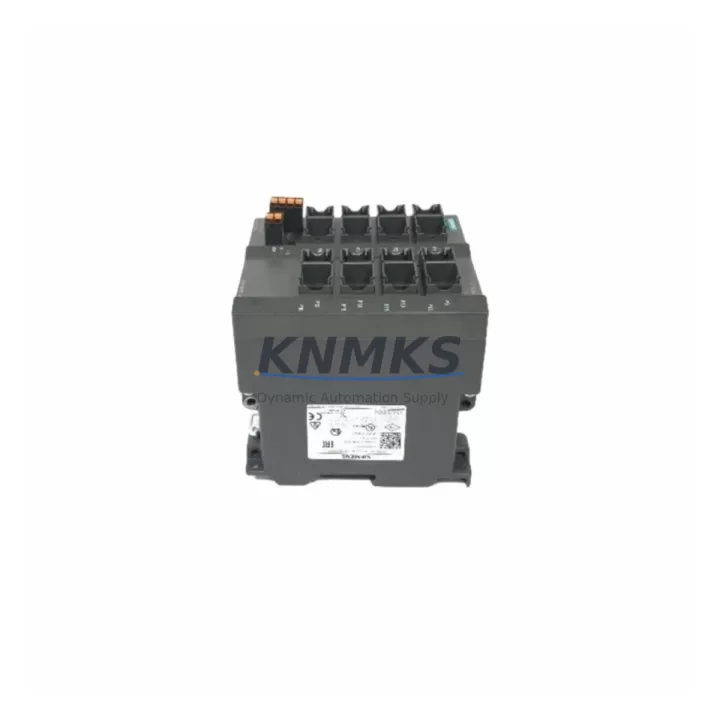
The Siemens 6GK5216-0BA00-2AA3 is a 16-port managed industrial Ethernet switch from the SCALANCE X200 series, engineered for reliable network communication in demanding factory automation environments. As a maintenance-proven spare part, it supports PROFINET, PROFIBUS-over-Ethernet bridging, and standard TCP/IP communication, making it a critical component in PLC-based and DCS-based control architectures. Maintenance engineers and procurement teams managing aging SIMATIC or SINUMERIK systems rely on this switch to sustain uninterrupted production network uptime.
When a network switch fails in a production environment, the downstream impact is immediate: PLC communication drops, HMI screens go blank, and I/O modules lose their cyclic data exchange. Holding a verified spare of the 6GK5216-0BA00-2AA3 in your on-site inventory eliminates the critical window between fault detection and system restoration. Each unit supplied by KNMKS undergoes pre-shipment functional testing to confirm port integrity, management interface access, and PROFINET device recognition before dispatch.
The SCALANCE X216 is widely deployed in automotive assembly lines, chemical processing plants, food and beverage facilities, and discrete manufacturing cells where network redundancy and deterministic communication are non-negotiable. Its DIN-rail mounting form factor and 24 VDC power input make it a direct fit for standard control cabinet installations without mechanical modification.
For procurement engineers managing multi-site spare parts programs, the 6GK5216-0BA00-2AA3 represents a high-priority stocking item due to its role as the network backbone for SIMATIC S7-300, S7-400, and S7-1500 PLC families. End-of-life risk for legacy SCALANCE X200 hardware makes advance procurement essential to avoid extended lead times during unplanned outages. KNMKS maintains long-term supply capability for this model to support 12-month and multi-year maintenance contracts.
Spare Maintenance Table
| Part Number | 6GK5216-0BA00-2AA3 |
| Series | SCALANCE X200 |
| Brand | Siemens |
| Product Type | Managed Industrial Ethernet Switch |
| Ports | 16 × RJ45 10/100 Mbps |
| Supply Voltage | 24 VDC (18–32 VDC operating range) |
| Mounting | DIN Rail |
| Protection Rating | IP30 |
| Operating Temperature | -10 °C to +60 °C |
| Protocol Compatibility | PROFINET IO, SNMP, HTTP, HTTPS, DHCP |
| Management Interface | Web-based, SNMP v1/v2c/v3, CLI |
| Country of Origin | Germany |
| Condition | Original, Pre-shipment Tested |
| Support terms | 12 Months |
| Long-term Supply | Available — contact admin@knmks.com |
Maintenance Planning for Continuous Operation
Replacing the 6GK5216-0BA00-2AA3 in a live control cabinet requires a structured approach to avoid cascading faults. Before removing the failed switch, maintenance engineers should document the existing port-to-device mapping, VLAN configuration, and IP address assignments using the switch’s web management interface or STEP 7 / TIA Portal network topology view.
During the replacement window, inspect the following components in the same control cabinet or network segment:
- 24 VDC Power Supply (e.g., SITOP PSU100S or equivalent): Verify output voltage stability under load. A degraded power supply is a common root cause of intermittent switch resets and should be tested before commissioning the replacement unit.
- Industrial Ethernet Cables and RJ45 Connectors: Inspect all patch cables connected to the switch for physical damage, bent pins, or moisture ingress. Replace any cable showing continuity faults or high attenuation.
- SIMATIC S7 CPU Communication Modules (e.g., CP 343-1 or CP 443-1): Confirm that the PLC communication processor is online and that cyclic PROFINET frames resume after switch replacement. A faulty CP module can mimic switch failure symptoms.
- I/O Link Modules and Distributed I/O (e.g., ET 200S or ET 200SP): After network restoration, verify that all remote I/O stations re-establish their PROFINET device relationships and that no address conflicts exist.
- HMI Panels (e.g., SIMATIC TP700 or MP377): Confirm that HMI communication tags resume updating within the expected scan cycle after the switch is back online. Persistent HMI alarms may indicate a residual IP conflict or VLAN misconfiguration.
- Signal Isolators and Surge Protection Modules: In environments with frequent electrical transients, check DIN-rail mounted surge arresters on the Ethernet lines. A surge event that damaged the switch may have also degraded upstream signal isolators.
For annual maintenance schedules, include the SCALANCE X216 in your control cabinet inspection checklist alongside the 24 VDC bus, terminal blocks, and communication cabling. Proactive spare stocking of one unit per production line segment is the recommended inventory posture for facilities running continuous or three-shift operations.
Site Replacement Workflow
Step 1 — Fault Isolation: Confirm the switch is the fault source by checking the diagnostic LEDs (PWR, FAULT, port link indicators). A solid FAULT LED with no port activity confirms hardware failure rather than a configuration issue.
Step 2 — Configuration Backup: If the switch management interface is still accessible, export the current configuration file via HTTP/HTTPS before powering down. Store the backup on a local engineering laptop or USB drive.
Step 3 — Power Down and Disconnect: De-energize the 24 VDC supply to the switch. Label and disconnect all Ethernet patch cables in port order to preserve the original topology mapping.
Step 4 — Physical Replacement: Remove the failed unit from the DIN rail. Mount the replacement 6GK5216-0BA00-2AA3, reconnect the power terminals, and re-attach all Ethernet cables in the documented port sequence.
Step 5 — Configuration Restore: Import the saved configuration file via the web management interface. Verify IP address, VLAN settings, and PROFINET device name assignments match the original.
Step 6 — System Verification: Re-energize the PLC and I/O network. Confirm all PROFINET devices appear in the topology view, HMI communication resumes, and no fault alarms persist. Document the replacement in the maintenance log with date, technician ID, and new unit serial number.
This workflow supports a target replacement time of under 45 minutes for a trained maintenance technician, minimizing production downtime and reducing MTTR for network-related faults.
Spare Parts Support FAQ
Q1: Is the 6GK5216-0BA00-2AA3 still in production, and how long can I source it?
The SCALANCE X200 series has entered a mature lifecycle phase. KNMKS maintains dedicated inventory and long-term supply agreements to support customers requiring this model beyond standard Siemens availability windows. Contact admin@knmks.com to discuss multi-year supply commitments.
Q2: What pre-shipment testing is performed on each unit?
Every 6GK5216-0BA00-2AA3 dispatched by KNMKS undergoes port-level continuity testing, power-on functional verification, management interface access confirmation, and PROFINET device recognition testing. A test report is available upon request.
Q3: Can this switch replace an older SCALANCE X208 or X212-2 in the same cabinet?
The 6GK5216-0BA00-2AA3 shares the same DIN-rail form factor, 24 VDC power input, and PROFINET compatibility as other SCALANCE X200 family members. Port count differences must be accounted for in the network topology. Configuration migration is straightforward using TIA Portal’s network view. Confirm firmware compatibility with your PLC CPU version before deployment.
Q4: What does the support terms confirmed by quotation cover?
The support terms confirmed by quotation cover hardware defects and functional failures under normal operating conditions. It does not cover damage from incorrect installation, overvoltage events, or unauthorized modification. Support requests are processed via admin@knmks.com with the original invoice and a fault description.
© 2026 KNMKS. All rights reserved.
Original Source: https://knmks.com
Contact: admin@knmks.com | +86 18359268345
Product Identification
- Brand / Ecosystem
-
SIEMENS
Siemens - Model / Series
-
6GK5216-0BA00-2AA3
SIMATIC Series - Product Family
- PLCs & Controllers
- Availability Status
- Available on request after model and quantity confirmation
- Inquiry Type
- B2B RFQ, replacement inquiry and project spare-part request
- Pre-Quote Check
- Exact SKU, brand, series, quantity, nameplate photos and destination country are checked before quotation
System Path
Where this product fits in the KNMKS automation structure.
Specification & Inquiry Focus
- Control platform
- PLC, PAC and modular controllers
- Common needs
- CPU, rack, power and I/O expansion
- Project support
- Replacement, cabinet build and maintenance
Buyer Confirmation
Information KNMKS checks before replying.
- Exact model
- 6GK5216-0BA00-2AA3
- Brand / ecosystem
- SIEMENS
- Product family
- PLCs & Controllers
- Application note
- Replacement, maintenance, project build or spare-part list
- Useful photos
- Nameplate, installed unit, cabinet layout or connector side
- Delivery details
- Quantity, destination country and target schedule
Document Support
Files and notes can be confirmed during quotation.
- Product photos or nameplate confirmation when available
- Packing and delivery notes before quotation confirmation
- Support scope and delivery terms confirmed per inquiry
- Export document coordination for qualified B2B requests
Inquiry Support
- Model cross-checking before quotation
- CPU, power, rack and expansion module matching
- Support for replacement and project inquiry
What to Send Us
- Brand and exact model number: SIEMENS 6GK5216-0BA00-2AA3
- Quantity and required delivery time
- Application, replacement requirement or nameplate photo
- Destination country and shipping preference
RFQ Preparation
This is a product inquiry page built for RFQ communication.
Fast Model Check
Send this model to KNMKS for confirmation.
Include quantity, destination country and photos if this is a maintenance replacement. The inquiry will be saved with a reference number after submission.
Brand & Compatibility Note
KNMKS displays automation product information for well-known industrial brand ecosystems and compatible replacement references. Brand names are used for product identification and compatibility reference only; final availability and commercial terms are confirmed per quotation.
 Manufacturing
 Machine Tools
 Packaging
 Energy & Power



 HMI & Displays
 Servo Systems
 Variable Frequency Drives
 Sensors