
Overview
Siemens 6ES7971-0BA00 Maintenance-Proven Spare Part for Factory Uptime
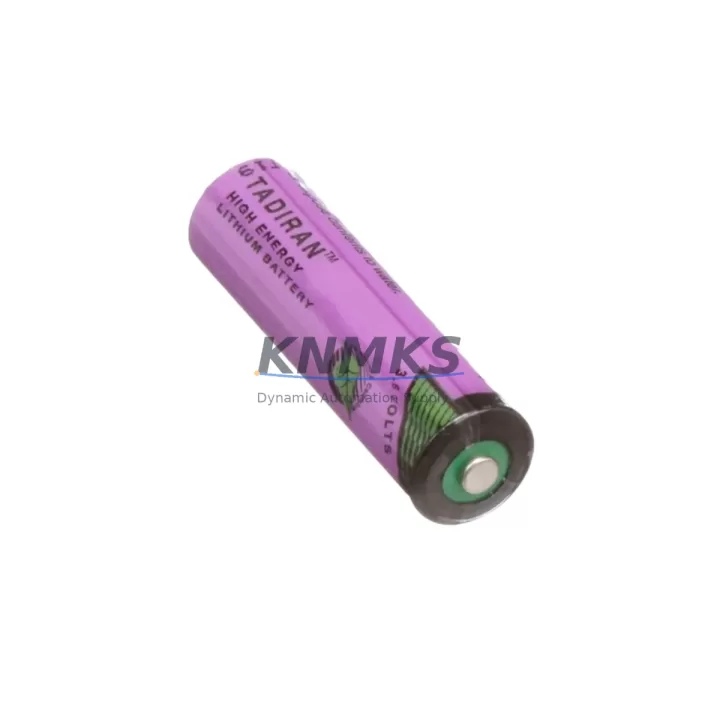
The Siemens 6ES7971-0BA00 is the original lithium backup battery designed for the SIMATIC S7-400 programmable logic controller series. In continuous-process manufacturing environments — from automotive body shops to chemical dosing lines — the S7-400 CPU relies on this battery to retain RAM data, retain the real-time clock, and preserve user program memory during planned or unplanned power interruptions. A depleted or missing backup battery is one of the most preventable causes of extended unplanned downtime: when the CPU loses its retained data, re-commissioning can take hours. Stocking a verified 6ES7971-0BA00 as a ready-to-install spare is the single most cost-effective insurance policy for any S7-400 installation.
Every unit supplied by KNMKS is sourced from authorised distribution channels, individually inspected before dispatch, and covered by a support terms confirmed by quotation. Pre-shipment open-circuit voltage verification ensures the cell is within the manufacturer’s specified range before it leaves our warehouse, eliminating the risk of receiving a flat battery that has been sitting in an uncontrolled storage environment.
Spare Maintenance Table
| Part Number | 6ES7971-0BA00 |
| Brand | Siemens |
| Series | SIMATIC S7-400 |
| Battery Chemistry | Lithium (Li-SOCl₂) |
| Nominal Voltage | 3.6 V DC |
| Typical Capacity | 1,900 mAh |
| Operating Temperature | 0 °C to +60 °C |
| Storage Temperature | −20 °C to +60 °C |
| Compatible CPUs | S7-400 CPU 41x, 41xH, 412, 414, 416, 417 series |
| Mounting | Plug-in battery compartment on CPU front panel |
| Origin | Germany |
| Support terms | 12 Months — KNMKS |
| Pre-Shipment Test | Open-circuit voltage verified before dispatch |
| Maintenance Interval | Inspect annually; replace at first low-battery diagnostic or every 3–5 years under continuous duty |
| Application | RAM data retention, RTC backup, user program memory hold during power loss |
Maintenance Planning for Continuous Operation
A backup battery replacement is rarely an isolated task. When a maintenance engineer opens the S7-400 rack to swap the 6ES7971-0BA00, it is the ideal moment to perform a broader cabinet inspection and reduce the risk of a second call-out within the same maintenance window.
Power supply integrity should be the first parallel check. The Siemens 6ES7405-0KA02 (PS 405 10A power supply) and similar PS 407 variants feed the S7-400 backplane; a marginal power supply that is producing ripple or running hot will shorten the next battery’s service life and can corrupt retained data even before the battery is exhausted. Verify output voltage under load and inspect the ventilation slots for dust accumulation.
Backplane and rack connectors deserve attention at the same interval. The S7-400 uses a passive backplane bus; connector oxidation or mechanical stress from repeated module insertion can introduce intermittent faults that are misdiagnosed as CPU or I/O failures. Inspect the UR2 or UR1 universal rack connector strips and confirm all modules are fully seated.
Communication modules in the same rack — such as the CP 443-1 Ethernet module or CP 443-5 PROFIBUS module — should have their diagnostic LEDs checked and their firmware revision noted. A communication module that has been running without a firmware update for several years may carry known bugs that affect cycle time or message handling under high network load.
I/O modules and signal wiring are another area to address during the same window. SM 421 digital input modules and SM 422 digital output modules accumulate contact wear and wiring fatigue over time. Check terminal torque on the front connector, inspect for discolouration that indicates thermal stress, and verify that channel-level diagnostics are enabled so that a single-channel fault does not mask a wider wiring problem.
Finally, confirm that the SIMATIC S7-400 CPU’s diagnostic buffer does not contain unacknowledged entries related to battery voltage, memory errors, or rack faults. Clearing the diagnostic buffer after a battery replacement and documenting the event in the site maintenance log creates a clean baseline for the next inspection cycle. Where a redundant CPU configuration (H-system) is in use, perform the battery swap on the standby CPU first, verify switchover integrity, then repeat on the active CPU — this approach eliminates any production interruption.
Site Replacement Workflow
Step 1 — Preparation: Download and save the current CPU program to a SIMATIC memory card or via STEP 7 / TIA Portal before beginning. Confirm the replacement 6ES7971-0BA00 is within its shelf-life date and that the open-circuit voltage reads ≥ 3.5 V with a calibrated multimeter.
Step 2 — Safe battery swap: The S7-400 CPU is designed to allow a hot battery swap within a defined time window (typically 30 seconds) without losing retained data, provided the CPU remains powered. Open the battery compartment cover on the CPU front panel, remove the exhausted cell, and insert the new 6ES7971-0BA00 within the permitted window. Do not power-cycle the CPU during this operation.
Step 3 — Verification: After insertion, confirm that the BATT LED on the CPU front panel extinguishes. Navigate to the CPU diagnostic buffer in STEP 7 or TIA Portal and verify that no new battery-related fault entries have been generated. Record the replacement date, the new battery’s lot number, and the technician’s name in the site maintenance register.
Step 4 — Compatibility confirmation: The 6ES7971-0BA00 is the standard battery for the S7-400 platform. If the installation uses an older CPU variant that originally shipped with a different battery reference, cross-check the CPU’s hardware manual to confirm pin-out and voltage compatibility before closing the compartment.
Step 5 — Spare stock replenishment: Immediately raise a purchase order to replenish the consumed spare. For sites with multiple S7-400 racks, a minimum buffer of two batteries per rack is a practical starting point. KNMKS supports long-term supply agreements with fixed pricing for 12–36 month horizons, eliminating spot-market price volatility for this critical consumable.
Spare Parts Support FAQ
Q1: How do I know when the 6ES7971-0BA00 needs to be replaced?
The S7-400 CPU monitors battery voltage continuously and raises a BATT fault in the diagnostic buffer when the cell drops below the threshold. In STEP 7, this appears as a yellow warning on the CPU icon in HW Config. Do not wait for a complete battery failure — replace at the first diagnostic warning. For proactive maintenance, schedule replacement every three years regardless of diagnostic status on CPUs in continuous 24/7 operation.
Q2: Is the KNMKS-supplied 6ES7971-0BA00 an original Siemens part?
Yes. KNMKS sources exclusively from authorised distribution channels. Each unit is supplied in original Siemens packaging with the manufacturer’s part label intact. A pre-shipment open-circuit voltage test is performed on every unit, and the result is recorded against the shipment. The support terms confirmed by quotation cover defects in materials and workmanship from the date of delivery.
Q3: Can I order in bulk for annual maintenance contracts?
Yes. KNMKS supports blanket purchase orders and long-term supply agreements for the 6ES7971-0BA00 and related S7-400 consumables. Fixed unit pricing for 12–36 month supply windows is available on request. Contact admin@knmks.com with your annual consumption estimate and preferred delivery schedule.
Q4: What is the shelf life of the 6ES7971-0BA00 in storage?
Lithium thionyl chloride cells of this type have a manufacturer-rated shelf life of up to 10 years when stored at room temperature (15–25 °C) in a dry environment away from direct sunlight. KNMKS maintains stock in climate-controlled warehousing and applies FIFO rotation to ensure that shipped units carry maximum remaining shelf life. The lot date code is visible on the cell label and can be provided on request for traceability purposes.
© 2026 KNMKS. All rights reserved.
Original Source: https://knmks.com
Contact: admin@knmks.com | +86 18359268345
Product Identification
- Brand / Ecosystem
-
Siemens
Siemens - Model / Series
-
6ES7971-0BA00
SIMATIC Series - Product Family
- PLCs & Controllers
- Availability Status
- Available on request after model and quantity confirmation
- Inquiry Type
- B2B RFQ, replacement inquiry and project spare-part request
- Pre-Quote Check
- Exact SKU, brand, series, quantity, nameplate photos and destination country are checked before quotation
System Path
Where this product fits in the KNMKS automation structure.
Specification & Inquiry Focus
- Control platform
- PLC, PAC and modular controllers
- Common needs
- CPU, rack, power and I/O expansion
- Project support
- Replacement, cabinet build and maintenance
Buyer Confirmation
Information KNMKS checks before replying.
- Exact model
- 6ES7971-0BA00
- Brand / ecosystem
- Siemens
- Product family
- PLCs & Controllers
- Application note
- Replacement, maintenance, project build or spare-part list
- Useful photos
- Nameplate, installed unit, cabinet layout or connector side
- Delivery details
- Quantity, destination country and target schedule
Document Support
Files and notes can be confirmed during quotation.
- Product photos or nameplate confirmation when available
- Packing and delivery notes before quotation confirmation
- Support scope and delivery terms confirmed per inquiry
- Export document coordination for qualified B2B requests
Inquiry Support
- Model cross-checking before quotation
- CPU, power, rack and expansion module matching
- Support for replacement and project inquiry
What to Send Us
- Brand and exact model number: Siemens 6ES7971-0BA00
- Quantity and required delivery time
- Application, replacement requirement or nameplate photo
- Destination country and shipping preference
RFQ Preparation
This is a product inquiry page built for RFQ communication.
Fast Model Check
Send this model to KNMKS for confirmation.
Include quantity, destination country and photos if this is a maintenance replacement. The inquiry will be saved with a reference number after submission.
Brand & Compatibility Note
KNMKS displays automation product information for well-known industrial brand ecosystems and compatible replacement references. Brand names are used for product identification and compatibility reference only; final availability and commercial terms are confirmed per quotation.
 Manufacturing
 Machine Tools
 Packaging
 Energy & Power



 HMI & Displays
 Servo Systems
 Variable Frequency Drives
 Sensors