
Overview
Siemens 6ES7964-2AA04-0AB0 Maintenance-Proven Spare Part for Factory Uptime
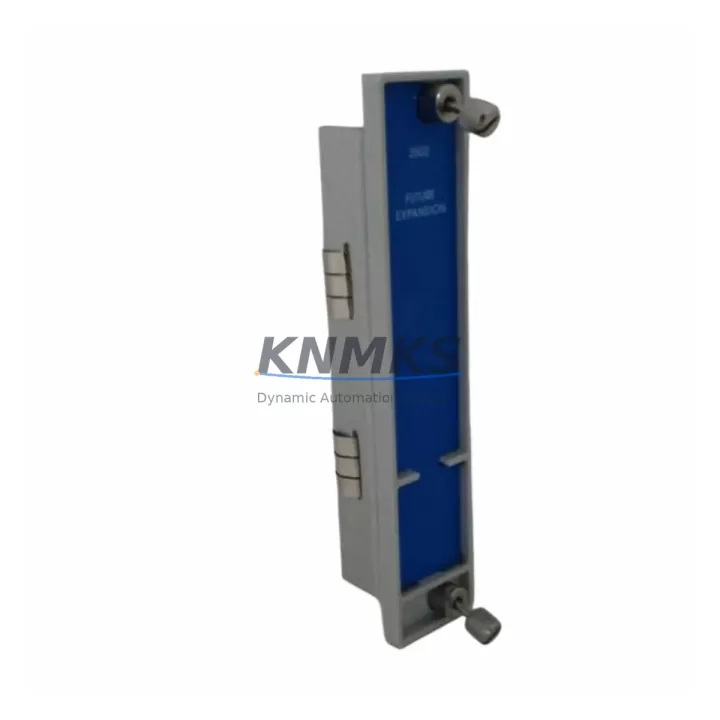
The Siemens 6ES7964-2AA04-0AB0 is the IF964 interface module designed for the SIMATIC S7-400 programmable logic controller platform — one of the most widely deployed process automation systems in heavy industry, chemical processing, power generation, and automotive manufacturing. As a communication bridge between the S7-400 CPU rack and legacy S5 or peer S7 systems, this module plays a critical role in multi-controller architectures where uninterrupted data exchange is essential for production continuity.
For maintenance engineers managing aging SIMATIC S7-400 installations, the 6ES7964-2AA04-0AB0 is a high-priority spare. Its failure directly impacts inter-system communication, which can cascade into process shutdowns, alarm floods, and extended mean time to repair (MTTR). Stocking a verified replacement unit — pre-tested and ready to install — is the most effective strategy to protect uptime in facilities where S7-400 systems remain the backbone of control infrastructure.
Each unit supplied through KNMKS is sourced as an original Siemens component, inspected for physical integrity, and functionally tested prior to shipment. A support terms confirmed by quotation is included with every order, covering defects in materials and workmanship under normal operating conditions.
Spare Maintenance Table
| Part Number | 6ES7964-2AA04-0AB0 |
| Module Type | IF964 Interface Module |
| Compatible Platform | SIMATIC S7-400 |
| Communication Interface | S7/S5 point-to-point coupling |
| Installation Slot | Interface slot of S7-400 CPU or IM module |
| Operating Voltage | Supplied via backplane (5 VDC internal bus) |
| Operating Temperature | 0 °C to +60 °C |
| Country of Origin | Germany |
| Compatibility | SIMATIC S7-400 series; S5/S7 coupling configurations |
| Maintenance Recommendation | Inspect connector pins and backplane contacts during annual shutdown; replace if communication errors persist after firmware reload |
| Pre-Shipment Testing | Functional test performed on each unit before dispatch |
| Support terms | 12 months from date of shipment |
Maintenance Planning for Continuous Operation
When replacing the 6ES7964-2AA04-0AB0 in a SIMATIC S7-400 control cabinet, a thorough site inspection of the surrounding electrical environment is essential to prevent repeat failures and confirm system integrity after the swap.
Begin with the S7-400 power supply module (such as the PS407 or PS405 series). A degraded power supply delivering unstable 5 VDC or 24 VDC to the backplane is a common root cause of interface module faults. Measure output voltage under load before inserting the replacement IF964 module. If ripple or voltage sag is detected, the power supply should be replaced concurrently.
Inspect the S7-400 backplane bus connector and rack slot contacts. Oxidation or mechanical damage to the backplane interface can cause intermittent communication errors that mimic module failure. Clean contacts with approved contact spray and verify seating torque on all rack-mounted modules.
Review the IM460 / IM461 interface modules used for multi-rack expansion. If the S7-400 system spans multiple racks, the inter-rack communication path depends on these expansion interface modules working in tandem with the IF964. A fault in any segment of this chain will disrupt the entire communication topology.
Check CP443 communication processors if the S7-400 system is connected to PROFIBUS DP, Industrial Ethernet, or MPI networks. Communication processor faults are frequently misdiagnosed as interface module failures. Confirm CP443 diagnostic LEDs show no bus errors before concluding the IF964 is the sole fault source.
Inspect 24 VDC field power fuses and terminal blocks feeding I/O modules in the same cabinet. A blown fuse or loose terminal can generate spurious diagnostic messages that appear in the CPU fault log alongside interface errors, complicating root cause analysis.
Finally, verify the S7-400 CPU firmware version (such as CPU 414, CPU 416, or CPU 417 variants) is compatible with the IF964 hardware revision being installed. Mismatched firmware and hardware revisions can prevent the module from initializing correctly even when the hardware itself is fully functional.
Site Replacement Workflow
Step 1 — Pre-replacement documentation: Export the current hardware configuration from STEP 7 or TIA Portal. Record the slot assignment, module parameters, and any configured S7/S5 coupling addresses associated with the existing IF964 module. This baseline is essential for restoring configuration after the swap.
Step 2 — Safe shutdown: Place the CPU in STOP mode via the mode selector switch or programming interface. Confirm all connected S5 or peer S7 systems have acknowledged the communication loss and entered a safe state before proceeding.
Step 3 — Module extraction: Power down the rack using the PS407/PS405 power supply switch. Remove the faulty 6ES7964-2AA04-0AB0 by releasing the front panel locking mechanism and sliding the module out of the interface slot. Inspect the backplane connector for bent pins or debris.
Step 4 — Replacement installation: Insert the new 6ES7964-2AA04-0AB0 into the same interface slot. Ensure the module is fully seated against the backplane connector. Restore rack power and observe the module’s diagnostic LED — a steady green indicates successful initialization.
Step 5 — Configuration restore and test: Download the saved hardware configuration to the CPU. Verify S7/S5 coupling communication is re-established by monitoring the data exchange status in STEP 7 online diagnostics. Confirm no new fault entries appear in the CPU diagnostic buffer before returning the system to RUN mode.
Step 6 — Documentation update: Record the replacement date, new module serial number, and test results in the equipment maintenance log. Update the spare parts inventory to reflect the consumed unit and initiate a reorder to maintain minimum stock levels.
Spare Parts Support FAQ
Q: Is the 6ES7964-2AA04-0AB0 still available as a new original spare?
A: Yes. KNMKS maintains stock of original Siemens 6ES7964-2AA04-0AB0 units. Each unit is sourced from authorized supply channels, inspected upon receipt, and functionally tested before shipment. Long-term supply commitment is available for facilities requiring annual or multi-year procurement agreements.
Q: How do I confirm compatibility with my existing S7-400 CPU before ordering?
A: The IF964 interface module is compatible with the SIMATIC S7-400 platform across the standard CPU range including CPU 412, 414, 416, and 417 variants. Confirm your CPU’s interface slot type and the firmware version in your STEP 7 or TIA Portal hardware catalog. If you require compatibility verification for a specific hardware revision, contact our technical team with your CPU order number and current firmware version.
Q: What testing is performed before shipment?
A: Every 6ES7964-2AA04-0AB0 unit undergoes a pre-shipment functional test that includes power-on initialization verification, backplane interface continuity check, and communication port inspection. Units that do not pass testing are not dispatched. A test report is available upon request for quality-critical procurement processes.
Q: What does the support terms confirmed by quotation cover?
A: The support terms confirmed by quotation cover defects in materials and workmanship under normal operating conditions as specified in the Siemens product documentation. It does not cover damage resulting from incorrect installation, overvoltage events, or operation outside the rated environmental parameters. Support requests are processed directly through KNMKS with a target response time of 2 business days.
© 2026 KNMKS. All rights reserved.
Original Source: https://knmks.com
Contact: admin@knmks.com | +86 18359268345
Product Identification
- Brand / Ecosystem
-
Siemens
Siemens - Model / Series
-
6ES7964-2AA04-0AB0
SIMATIC Series - Product Family
- PLCs & Controllers
- Availability Status
- Available on request after model and quantity confirmation
- Inquiry Type
- B2B RFQ, replacement inquiry and project spare-part request
- Pre-Quote Check
- Exact SKU, brand, series, quantity, nameplate photos and destination country are checked before quotation
System Path
Where this product fits in the KNMKS automation structure.
Specification & Inquiry Focus
- Control platform
- PLC, PAC and modular controllers
- Common needs
- CPU, rack, power and I/O expansion
- Project support
- Replacement, cabinet build and maintenance
Buyer Confirmation
Information KNMKS checks before replying.
- Exact model
- 6ES7964-2AA04-0AB0
- Brand / ecosystem
- Siemens
- Product family
- PLCs & Controllers
- Application note
- Replacement, maintenance, project build or spare-part list
- Useful photos
- Nameplate, installed unit, cabinet layout or connector side
- Delivery details
- Quantity, destination country and target schedule
Document Support
Files and notes can be confirmed during quotation.
- Product photos or nameplate confirmation when available
- Packing and delivery notes before quotation confirmation
- Support scope and delivery terms confirmed per inquiry
- Export document coordination for qualified B2B requests
Inquiry Support
- Model cross-checking before quotation
- CPU, power, rack and expansion module matching
- Support for replacement and project inquiry
What to Send Us
- Brand and exact model number: Siemens 6ES7964-2AA04-0AB0
- Quantity and required delivery time
- Application, replacement requirement or nameplate photo
- Destination country and shipping preference
RFQ Preparation
This is a product inquiry page built for RFQ communication.
Fast Model Check
Send this model to KNMKS for confirmation.
Include quantity, destination country and photos if this is a maintenance replacement. The inquiry will be saved with a reference number after submission.
Brand & Compatibility Note
KNMKS displays automation product information for well-known industrial brand ecosystems and compatible replacement references. Brand names are used for product identification and compatibility reference only; final availability and commercial terms are confirmed per quotation.
 Manufacturing
 Machine Tools
 Packaging
 Energy & Power



 HMI & Displays
 Servo Systems
 Variable Frequency Drives
 Sensors