
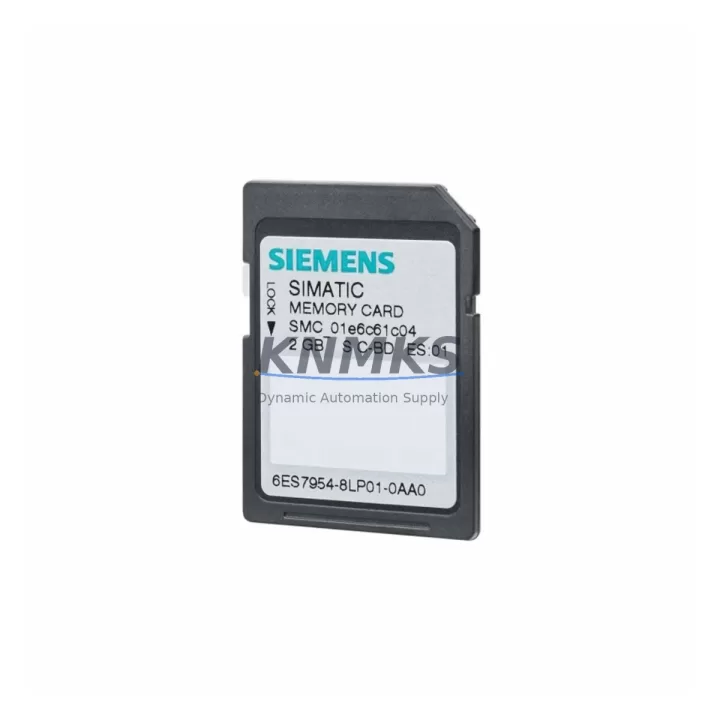
Overview
Siemens 6ES7954-8LP03-0AA0 Spare Part for Factory Uptime
The Siemens 6ES7954-8LP03-0AA0 is a 256 MB SIMATIC Memory Card engineered for the S7-1500 PLC platform and ET 200MP distributed I/O systems. As a maintenance-proven original spare part, it stores the CPU program, data blocks, and firmware update packages directly on removable industrial-grade flash media. For maintenance engineers managing continuous production lines, keeping a verified replacement unit on the shelf eliminates the single largest software-recovery bottleneck after an unplanned CPU failure or firmware corruption event. Procurement engineers sourcing this card should confirm the 6ES7954-8LP03-0AA0 part number against the CPU nameplate — the LP03 revision is required for CPUs running firmware V2.5 and above, including the CPU 1511-1 PN, CPU 1513-1 PN, CPU 1515-2 PN, CPU 1516-3 PN/DP, and CPU 1518-4 PN/DP families.
Spare Maintenance Table
| Parameter | Specification |
|---|---|
| Part Number | 6ES7954-8LP03-0AA0 |
| Brand | Siemens |
| Series | SIMATIC S7-1500 / ET 200MP |
| Product Type | PLC Memory Card (SIMATIC Memory Card) |
| Storage Capacity | 256 MB |
| Interface | Proprietary SIMATIC card slot (CPU front panel) |
| Compatible CPUs | CPU 1511, 1513, 1515, 1516, 1517, 1518 series; ET 200MP IM 155-5 PN |
| Firmware Support | V2.5 and above (LP03 revision) |
| Operating Temperature | -20 °C to +60 °C |
| Origin | Germany (DE) |
| Installation | Hot-swap capable with CPU in STOP mode; no tools required |
| Maintenance Role | Program backup, firmware update carrier, CPU replacement medium |
| Support terms | 12 Months — pre-shipment tested, original packaging |
Maintenance Planning for Continuous Operation
When replacing the 6ES7954-8LP03-0AA0 during a scheduled or emergency maintenance window, a disciplined site engineer will treat the memory card swap as the starting point of a broader control cabinet inspection — not the end point. Begin by verifying the 24 VDC power supply rail feeding the S7-1500 rack; a marginal PM 190W or PM 70W power module can cause intermittent write errors that corrupt memory card data over time, making the card appear faulty when the root cause is upstream. Check the CPU’s front-panel diagnostic LEDs and the TIA Portal online diagnostics before pulling the card.
Inspect the PROFINET communication module (e.g., CM 1542-1 or CP 1543-1) for firmware version alignment — a memory card carrying a newer CPU firmware may trigger compatibility warnings if the CP firmware is outdated. Similarly, confirm that any connected ET 200MP IM 155-5 PN interface modules are running compatible firmware, as the S7-1500 CPU performs a consistency check at startup against all distributed I/O heads on the PROFINET ring.
For sites running mixed digital and analog I/O, verify that the SM 521 DI modules and SM 531 AI modules retain their parameter assignments after the CPU restart that follows a memory card replacement. In high-availability lines, also inspect the 24 VDC terminal blocks and fuse holders in the control cabinet — a blown fuse on an I/O segment can mask itself as a CPU fault during the post-replacement startup sequence. Keeping a buffer stock of the 6ES7954-8LP03-0AA0 alongside a spare PM 190W power module and a replacement CP 1543-1 communication processor covers the three most common S7-1500 cabinet failure modes in a single procurement action.
Site Replacement Workflow
Step 1 — Backup verification: Before removing the existing memory card, confirm that a current project backup exists in TIA Portal and on a network drive. The 6ES7954-8LP03-0AA0 itself serves as the primary backup medium, but a secondary software backup prevents data loss if the card is physically damaged.
Step 2 — CPU STOP: Place the CPU in STOP mode via the TIA Portal online view or the physical mode selector switch. Never remove the memory card while the CPU is in RUN mode — this will corrupt the file system on the card.
Step 3 — Card swap: Remove the old card and insert the replacement 6ES7954-8LP03-0AA0. The card is keyed and can only be inserted in the correct orientation. Apply light, even pressure until the card clicks into the slot.
Step 4 — Startup and validation: Switch the CPU to RUN mode. Monitor the STOP/RUN LED and the BF (Bus Fault) LED. Use TIA Portal to confirm that all I/O modules report OK status and that the program cyclic execution time is within the expected range. Document the replacement date, card serial number, and firmware version in the site maintenance log.
Compatibility note: The LP03 revision supersedes the LP02 (2 GB) and earlier variants. If the existing installation uses an older 6ES7954-8LL03-0AA0 (2 GB) card, the 6ES7954-8LP03-0AA0 (256 MB) is a downward-compatible replacement for program-only applications where 256 MB is sufficient. Always verify project size in TIA Portal before substituting card capacities.
Spare Parts Support FAQ
Q1: Is the 6ES7954-8LP03-0AA0 compatible with all S7-1500 CPU variants?
The 6ES7954-8LP03-0AA0 is compatible with the full S7-1500 CPU range (CPU 1511 through CPU 1518) and the ET 200MP IM 155-5 PN interface module. It is not compatible with S7-300 or S7-400 systems, which use a different memory card format. Always verify the CPU firmware version is V2.5 or above before installing the LP03 revision.
Q2: What is the recommended inventory strategy for this memory card?
For production sites running two or more S7-1500 CPUs, maintaining a minimum of one 6ES7954-8LP03-0AA0 per CPU in buffer stock is the industry-standard recommendation. Given that Siemens periodically revises memory card part numbers with firmware updates, procuring from a supplier with confirmed LP03 stock and support terms confirmed by quotation coverage reduces the risk of receiving an obsolete revision during an emergency.
Q3: How is the card tested before shipment?
Each 6ES7954-8LP03-0AA0 unit is pre-shipment tested for read/write integrity and verified against the original Siemens part number label. Units are shipped in original or equivalent anti-static packaging with a support terms confirmed by quotation covering manufacturing defects and functional failure under normal operating conditions.
Q4: Can this card be used to transfer a program between two S7-1500 CPUs of the same type?
Yes. The SIMATIC Memory Card supports program transfer between CPUs of identical hardware and firmware versions. Insert the card into the source CPU (in STOP mode), allow the CPU to copy the project to the card, then insert the card into the target CPU. The target CPU will load the program automatically on the next RUN command. This workflow is commonly used during emergency CPU-for-CPU swaps on the production floor to minimize downtime.
© 2026 KNMKS. All rights reserved.
Original Source: https://knmks.com
Contact: admin@knmks.com | +86 18359268345
Product Identification
- Brand / Ecosystem
-
Siemens
Siemens - Model / Series
-
6ES7954-8LP03-0AA0
SIMATIC Series - Product Family
- PLCs & Controllers
- Availability Status
- Available on request after model and quantity confirmation
- Inquiry Type
- B2B RFQ, replacement inquiry and project spare-part request
- Pre-Quote Check
- Exact SKU, brand, series, quantity, nameplate photos and destination country are checked before quotation
System Path
Where this product fits in the KNMKS automation structure.
Specification & Inquiry Focus
- Control platform
- PLC, PAC and modular controllers
- Common needs
- CPU, rack, power and I/O expansion
- Project support
- Replacement, cabinet build and maintenance
Buyer Confirmation
Information KNMKS checks before replying.
- Exact model
- 6ES7954-8LP03-0AA0
- Brand / ecosystem
- Siemens
- Product family
- PLCs & Controllers
- Application note
- Replacement, maintenance, project build or spare-part list
- Useful photos
- Nameplate, installed unit, cabinet layout or connector side
- Delivery details
- Quantity, destination country and target schedule
Document Support
Files and notes can be confirmed during quotation.
- Product photos or nameplate confirmation when available
- Packing and delivery notes before quotation confirmation
- Support scope and delivery terms confirmed per inquiry
- Export document coordination for qualified B2B requests
Inquiry Support
- Model cross-checking before quotation
- CPU, power, rack and expansion module matching
- Support for replacement and project inquiry
What to Send Us
- Brand and exact model number: Siemens 6ES7954-8LP03-0AA0
- Quantity and required delivery time
- Application, replacement requirement or nameplate photo
- Destination country and shipping preference
RFQ Preparation
This is a product inquiry page built for RFQ communication.
Fast Model Check
Send this model to KNMKS for confirmation.
Include quantity, destination country and photos if this is a maintenance replacement. The inquiry will be saved with a reference number after submission.
Brand & Compatibility Note
KNMKS displays automation product information for well-known industrial brand ecosystems and compatible replacement references. Brand names are used for product identification and compatibility reference only; final availability and commercial terms are confirmed per quotation.
 Manufacturing
 Machine Tools
 Packaging
 Energy & Power



 HMI & Displays
 Servo Systems
 Variable Frequency Drives
 Sensors