
Overview
Siemens 6ES7953-8LL20-0AA0 Maintenance-Proven Spare Part for Factory Uptime
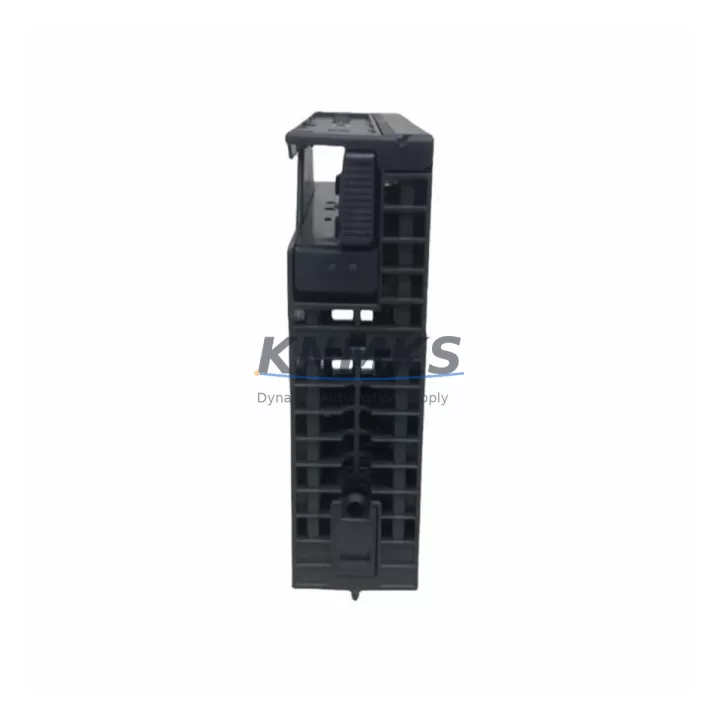
The Siemens 6ES7953-8LL20-0AA0 is a 4 MB Micro Memory Card (MMC) engineered for the SIMATIC S7-300 and C7 controller families. As a non-volatile flash-based storage module, it retains the PLC user program, data blocks, and configuration parameters without battery backup — making it a critical component in any preventive maintenance strategy for S7-300-based production lines. Whether you are managing a scheduled annual overhaul, responding to an unplanned CPU fault, or building a resilient spare parts inventory for aging automation infrastructure, the 6ES7953-8LL20-0AA0 is a direct, plug-and-play replacement that eliminates program re-entry risk and dramatically reduces mean time to recovery (MTTR).
Sourced as an original Siemens component and verified through pre-shipment functional testing, every unit shipped by KNMKS carries a support terms confirmed by quotation covering manufacturing defects and operational failures under normal industrial conditions. Long-term supply continuity is maintained to support facilities running extended equipment lifecycles beyond the standard product lifecycle window.
Spare Maintenance Table
| Parameter | Specification |
|---|---|
| Part Number | 6ES7953-8LL20-0AA0 |
| Brand | Siemens |
| Series | SIMATIC S7-300 / C7 |
| Type | Micro Memory Card (MMC) |
| Storage Capacity | 4 MB |
| Memory Technology | Non-volatile Flash (no battery required) |
| Compatible CPUs | S7-300 CPUs (e.g. CPU 313C, 314C, 315-2 DP, 317-2 PN/DP), C7 controllers |
| Interface | Dedicated MMC slot on S7-300 CPU front panel |
| Operating Temperature | 0 °C to +60 °C |
| Storage Temperature | -20 °C to +70 °C |
| Origin | Germany |
| Support terms | 12 Months |
| Pre-shipment Test | Yes — functional verification before dispatch |
| Application | Program storage, data block retention, CPU firmware update |
| Maintenance Role | CPU hot-swap spare, emergency replacement, annual overhaul stock |
Maintenance Planning for Continuous Operation
Replacing the 6ES7953-8LL20-0AA0 in a live S7-300 control cabinet is rarely an isolated task. A disciplined maintenance engineer will treat the MMC swap as an opportunity to inspect the broader control system health and pre-empt secondary failures that could cause additional downtime after the primary repair.
Begin with the CPU module itself — the Siemens 6ES7315-2EH14-0AB0 (CPU 315-2 PN/DP) or equivalent S7-300 CPU should be inspected for firmware currency, front connector seating, and any accumulated fault history in the diagnostic buffer. If the MMC failure was preceded by intermittent program errors or unexpected CPU STOP states, the CPU module should be treated as a co-suspect and a spare CPU added to the cabinet’s local spare kit.
Next, verify the 24 VDC power supply module — typically a Siemens 6ES7307-1EA01-0AA0 PS307 5A or equivalent — for output voltage stability, capacitor aging, and thermal performance. An unstable supply rail is a leading cause of MMC read/write errors and premature flash wear. Measure output under load and compare against nameplate tolerance before closing the cabinet.
Inspect all digital and analog I/O modules in the backplane rack. Loose front connector screws, corroded terminal contacts, or failed channel indicators on modules such as the 6ES7321-1BL00-0AA0 (SM321 DI 32×DC24V) or 6ES7331-7KF02-0AB0 (SM331 AI 8×12Bit) can introduce signal noise that stresses the CPU and indirectly accelerates memory card wear cycles. Torque all front connectors to specification and verify channel-level diagnostics via STEP 7 or TIA Portal online mode.
For networked S7-300 systems, check the PROFIBUS DP or PROFINET communication interface. If the CPU carries an integrated PN/DP port, inspect the RJ45 or Sub-D9 connector for physical damage and verify bus termination resistors at both ends of the segment. A degraded network can cause repeated program download retries that accelerate MMC write cycles. Where a dedicated CP 343-1 Ethernet communication processor is installed, confirm its firmware version and IP configuration are consistent with the restored program on the new MMC.
Finally, review the cabinet’s 24 VDC fuse and circuit protection layout. Blade fuses or miniature circuit breakers protecting the CPU supply rail and I/O commons should be tested for continuity and replaced on a scheduled basis — typically every 3–5 years in high-vibration or high-humidity environments. Pairing the MMC replacement with a fuse audit ensures the restored system starts cleanly and reduces the probability of a repeat fault within the confirmed support period.
Site Replacement Workflow
The 6ES7953-8LL20-0AA0 is designed for tool-free, hot-swap-capable replacement on all compatible S7-300 CPUs that support MMC insertion with the CPU in STOP mode. Follow this sequence to minimize downtime and protect program integrity:
Step 1 — Backup: Before removing the existing MMC, use STEP 7 (v5.x) or TIA Portal to upload the current program from the CPU RAM to an offline project file on the engineering workstation. Confirm the backup matches the last known-good version in your change management log.
Step 2 — CPU STOP: Place the CPU in STOP mode via the mode selector switch or online command. Confirm the STOP LED is solid before proceeding. Do not remove the MMC while the CPU is in RUN mode.
Step 3 — MMC Removal: Press the MMC eject button on the CPU front panel. Remove the old card and inspect the slot for debris or corrosion. Insert the new 6ES7953-8LL20-0AA0 firmly until the retention latch clicks.
Step 4 — Program Download: With the new MMC installed, download the verified program from the engineering workstation to the CPU. The S7-300 CPU will automatically write the program to the MMC during the download process. Confirm successful download via the diagnostic buffer.
Step 5 — RUN Verification: Switch the CPU to RUN mode. Monitor the first 5–10 minutes of operation for any I/O faults, communication errors, or unexpected STOP events. Verify process values against pre-maintenance baseline readings.
Step 6 — Documentation: Record the replacement date, new MMC serial number, program version downloaded, and technician ID in the equipment maintenance log. Update the spare parts inventory to trigger reorder of a replacement MMC for the cabinet’s local stock.
This workflow is compatible with all S7-300 CPU variants that accept the standard MMC form factor, including legacy CPU 31x series and current production CPUs. No hardware modification or firmware update is required when replacing like-for-like with the 6ES7953-8LL20-0AA0.
Spare Parts Support FAQ
Q1: Is the 6ES7953-8LL20-0AA0 still available for long-term procurement?
Yes. KNMKS maintains stock continuity for S7-300 MMC variants including the 4MB 6ES7953-8LL20-0AA0 to support facilities operating beyond the standard Siemens product lifecycle. Long-term supply agreements and volume reservation are available on request for MRO and OEM customers.
Q2: How is compatibility with my specific S7-300 CPU confirmed before shipment?
Compatibility is verified against the Siemens SIMATIC S7-300 hardware catalog. The 6ES7953-8LL20-0AA0 is compatible with all S7-300 CPUs and C7 controllers that feature the standard MMC slot. If you provide your CPU order number, our technical team will confirm compatibility before order confirmation.
Q3: What pre-shipment testing is performed on each unit?
Each 6ES7953-8LL20-0AA0 undergoes functional verification including read/write cycle testing and capacity confirmation prior to dispatch. Units that fail any test parameter are quarantined and not shipped. A test report is available on request for quality-critical procurement.
Q4: What does the support terms confirmed by quotation cover and how is a claim processed?
The support terms confirmed by quotation cover manufacturing defects and operational failures under normal industrial operating conditions (per IEC 61131-2 environmental class). Support requests are initiated by contacting admin@knmks.com with the order number, fault description, and site photos. Replacement units are dispatched within 3 business days of claim approval, with return freight covered for confirmed support terms cases.
© 2026 KNMKS. All rights reserved.
Original Source: https://knmks.com
Contact: admin@knmks.com | +86 18359268345
Product Identification
- Brand / Ecosystem
-
Siemens
Siemens - Model / Series
-
6ES7953-8LL20-0AA0
SIMATIC Series - Product Family
- PLCs & Controllers
- Availability Status
- Available on request after model and quantity confirmation
- Inquiry Type
- B2B RFQ, replacement inquiry and project spare-part request
- Pre-Quote Check
- Exact SKU, brand, series, quantity, nameplate photos and destination country are checked before quotation
System Path
Where this product fits in the KNMKS automation structure.
Specification & Inquiry Focus
- Control platform
- PLC, PAC and modular controllers
- Common needs
- CPU, rack, power and I/O expansion
- Project support
- Replacement, cabinet build and maintenance
Buyer Confirmation
Information KNMKS checks before replying.
- Exact model
- 6ES7953-8LL20-0AA0
- Brand / ecosystem
- Siemens
- Product family
- PLCs & Controllers
- Application note
- Replacement, maintenance, project build or spare-part list
- Useful photos
- Nameplate, installed unit, cabinet layout or connector side
- Delivery details
- Quantity, destination country and target schedule
Document Support
Files and notes can be confirmed during quotation.
- Product photos or nameplate confirmation when available
- Packing and delivery notes before quotation confirmation
- Support scope and delivery terms confirmed per inquiry
- Export document coordination for qualified B2B requests
Inquiry Support
- Model cross-checking before quotation
- CPU, power, rack and expansion module matching
- Support for replacement and project inquiry
What to Send Us
- Brand and exact model number: Siemens 6ES7953-8LL20-0AA0
- Quantity and required delivery time
- Application, replacement requirement or nameplate photo
- Destination country and shipping preference
RFQ Preparation
This is a product inquiry page built for RFQ communication.
Fast Model Check
Send this model to KNMKS for confirmation.
Include quantity, destination country and photos if this is a maintenance replacement. The inquiry will be saved with a reference number after submission.
Brand & Compatibility Note
KNMKS displays automation product information for well-known industrial brand ecosystems and compatible replacement references. Brand names are used for product identification and compatibility reference only; final availability and commercial terms are confirmed per quotation.
 Manufacturing
 Machine Tools
 Packaging
 Energy & Power



 HMI & Displays
 Servo Systems
 Variable Frequency Drives
 Sensors