
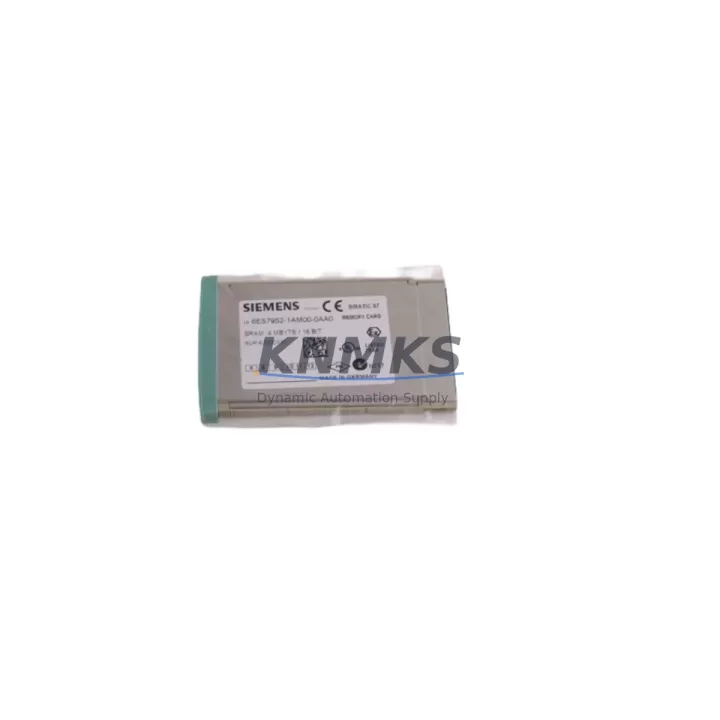
Overview
Siemens 6ES7952-1AM00-0AA0 Migration-Ready RAM Card for S7-400: Legacy System Retrofit and Upgrade Guide
The Siemens 6ES7952-1AM00-0AA0 is a 2MB RAM memory card designed for the SIMATIC S7-400 programmable logic controller platform. As legacy S7-400 installations continue to operate across global manufacturing, chemical processing, and power generation facilities, the demand for verified replacement memory cards has grown significantly. This module serves as a direct retrofit-ready replacement for aging or failed RAM cards within existing S7-400 racks, enabling engineers to restore system functionality without requiring a full controller migration or extended downtime.
When planning a replacement for the 6ES7952-1AM00-0AA0, the first step is to confirm the host CPU module. The S7-400 family spans a wide range of CPU variants — including the CPU 412, CPU 414, CPU 416, and CPU 417 — each with specific memory card slot requirements and firmware compatibility constraints. The 6ES7952-1AM00-0AA0 is compatible with the majority of S7-400 CPU modules that accept the standard SIMATIC memory card form factor. Before insertion, verify that the CPU firmware version supports 2MB RAM allocation, as older firmware revisions on certain CPU 412-1 variants may require an update via the SIMATIC Manager or TIA Portal before the card is recognized correctly.
In retrofit scenarios where the original RAM card has been lost or corrupted, the program logic stored on the card must be restored from a backup. Engineers should confirm that a valid S7 project backup exists in STEP 7 or TIA Portal before proceeding. If the original program was stored exclusively on the RAM card without an offline backup, a partial reconstruction from the CPU’s load memory or a connected HMI — such as a SIMATIC TP or MP panel — may be necessary. This is a critical pre-migration checkpoint that directly affects downtime duration.
Migration Compatibility Table
| Parameter | Details |
|---|---|
| SKU / Part Number | 6ES7952-1AM00-0AA0 |
| Memory Capacity | 2MB RAM |
| Compatible Platform | SIMATIC S7-400 (CPU 412, 414, 416, 417 series) |
| Card Form Factor | Standard SIMATIC S7-400 memory card slot |
| Installation Interface | Front-panel card slot on S7-400 CPU module |
| Communication Compatibility | PROFIBUS-DP, MPI, Industrial Ethernet (via CP modules) |
| Replacement Recommendation | Direct drop-in replacement for failed or corrupted 6ES7952-1AM00-0AA0 units |
| Commissioning Notes | Restore program from STEP 7 / TIA Portal backup; verify CPU firmware version before insertion |
| Rack / Backplane | Compatible with UR1, UR2, CR2, ER1, ER2 S7-400 racks |
| Support terms | support terms confirmed by quotation — all units pre-tested before shipment |
Retrofit Planning for Existing Automation Systems
A successful retrofit of the 6ES7952-1AM00-0AA0 within an existing S7-400 installation requires careful coordination across multiple system layers. The memory card itself is only one component in a broader control architecture that typically includes a PS 407 or PS 405 power supply module, one or more SM 421 digital input modules, SM 422 digital output modules, and SM 431 analog input modules mounted across UR1 or UR2 rack backplanes. Before removing the failed RAM card, document the current module address assignments and slot configuration using SIMATIC Manager’s hardware configuration view to avoid address conflicts after reinsertion.
For installations that also use CP 443-1 or CP 443-5 communication processor modules for PROFIBUS or Industrial Ethernet connectivity, confirm that the network configuration stored in the CPU’s system data block is intact and will not be overwritten during the memory card replacement procedure. In multi-rack configurations using IM 460 and IM 461 interface modules for rack expansion, the inter-rack communication links should be verified after the new RAM card is commissioned to ensure that distributed I/O modules continue to respond correctly.
If the control cabinet also houses a SIMATIC HMI panel connected via MPI or PROFIBUS, the HMI screen tags and alarm configurations should be backed up independently before the RAM card swap. HMI communication links are not affected by the memory card replacement itself, but a CPU restart following card insertion will temporarily interrupt the MPI/PROFIBUS connection, which may trigger alarm states on the HMI that require manual acknowledgment during recommissioning.
For sites planning a longer-term migration from S7-400 to S7-1500 or ET 200SP-based architectures, the 6ES7952-1AM00-0AA0 provides a cost-effective bridge solution that extends the operational life of the existing platform while the migration project is planned and budgeted. Replacing a failed RAM card now avoids an unplanned emergency shutdown and allows the migration to proceed on a controlled schedule.
Downtime Control During System Migration
Minimizing downtime during a RAM card replacement on an S7-400 system requires a structured pre-maintenance checklist. Before powering down the CPU, place all connected field devices in a safe state and notify the process control team. If the CPU is operating in RUN mode with active PROFIBUS slaves or ET 200M remote I/O stations, a controlled STOP command should be issued from SIMATIC Manager or the CPU’s mode selector switch before the card is removed.
The physical card swap itself takes under two minutes. However, the total downtime window is determined by the time required to reload the program from backup, re-establish communication links, and perform a functional verification of all I/O channels. For a well-prepared site with a current STEP 7 project backup and documented hardware configuration, the full recommissioning sequence can typically be completed within 30 to 90 minutes. Sites without a current backup should treat this replacement as a partial system recovery exercise and allocate additional time accordingly.
To protect the original program logic during the replacement, always use the STEP 7 “Upload” function to create a current backup from the CPU’s load memory before removing the RAM card, if the CPU is still operational. This preserves any online modifications that may not have been saved to the offline project. After the new 6ES7952-1AM00-0AA0 is inserted and the CPU is powered on, download the complete project — including hardware configuration, program blocks, and system data — to ensure the replacement card is fully initialized.
All 6ES7952-1AM00-0AA0 units supplied by KNMKS are pre-tested before shipment to verify read/write integrity and physical connector condition. This pre-shipment testing step reduces the risk of receiving a defective unit and helps keep the on-site replacement window as short as possible.
Retrofit Support FAQ
Q1: Is the 6ES7952-1AM00-0AA0 a direct replacement for the original Siemens part?
Yes. The 6ES7952-1AM00-0AA0 supplied by KNMKS is functionally equivalent to the original Siemens factory part. It uses the same 2MB RAM capacity, the same physical form factor, and is compatible with the full range of S7-400 CPU modules that accept this card type. No hardware modifications or adapter brackets are required for installation.
Q2: What commissioning steps are required after inserting the replacement RAM card?
After inserting the new card, power on the CPU and use SIMATIC Manager or TIA Portal to download the complete project, including hardware configuration and all program blocks. Verify that the CPU transitions to RUN mode without fault indicators. Check all PROFIBUS and MPI communication links, confirm I/O module status in the hardware diagnostics view, and perform a functional test of critical output channels before returning the system to automatic operation.
Q3: Can the replacement card be used in an S7-400H redundant system?
The 6ES7952-1AM00-0AA0 is compatible with S7-400H high-availability configurations. In a redundant system, the memory card replacement should be performed on one CPU at a time while the partner CPU maintains process control. Follow the S7-400H maintenance procedures documented in the Siemens S7-400H system manual to ensure bumpless switchover during the replacement sequence.
Q4: What support terms and stock availability does KNMKS provide for this part?
KNMKS maintains stock inventory of the 6ES7952-1AM00-0AA0 and offers a support terms confirmed by quotation on all units. Every card undergoes pre-shipment functional testing before dispatch. For volume orders or long-term supply agreements covering 12 to 36 months of planned maintenance requirements, contact the KNMKS sales team directly to discuss pricing and lead time commitments.
© 2026 KNMKS. All rights reserved.
Original Source: https://knmks.com
Contact: admin@knmks.com | +86 18359268345
Product Identification
- Brand / Ecosystem
-
Siemens
Siemens - Model / Series
-
6ES7952-1AM00-0AA0
SIMATIC Series - Product Family
- PLCs & Controllers
- Availability Status
- Available on request after model and quantity confirmation
- Inquiry Type
- B2B RFQ, replacement inquiry and project spare-part request
- Pre-Quote Check
- Exact SKU, brand, series, quantity, nameplate photos and destination country are checked before quotation
System Path
Where this product fits in the KNMKS automation structure.
Specification & Inquiry Focus
- Control platform
- PLC, PAC and modular controllers
- Common needs
- CPU, rack, power and I/O expansion
- Project support
- Replacement, cabinet build and maintenance
Buyer Confirmation
Information KNMKS checks before replying.
- Exact model
- 6ES7952-1AM00-0AA0
- Brand / ecosystem
- Siemens
- Product family
- PLCs & Controllers
- Application note
- Replacement, maintenance, project build or spare-part list
- Useful photos
- Nameplate, installed unit, cabinet layout or connector side
- Delivery details
- Quantity, destination country and target schedule
Document Support
Files and notes can be confirmed during quotation.
- Product photos or nameplate confirmation when available
- Packing and delivery notes before quotation confirmation
- Support scope and delivery terms confirmed per inquiry
- Export document coordination for qualified B2B requests
Inquiry Support
- Model cross-checking before quotation
- CPU, power, rack and expansion module matching
- Support for replacement and project inquiry
What to Send Us
- Brand and exact model number: Siemens 6ES7952-1AM00-0AA0
- Quantity and required delivery time
- Application, replacement requirement or nameplate photo
- Destination country and shipping preference
RFQ Preparation
This is a product inquiry page built for RFQ communication.
Fast Model Check
Send this model to KNMKS for confirmation.
Include quantity, destination country and photos if this is a maintenance replacement. The inquiry will be saved with a reference number after submission.
Brand & Compatibility Note
KNMKS displays automation product information for well-known industrial brand ecosystems and compatible replacement references. Brand names are used for product identification and compatibility reference only; final availability and commercial terms are confirmed per quotation.
 Manufacturing
 Machine Tools
 Packaging
 Energy & Power



 HMI & Displays
 Servo Systems
 Variable Frequency Drives
 Sensors