
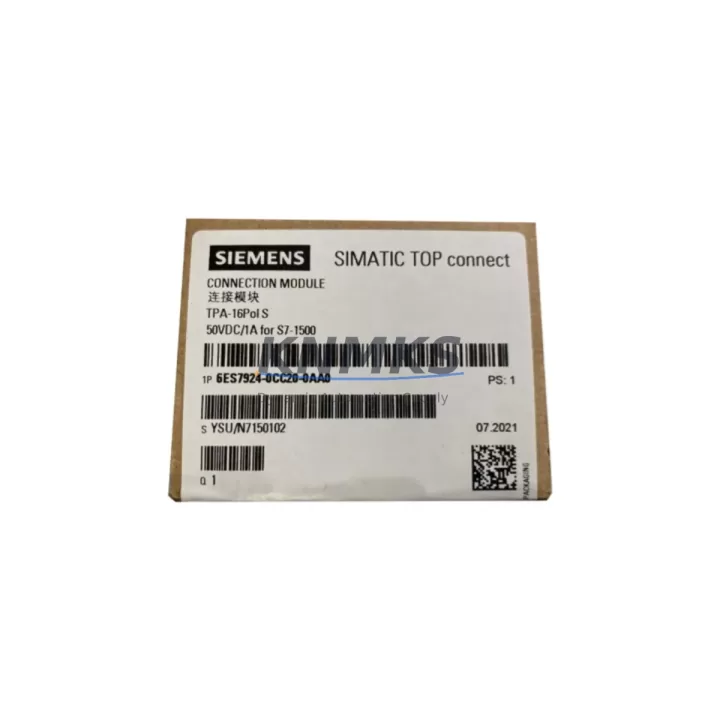
Overview
Siemens 6ES7924-0CC20-0AA0 Maintenance-Proven Spare Part for Factory Uptime
The Siemens 6ES7924-0CC20-0AA0 is a 40-pin screw-type front connector designed for the SIMATIC S7-300 series signal modules, including SM 321, SM 322, and SM 323 digital I/O modules. As a field-replaceable wiring interface, this front connector is a critical component in any S7-300 control cabinet, enabling fast, reliable field wiring without disturbing the signal module itself. For maintenance engineers managing aging S7-300 installations, keeping verified original 6ES7924-0CC20-0AA0 units in the spare parts inventory is a fundamental strategy for minimizing unplanned downtime and accelerating fault recovery.
In industrial environments where S7-300 PLCs continue to anchor production lines, packaging systems, conveyor controls, and process automation cells, the front connector is often the first component to show wear — from repeated wiring cycles, terminal corrosion, mechanical stress, or thermal fatigue. A failed or intermittent front connector can produce erratic I/O behavior that mimics sensor faults, wiring errors, or even CPU anomalies, making rapid spare availability essential for accurate fault isolation and fast restoration of normal operation.
KNMKS supplies the 6ES7924-0CC20-0AA0 as a verified original Siemens spare part, sourced from authorized channels, individually inspected before dispatch, and backed by a support terms confirmed by quotation. Each unit ships with full traceability documentation to support your incoming inspection and maintenance records.
Spare Maintenance Table
| Parameter | Specification |
|---|---|
| Part Number | 6ES7924-0CC20-0AA0 |
| Description | Front Connector, 40-Pin, Screw-Type |
| Compatible Modules | SIMATIC S7-300 SM 321, SM 322, SM 323 Signal Modules |
| Series | SIMATIC S7-300 |
| Brand | Siemens |
| Connection Type | Screw Terminal |
| Number of Pins | 40 |
| Rated Voltage | Up to 250 V AC/DC |
| Rated Current per Terminal | Up to 10 A |
| Wire Cross-Section | 0.25 – 2.5 mm² |
| Degree of Protection | IP20 (installed) |
| Operating Temperature | 0 °C to +60 °C |
| Storage Temperature | -40 °C to +70 °C |
| Origin | Germany |
| Installation | Plug-in, front-mount on S7-300 signal module |
| Labeling | Integrated labeling strip slot |
| Support terms | 12 Months (KNMKS) |
| Condition | Original New / Verified Surplus |
| Dispatch | Tested before shipment, global delivery |
Maintenance Planning for Continuous Operation
When replacing the 6ES7924-0CC20-0AA0 front connector during scheduled maintenance or emergency fault recovery, a disciplined inspection of the surrounding electrical circuit is essential to prevent repeat failures and ensure full system restoration. Maintenance engineers should treat a front connector replacement as an opportunity to audit the entire I/O loop.
Begin by verifying the signal module itself — the Siemens SM 321 (6ES7321 series) digital input module or SM 322 (6ES7322 series) digital output module that the connector interfaces with. A worn or damaged front connector can cause terminal arcing that degrades the module’s internal I/O circuitry over time. Confirm that all channel LEDs respond correctly after reconnection and that no channels show persistent fault states.
Next, inspect the 24 VDC power supply feeding the I/O rack — typically a Siemens SITOP PSU100S or PSU200M series unit. Voltage instability or ripple at the power rail can accelerate terminal oxidation and connector wear. Measure output voltage under load and verify that the power supply’s status LED and diagnostic output are nominal before re-energizing the replaced connector.
Check the S7-300 backplane bus connector (6ES7390 series) at the signal module slot. A loose or corroded bus connector can produce intermittent communication errors between the CPU and the I/O module that are easily misdiagnosed as front connector faults. Reseat the module firmly and verify that the bus connector pins are clean and undamaged.
For installations using analog signal modules such as the SM 331 or SM 332 (6ES7331/6ES7332 series), also inspect any signal isolators or signal conditioners in the loop. These devices protect the PLC input from field-side voltage transients and ground loops; a degraded isolator can introduce noise that appears as erratic analog readings even after a successful front connector replacement.
Review the terminal blocks and DIN rail wiring in the control cabinet. Loose or corroded field wiring terminations at the front connector are a leading cause of intermittent I/O faults. Re-torque all screw terminals to the specified 0.5–0.6 Nm and inspect wire ferrules for signs of corrosion or mechanical damage. Replace any suspect ferrules before reconnecting field cables.
Finally, if the S7-300 system uses a CP 343-1 or CP 343-1 Lean (6GK7343 series) communications processor for PROFINET or Industrial Ethernet connectivity, verify that the network link is stable after the maintenance intervention. Front connector replacement work in a live cabinet can introduce brief power interruptions that may require a communications processor restart to restore network connectivity.
Site Replacement Workflow
The 6ES7924-0CC20-0AA0 is a direct plug-in replacement for the original Siemens 40-pin screw front connector used across the S7-300 signal module range. No tools are required for connector insertion or removal — the connector latches mechanically to the signal module and can be swapped in the field without removing the module from the backplane rail, significantly reducing replacement time and the risk of disturbing adjacent modules.
Step 1 — Isolate the circuit: De-energize the field wiring connected to the front connector. For safety-critical outputs, follow your site’s lockout/tagout procedure before disconnecting any field cables.
Step 2 — Label and photograph: Before removing the old connector, photograph the wiring layout and verify that the integrated labeling strip is legible. Transfer or reprint the labeling strip for the new connector to ensure accurate re-termination.
Step 3 — Remove the old connector: Press the release lever on the front connector and pull it forward to disengage from the signal module. The connector slides out cleanly without disturbing the module or backplane.
Step 4 — Inspect and re-terminate: Transfer field wiring to the new 6ES7924-0CC20-0AA0 connector. Re-torque all screw terminals and inspect wire ends for damage. Replace any damaged ferrules before insertion.
Step 5 — Insert and verify: Slide the new connector into the signal module until it latches. Re-energize the circuit and verify correct I/O channel operation via the SIMATIC STEP 7 or TIA Portal online diagnostics. Confirm that all channel status LEDs are green and that no fault bits are set in the module diagnostic data.
This non-intrusive replacement workflow allows experienced maintenance engineers to complete a front connector swap in under 15 minutes, minimizing production downtime and avoiding the need for a full module extraction or rack shutdown.
Spare Parts Support FAQ
Q1: Is the 6ES7924-0CC20-0AA0 compatible with all S7-300 signal modules?
The 6ES7924-0CC20-0AA0 is the 40-pin screw-type front connector compatible with Siemens S7-300 signal modules that use the 40-pin interface, including SM 321, SM 322, and SM 323 series modules. Always verify the pin count and connector type specified on your signal module’s nameplate before ordering. S7-300 modules using 20-pin connectors require the 6ES7920-0AA00-0AA0 variant instead.
Q2: How does KNMKS verify the condition of spare 6ES7924-0CC20-0AA0 units before dispatch?
Each unit undergoes a pre-shipment inspection covering mechanical integrity, terminal condition, latch mechanism function, and labeling strip slot integrity. Original new units are supplied in Siemens OEM packaging with batch traceability. Verified surplus units are individually inspected and cleaned before dispatch. All units are covered by a support terms confirmed by quotation from the date of shipment.
Q3: What is the recommended stock quantity for a production facility running multiple S7-300 racks?
For facilities operating 5 or more S7-300 racks, a minimum buffer of 5–10 units of the 6ES7924-0CC20-0AA0 is recommended to support both planned annual maintenance and emergency fault recovery. Front connectors are consumable items with a service life dependent on wiring cycle frequency and environmental conditions. Facilities in high-humidity or high-vibration environments should maintain a higher buffer stock and schedule annual connector inspection as part of their preventive maintenance program.
Q4: Can KNMKS support long-term supply agreements for 6ES7924-0CC20-0AA0 and related S7-300 spare parts?
Yes. KNMKS offers blanket order arrangements and long-term supply agreements for customers requiring guaranteed stock availability of S7-300 spare parts, including front connectors, signal modules, power supply units, and communications processors. Contact our sales team to discuss volume pricing, lead time commitments, and consignment stock options tailored to your maintenance planning cycle.
© 2026 KNMKS. All rights reserved.
Original Source: https://knmks.com
Contact: admin@knmks.com | +86 18359268345
Product Identification
- Brand / Ecosystem
-
Siemens
Siemens - Model / Series
-
6ES7924-0CC20-0AA0
SIMATIC Series - Product Family
- PLCs & Controllers
- Availability Status
- Available on request after model and quantity confirmation
- Inquiry Type
- B2B RFQ, replacement inquiry and project spare-part request
- Pre-Quote Check
- Exact SKU, brand, series, quantity, nameplate photos and destination country are checked before quotation
System Path
Where this product fits in the KNMKS automation structure.
Specification & Inquiry Focus
- Control platform
- PLC, PAC and modular controllers
- Common needs
- CPU, rack, power and I/O expansion
- Project support
- Replacement, cabinet build and maintenance
Buyer Confirmation
Information KNMKS checks before replying.
- Exact model
- 6ES7924-0CC20-0AA0
- Brand / ecosystem
- Siemens
- Product family
- PLCs & Controllers
- Application note
- Replacement, maintenance, project build or spare-part list
- Useful photos
- Nameplate, installed unit, cabinet layout or connector side
- Delivery details
- Quantity, destination country and target schedule
Document Support
Files and notes can be confirmed during quotation.
- Product photos or nameplate confirmation when available
- Packing and delivery notes before quotation confirmation
- Support scope and delivery terms confirmed per inquiry
- Export document coordination for qualified B2B requests
Inquiry Support
- Model cross-checking before quotation
- CPU, power, rack and expansion module matching
- Support for replacement and project inquiry
What to Send Us
- Brand and exact model number: Siemens 6ES7924-0CC20-0AA0
- Quantity and required delivery time
- Application, replacement requirement or nameplate photo
- Destination country and shipping preference
RFQ Preparation
This is a product inquiry page built for RFQ communication.
Fast Model Check
Send this model to KNMKS for confirmation.
Include quantity, destination country and photos if this is a maintenance replacement. The inquiry will be saved with a reference number after submission.
Brand & Compatibility Note
KNMKS displays automation product information for well-known industrial brand ecosystems and compatible replacement references. Brand names are used for product identification and compatibility reference only; final availability and commercial terms are confirmed per quotation.
 Manufacturing
 Machine Tools
 Packaging
 Energy & Power



 HMI & Displays
 Servo Systems
 Variable Frequency Drives
 Sensors