
Overview
Siemens 6ES7923-0BB00-0DB0 Maintenance-Proven Spare Part for Factory Uptime
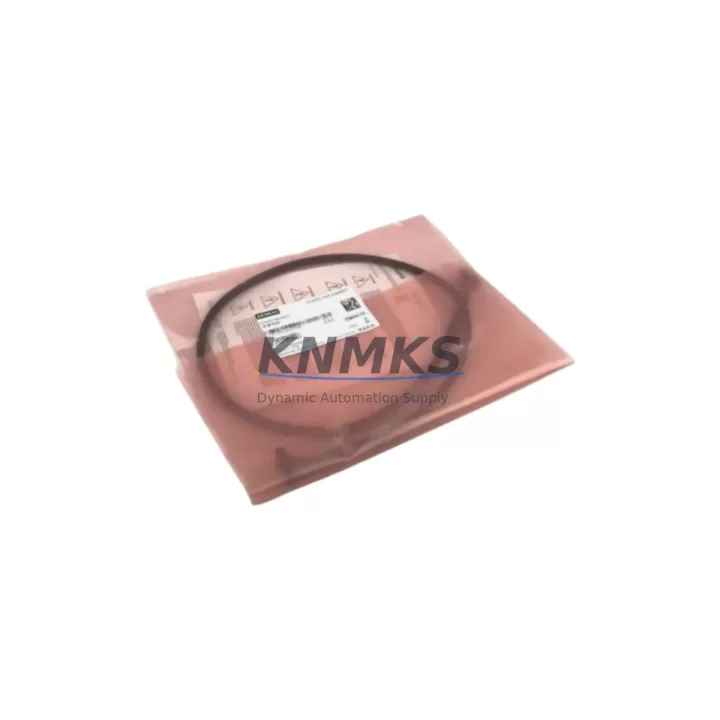
The Siemens 6ES7923-0BB00-0DB0 is an original MPI/PROFIBUS DP programming cable designed for seamless communication between a PC or PG and Siemens S7-300 and S7-400 series PLCs. As a critical interface component in industrial control cabinets, this cable enables engineers to perform online diagnostics, firmware uploads, program transfers, and real-time monitoring without interrupting production. Maintaining a verified spare of the 6ES7923-0BB00-0DB0 in your parts inventory is a proven strategy for reducing unplanned downtime and accelerating fault recovery across SIMATIC automation systems.
At KNMKS, every 6ES7923-0BB00-0DB0 unit is sourced from authorized supply channels, individually inspected, and shipped with a support terms confirmed by quotation. Our global stock ensures rapid dispatch to maintenance teams in manufacturing, energy, water treatment, automotive, and process industries.
Spare Maintenance Table
| Parameter | Specification |
|---|---|
| Part Number | 6ES7923-0BB00-0DB0 |
| Brand | Siemens |
| Series | SIMATIC S7 / STEP 7 |
| Product Type | MPI / PROFIBUS DP Programming Cable |
| Interface | USB (PC side) to MPI/PROFIBUS DP (PLC side) |
| Compatible Systems | S7-300, S7-400, S7-200 (via adapter), ET 200 series |
| Communication Protocol | MPI, PROFIBUS DP up to 12 Mbit/s |
| Software Compatibility | STEP 7 V5.x, TIA Portal (diagnostic mode), WinCC |
| Origin | Germany |
| Connector Type | USB Type-A to Sub-D 9-pin (RS-485) |
| Operating Temperature | 0°C to +60°C |
| Application Environment | Industrial control cabinets, PLC programming stations, field commissioning |
| Maintenance Role | Online diagnostics, program upload/download, fault isolation, firmware update |
| Support terms | 12 Months |
| Stock Status | availability confirmed by RFQ — Ready to Ship |
| Testing | Electrically tested and communication-verified before dispatch |
Maintenance Planning for Continuous Operation
When a 6ES7923-0BB00-0DB0 cable fails or becomes unavailable, the consequences extend well beyond a missing programming interface. Maintenance engineers lose the ability to connect to the PLC for live diagnostics, forcing extended troubleshooting cycles and increasing mean time to repair (MTTR). A structured spare parts strategy should treat this cable as a Tier-1 consumable alongside other high-criticality components in the same control cabinet.
During annual maintenance shutdowns or control cabinet inspections, engineers replacing or verifying the 6ES7923-0BB00-0DB0 should simultaneously audit the following associated components to prevent cascading failures:
- Siemens 6ES7972-0BB52-0XA0 PROFIBUS DP connector — the Sub-D bus connector at the PLC’s MPI/DP port is subject to mechanical wear and pin oxidation; replace alongside the cable during scheduled maintenance.
- Siemens 6ES7307-1EA01-0AA0 PS307 power supply module — verify 24 VDC rail stability; voltage fluctuations on the S7-300 backplane can corrupt communication sessions and damage cable interfaces.
- Siemens 6ES7321-1BL00-0AA0 SM321 digital input module — during fault isolation, confirm I/O module status via STEP 7 online diagnostics using the 6ES7923-0BB00-0DB0 before replacing field devices.
- Siemens 6ES7315-2AG10-0AB0 CPU 315-2 DP — if the CPU’s MPI port shows communication errors, the cable should be the first component swapped to rule out interface faults before escalating to CPU replacement.
- PROFIBUS termination resistors and bus terminal connectors — improper bus termination is a leading cause of intermittent MPI/PROFIBUS communication failures; inspect and replace as part of the same maintenance cycle.
- Siemens 6GK1500-0FC10 PROFIBUS bus connector with PG socket — this connector allows the programming cable to remain connected during live bus operation; stock as a companion spare to the 6ES7923-0BB00-0DB0.
Procurement engineers should note that the 6ES7923-0BB00-0DB0 is a long-lifecycle Siemens accessory with stable cross-compatibility across the S7-300 and S7-400 platforms. Blanket purchase orders covering 2–3 units per site per year are a cost-effective approach to eliminating emergency sourcing delays. KNMKS supports long-term supply agreements with guaranteed stock allocation and priority dispatch for registered maintenance accounts.
Site Replacement Workflow
Replacing a failed or suspect 6ES7923-0BB00-0DB0 on-site is a straightforward procedure, but following a disciplined workflow minimizes risk and ensures the replacement cable is fully functional before the technician leaves the site:
Step 1 — Isolate and document: Before disconnecting the existing cable, record the current PLC program version, CPU operating mode (RUN/STOP), and any active fault codes visible on the CPU’s LED indicators. Use a secondary diagnostic tool if available.
Step 2 — Physical inspection: Inspect the Sub-D 9-pin connector at the MPI/DP port for bent pins, corrosion, or mechanical damage. If the port shows damage, address the port before installing the replacement cable to avoid damaging the new unit.
Step 3 — Driver verification: Confirm that the PC or PG used for programming has the correct USB driver installed for the 6ES7923-0BB00-0DB0. Siemens STEP 7 and TIA Portal installations typically include the required driver package. On Windows 10/11 systems, verify driver signing compatibility.
Step 4 — Connection and communication test: Connect the replacement cable, launch STEP 7 or TIA Portal, and perform an “Accessible Nodes” scan on the MPI/PROFIBUS network. Confirm the target CPU appears at the correct network address before proceeding with any program operations.
Step 5 — Functional validation: Upload the current program from the CPU to verify data integrity. Compare against the last known-good backup. Document the replacement in the site maintenance log with the cable serial number and date.
This workflow is compatible with both hot-standby and single-CPU S7-300/S7-400 configurations and does not require a production shutdown in most cases, provided the CPU remains in RUN mode during the cable swap.
Spare Parts Support FAQ
Q1: Is the 6ES7923-0BB00-0DB0 compatible with TIA Portal as well as STEP 7?
The 6ES7923-0BB00-0DB0 is primarily designed for STEP 7 V5.x environments. It can be used with TIA Portal for diagnostic and monitoring functions on S7-300/S7-400 CPUs, but full TIA Portal programming functionality for newer S7-1200/S7-1500 CPUs requires a different interface (e.g., 6ES7972-0CB20-0XA0 PC Adapter USB A2). Always verify your CPU generation and software version before ordering.
Q2: How does KNMKS verify the 6ES7923-0BB00-0DB0 before shipment?
Each unit undergoes electrical continuity testing and a live communication handshake test with a Siemens S7-300 CPU before packaging. Units that fail any test parameter are quarantined and not dispatched. A test report is available upon request for quality-critical procurement processes.
Q3: What is the recommended inventory quantity for a multi-line manufacturing facility?
For facilities operating 10 or more S7-300/S7-400 PLCs, we recommend maintaining a minimum of 2 units of the 6ES7923-0BB00-0DB0 per maintenance zone. High-criticality lines (continuous process, cleanroom, or safety-instrumented systems) should carry 3–4 units with at least one dedicated to the maintenance team’s field kit. KNMKS offers volume pricing and reserved stock programs for facilities with annual consumption commitments.
Q4: What is the support terms coverage and what does it include?
All 6ES7923-0BB00-0DB0 units supplied by KNMKS carry a support terms confirmed by quotation from the date of shipment. The support terms covers manufacturing defects, communication failures under normal operating conditions, and connector integrity. It does not cover damage resulting from incorrect installation, overvoltage events, or physical mishandling. Support requests are processed within 5 business days, with advance replacement available for registered maintenance accounts to minimize site downtime.
© 2026 KNMKS. All rights reserved.
Original Source: https://knmks.com
Contact: admin@knmks.com | +86 18359268345
Product Identification
- Brand / Ecosystem
-
Siemens
Siemens - Model / Series
-
6ES7923-0BB00-0DB0
SIMATIC Series - Product Family
- PLCs & Controllers
- Availability Status
- Available on request after model and quantity confirmation
- Inquiry Type
- B2B RFQ, replacement inquiry and project spare-part request
- Pre-Quote Check
- Exact SKU, brand, series, quantity, nameplate photos and destination country are checked before quotation
System Path
Where this product fits in the KNMKS automation structure.
Specification & Inquiry Focus
- Control platform
- PLC, PAC and modular controllers
- Common needs
- CPU, rack, power and I/O expansion
- Project support
- Replacement, cabinet build and maintenance
Buyer Confirmation
Information KNMKS checks before replying.
- Exact model
- 6ES7923-0BB00-0DB0
- Brand / ecosystem
- Siemens
- Product family
- PLCs & Controllers
- Application note
- Replacement, maintenance, project build or spare-part list
- Useful photos
- Nameplate, installed unit, cabinet layout or connector side
- Delivery details
- Quantity, destination country and target schedule
Document Support
Files and notes can be confirmed during quotation.
- Product photos or nameplate confirmation when available
- Packing and delivery notes before quotation confirmation
- Support scope and delivery terms confirmed per inquiry
- Export document coordination for qualified B2B requests
Inquiry Support
- Model cross-checking before quotation
- CPU, power, rack and expansion module matching
- Support for replacement and project inquiry
What to Send Us
- Brand and exact model number: Siemens 6ES7923-0BB00-0DB0
- Quantity and required delivery time
- Application, replacement requirement or nameplate photo
- Destination country and shipping preference
RFQ Preparation
This is a product inquiry page built for RFQ communication.
Fast Model Check
Send this model to KNMKS for confirmation.
Include quantity, destination country and photos if this is a maintenance replacement. The inquiry will be saved with a reference number after submission.
Brand & Compatibility Note
KNMKS displays automation product information for well-known industrial brand ecosystems and compatible replacement references. Brand names are used for product identification and compatibility reference only; final availability and commercial terms are confirmed per quotation.
 Manufacturing
 Machine Tools
 Packaging
 Energy & Power



 HMI & Displays
 Servo Systems
 Variable Frequency Drives
 Sensors