
Overview
Siemens 6ES7648-2BF02-0XG0 Maintenance Spare Part for Factory Uptime
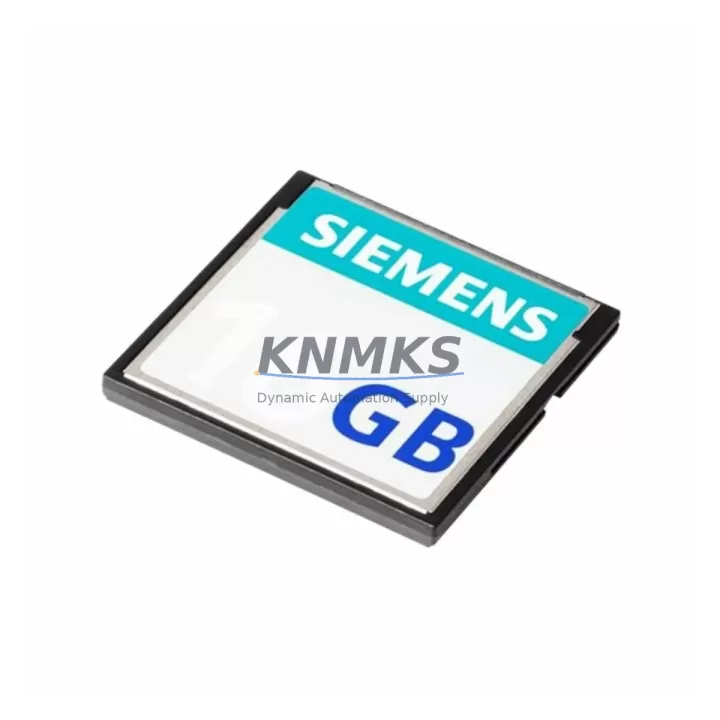
The Siemens 6ES7648-2BF02-0XG0 is a 4GB industrial Compact Flash (CF) memory card designed for use with the SIMATIC S7-400 programmable logic controller platform and WinAC RTX software controllers. As a core storage component for PLC program data, operating system images, and project archives, this CF card plays a critical role in maintaining continuous factory operation. When this module fails or degrades, the entire control system may become inoperable — making rapid spare part availability a top priority for maintenance and procurement engineers managing legacy automation infrastructure.
At KNMKS, every 6ES7648-2BF02-0XG0 unit is sourced as an original Siemens spare, subject to pre-shipment functional testing, and backed by a support terms confirmed by quotation. We maintain long-term supply commitments for this SKU to support planned maintenance cycles, emergency replacements, and annual overhaul programs across manufacturing, process, and utilities sectors.
Spare Maintenance Table
| SKU / Part Number | 6ES7648-2BF02-0XG0 |
| Brand | Siemens |
| Series | SIMATIC S7-400 / WinAC RTX |
| Product Type | PLC Memory Card — Compact Flash (CF) |
| Storage Capacity | 4 GB |
| Form Factor | Compact Flash Type I/II |
| Compatible Systems | SIMATIC S7-400 CPUs (e.g. CPU 414, CPU 416, CPU 417), WinAC RTX 2010, WinAC Slot 400 |
| Application | PLC program storage, OS image backup, project archive, data logging |
| Operating Temperature | 0 °C to +60 °C (industrial grade) |
| Origin | Germany (DE) |
| Condition | Original Siemens — New or Tested Surplus |
| Pre-Shipment Test | Read/Write verification, format check, compatibility validation |
| Support terms | 12 Months from date of shipment |
| Lead Time | In-stock: ships within 2–5 business days |
| Minimum Order | 1 unit |
Maintenance Planning for Continuous Operation
For maintenance engineers responsible for SIMATIC S7-400 control cabinets, the 6ES7648-2BF02-0XG0 CF card is rarely a standalone concern. During routine point inspections and annual overhauls, it is standard practice to simultaneously verify the condition of adjacent components that share the same power rail, backplane, or communication bus.
When replacing or inspecting the 6ES7648-2BF02-0XG0, engineers should also assess the following components within the same control cabinet or PLC rack:
- S7-400 CPU modules (e.g. 6ES7414-2XK05-0AB0, 6ES7416-3XR05-0AB0): The CF card interfaces directly with the CPU slot. A degraded CPU may cause repeated card read errors even with a new CF card installed. Confirm CPU firmware version compatibility before replacement.
- S7-400 Power Supply modules (e.g. 6ES7407-0DA02-0AA0, 6ES7405-0KA02-0AA0): Unstable DC 24V or 5V supply rails are a leading cause of CF card corruption and premature failure. Measure output voltage ripple during replacement.
- S7-400 Backplane / Rack (e.g. UR2 rack 6ES7400-1JA01-0AA0): Inspect backplane connector pins for oxidation or mechanical damage, which can cause intermittent card recognition faults.
- Digital I/O modules (e.g. SM 421/422 series): During a planned CF card swap, it is efficient to simultaneously inspect I/O modules for blown fuses, failed channels, or loose terminal connections that may have contributed to the original fault event.
- Communication modules (e.g. CP 443-1 Ethernet, CP 441-2 serial): If the S7-400 system uses PROFIBUS or Industrial Ethernet for SCADA integration, verify that CP module firmware and configuration data are backed up to the replacement CF card before going live.
- 24V DC fuses and circuit protection: Inspect fuse blocks and miniature circuit breakers in the control cabinet supply section. A blown fuse upstream of the CPU rack is a common root cause of CF card data corruption during unexpected power loss.
For procurement engineers, maintaining a minimum stock of one spare 6ES7648-2BF02-0XG0 per S7-400 system is recommended, particularly for production lines where mean time to repair (MTTR) targets are under four hours. Long-term supply agreements are available through KNMKS for multi-site or multi-unit procurement programs.
Site Replacement Workflow
Replacing the 6ES7648-2BF02-0XG0 in a live S7-400 installation requires a structured approach to minimize downtime and avoid data loss:
- Backup current program and data: Before removing the existing CF card, use SIMATIC Manager or TIA Portal to upload the current program, hardware configuration, and data blocks to an engineering workstation. Confirm the backup is complete and readable.
- Power down the CPU safely: Switch the CPU to STOP mode. Follow site lockout/tagout (LOTO) procedures before accessing the card slot. Do not remove the CF card while the CPU is in RUN mode.
- Remove and inspect the old card: Check the old 6ES7648-2BF02-0XG0 for physical damage, connector pin wear, or label degradation. Document the failure mode for maintenance records.
- Insert the replacement card: Install the new 6ES7648-2BF02-0XG0. Ensure the card is fully seated in the CPU slot. The card is keyed — do not force insertion.
- Download program to new card: Using SIMATIC Manager, download the full project (program blocks, hardware configuration, system data) to the new CF card via the CPU. Verify download completion without errors.
- Restart and verify: Switch the CPU to RUN mode. Monitor the diagnostic buffer for any startup errors. Confirm I/O status, communication links, and HMI data displays are operating normally before releasing the line.
- Update maintenance records: Log the replacement date, new card serial number, and technician ID. Schedule the next CF card inspection at the next annual overhaul.
This workflow is compatible with all S7-400 CPU variants that accept the 6ES7648 series CF cards. For WinAC RTX installations, additional steps may be required to re-register the software license after card replacement — consult your WinAC documentation or contact KNMKS technical support.
Spare Parts Support FAQ
Q1: Is the 6ES7648-2BF02-0XG0 compatible with all S7-400 CPU models?
The 6ES7648-2BF02-0XG0 is compatible with the majority of SIMATIC S7-400 CPU modules that feature a Compact Flash card slot, including the CPU 414, CPU 416, and CPU 417 families, as well as WinAC RTX 2010 and WinAC Slot 400 controllers. Compatibility should always be verified against the specific CPU firmware version and hardware revision listed in the Siemens product documentation before installation. KNMKS can assist with compatibility verification upon request.
Q2: How is each unit tested before shipment?
Every 6ES7648-2BF02-0XG0 unit shipped by KNMKS undergoes pre-shipment testing that includes read/write cycle verification, format integrity check, and physical connector inspection. For tested surplus units, additional functional validation is performed using compatible S7-400 hardware. A test report is available upon request for quality-critical procurement programs.
Q3: What is the support terms coverage and what does it include?
All units are covered by a support terms confirmed by quotation from the date of shipment. The support terms covers manufacturing defects, premature failure under normal operating conditions, and card recognition failures attributable to the unit itself. It does not cover damage caused by incorrect installation, overvoltage events, or use outside the specified operating environment. Support requests are processed directly through KNMKS with replacement or refund options.
Q4: Can KNMKS support long-term or multi-unit procurement for this SKU?
Yes. KNMKS maintains long-term supply commitments for the 6ES7648-2BF02-0XG0 and related S7-400 spare parts. We support blanket purchase orders, scheduled delivery programs, and multi-site procurement for maintenance departments managing large installed bases of legacy Siemens automation equipment. Contact our sales team to discuss volume pricing and supply agreements.
© 2026 KNMKS. All rights reserved.
Original Source: https://knmks.com
Contact: admin@knmks.com | +86 18359268345
Product Identification
- Brand / Ecosystem
-
Siemens
Siemens - Model / Series
-
6ES7648-2BF02-0XG0
SIMATIC Series - Product Family
- PLCs & Controllers
- Availability Status
- Available on request after model and quantity confirmation
- Inquiry Type
- B2B RFQ, replacement inquiry and project spare-part request
- Pre-Quote Check
- Exact SKU, brand, series, quantity, nameplate photos and destination country are checked before quotation
System Path
Where this product fits in the KNMKS automation structure.
Specification & Inquiry Focus
- Control platform
- PLC, PAC and modular controllers
- Common needs
- CPU, rack, power and I/O expansion
- Project support
- Replacement, cabinet build and maintenance
Buyer Confirmation
Information KNMKS checks before replying.
- Exact model
- 6ES7648-2BF02-0XG0
- Brand / ecosystem
- Siemens
- Product family
- PLCs & Controllers
- Application note
- Replacement, maintenance, project build or spare-part list
- Useful photos
- Nameplate, installed unit, cabinet layout or connector side
- Delivery details
- Quantity, destination country and target schedule
Document Support
Files and notes can be confirmed during quotation.
- Product photos or nameplate confirmation when available
- Packing and delivery notes before quotation confirmation
- Support scope and delivery terms confirmed per inquiry
- Export document coordination for qualified B2B requests
Inquiry Support
- Model cross-checking before quotation
- CPU, power, rack and expansion module matching
- Support for replacement and project inquiry
What to Send Us
- Brand and exact model number: Siemens 6ES7648-2BF02-0XG0
- Quantity and required delivery time
- Application, replacement requirement or nameplate photo
- Destination country and shipping preference
RFQ Preparation
This is a product inquiry page built for RFQ communication.
Fast Model Check
Send this model to KNMKS for confirmation.
Include quantity, destination country and photos if this is a maintenance replacement. The inquiry will be saved with a reference number after submission.
Brand & Compatibility Note
KNMKS displays automation product information for well-known industrial brand ecosystems and compatible replacement references. Brand names are used for product identification and compatibility reference only; final availability and commercial terms are confirmed per quotation.
 Manufacturing
 Machine Tools
 Packaging
 Energy & Power



 HMI & Displays
 Servo Systems
 Variable Frequency Drives
 Sensors