
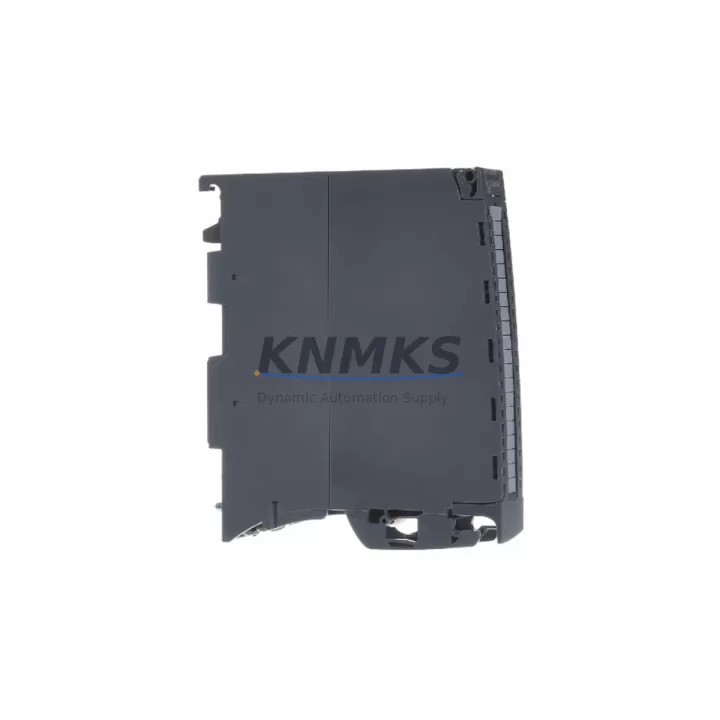
Overview
Siemens 6ES7531-7QD00-0AB0 Migration-Ready Analog Input for Legacy Control Systems
The Siemens 6ES7531-7QD00-0AB0 is a 4-channel high-speed analog input module designed for the ET 200SP distributed I/O system and fully integrated with the S7-1500 control platform. As industrial facilities accelerate the retirement of aging S7-300 and S7-400 control architectures, this module has become a primary replacement target for engineers managing legacy panel upgrades, distributed I/O expansions, and control cabinet modernization projects. Its compatibility with TIA Portal V14 and above, combined with support for standard 4–20 mA and ±10 V signal ranges, makes it a technically sound choice for migration projects where minimizing re-engineering effort is critical.
When replacing older analog input modules such as the SM 331 series from S7-300 racks, engineers must verify terminal wiring assignments, channel-to-channel isolation requirements, and the signal conditioning parameters stored in the legacy program. The 6ES7531-7QD00-0AB0 uses the ET 200SP BaseUnit BU type A0, which must be confirmed before installation to ensure correct backplane bus connectivity. Mismatched BaseUnit selection is one of the most common causes of commissioning delays during ET 200SP rack builds.
Migration Compatibility Table
| Parameter | Details |
|---|---|
| SKU | 6ES7531-7QD00-0AB0 |
| Series | ET 200SP / SIMATIC S7-1500 |
| Channels | 4 × Analog Input (AI) |
| Signal Types | 4–20 mA, ±10 V, ±5 V, ±2.5 V, 0–20 mA |
| BaseUnit Required | BU type A0 (e.g. 6ES7193-6BP00-0BA0) |
| Compatible Controller | S7-1500, ET 200SP CPU, S7-1500R/H |
| TIA Portal Version | V14 SP1 and above |
| Legacy Replacement | SM 331 (S7-300), AI 4×U/I 2-wire (S7-400) |
| Communication Interface | PROFINET via ET 200SP IM 155-6 PN interface module |
| Installation Footprint | ET 200SP standard rail mount, 15 mm slot width |
| Firmware Compatibility | Firmware V2.0+; update via TIA Portal or SIMATIC Automation Tool |
| Commissioning Tool | TIA Portal, STEP 7 (for legacy cross-reference only) |
| Support terms | 12 Months from shipment date |
Retrofit Planning for Existing Automation Systems
Successful integration of the 6ES7531-7QD00-0AB0 into an existing control cabinet begins with a thorough audit of the current I/O map and power budget. The ET 200SP system draws backplane power through the interface module — typically the IM 155-6 PN ST (6ES7155-6AU01-0BN0) — and each analog module contributes to the total current load on the 24 VDC supply rail. Engineers should calculate the aggregate current draw across all installed modules, including digital I/O slices, communication modules, and any motor starter modules, before finalizing the power supply selection.
Terminal wiring from the legacy SM 331 installation will generally require re-termination to match the ET 200SP push-in terminal layout. The 6ES7531-7QD00-0AB0 supports 2-wire, 3-wire, and 4-wire transmitter connections, but the channel assignment and shielding approach must be re-validated against the new module’s wiring diagram. Where signal isolation between channels is required — common in process plants with long cable runs or mixed-voltage environments — the use of a signal isolator or barrier in the field junction box should be confirmed before cutover.
For facilities running PROFIBUS DP as the primary fieldbus, migration to PROFINET requires either replacing the DP interface module with an ET 200SP IM 155-6 PN variant or deploying a PROFIBUS-to-PROFINET coupler. This protocol migration step is often the longest lead-time item in a retrofit project and should be scoped early. The S7-1500 CPU — whether a standard CPU 1515-2 PN or a redundant CPU 1517H — will manage the PROFINET IO device configuration through TIA Portal’s hardware catalog, where the 6ES7531-7QD00-0AB0 is natively supported.
Where the legacy system included an OP 277 or TP 700 HMI panel connected via MPI or PROFIBUS, the HMI screen tags referencing analog input values must be remapped to the new S7-1500 data block addresses. This is typically handled through a tag export/import cycle in TIA Portal’s WinCC integrated environment. Retaining the original process variable naming convention during this step reduces the risk of operator confusion during the transition period.
For projects involving I/O expansion beyond the original rack capacity, the ET 200SP system supports up to 32 modules per station, enabling significant I/O density increases without additional cabinet space. Combining the 6ES7531-7QD00-0AB0 with digital output modules such as the DQ 4×24VDC/2A ST and additional AI modules for temperature or pressure inputs allows engineers to consolidate multiple legacy racks into a single ET 200SP station.
Downtime Control During System Migration
Minimizing production downtime during analog input module replacement requires a structured cutover plan. The recommended approach is to pre-configure the replacement ET 200SP station — including the IM 155-6 PN interface module, BaseUnits, and the 6ES7531-7QD00-0AB0 — on a bench rack before the scheduled maintenance window. This allows full hardware configuration, IP address assignment, and TIA Portal download to be completed offline, reducing in-panel work to physical installation and terminal re-termination only.
Before the cutover window, the existing S7-300 or S7-400 program should be exported and archived. The analog input scaling parameters — including high/low engineering unit limits, filter time constants, and alarm thresholds — must be documented and re-entered into the new S7-1500 program blocks. Where the legacy program used FC105 (SCALE) or FC106 (UNSCALE) function blocks for analog conversion, these should be replaced with the native NORM_X and SCALE_X instructions available in S7-1500, which offer improved precision and are directly compatible with the 6ES7531-7QD00-0AB0’s output data format.
During the live cutover, field instruments should remain powered and connected to the old terminals until the new module is confirmed online and reading correctly. A parallel verification step — comparing live readings from both the old and new modules against a calibrated reference — provides confidence before the old system is decommissioned. This approach is particularly important for critical process loops controlling temperature, flow, or pressure where signal continuity directly affects product quality or safety.
Retrofit Support FAQ
Q: Is the 6ES7531-7QD00-0AB0 a direct drop-in replacement for the SM 331 AI 8×12Bit used in S7-300 systems?
A: It is a functional replacement for analog input capacity, but it is not a physical drop-in. The ET 200SP form factor and BaseUnit mounting system differ from the S7-300 rack slot. Terminal re-wiring and a TIA Portal hardware reconfiguration are required. The signal types and engineering unit scaling are fully compatible.
Q: What firmware version is required, and how is it updated in the field?
A: The module requires firmware V2.0 or higher. Firmware updates are performed through TIA Portal using the “Online & Diagnostics” function or via the SIMATIC Automation Tool for bulk updates across multiple devices. The current firmware version can be read from the module’s online properties in TIA Portal without interrupting operation.
Q: Can the module be used in a PROFIBUS DP system without migrating to PROFINET?
A: The 6ES7531-7QD00-0AB0 is designed for the ET 200SP platform, which communicates via PROFINET IO. For PROFIBUS DP environments, the ET 200SP IM 155-6 DP interface module (6ES7155-6BA01-0CN0) can be used as the station head, allowing the analog input module to operate within an existing PROFIBUS network without full protocol migration.
Q: What are the shipment and support terms terms?
A: All units are pre-shipment tested under power and verified for channel accuracy before dispatch. Stock is available for immediate shipment. Each 6ES7531-7QD00-0AB0 is covered by a support terms confirmed by quotation from the date of shipment, covering manufacturing defects and functional failures under normal operating conditions.
© 2026 KNMKS. All rights reserved.
Original Source: https://knmks.com
Contact: admin@knmks.com | +86 18359268345
Product Identification
- Brand / Ecosystem
-
Siemens
Siemens - Model / Series
-
6ES7531-7QD00-0AB0
SIMATIC Series - Product Family
- PLCs & Controllers
- Availability Status
- Available on request after model and quantity confirmation
- Inquiry Type
- B2B RFQ, replacement inquiry and project spare-part request
- Pre-Quote Check
- Exact SKU, brand, series, quantity, nameplate photos and destination country are checked before quotation
System Path
Where this product fits in the KNMKS automation structure.
Specification & Inquiry Focus
- Control platform
- PLC, PAC and modular controllers
- Common needs
- CPU, rack, power and I/O expansion
- Project support
- Replacement, cabinet build and maintenance
Buyer Confirmation
Information KNMKS checks before replying.
- Exact model
- 6ES7531-7QD00-0AB0
- Brand / ecosystem
- Siemens
- Product family
- PLCs & Controllers
- Application note
- Replacement, maintenance, project build or spare-part list
- Useful photos
- Nameplate, installed unit, cabinet layout or connector side
- Delivery details
- Quantity, destination country and target schedule
Document Support
Files and notes can be confirmed during quotation.
- Product photos or nameplate confirmation when available
- Packing and delivery notes before quotation confirmation
- Support scope and delivery terms confirmed per inquiry
- Export document coordination for qualified B2B requests
Inquiry Support
- Model cross-checking before quotation
- CPU, power, rack and expansion module matching
- Support for replacement and project inquiry
What to Send Us
- Brand and exact model number: Siemens 6ES7531-7QD00-0AB0
- Quantity and required delivery time
- Application, replacement requirement or nameplate photo
- Destination country and shipping preference
RFQ Preparation
This is a product inquiry page built for RFQ communication.
Fast Model Check
Send this model to KNMKS for confirmation.
Include quantity, destination country and photos if this is a maintenance replacement. The inquiry will be saved with a reference number after submission.
Brand & Compatibility Note
KNMKS displays automation product information for well-known industrial brand ecosystems and compatible replacement references. Brand names are used for product identification and compatibility reference only; final availability and commercial terms are confirmed per quotation.
 Manufacturing
 Machine Tools
 Packaging
 Energy & Power



 HMI & Displays
 Servo Systems
 Variable Frequency Drives
 Sensors