
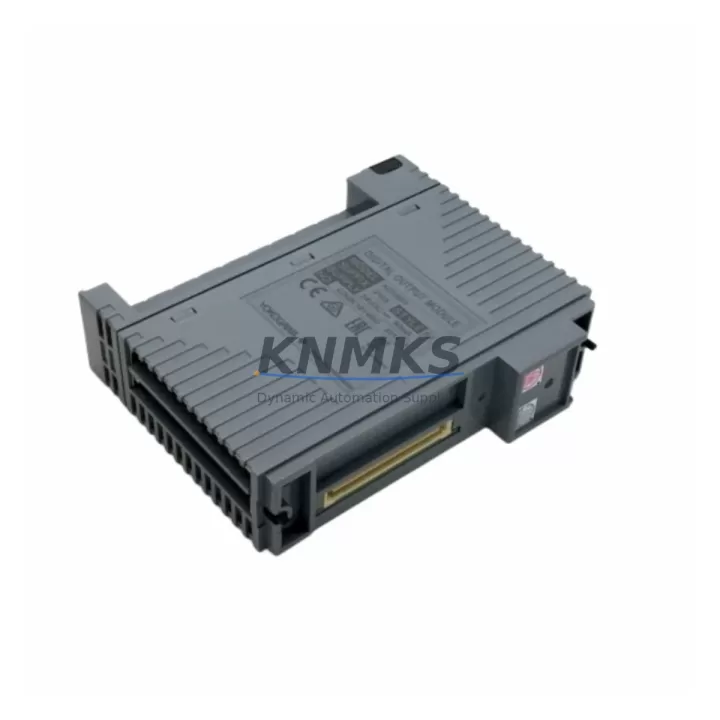
Overview
Siemens 6ES7531-7KF00-0AB0 Maintenance-Proven Spare Part for Factory Uptime
The Siemens 6ES7531-7KF00-0AB0 is an 8-channel analog input module designed for the ET 200SP distributed I/O system, fully compatible with the Siemens S7-1500 PLC platform. As a precision measurement and signal acquisition component, this module is a critical element in process automation, machine control, and continuous production environments where analog signal integrity directly determines operational reliability.
For maintenance engineers managing aging S7-1500 or ET 200SP control systems, the 6ES7531-7KF00-0AB0 represents one of the highest-priority spare parts to keep availability confirmed by RFQ. Analog input failures are among the most disruptive fault types in industrial automation — they can cause process deviations, trigger safety shutdowns, or result in undetected measurement drift that compromises product quality. Holding a verified replacement unit on-site eliminates the lead time risk associated with emergency procurement and allows technicians to restore full system functionality within a single maintenance window.
At KNMKS, every 6ES7531-7KF00-0AB0 unit is sourced from authorized supply channels, inspected for physical integrity, and tested prior to shipment. Each unit ships with a support terms confirmed by quotation covering manufacturing defects and functional performance, giving procurement engineers the confidence to plan long-cycle maintenance budgets without unexpected replacement costs.
Spare Maintenance Table
| Parameter | Specification |
|---|---|
| Part Number | 6ES7531-7KF00-0AB0 |
| Series | ET 200SP |
| Compatible PLC | Siemens S7-1500 |
| Module Type | Analog Input Module |
| Number of Channels | 8 channels |
| Input Signal Types | Voltage / Current (configurable per channel) |
| Measurement Resolution | 16-bit |
| Supply Voltage | 24 V DC (via backplane bus) |
| Operating Temperature | 0 °C to +60 °C |
| Protection Class | IP20 |
| Country of Origin | Germany |
| Mounting | ET 200SP BaseUnit (BU type A0) |
| Diagnostics | Channel-level diagnostics supported |
| Support terms | 12 Months (KNMKS) |
| Pre-shipment Test | Yes — functional verification before dispatch |
Maintenance Planning for Continuous Operation
When replacing or inspecting the 6ES7531-7KF00-0AB0 during scheduled or corrective maintenance, a thorough site assessment of the surrounding control cabinet components is essential to prevent repeat failures and ensure system-wide stability.
Begin by verifying the ET 200SP BaseUnit (6ES7193-6BP00-0BA0 or equivalent BU type A0) — the module’s mechanical and electrical interface. A worn or damaged BaseUnit can cause intermittent contact faults that mimic analog input module failures. Inspect the BaseUnit’s spring-loaded contacts and replace if corrosion or mechanical wear is detected.
Next, confirm the integrity of the 24 V DC power supply feeding the ET 200SP station. Voltage ripple or transient spikes on the supply rail are a leading cause of analog measurement instability and premature module degradation. A Siemens SITOP PSU8200 or equivalent regulated DIN-rail power supply should be verified for output stability under load.
Review the S7-1500 CPU module (such as the CPU 1515-2 PN or CPU 1516-3 PN/DP) for firmware currency and diagnostic buffer entries related to the analog I/O rack. Outdated firmware can introduce compatibility issues with newer hardware revisions of the 6ES7531-7KF00-0AB0.
Inspect all field wiring and terminal connections at the analog input channels. Loose or oxidized terminals on the BaseUnit’s front connector are a frequent source of signal noise and offset errors. Re-torque all screw terminals to specification and apply contact protection spray where environmental humidity is a concern.
For installations involving temperature measurement, verify the associated thermocouple or RTD sensors and their signal cables. Shielding continuity and grounding at a single point are critical for maintaining measurement accuracy on high-resolution 16-bit channels.
If the ET 200SP station includes communication-intensive configurations, also inspect the ET 200SP Interface Module (IM 155-6 PN ST or PN HF) for firmware version alignment and PROFINET port status. A degraded interface module can cause the entire station — including the analog input module — to drop off the network, triggering a full rack fault.
Finally, review the potential distribution modules and equipotential bonding within the cabinet. Improper grounding of analog signal commons is one of the most overlooked causes of measurement drift in multi-channel analog input applications.
Site Replacement Workflow
Step 1 — Pre-replacement verification: Confirm the replacement unit’s part number (6ES7531-7KF00-0AB0) and hardware revision against the existing module label. Hardware revision mismatches are rare but should be documented in the maintenance log.
Step 2 — Safe isolation: Place the S7-1500 CPU in STOP mode via the TIA Portal or the CPU’s mode selector switch. De-energize the ET 200SP station’s 24 V DC supply. Do not remove the module under power — hot-swap is not supported on standard BaseUnit configurations without explicit engineering approval.
Step 3 — Module removal: Unlock the module from the BaseUnit by pressing the release lever and sliding the module upward. Inspect the BaseUnit contacts for contamination before installing the replacement.
Step 4 — Installation and parameter restore: Seat the new 6ES7531-7KF00-0AB0 onto the BaseUnit until the locking mechanism engages. Re-energize the station and use TIA Portal to download the existing hardware configuration — channel parameters (measurement range, filter time, diagnostics enable) are stored in the CPU project and will be automatically transferred to the new module on startup.
Step 5 — Functional validation: Apply known reference signals to each channel and verify measured values against expected engineering units. Document results in the site maintenance record. Return the CPU to RUN mode only after all channels pass validation.
Step 6 — Spare stock update: Log the consumed spare unit and initiate a replenishment order to maintain minimum stock levels. For high-criticality lines, a minimum of one spare 6ES7531-7KF00-0AB0 per ET 200SP station is recommended.
Spare Parts Support FAQ
Q1: Is the 6ES7531-7KF00-0AB0 compatible with all S7-1500 CPU variants?
Yes. The 6ES7531-7KF00-0AB0 is a standard ET 200SP analog input module and is compatible with all S7-1500 CPU variants when used with a compatible ET 200SP Interface Module (IM 155-6 PN series). Compatibility is governed by the TIA Portal hardware catalog version — ensure your project is using TIA Portal V14 SP1 or later for full feature support.
Q2: What is included in the support terms confirmed by quotation and what does it cover?
Every 6ES7531-7KF00-0AB0 supplied by KNMKS carries a support terms confirmed by quotation from the date of shipment. The support terms covers manufacturing defects and functional failures under normal operating conditions. Each unit undergoes pre-shipment functional testing. In the event of a support terms claim, KNMKS provides a replacement unit or documented resolution support based on the confirmed fault assessment.
Q3: Can this module replace older hardware revisions of the same part number?
In the vast majority of cases, yes. Siemens maintains backward compatibility across hardware revisions of the 6ES7531-7KF00-0AB0 within the same firmware generation. The TIA Portal hardware configuration will automatically recognize the replacement module. If your installation uses a legacy TIA Portal version, contact KNMKS sales to confirm revision compatibility before ordering.
Q4: What is KNMKS’s lead time and long-term supply commitment for this part?
KNMKS maintains stock of the 6ES7531-7KF00-0AB0 for immediate dispatch. Standard orders ship within 1–3 business days. For customers requiring long-term supply agreements or blanket orders to support multi-site maintenance programs, KNMKS offers dedicated inventory reservation arrangements. Contact our team at admin@knmks.com or +86 18359268345 to discuss volume and scheduling requirements.
© 2026 KNMKS. All rights reserved.
Original Source: https://knmks.com
Contact: admin@knmks.com | +86 18359268345
Product Identification
- Brand / Ecosystem
-
Siemens
Siemens - Model / Series
-
ADV551-P53 S2
SIMATIC Series - Product Family
- PLCs & Controllers
- Availability Status
- Available on request after model and quantity confirmation
- Inquiry Type
- B2B RFQ, replacement inquiry and project spare-part request
- Pre-Quote Check
- Exact SKU, brand, series, quantity, nameplate photos and destination country are checked before quotation
System Path
Where this product fits in the KNMKS automation structure.
Specification & Inquiry Focus
- Control platform
- PLC, PAC and modular controllers
- Common needs
- CPU, rack, power and I/O expansion
- Project support
- Replacement, cabinet build and maintenance
Buyer Confirmation
Information KNMKS checks before replying.
- Exact model
- ADV551-P53 S2
- Brand / ecosystem
- Siemens
- Product family
- PLCs & Controllers
- Application note
- Replacement, maintenance, project build or spare-part list
- Useful photos
- Nameplate, installed unit, cabinet layout or connector side
- Delivery details
- Quantity, destination country and target schedule
Document Support
Files and notes can be confirmed during quotation.
- Product photos or nameplate confirmation when available
- Packing and delivery notes before quotation confirmation
- Support scope and delivery terms confirmed per inquiry
- Export document coordination for qualified B2B requests
Inquiry Support
- Model cross-checking before quotation
- CPU, power, rack and expansion module matching
- Support for replacement and project inquiry
What to Send Us
- Brand and exact model number: Siemens ADV551-P53 S2
- Quantity and required delivery time
- Application, replacement requirement or nameplate photo
- Destination country and shipping preference
RFQ Preparation
This is a product inquiry page built for RFQ communication.
Fast Model Check
Send this model to KNMKS for confirmation.
Include quantity, destination country and photos if this is a maintenance replacement. The inquiry will be saved with a reference number after submission.
Brand & Compatibility Note
KNMKS displays automation product information for well-known industrial brand ecosystems and compatible replacement references. Brand names are used for product identification and compatibility reference only; final availability and commercial terms are confirmed per quotation.
 Manufacturing
 Machine Tools
 Packaging
 Energy & Power



 HMI & Displays
 Servo Systems
 Variable Frequency Drives
 Sensors