
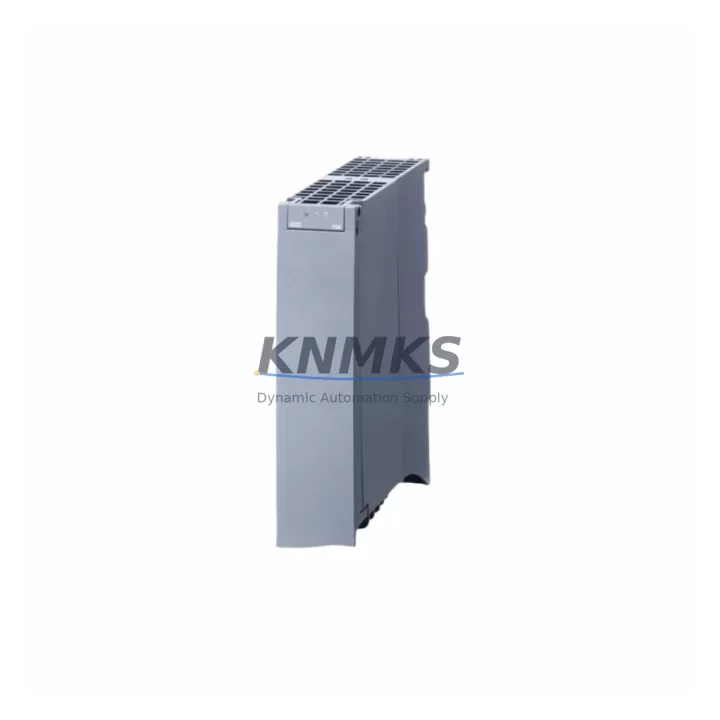
Overview
Siemens 6ES7505-0RA00-0AB0 Maintenance-Proven Spare Part for Factory Uptime
The Siemens 6ES7505-0RA00-0AB0 is a 24 VDC load power supply module designed for the ET 200SP distributed I/O system, operating within the SIMATIC S7-1500 and ET 200SP architecture. In high-availability production environments — automotive assembly, food and beverage processing, pharmaceutical packaging, and discrete manufacturing — this module is a critical power distribution component that feeds field-side loads across the I/O station. When this module fails or degrades, the entire ET 200SP station loses its load voltage rail, causing immediate I/O dropout and unplanned line stoppage. Maintaining a verified spare of the 6ES7505-0RA00-0AB0 in your cabinet-side inventory is a fundamental element of any credible uptime strategy.
Maintenance engineers working with ET 200SP stations understand that the load power supply is not a standalone component — it is the foundation of the station’s field power architecture. A fault in this module can cascade across connected I/O modules, interface modules such as the IM 155-6 PN ST, and any downstream actuators or sensors drawing power from the load rail. Procurement engineers sourcing this spare should verify that the replacement carries the correct firmware baseline and hardware revision to ensure seamless integration without requiring a TIA Portal project download or hardware reconfiguration.
Spare Maintenance Table
| Parameter | Specification |
|---|---|
| SKU / Part Number | 6ES7505-0RA00-0AB0 |
| Brand | Siemens |
| Series | SIMATIC ET 200SP |
| Module Type | Load Power Supply Module |
| Output Voltage | 24 VDC (load voltage rail) |
| Input Voltage | 20.4–28.8 VDC (24 VDC nominal) |
| Compatible System | SIMATIC S7-1500 / ET 200SP distributed I/O |
| Compatible Interface Module | IM 155-6 PN ST, IM 155-6 PN HF, IM 155-6 PN BA |
| Mounting | 35 mm DIN rail, ET 200SP BaseUnit BU type A0 |
| Protection Class | IP20 |
| Operating Temperature | 0 °C to +60 °C (horizontal mounting) |
| Dimensions (W × H × D) | Approx. 15 mm × 73 mm × 58 mm |
| Weight | Approx. 650 g (packaged) |
| Origin | Germany |
| Support terms | 12 Months from shipment date |
| Pre-Shipment Testing | Yes — functional verification before dispatch |
| Condition | Original, unused or fully refurbished to OEM spec |
Maintenance Planning for Continuous Operation
When replacing the 6ES7505-0RA00-0AB0 during a scheduled maintenance window or emergency callout, the scope of inspection should extend beyond the module itself. The load power supply interfaces directly with the ET 200SP BaseUnit, and any contamination, corrosion, or mechanical stress on the BaseUnit contacts can cause intermittent faults that reappear after module replacement. Inspect the BaseUnit seating and locking lever before installing the new module.
The 24 VDC supply feeding the 6ES7505-0RA00-0AB0 input terminals should be verified at the cabinet terminal block. A degraded or undersized power supply — such as a Siemens SITOP PSU100S or equivalent 24 VDC DIN rail supply — delivering voltage below 20.4 VDC under load will cause the replacement module to fault immediately. Measure input voltage under full I/O load before declaring the module as the root cause of failure.
Downstream of the load power supply, verify the status of connected digital input modules (e.g., DI 8×24VDC ST) and digital output modules (e.g., DQ 8×24VDC/0.5A ST). These modules draw their field-side power from the load rail supplied by the 6ES7505-0RA00-0AB0. If any output module has sustained a short-circuit event that triggered the load supply’s electronic protection, the faulted output module must be identified and replaced before restoring power — otherwise the new load supply will trip again on first energization.
For stations with analog I/O modules such as the AI 4×U/I/RTD/TC ST, verify signal integrity on the 4–20 mA or 0–10 V loops after power restoration. A momentary loss of load voltage can cause analog transmitters to reset, producing erroneous process values that may trigger false alarms or interlock trips in the DCS or SCADA layer. Coordinate with the process control team before re-energizing the station in a live production environment.
Communication continuity should also be confirmed. The IM 155-6 PN ST interface module maintains its PROFINET connection independently of the load power supply, but any I/O modules that were in a faulted state during the outage will require a diagnostic reset via TIA Portal or the S7-1500 CPU’s web server before returning to normal operation. Keep a laptop with TIA Portal V16 or later and the correct project file accessible during the replacement procedure.
For cabinet-level inspection, check the 24 VDC fuse or circuit breaker protecting the load supply input circuit. A slow-blow fuse rated at 4–6 A is typical for this class of module. If the fuse has operated, identify the cause before replacing it — a fuse failure concurrent with a module fault often indicates a wiring fault or downstream short rather than a module failure in isolation.
Site Replacement Workflow
Step 1 — Isolate and document. Before removing the 6ES7505-0RA00-0AB0, record the current diagnostic state of the ET 200SP station via TIA Portal online view or the S7-1500 CPU diagnostic buffer. Note any active faults, I/O module states, and the last known process values. This documentation accelerates root cause analysis and supports maintenance records.
Step 2 — De-energize the load circuit. Switch off the 24 VDC supply to the load power supply input. Do not rely solely on the module’s electronic protection — isolate at the upstream circuit breaker or fuse holder. Verify absence of voltage with a calibrated multimeter before proceeding.
Step 3 — Remove the faulted module. Unlock the module from the BaseUnit by pressing the release lever and sliding the module upward. The BaseUnit remains on the DIN rail; only the module is replaced. No wiring disconnection is required — the 6ES7505-0RA00-0AB0 connects exclusively through the BaseUnit backplane interface.
Step 4 — Install the replacement module. Align the replacement 6ES7505-0RA00-0AB0 with the BaseUnit guide rails and press firmly until the locking lever engages. Verify the module is fully seated — a partially inserted module will not make reliable backplane contact and will generate a hardware fault in the CPU.
Step 5 — Restore power and verify. Re-energize the 24 VDC load circuit. Observe the module’s LED indicators: the PWR LED should illuminate green within 2 seconds. Access TIA Portal or the CPU web server to confirm the module is recognized and all downstream I/O modules have returned to RUN state. Clear any residual diagnostic faults and verify process values against expected ranges before releasing the line to production.
Step 6 — Update maintenance records. Log the replacement date, module serial number, failure mode, and any associated findings (fuse condition, BaseUnit inspection result, downstream module status). This record supports support requests and informs future spare parts planning cycles.
Spare Parts Support FAQ
Q: Is the 6ES7505-0RA00-0AB0 compatible with all ET 200SP stations?
A: The 6ES7505-0RA00-0AB0 is compatible with ET 200SP stations using BU type A0 BaseUnits and interface modules from the IM 155-6 PN family. It is not interchangeable with ET 200SP stations configured for AC load power supply variants. Always verify the BaseUnit type and station configuration in TIA Portal before ordering.
Q: What is the recommended spare parts inventory strategy for this module?
A: For production lines with more than two ET 200SP stations, maintaining a minimum of one 6ES7505-0RA00-0AB0 per four stations is a practical baseline. High-criticality lines — where a single station controls a bottleneck process — should carry a dedicated spare per station. Annual review of spare consumption data will refine this ratio over time.
Q: How is the module tested before shipment?
A: Each 6ES7505-0RA00-0AB0 dispatched from our inventory undergoes functional verification including input voltage acceptance, output voltage regulation check, and electronic protection circuit validation. A test report is available upon request. Modules are packaged in anti-static protective packaging with physical protection against transit damage.
Q: What does the support terms confirmed by quotation cover?
A: The support terms confirmed by quotation cover manufacturing defects and functional failures under normal operating conditions as specified in the Siemens product datasheet. It does not cover damage resulting from incorrect installation, overvoltage events, or operation outside the rated environmental parameters. Support requests are supported by our technical team with replacement dispatch within 5 business days of confirmed fault verification.
© 2026 KNMKS. All rights reserved.
Original Source: https://knmks.com
Contact: admin@knmks.com | +86 18359268345
Product Identification
- Brand / Ecosystem
-
Siemens
Siemens - Model / Series
-
6ES7505-0RA00-0AB0
SIMATIC Series - Product Family
- PLCs & Controllers
- Availability Status
- Available on request after model and quantity confirmation
- Inquiry Type
- B2B RFQ, replacement inquiry and project spare-part request
- Pre-Quote Check
- Exact SKU, brand, series, quantity, nameplate photos and destination country are checked before quotation
System Path
Where this product fits in the KNMKS automation structure.
Specification & Inquiry Focus
- Control platform
- PLC, PAC and modular controllers
- Common needs
- CPU, rack, power and I/O expansion
- Project support
- Replacement, cabinet build and maintenance
Buyer Confirmation
Information KNMKS checks before replying.
- Exact model
- 6ES7505-0RA00-0AB0
- Brand / ecosystem
- Siemens
- Product family
- PLCs & Controllers
- Application note
- Replacement, maintenance, project build or spare-part list
- Useful photos
- Nameplate, installed unit, cabinet layout or connector side
- Delivery details
- Quantity, destination country and target schedule
Document Support
Files and notes can be confirmed during quotation.
- Product photos or nameplate confirmation when available
- Packing and delivery notes before quotation confirmation
- Support scope and delivery terms confirmed per inquiry
- Export document coordination for qualified B2B requests
Inquiry Support
- Model cross-checking before quotation
- CPU, power, rack and expansion module matching
- Support for replacement and project inquiry
What to Send Us
- Brand and exact model number: Siemens 6ES7505-0RA00-0AB0
- Quantity and required delivery time
- Application, replacement requirement or nameplate photo
- Destination country and shipping preference
RFQ Preparation
This is a product inquiry page built for RFQ communication.
Fast Model Check
Send this model to KNMKS for confirmation.
Include quantity, destination country and photos if this is a maintenance replacement. The inquiry will be saved with a reference number after submission.
Brand & Compatibility Note
KNMKS displays automation product information for well-known industrial brand ecosystems and compatible replacement references. Brand names are used for product identification and compatibility reference only; final availability and commercial terms are confirmed per quotation.
 Manufacturing
 Machine Tools
 Packaging
 Energy & Power



 HMI & Displays
 Servo Systems
 Variable Frequency Drives
 Sensors