
Overview
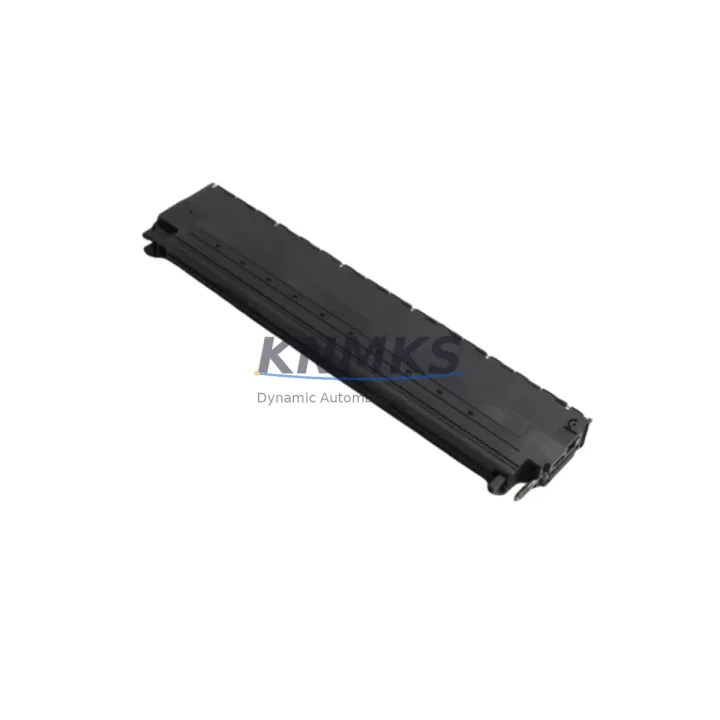
Siemens 6ES7492-1AL00-0AA0 Migration-Ready Interface for Legacy Control Systems
The Siemens 6ES7492-1AL00-0AA0 is a high-density interface submodule engineered for the SIMATIC S7-400 platform, purpose-built to support legacy system migration, discontinued spare part replacement, and control cabinet modernization. As industrial facilities worldwide face the end-of-life of aging S7-400 configurations, this module provides a direct, validated replacement path for the IM460 and IM461 interface module series — enabling engineers to restore full rack communication without redesigning the control architecture.
Whether you are managing a planned retrofit of a multi-rack S7-400 installation or responding to an unplanned failure in a critical production line, the 6ES7492-1AL00-0AA0 is stocked and ready for immediate dispatch. Each unit undergoes pre-shipment functional testing and is covered by a support terms confirmed by quotation from the date of delivery.
Migration Compatibility Table
| Parameter | Details |
|---|---|
| SKU / Part Number | 6ES7492-1AL00-0AA0 |
| Compatible Platform | SIMATIC S7-400 (all rack variants) |
| Replaces / Supersedes | IM460-0, IM460-1, IM461-0, IM461-1, IM461-3 interface modules |
| Backplane Interface | S7-400 multi-tier rack bus connector (standard 48-pin edge) |
| Communication Protocol | PROFIBUS-DP; compatible with MPI and S7 routing |
| Installation Slot | Interface slot on UR1, UR2, ER1, ER2 racks |
| Power Requirement | Supplied via backplane; verify PS407 or PS405 power budget before installation |
| Firmware Compatibility | Compatible with STEP 7 V5.x and TIA Portal V13 and above (in S7-400 mode) |
| Retrofit Recommendation | Direct slot-for-slot replacement; no hardware modification required in most configurations |
| Commissioning Note | Verify module address assignment in HW Config; reload configuration to CPU after installation |
| Support terms | 12 months from date of delivery |
| Origin | Germany |
Retrofit Planning for Existing Automation Systems
Successful integration of the 6ES7492-1AL00-0AA0 into an existing S7-400 installation requires a structured pre-retrofit assessment. Engineers should begin by auditing the current rack configuration — confirming the number of populated slots, the installed CPU variant (such as the CPU 414-3 or CPU 416-3), and the total power draw across all installed I/O and communication modules. The PS407 10A power supply module is commonly paired with high-density S7-400 racks; if the existing power supply is operating near its rated capacity, adding or replacing an interface module may require a power budget recalculation before proceeding.
Terminal wiring and field cable routing should be documented before any module is removed. In multi-rack configurations where the 6ES7492-1AL00-0AA0 serves as the send interface on the central rack, the corresponding receive interface — typically an IM461-1 or IM461-3 on the expansion rack — must also be verified for compatibility. If the expansion rack interface is also discontinued or degraded, it is advisable to replace both the send and receive modules during the same maintenance window to avoid a second unplanned outage.
For installations that include SM321 digital input modules or SM322 digital output modules in the expansion rack, confirm that the I/O module addresses configured in STEP 7 HW Config remain consistent after the interface module swap. Address conflicts introduced during a module replacement are a common source of post-retrofit faults and can cause unexpected process shutdowns. Similarly, if the rack communicates with an OP270 or TP277 HMI panel via MPI, verify that the HMI screen tags and variable mappings remain intact after the CPU restarts with the new interface configuration loaded.
In systems where PROFIBUS-DP is used to connect distributed I/O — such as ET 200M remote I/O stations — the PROFIBUS segment connected through this interface module must be checked for correct termination resistor placement and bus cable integrity. A degraded PROFIBUS segment can cause intermittent communication faults that are difficult to distinguish from a faulty interface module, so cable continuity and termination should be confirmed before and after the module replacement. If a CP 443-1 Ethernet communication processor is also installed in the same rack, ensure that the rack bus load remains within specification after the interface module is replaced, as communication processors can be sensitive to backplane signal integrity changes.
Where programming access is required during commissioning, a PC adapter USB A2 or MPI/PROFIBUS programming cable should be on hand to allow direct connection to the CPU for configuration download and online diagnostics without relying on the network infrastructure that may be temporarily disrupted during the retrofit.
Downtime Control During System Migration
Minimizing production downtime during an S7-400 interface module replacement requires careful pre-staging and a clearly defined switchover procedure. Before the maintenance window begins, the existing CPU program — including all data blocks, function blocks, and organization blocks — should be uploaded and archived using STEP 7 or TIA Portal. This ensures that the original control logic can be restored immediately if the retrofit encounters an unexpected issue, without requiring a full re-engineering effort under time pressure.
The recommended approach is to perform the physical module swap during a planned production stop, with the CPU placed in STOP mode before any rack hardware is disturbed. After the 6ES7492-1AL00-0AA0 is seated and secured, the HW Config should be downloaded to the CPU before switching to RUN mode. This sequence ensures that the CPU recognizes the new interface module and correctly initializes the rack bus before attempting to communicate with expansion rack I/O.
For critical processes where even a brief interruption is unacceptable, consider pre-configuring a spare rack with the replacement interface module installed and tested offline. This hot-swap staging approach allows the physical rack exchange to be completed in minutes rather than hours, with the pre-tested configuration downloaded immediately after the swap. Field I/O wiring can remain connected to the terminal blocks on the I/O modules throughout the rack exchange if the modules are removed and reinstalled as a unit, further reducing reconnection time and the risk of wiring errors.
Post-retrofit, a structured commissioning checklist should confirm: CPU status LED shows RUN (green), all I/O modules in the expansion rack are recognized in the diagnostic buffer, PROFIBUS DP slaves report no communication faults, HMI screens display live process values, and all interlocks and safety functions respond correctly to test inputs. This verification sequence should be completed and documented before the production line is returned to normal operation.
Retrofit Support FAQ
Q1: Is the 6ES7492-1AL00-0AA0 a direct replacement for the IM460-0 and IM461-1 modules?
Yes. The 6ES7492-1AL00-0AA0 is designed as a compatible replacement for the IM460 and IM461 interface module series used in S7-400 multi-rack configurations. In most installations, the replacement is slot-for-slot with no hardware modification required. After installation, the HW Config must be downloaded to the CPU to ensure the module is correctly recognized. We recommend verifying the rack bus address assignment in STEP 7 or TIA Portal before returning the system to RUN mode.
Q2: What pre-shipment testing is performed on each unit?
Every 6ES7492-1AL00-0AA0 unit dispatched from our warehouse undergoes functional verification testing prior to shipment. This includes backplane connector integrity checks and communication interface validation. Each unit is shipped with a test record and is covered by a support terms confirmed by quotation from the date of delivery. If a unit fails to perform as specified within the confirmed support period, we provide replacement or documented resolution support support.
Q3: How do I confirm firmware and software compatibility before installation?
The 6ES7492-1AL00-0AA0 is compatible with STEP 7 V5.x (Classic) and TIA Portal V13 and above when operating in S7-400 mode. Before installation, confirm that your STEP 7 project’s HW Config includes the correct module catalog entry for this part number. If your project was originally configured with an IM460 or IM461 variant, update the HW Config to reference the 6ES7492-1AL00-0AA0 and perform a consistency check before downloading. No firmware update to the CPU is required for this module replacement in standard configurations.
Q4: What is your stock availability and lead time for this module?
The 6ES7492-1AL00-0AA0 is maintained availability confirmed by RFQ for immediate dispatch. Standard international shipping lead times are 3–7 business days depending on destination. For urgent requirements, expedited shipping options are available — please contact our sales team directly to confirm current stock levels and arrange priority dispatch. All orders are supported by our support terms confirmed by quotation and post-sale technical assistance for commissioning questions.
© 2026 KNMKS. All rights reserved.
Original Source: https://knmks.com
Contact: admin@knmks.com | +86 18359268345
Product Identification
- Brand / Ecosystem
-
Siemens
Siemens - Model / Series
-
6ES7492-1AL00-0AA0
SIMATIC Series - Product Family
- PLCs & Controllers
- Availability Status
- Available on request after model and quantity confirmation
- Inquiry Type
- B2B RFQ, replacement inquiry and project spare-part request
- Pre-Quote Check
- Exact SKU, brand, series, quantity, nameplate photos and destination country are checked before quotation
System Path
Where this product fits in the KNMKS automation structure.
Specification & Inquiry Focus
- Control platform
- PLC, PAC and modular controllers
- Common needs
- CPU, rack, power and I/O expansion
- Project support
- Replacement, cabinet build and maintenance
Buyer Confirmation
Information KNMKS checks before replying.
- Exact model
- 6ES7492-1AL00-0AA0
- Brand / ecosystem
- Siemens
- Product family
- PLCs & Controllers
- Application note
- Replacement, maintenance, project build or spare-part list
- Useful photos
- Nameplate, installed unit, cabinet layout or connector side
- Delivery details
- Quantity, destination country and target schedule
Document Support
Files and notes can be confirmed during quotation.
- Product photos or nameplate confirmation when available
- Packing and delivery notes before quotation confirmation
- Support scope and delivery terms confirmed per inquiry
- Export document coordination for qualified B2B requests
Inquiry Support
- Model cross-checking before quotation
- CPU, power, rack and expansion module matching
- Support for replacement and project inquiry
What to Send Us
- Brand and exact model number: Siemens 6ES7492-1AL00-0AA0
- Quantity and required delivery time
- Application, replacement requirement or nameplate photo
- Destination country and shipping preference
RFQ Preparation
This is a product inquiry page built for RFQ communication.
Fast Model Check
Send this model to KNMKS for confirmation.
Include quantity, destination country and photos if this is a maintenance replacement. The inquiry will be saved with a reference number after submission.
Brand & Compatibility Note
KNMKS displays automation product information for well-known industrial brand ecosystems and compatible replacement references. Brand names are used for product identification and compatibility reference only; final availability and commercial terms are confirmed per quotation.
 Manufacturing
 Machine Tools
 Packaging
 Energy & Power



 HMI & Displays
 Servo Systems
 Variable Frequency Drives
 Sensors