
Overview
Siemens 6ES7461-0AA01-0AA0 Maintenance-Proven Spare Part: Keeping Your S7-400 System Running
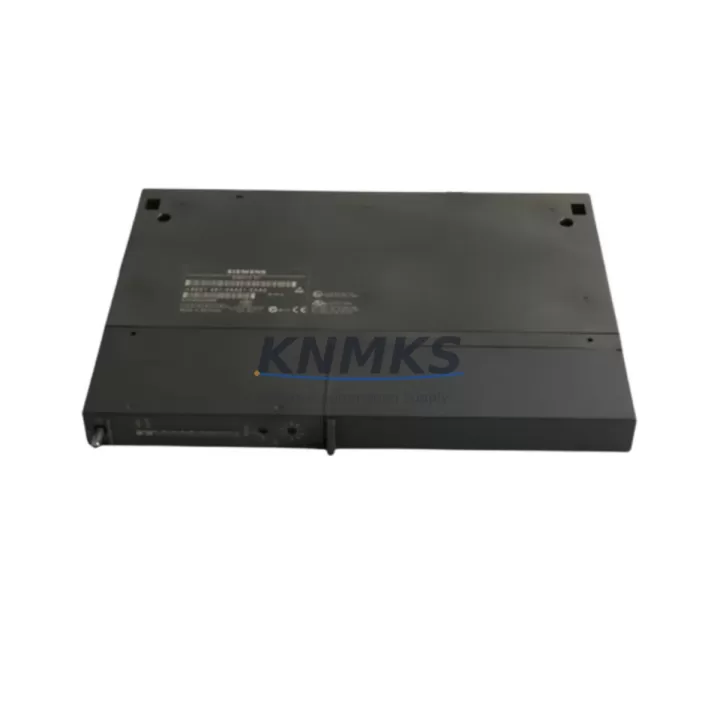
The Siemens 6ES7461-0AA01-0AA0 (IM461-0) is the central K-Bus interface module for the SIMATIC S7-400 PLC rack, responsible for coordinating communication between the CPU and all installed I/O and function modules within the same rack. In industrial environments where continuous production uptime is non-negotiable, maintaining a verified spare of the 6ES7461-0AA01-0AA0 in your on-site inventory is a fundamental risk-mitigation strategy. Whether you are managing a chemical processing line, an automotive assembly cell, or a power distribution substation, the failure of this interface module can bring an entire control rack offline within seconds. Sourcing a tested, original replacement in advance eliminates the most dangerous variable in any emergency recovery scenario: lead time.
Maintenance engineers and procurement teams working with legacy SIMATIC S7-400 installations understand that Siemens has progressively moved toward the S7-1500 platform. This transition makes original S7-400 spare parts increasingly difficult to source through standard distribution channels. KNMKS specializes in providing verified original components for exactly these long-lifecycle industrial systems, ensuring your existing infrastructure can continue operating reliably without a forced platform migration.
Spare Maintenance Table
| Part Number | 6ES7461-0AA01-0AA0 |
| Module Designation | IM461-0 Interface Module |
| Compatible System | SIMATIC S7-400, S7-400H (same-rack K-Bus) |
| Function | K-Bus interface for local rack coordination (no expansion bus) |
| Rack Compatibility | UR1, UR2, CR2, CR3 central racks |
| Power Supply Requirement | Powered via rack backplane; no external 24 VDC required |
| Operating Temperature | 0 °C to +60 °C |
| Mounting | DIN rail / rack slot, standard S7-400 form factor |
| Origin | Germany (Original Siemens manufacture) |
| Condition | Original spare, pre-shipment functional test |
| Support terms | 12 Months |
| Shipping | Anti-static packaging, insured express freight |
| Lead Time | In-stock: ships within 1–3 business days |
Maintenance Planning for Continuous Operation
When a 6ES7461-0AA01-0AA0 failure is diagnosed or suspected, a disciplined maintenance engineer does not replace the interface module in isolation. The K-Bus interface sits at the heart of rack communication, and its failure is frequently accompanied by — or caused by — stress on adjacent components. Before or during replacement, the following components should be inspected and tested as part of a complete rack recovery procedure.
Begin with the PS407 or PS405 power supply module installed in the same rack. A degraded power supply delivering unstable backplane voltage is one of the most common root causes of interface module faults in S7-400 systems. Measure output voltage under load and compare against specification before inserting the new 6ES7461-0AA01-0AA0. Next, inspect the CPU module — typically a 6ES7412, 6ES7414, or 6ES7416 series — for diagnostic buffer entries that predate the interface fault, as these can reveal whether the CPU initiated a rack shutdown or responded to one.
All SM321/SM322 digital I/O modules and SM331/SM332 analog I/O modules installed in the affected rack should be reseated and their front connectors inspected for corrosion or loose terminations. A single module with a shorted field wiring connection can place excessive load on the K-Bus and accelerate interface module wear. Similarly, any CP443 communication processor modules in the rack should be checked for firmware compatibility with the replacement IM461-0 and for active Profibus or Industrial Ethernet faults.
For racks that include FM355 or FM458 function modules for closed-loop control or high-speed counting, verify that these modules resume their configured operating modes after the interface module swap — they do not always reinitialize automatically following a rack power cycle. Finally, review the condition of the rack backplane connectors themselves. Oxidized or mechanically damaged backplane contacts are a frequently overlooked failure point that will cause recurring interface module faults regardless of how many replacement units are installed.
Procurement engineers should note that maintaining a minimum stock of one 6ES7461-0AA01-0AA0 per production line, alongside a spare PS407 power supply and at least one CPU module of the installed type, represents the minimum viable spare parts inventory for an S7-400 system supporting critical production assets.
Site Replacement Workflow
Step 1 — Pre-replacement documentation: Record the current rack slot configuration, module order, and any parameterization stored in the CPU. Export the STEP 7 project from the engineering station if accessible. Photograph the front connector wiring on all I/O modules before removal.
Step 2 — Controlled shutdown: Execute a controlled CPU STOP via the programming interface or the mode selector switch. Do not rely on a hard power cut unless the system is already in fault state. Allow the CPU to complete its shutdown sequence before removing rack power.
Step 3 — Module removal: With rack power off, remove the faulty 6ES7461-0AA01-0AA0 from its designated slot. Inspect the backplane connector pins for damage. Clean with dry compressed air if contamination is present.
Step 4 — Replacement installation: Insert the new 6ES7461-0AA01-0AA0 into the correct slot. Ensure the module is fully seated and the locking lever is engaged. Restore rack power and observe the module’s LED status indicators during startup — the BF (Bus Fault) LED should extinguish within the normal initialization window.
Step 5 — System verification: Place the CPU in RUN mode and monitor the diagnostic buffer for any residual faults. Verify that all I/O modules are recognized and that field signals are reading correctly. Confirm communication processor modules have re-established their network connections.
Step 6 — Documentation update: Record the replacement date, new module serial number, and any observations in the equipment maintenance log. Update the spare parts inventory to reflect consumption and initiate a reorder if stock falls below the minimum threshold.
Spare Parts Support FAQ
Q: Is the 6ES7461-0AA01-0AA0 compatible with all S7-400 rack types?
The IM461-0 is designed for use in S7-400 central racks (UR1, UR2, CR2, CR3) and provides K-Bus interface functionality within a single rack. It is not an expansion interface module and does not support multi-rack configurations via the expansion bus — for those applications, the IM460/IM461 send/receive pair is required. Confirm your rack type against the Siemens S7-400 hardware manual before ordering.
Q: How do you verify the module is original and functional before shipment?
Every 6ES7461-0AA01-0AA0 unit supplied by KNMKS undergoes a pre-shipment inspection covering physical condition, connector integrity, and where test equipment permits, functional power-on verification. Units are shipped in anti-static packaging with insured express freight. A support terms confirmed by quotation cover any defects arising from the component itself under normal operating conditions.
Q: Can you guarantee long-term supply for this discontinued part?
KNMKS maintains dedicated inventory for legacy Siemens S7-400 components precisely because standard distribution channels are reducing stock as the platform ages. We recommend that facilities with multiple S7-400 racks place a standing order for a defined minimum stock level rather than sourcing reactively. Contact our team to discuss a supply agreement tailored to your annual maintenance schedule.
Q: What is the recommended spare parts holding strategy for S7-400 systems?
For production-critical S7-400 installations, the industry-standard recommendation is to hold at minimum: one interface module (6ES7461-0AA01-0AA0 or equivalent for your rack type), one power supply module, and one CPU of the installed type per production line. For high-availability or redundant systems, mirror this inventory. Annual review of spare parts consumption against production criticality ratings ensures the inventory remains aligned with actual risk exposure.
© 2026 KNMKS. All rights reserved.
Original Source: https://knmks.com
Contact: admin@knmks.com | +86 18359268345
Product Identification
- Brand / Ecosystem
-
SIEMENS
Siemens - Model / Series
-
6ES7461-0AA01-0AA0
SIMATIC Series - Product Family
- PLCs & Controllers
- Availability Status
- Available on request after model and quantity confirmation
- Inquiry Type
- B2B RFQ, replacement inquiry and project spare-part request
- Pre-Quote Check
- Exact SKU, brand, series, quantity, nameplate photos and destination country are checked before quotation
System Path
Where this product fits in the KNMKS automation structure.
Specification & Inquiry Focus
- Control platform
- PLC, PAC and modular controllers
- Common needs
- CPU, rack, power and I/O expansion
- Project support
- Replacement, cabinet build and maintenance
Buyer Confirmation
Information KNMKS checks before replying.
- Exact model
- 6ES7461-0AA01-0AA0
- Brand / ecosystem
- SIEMENS
- Product family
- PLCs & Controllers
- Application note
- Replacement, maintenance, project build or spare-part list
- Useful photos
- Nameplate, installed unit, cabinet layout or connector side
- Delivery details
- Quantity, destination country and target schedule
Document Support
Files and notes can be confirmed during quotation.
- Product photos or nameplate confirmation when available
- Packing and delivery notes before quotation confirmation
- Support scope and delivery terms confirmed per inquiry
- Export document coordination for qualified B2B requests
Inquiry Support
- Model cross-checking before quotation
- CPU, power, rack and expansion module matching
- Support for replacement and project inquiry
What to Send Us
- Brand and exact model number: SIEMENS 6ES7461-0AA01-0AA0
- Quantity and required delivery time
- Application, replacement requirement or nameplate photo
- Destination country and shipping preference
RFQ Preparation
This is a product inquiry page built for RFQ communication.
Fast Model Check
Send this model to KNMKS for confirmation.
Include quantity, destination country and photos if this is a maintenance replacement. The inquiry will be saved with a reference number after submission.
Brand & Compatibility Note
KNMKS displays automation product information for well-known industrial brand ecosystems and compatible replacement references. Brand names are used for product identification and compatibility reference only; final availability and commercial terms are confirmed per quotation.
 Manufacturing
 Machine Tools
 Packaging
 Energy & Power



 HMI & Displays
 Servo Systems
 Variable Frequency Drives
 Sensors