
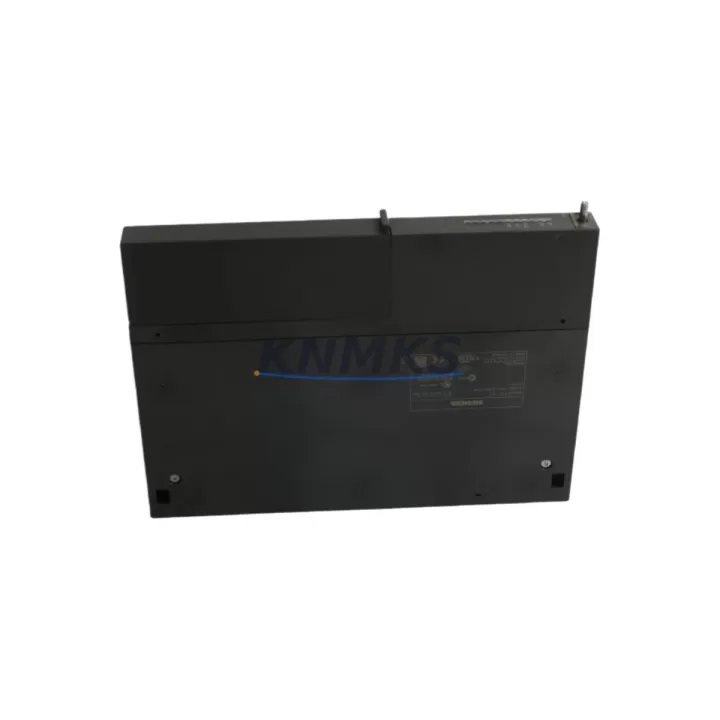
Overview
Siemens 6ES7441-1AA04-0AE0 Maintenance-Proven Spare Part for Factory Uptime
The Siemens 6ES7441-1AA04-0AE0 (IM441) is an original interface module designed for the SIMATIC S7-400 programmable logic controller platform — one of the most widely deployed process automation systems in heavy industry, chemical processing, power generation, and automotive manufacturing. As a critical communication bridge between the central rack and expansion racks, the IM441 directly governs the integrity of distributed I/O data exchange across the S7-400 backplane architecture. When this module fails or degrades, the consequences extend beyond a single rack: entire production segments can halt, and recovery time depends entirely on how quickly a verified replacement can be sourced, tested, and installed.
Maintaining a stocked 6ES7441-1AA04-0AE0 spare is not optional for facilities running multi-rack S7-400 configurations. It is a baseline requirement for any serious maintenance strategy targeting sub-four-hour mean time to repair (MTTR). KNMKS supplies this module as an original Siemens component, pre-shipment tested, with a support terms confirmed by quotation and documented traceability — giving maintenance engineers and procurement teams the confidence to act fast when a fault is confirmed.
Spare Maintenance Table
| Parameter | Specification |
|---|---|
| Part Number | 6ES7441-1AA04-0AE0 |
| Module Designation | IM441 — Interface Module (Send) |
| Compatible Platform | SIMATIC S7-400 (Central Rack CR / UR) |
| Communication Interface | PROFIBUS-DP / MPI via backplane |
| Rack Compatibility | UR1, UR2, CR2, CR3 (S7-400 series) |
| Supply Voltage | DC 5V via backplane (rack-powered) |
| Operating Temperature | 0°C to +60°C |
| Storage Temperature | -40°C to +70°C |
| Degree of Protection | IP20 |
| Origin | Germany |
| Support terms | 12 Months (KNMKS) |
| Pre-Shipment Test | Yes — functional verification before dispatch |
| Condition | Original / Refurbished-to-Spec (documented) |
| Lead Time | In-stock: ships within 1–3 business days |
Maintenance Planning for Continuous Operation
Replacing the 6ES7441-1AA04-0AE0 in a live S7-400 system is rarely an isolated task. The IM441 operates as part of a tightly coupled rack-and-bus architecture, and a failure in this module often signals stress or degradation in adjacent components that share the same power rail, backplane slot, or communication segment. A disciplined maintenance engineer will treat an IM441 replacement as an opportunity to inspect the full control cabinet before returning the system to production.
Begin with the PS407 or PS405 power supply module supplying the central rack. Verify output voltage stability under load — a sagging 5V or 24V rail is a common root cause of intermittent interface module faults that are misdiagnosed as module failure. If the power supply is more than five years old or shows any capacitor bulge, schedule a parallel replacement.
Next, inspect the CPU module — typically a 6ES7414, 6ES7416, or 6ES7417 series — for firmware version compatibility with the replacement IM441. Mismatched firmware revisions between the CPU and interface module can cause rack initialization failures that appear as hardware faults. Confirm the STEP 7 or TIA Portal hardware configuration matches the physical slot assignment before powering up.
Check the IM460 or IM461 receive-side interface module in the expansion rack. The IM441 (send side) and its paired receive module must be compatible in revision level. A worn or oxidized backplane connector on the expansion rack side can cause intermittent communication errors that survive a send-side module swap. Clean and inspect all backplane connectors during the maintenance window.
Review the SM321 or SM322 digital I/O modules in the expansion rack served by this interface link. If the IM441 failure caused an uncontrolled rack reset, verify that all I/O module configuration data is intact and that no output modules are latched in a fault state. A brief I/O diagnostic scan via STEP 7 online mode will confirm module status before resuming production.
For facilities running CP443 communication processors on the same rack, verify that the PROFIBUS or Industrial Ethernet segment was not disrupted during the fault event. Communication processors can retain error logs that help distinguish a transient bus fault from a sustained hardware failure — useful data for root cause analysis and future maintenance scheduling.
Finally, inspect the 24V DC terminal blocks and fuse protection feeding field devices connected to the expansion rack I/O. A short-circuit event in field wiring is a frequent upstream cause of interface module stress. Replace any blown fuses, check terminal torque values, and verify cable insulation integrity before closing the cabinet.
Site Replacement Workflow
The 6ES7441-1AA04-0AE0 is a hot-swap-capable module within the S7-400 architecture under specific CPU and firmware conditions, but field replacement should always follow a controlled procedure to avoid data loss or unintended output activation.
Step 1 — Document the current configuration. Before removing the faulty module, use STEP 7 or TIA Portal to upload and save the current hardware configuration and program. Confirm the slot address of the IM441 in the rack layout. Note the rack number and slot number — these are required to restore the configuration after replacement.
Step 2 — Isolate the expansion rack. If the system does not support hot-swap for this module revision, initiate a controlled shutdown of the affected rack segment. Notify the process control team and confirm that all field outputs are in a safe state before proceeding. Use the CPU’s STOP mode to prevent unintended output activation during the swap.
Step 3 — Remove and replace the module. Disengage the front connector locking mechanism, slide the IM441 out of the backplane slot, and insert the replacement 6ES7441-1AA04-0AE0. Ensure the module is fully seated and the locking tab is engaged. Do not force the module — misalignment with the backplane connector is a common cause of post-replacement communication errors.
Step 4 — Restore and verify. Power up the rack and observe the module status LEDs. A solid green RUN LED on the IM441 and the paired receive module confirms successful initialization. Use STEP 7 online diagnostics to verify that all expansion rack I/O modules are recognized and reporting correctly. Run a brief I/O test cycle before returning the system to automatic mode.
Step 5 — Update maintenance records. Log the replacement date, module serial number, and any observations from the fault investigation. Update the spare parts inventory to trigger a reorder for the consumed 6ES7441-1AA04-0AE0 unit — maintaining at least one buffer stock unit per multi-rack installation is the recommended minimum for facilities with uptime SLAs.
Spare Parts Support FAQ
Q1: Is the 6ES7441-1AA04-0AE0 still available as a new original Siemens module?
The 6ES7441-1AA04-0AE0 is a mature S7-400 series component. KNMKS maintains stock of original and refurbished-to-specification units with full functional testing and documented traceability. For facilities requiring long-term supply agreements covering 12–36 months of forward demand, KNMKS can provide dedicated inventory reservation with fixed lead times — contact admin@knmks.com to discuss volume and scheduling requirements.
Q2: What is the recommended spare parts inventory strategy for multi-rack S7-400 installations?
For installations with two or more expansion racks, the recommended minimum is one IM441 send module and one paired receive module (IM460 or IM461) held in on-site buffer stock. Facilities with critical uptime SLAs or remote locations with limited logistics access should consider a two-unit buffer. Annual inventory audits should verify that stored modules are within their recommended storage life and that firmware compatibility with the installed CPU revision is maintained.
Q3: How does KNMKS verify module functionality before shipment?
Every 6ES7441-1AA04-0AE0 unit shipped by KNMKS undergoes a pre-shipment functional test that validates backplane communication, LED status behavior, and electrical integrity. Test results are documented and available upon request. Modules that do not pass the full test protocol are not shipped. This process is the foundation of the support terms confirmed by quotation covering defects in materials and workmanship from the date of delivery.
Q4: Can the 6ES7441-1AA04-0AE0 be used as a direct replacement for earlier IM441 revisions?
The -0AE0 revision of the IM441 is generally backward-compatible with earlier S7-400 rack configurations, but compatibility should always be confirmed against the installed CPU firmware version and the STEP 7 hardware catalog revision in use. KNMKS technical support can assist with compatibility verification prior to purchase — provide your CPU order number and current firmware version for a definitive assessment. Do not assume cross-revision compatibility without verification in safety-critical or continuous-process applications.
© 2026 KNMKS. All rights reserved.
Original Source: https://knmks.com
Contact: admin@knmks.com | +86 18359268345
Product Identification
- Brand / Ecosystem
-
Siemens
Siemens - Model / Series
-
6ES7441-1AA04-0AE0
SIMATIC Series - Product Family
- PLCs & Controllers
- Availability Status
- Available on request after model and quantity confirmation
- Inquiry Type
- B2B RFQ, replacement inquiry and project spare-part request
- Pre-Quote Check
- Exact SKU, brand, series, quantity, nameplate photos and destination country are checked before quotation
System Path
Where this product fits in the KNMKS automation structure.
Specification & Inquiry Focus
- Control platform
- PLC, PAC and modular controllers
- Common needs
- CPU, rack, power and I/O expansion
- Project support
- Replacement, cabinet build and maintenance
Buyer Confirmation
Information KNMKS checks before replying.
- Exact model
- 6ES7441-1AA04-0AE0
- Brand / ecosystem
- Siemens
- Product family
- PLCs & Controllers
- Application note
- Replacement, maintenance, project build or spare-part list
- Useful photos
- Nameplate, installed unit, cabinet layout or connector side
- Delivery details
- Quantity, destination country and target schedule
Document Support
Files and notes can be confirmed during quotation.
- Product photos or nameplate confirmation when available
- Packing and delivery notes before quotation confirmation
- Support scope and delivery terms confirmed per inquiry
- Export document coordination for qualified B2B requests
Inquiry Support
- Model cross-checking before quotation
- CPU, power, rack and expansion module matching
- Support for replacement and project inquiry
What to Send Us
- Brand and exact model number: Siemens 6ES7441-1AA04-0AE0
- Quantity and required delivery time
- Application, replacement requirement or nameplate photo
- Destination country and shipping preference
RFQ Preparation
This is a product inquiry page built for RFQ communication.
Fast Model Check
Send this model to KNMKS for confirmation.
Include quantity, destination country and photos if this is a maintenance replacement. The inquiry will be saved with a reference number after submission.
Brand & Compatibility Note
KNMKS displays automation product information for well-known industrial brand ecosystems and compatible replacement references. Brand names are used for product identification and compatibility reference only; final availability and commercial terms are confirmed per quotation.
 Manufacturing
 Machine Tools
 Packaging
 Energy & Power



 HMI & Displays
 Servo Systems
 Variable Frequency Drives
 Sensors