
Overview
Siemens 6ES7431-1KF10-0AB0 Migration-Ready Analog Input for Legacy Control Systems
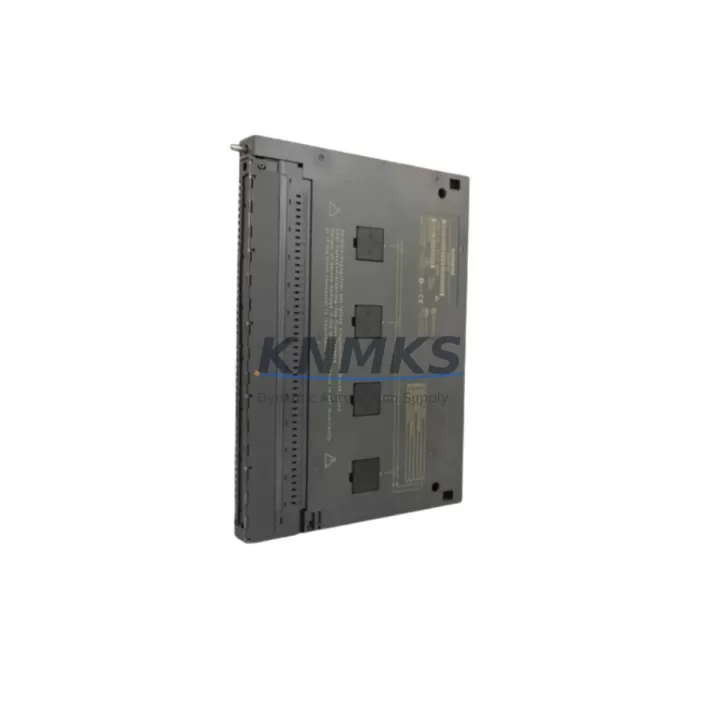
The Siemens 6ES7431-1KF10-0AB0 is an SM431 series 8-channel analog input module designed for the SIMATIC S7-400 programmable logic controller platform. As aging S7-400 installations approach end-of-service milestones, this module remains one of the most critical spare parts for facilities operating in petrochemical processing, power generation, water treatment, metallurgy, and port automation. Each unit supplied by KNMKS is sourced from verified channels, subjected to pre-shipment functional testing, and backed by a support terms confirmed by quotation — ensuring your retrofit or emergency replacement proceeds with confidence.
The 6ES7431-1KF10-0AB0 accepts ±10 V, ±5 V, ±2.5 V, 0–20 mA, and 4–20 mA signal types across its eight differential input channels, with 13-bit resolution and a cycle time compatible with high-speed process control loops. Its direct installation into the S7-400 central rack or expansion rack — including the UR1, UR2, and ER1 rack variants — means no mechanical adaptation is required when replacing a failed or end-of-life unit in an existing cabinet layout.
Migration Compatibility Table
| Parameter | Details |
|---|---|
| Replaced / Legacy SKU | 6ES7431-1KF00-0AB0 (earlier hardware revision) |
| Compatible Rack | S7-400 UR1, UR2, ER1, ER2 — any slot except CPU slot |
| Backplane Interface | S7-400 P-bus and K-bus (dual-bus architecture) |
| Signal Types Supported | ±10 V, ±5 V, ±2.5 V, 0–20 mA, 4–20 mA (per channel, software-selectable) |
| Channel Count | 8 differential analog input channels |
| Resolution | 13-bit (including sign bit) |
| Power Supply | 5 VDC via backplane (no external 24 VDC required for module logic) |
| Terminal Wiring | 40-pin front connector (6ES7492-1AL00-0AA0 or equivalent) |
| Communication | Direct S7-400 backplane — no additional communication module required |
| Firmware Compatibility | Compatible with STEP 7 V5.x and TIA Portal V13 SP1 and above (with legacy support enabled) |
| Installation Space | Single-slot width; standard S7-400 module form factor |
| Commissioning Tool | STEP 7 HW Config or TIA Portal Device Configuration |
| support terms confirmed by quotation | Yes — all units pre-tested before shipment |
Retrofit Planning for Existing Automation Systems
A successful retrofit of the 6ES7431-1KF10-0AB0 into an operating S7-400 system requires careful coordination across several interdependent components. Before removing the legacy module, engineers should document the existing hardware configuration using STEP 7’s HW Config tool or export the station configuration from TIA Portal. This ensures the module address — assigned automatically by slot position in the S7-400 rack — is preserved in the replacement unit without requiring program modifications.
The front connector wiring should be transferred directly from the old module to the new one. The 40-pin front connector used with the SM431 family retains its wiring when unplugged, allowing a clean swap without disturbing field cable terminations. Verify that shielding connections at the terminal block are intact and that differential signal pairs are correctly assigned, particularly for 4–20 mA transmitters common in pressure, flow, and temperature measurement loops.
In systems where the S7-400 CPU — such as the 6ES7414-2XK05-0AB0 or 6ES7416-3XR05-0AB0 — is also approaching end-of-life, it is advisable to plan the analog input module replacement as part of a broader rack audit. The 6ES7407-0KA02-0AA0 PS407 power supply module should be checked for output capacity, as adding or replacing analog modules can affect total rack current draw. If the installation includes a 6ES7460-1BA01-0AB0 send interface module for distributed I/O expansion, confirm that the IM460/IM461 pair remains correctly configured after the slot change.
For sites running PROFIBUS DP networks alongside the S7-400 backplane, the 6GK7443-1EX30-0XE0 CP443-1 communication processor configuration should be reviewed to ensure that any analog data blocks mapped to HMI screens — typically via WinCC or SIMATIC Panel connections — continue to reference the correct DB addresses after the module swap. HMI tag mappings tied to analog input channels should be validated in offline simulation before the system is returned to service.
Where the retrofit involves migrating from an older S7-400 rack to a newer UR2 universal rack, confirm that the physical slot numbering aligns with the software configuration. Mismatched slot assignments are a common source of commissioning delays and can trigger diagnostic alarms in the CPU’s system data. A 6ES7492-1AL00-0AA0 front connector with pre-assembled cable harness simplifies re-termination and reduces the risk of wiring errors during the swap.
Downtime Control During System Migration
Minimizing unplanned downtime during an analog input module replacement on a live S7-400 system requires a structured approach. Begin by placing the affected CPU in STOP mode only after coordinating with the process control team to confirm that the relevant control loops can be safely held in manual or that downstream interlocks are armed. For systems with redundant CPU configurations — such as those using the 6ES7414-4HM14-0AB0 H-CPU pair — the hot-standby switchover should be tested before the physical swap to confirm that the redundancy link is healthy.
Once the module is replaced and the front connector re-seated, perform a cold restart of the CPU and monitor the diagnostic buffer for any SF (system fault) or EXTF (external fault) LEDs on the new SM431. In STEP 7, use the Module Information dialog to confirm that the module is recognized at the correct slot address and that all eight channels report valid process values within expected engineering unit ranges.
Original program logic — including PID function blocks, analog scaling routines (FC105/FC106), and alarm limit comparisons — does not require modification when replacing a like-for-like SM431 module. This is a key advantage of the 6ES7431-1KF10-0AB0 as a direct replacement: the OB1, OB35, and associated FBs continue to execute without recompilation, preserving months of tuning work embedded in the existing control program.
For facilities with strict change management requirements, KNMKS can provide pre-shipment test reports documenting channel-by-channel verification against calibrated signal sources. This documentation supports IEC 61511 functional safety management records and simplifies the internal approval process for maintenance replacements in regulated industries.
Retrofit Support FAQ
Q: Is the 6ES7431-1KF10-0AB0 a direct drop-in replacement for the 6ES7431-1KF00-0AB0?
A: Yes. The -1KF10- hardware revision is the current production successor to the earlier -1KF00- variant. The module occupies the same single slot, uses the same 40-pin front connector, and is recognized by STEP 7 and TIA Portal without requiring hardware configuration changes, provided the GSD/module catalog entry is updated to reflect the new order number.
Q: What commissioning steps are required after installation?
A: After seating the module and re-connecting the front connector, perform a CPU STOP/START cycle. In STEP 7 HW Config or TIA Portal, download the hardware configuration to confirm the slot assignment. Verify that each channel’s measurement type (voltage or current) matches the field wiring by checking the analog input parameter block in the module properties. Run a short diagnostic cycle to confirm all channels are within range before returning the system to AUTO mode.
Q: Can KNMKS supply this module for emergency same-week dispatch?
A: Yes. The 6ES7431-1KF10-0AB0 is maintained availability confirmed by RFQ to support emergency breakdown scenarios. Orders confirmed before the daily cut-off are prioritized for same-day processing. Pre-shipment functional testing is completed on every unit, and a test report is available on request. Contact admin@knmks.com or call +86 18359268345 to confirm current stock and lead time.
Q: What support terms coverage applies to this module?
A: All units supplied by KNMKS carry a support terms confirmed by quotation covering manufacturing defects and functional failures under normal operating conditions. Support requests are supported by the pre-shipment test report issued with each unit. Replacement or refund is processed within the confirmed support period upon return of the defective module with a completed fault description.
© 2026 KNMKS. All rights reserved.
Original Source: https://knmks.com
Contact: admin@knmks.com | +86 18359268345
Product Identification
- Brand / Ecosystem
-
Siemens
Siemens - Model / Series
-
6ES7431-1KF10-0AB0
SIMATIC Series - Product Family
- PLCs & Controllers
- Availability Status
- Available on request after model and quantity confirmation
- Inquiry Type
- B2B RFQ, replacement inquiry and project spare-part request
- Pre-Quote Check
- Exact SKU, brand, series, quantity, nameplate photos and destination country are checked before quotation
System Path
Where this product fits in the KNMKS automation structure.
Specification & Inquiry Focus
- Control platform
- PLC, PAC and modular controllers
- Common needs
- CPU, rack, power and I/O expansion
- Project support
- Replacement, cabinet build and maintenance
Buyer Confirmation
Information KNMKS checks before replying.
- Exact model
- 6ES7431-1KF10-0AB0
- Brand / ecosystem
- Siemens
- Product family
- PLCs & Controllers
- Application note
- Replacement, maintenance, project build or spare-part list
- Useful photos
- Nameplate, installed unit, cabinet layout or connector side
- Delivery details
- Quantity, destination country and target schedule
Document Support
Files and notes can be confirmed during quotation.
- Product photos or nameplate confirmation when available
- Packing and delivery notes before quotation confirmation
- Support scope and delivery terms confirmed per inquiry
- Export document coordination for qualified B2B requests
Inquiry Support
- Model cross-checking before quotation
- CPU, power, rack and expansion module matching
- Support for replacement and project inquiry
What to Send Us
- Brand and exact model number: Siemens 6ES7431-1KF10-0AB0
- Quantity and required delivery time
- Application, replacement requirement or nameplate photo
- Destination country and shipping preference
RFQ Preparation
This is a product inquiry page built for RFQ communication.
Fast Model Check
Send this model to KNMKS for confirmation.
Include quantity, destination country and photos if this is a maintenance replacement. The inquiry will be saved with a reference number after submission.
Brand & Compatibility Note
KNMKS displays automation product information for well-known industrial brand ecosystems and compatible replacement references. Brand names are used for product identification and compatibility reference only; final availability and commercial terms are confirmed per quotation.
 Manufacturing
 Machine Tools
 Packaging
 Energy & Power



 HMI & Displays
 Servo Systems
 Variable Frequency Drives
 Sensors