
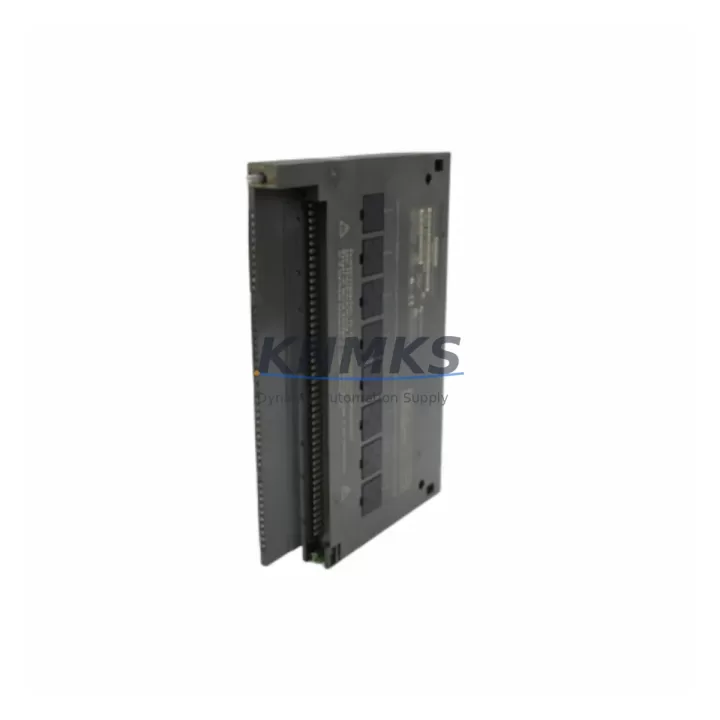
Overview
SIEMENS 6ES7431-0HH00-0AB0 Maintenance-Proven Spare Part for Factory Uptime
The SIEMENS 6ES7431-0HH00-0AB0 is an SM431 analog input module designed for the SIMATIC S7-400 programmable logic controller platform. As a critical signal acquisition component in process automation and discrete manufacturing environments, this module handles multi-channel analog input processing — converting field-level sensor signals into digital values for the S7-400 CPU. Maintaining a verified spare of the 6ES7431-0HH00-0AB0 in your parts inventory is a proven strategy for reducing unplanned downtime and protecting production continuity in facilities where S7-400 systems remain the backbone of control infrastructure.
For maintenance engineers managing aging SIMATIC S7-400 installations, the 6ES7431-0HH00-0AB0 represents a high-priority line item on any annual inspection checklist. Analog input modules are subject to signal drift, channel failure, and connector wear over extended service cycles. When a single channel degrades, the impact on process visibility can cascade — triggering false alarms, masking real faults, or forcing operators into manual override modes that increase risk. Stocking a tested replacement unit eliminates the lead-time gap that turns a manageable fault into a multi-day production halt.
Procurement engineers sourcing replacement modules for S7-400 systems should verify that the supplied unit carries the correct firmware revision and hardware index to ensure seamless slot-for-slot substitution. The 6ES7431-0HH00-0AB0 is shipped with full functional testing completed prior to dispatch, and each unit is covered by a support terms confirmed by quotation against manufacturing defects and operational failure under normal industrial conditions.
Spare Maintenance Table
| SKU / Part Number | 6ES7431-0HH00-0AB0 |
| Brand | SIEMENS |
| Series | SIMATIC S7-400 / SM431 |
| Module Type | Analog Input Module |
| Number of Channels | 16 channels (configurable) |
| Input Signal Types | Voltage / Current (configurable per channel group) |
| Resolution | 13-bit + sign |
| Cycle Time | Approx. 17 ms (all channels active) |
| Supply Voltage | DC 24 V (via backplane bus) |
| Operating Temperature | 0 °C to +60 °C |
| Mounting | S7-400 rack (UR1, UR2, ER1, ER2) |
| Country of Origin | Germany |
| Compatibility | SIMATIC S7-400 all CPU variants |
| Isolation | Galvanic isolation between channels and backplane |
| Diagnostics | Hardware interrupt, diagnostic interrupt supported |
| Support terms | 12 Months — tested and verified before shipment |
Maintenance Planning for Continuous Operation
When replacing the 6ES7431-0HH00-0AB0 during a scheduled or emergency maintenance event, a thorough inspection of the surrounding control cabinet components is essential to confirm that the root cause of failure is isolated to the module itself and has not propagated to adjacent hardware.
Begin by inspecting the S7-400 power supply module (such as the PS407 or PS405 series) to confirm that backplane bus voltage is stable and within specification. Voltage fluctuations or ripple on the DC 24 V rail are a common upstream cause of analog module degradation. Next, check the S7-400 backplane rack (UR1 or UR2) for signs of connector oxidation, bent pins, or mechanical damage at the module slot — a damaged backplane connector can cause intermittent channel faults that mimic module failure.
Review the front connector and field wiring attached to the 6ES7431-0HH00-0AB0. Loose terminations, corroded screw terminals, or shielding breaks in the signal cables are frequent contributors to analog input noise and channel drift. If the installation uses signal isolators or signal conditioners between field transmitters and the module inputs, verify that these devices are operating within their rated ranges and have not developed offset errors.
For facilities running mixed analog and digital I/O in the same cabinet, inspect the SM421 or SM422 digital I/O modules in adjacent slots for any signs of relay contact wear or output driver faults that could introduce ground loops affecting analog signal integrity. If the S7-400 system communicates over PROFIBUS DP using a CP443-5 or IM461 interface module, confirm that the communication module is functioning correctly — a PROFIBUS fault can mask analog input errors in the diagnostic buffer and complicate fault isolation.
Finally, verify the S7-400 CPU module (such as the CPU414 or CPU416) diagnostic buffer for any logged hardware faults associated with the analog input rack slot. Clearing the diagnostic buffer after module replacement and performing a warm restart confirms that the new 6ES7431-0HH00-0AB0 has been recognized correctly and all 16 channels are reporting valid process values.
Site Replacement Workflow
Step 1 — Pre-Replacement Verification: Confirm the exact hardware index and firmware version of the installed 6ES7431-0HH00-0AB0 using the SIMATIC Manager or TIA Portal hardware configuration. Ensure the replacement unit matches the hardware index to avoid configuration mismatches that require re-parameterization.
Step 2 — Safe Isolation: Place the S7-400 CPU in STOP mode. Do not power down the entire rack unless required — the S7-400 supports hot-swapping of I/O modules in most configurations, which minimizes disruption to other running processes in the same rack.
Step 3 — Front Connector Removal: Disengage the front connector from the 6ES7431-0HH00-0AB0 before extracting the module. The front connector retains all field wiring and can be transferred directly to the replacement module, preserving terminal assignments and reducing rewiring time.
Step 4 — Module Swap: Extract the faulty module using the module release lever. Insert the replacement 6ES7431-0HH00-0AB0 into the same rack slot. Reattach the front connector. The module address is determined by slot position, not by the module itself, so no address reconfiguration is required.
Step 5 — Restart and Validation: Return the CPU to RUN mode. Monitor the diagnostic buffer for any new fault entries. Verify that all 16 analog input channels are reporting expected process values using the variable table or online monitoring in SIMATIC Manager. Document the replacement in the maintenance log with the date, replaced unit serial number, and post-replacement test results.
This workflow supports rapid recovery from analog input faults with minimal downtime, preserving system compatibility and avoiding the configuration errors that commonly occur when replacement procedures are performed without a structured checklist.
Spare Parts Support FAQ
Q1: Is the 6ES7431-0HH00-0AB0 still available as a new original spare?
Yes. We supply original SIEMENS 6ES7431-0HH00-0AB0 modules sourced through verified industrial channels. Each unit undergoes functional testing prior to shipment. Despite the S7-400 platform reaching its end-of-sale phase, spare module availability remains active for maintenance and lifecycle extension purposes. Long-term supply continuity is supported for customers managing extended S7-400 installations.
Q2: How do I verify compatibility before installation?
Compatibility is confirmed by matching the module part number (6ES7431-0HH00-0AB0) and hardware index against the existing hardware configuration in SIMATIC Manager or TIA Portal. The SM431 module is compatible with all S7-400 rack variants (UR1, UR2, ER1, ER2) and all S7-400 CPU types. No firmware update is required for slot-for-slot replacement when the hardware index matches.
Q3: What testing is performed before shipment?
Every 6ES7431-0HH00-0AB0 unit is powered up and subjected to channel-level functional verification before dispatch. Diagnostic indicators, backplane communication, and analog input channel response are confirmed. Units that do not pass full functional testing are not shipped. A support terms confirmed by quotation cover the unit against defects and operational failure under normal industrial service conditions.
Q4: What is the recommended spare inventory strategy for S7-400 analog input modules?
For facilities operating more than four S7-400 racks with analog I/O, maintaining a minimum of one 6ES7431-0HH00-0AB0 spare per production line is recommended. Annual inspection cycles should include channel-level diagnostics using SIMATIC Manager to identify degrading channels before they cause process faults. Procurement engineers should review spare stock levels at least six months before planned annual shutdowns to ensure availability without expedited freight costs.
© 2026 KNMKS. All rights reserved.
Original Source: https://knmks.com
Contact: admin@knmks.com | +86 18359268345
Product Identification
- Brand / Ecosystem
-
SIEMENS
Siemens - Model / Series
-
6ES7431-0HH00-0AB0
SIMATIC Series - Product Family
- PLCs & Controllers
- Availability Status
- Available on request after model and quantity confirmation
- Inquiry Type
- B2B RFQ, replacement inquiry and project spare-part request
- Pre-Quote Check
- Exact SKU, brand, series, quantity, nameplate photos and destination country are checked before quotation
System Path
Where this product fits in the KNMKS automation structure.
Specification & Inquiry Focus
- Control platform
- PLC, PAC and modular controllers
- Common needs
- CPU, rack, power and I/O expansion
- Project support
- Replacement, cabinet build and maintenance
Buyer Confirmation
Information KNMKS checks before replying.
- Exact model
- 6ES7431-0HH00-0AB0
- Brand / ecosystem
- SIEMENS
- Product family
- PLCs & Controllers
- Application note
- Replacement, maintenance, project build or spare-part list
- Useful photos
- Nameplate, installed unit, cabinet layout or connector side
- Delivery details
- Quantity, destination country and target schedule
Document Support
Files and notes can be confirmed during quotation.
- Product photos or nameplate confirmation when available
- Packing and delivery notes before quotation confirmation
- Support scope and delivery terms confirmed per inquiry
- Export document coordination for qualified B2B requests
Inquiry Support
- Model cross-checking before quotation
- CPU, power, rack and expansion module matching
- Support for replacement and project inquiry
What to Send Us
- Brand and exact model number: SIEMENS 6ES7431-0HH00-0AB0
- Quantity and required delivery time
- Application, replacement requirement or nameplate photo
- Destination country and shipping preference
RFQ Preparation
This is a product inquiry page built for RFQ communication.
Fast Model Check
Send this model to KNMKS for confirmation.
Include quantity, destination country and photos if this is a maintenance replacement. The inquiry will be saved with a reference number after submission.
Brand & Compatibility Note
KNMKS displays automation product information for well-known industrial brand ecosystems and compatible replacement references. Brand names are used for product identification and compatibility reference only; final availability and commercial terms are confirmed per quotation.
 Manufacturing
 Machine Tools
 Packaging
 Energy & Power



 HMI & Displays
 Servo Systems
 Variable Frequency Drives
 Sensors