
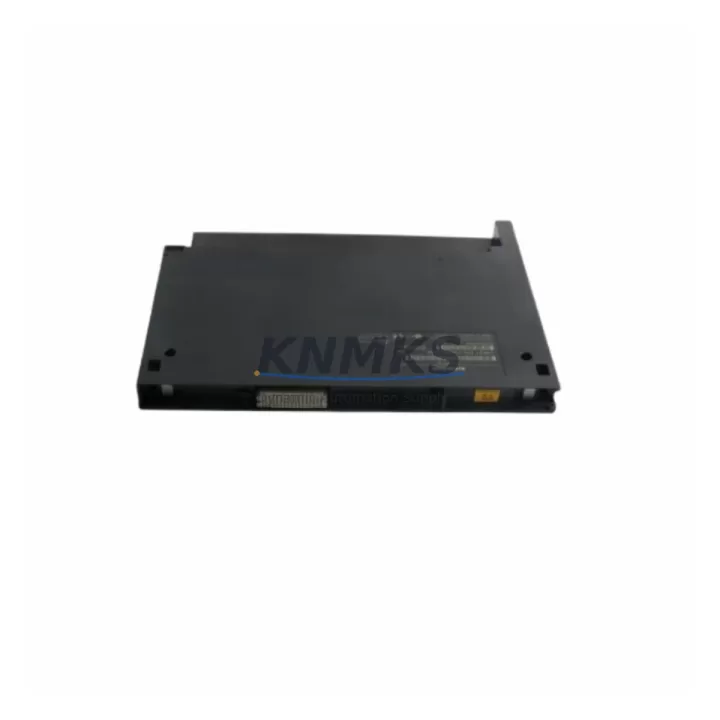
Overview
SIEMENS 6ES7422-1BL00-0AB0 Maintenance-Proven Spare Part for Factory Uptime
The SIEMENS 6ES7422-1BL00-0AB0 is a 32-channel digital output module engineered for the SIMATIC S7-400 programmable logic controller platform — one of the most widely deployed process automation architectures in heavy industry, chemical plants, power generation, and automotive manufacturing. As production lines age and OEM support windows narrow, maintaining a verified stock of this module is a frontline strategy for maintenance engineers who cannot afford unplanned downtime. This listing provides an original, tested spare with a support terms confirmed by quotation, ready for immediate dispatch to support your site replacement or preventive maintenance schedule.
Spare Maintenance Table
| SKU / Part Number | 6ES7422-1BL00-0AB0 |
| Brand | SIEMENS |
| Series | SIMATIC S7-400 |
| Module Type | Digital Output (DO) Module |
| Output Channels | 32 channels |
| Output Voltage | 24 VDC |
| Output Current per Channel | 0.5 A |
| Total Current Load | Up to 4 A per group |
| Backplane Bus | S7-400 universal rack (UR1, UR2, ER1, ER2) |
| Isolation | Optocoupler isolation between field and backplane |
| Operating Temperature | 0 °C to +60 °C |
| Protection Class | IP20 |
| Origin | Germany |
| Compatibility | SIMATIC S7-400 CPU 412, 414, 416, 417 series |
| Support terms | 12 Months |
| Condition | Original, tested before shipment |
Maintenance Planning for Continuous Operation
When a 6ES7422-1BL00-0AB0 digital output module fails or is flagged during a scheduled inspection, the fault rarely exists in isolation. Experienced maintenance engineers know that a DO module failure in an S7-400 rack is often symptomatic of broader electrical stress — particularly in high-cycle or high-ambient-temperature environments. A thorough site assessment should accompany any module swap.
Begin by verifying the 24 VDC load power supply feeding the output groups. A degraded or undersized power supply — such as the SIEMENS 6ES7405-0DA02-0AA0 PS 405 or the 6ES7407-0DA02-0AA0 PS 407 — can cause intermittent output faults that mimic module failure. Inspect the supply voltage under full load before condemning the output module itself.
Next, examine the front connector wiring and terminal block integrity. Loose or corroded terminals on the 48-pin front connector are a common cause of channel-level faults. If the connector shows signs of arcing or heat discoloration, replace it alongside the module. Similarly, check the associated 6ES7492-1AL00-0AA0 front connector for mechanical wear.
For systems using mixed I/O racks, also inspect adjacent digital input modules — particularly the 6ES7421-1BL01-0AA0 32-channel DI module — for cross-talk or shared ground faults. In process control applications, signal isolation modules and relay output cards in the same cabinet should be tested for leakage current that may affect DO channel states.
Communication health is equally important. Verify that the CP 443-1 or CP 443-5 communication processor in the same rack is operating without bus errors, as a degraded PROFIBUS or Industrial Ethernet connection can cause the CPU to report false output faults. Review the diagnostic buffer in STEP 7 or TIA Portal for any hardware interrupt entries logged before the failure event.
Finally, for aging S7-400 installations approaching end-of-life, consider stocking a matched set of the 6ES7400-1JA01-0AA0 UR2 rack and a spare CPU module alongside this DO module. Proactive spare parts inventory — covering power supplies, I/O modules, communication cards, and rack components — is the most cost-effective strategy for extending the operational life of legacy automation systems by five to ten years beyond the standard support window.
Site Replacement Workflow
Step 1 — Preparation: Download the current hardware configuration from the S7-400 CPU using STEP 7 (v5.6 or later) or TIA Portal. Record the slot assignment and module parameters for the 6ES7422-1BL00-0AB0 before removal. Ensure the replacement module carries the same firmware revision or a compatible successor revision.
Step 2 — Safe Isolation: Switch the CPU to STOP mode. De-energize the 24 VDC load power supply for the affected output group. Do not rely solely on the CPU STOP state — physically isolate the field power before disconnecting the front connector.
Step 3 — Module Swap: Unlock and remove the front connector. Release the module locking lever and slide the 6ES7422-1BL00-0AB0 out of the rack slot. Insert the replacement module, ensuring the backplane bus connector seats fully. Re-attach the front connector and verify terminal torque to manufacturer specification (typically 0.5–0.6 Nm).
Step 4 — Recommissioning: Restore load power. Switch the CPU to RUN mode. Monitor the diagnostic LEDs on the new module — the green SF/BF indicators should extinguish within the first scan cycle if the module is correctly configured. Perform a functional output test for all 32 channels before returning the line to production.
Step 5 — Documentation: Update the maintenance log with the replacement date, module serial number, and any wiring changes. Retain the removed module for failure analysis if root cause investigation is required.
This workflow minimizes mean time to repair (MTTR) and ensures system compatibility is maintained without requiring a full hardware reconfiguration download in most standard replacement scenarios.
Spare Parts Support FAQ
Q1: Is the 6ES7422-1BL00-0AB0 still available as a new original part?
Yes. We maintain stock of original SIEMENS 6ES7422-1BL00-0AB0 modules sourced through authorized industrial distribution channels. Each unit is inspected and function-tested prior to shipment. For long-term project requirements or annual maintenance contracts, we recommend confirming stock availability and lead times in advance.
Q2: What is covered under the support terms confirmed by quotation?
The support terms confirmed by quotation cover manufacturing defects and functional failures under normal operating conditions as specified in the SIEMENS S7-400 hardware manual. It does not cover damage resulting from incorrect installation, overvoltage events, or environmental conditions outside the rated operating range. Support requests are processed with return shipment and replacement dispatch within standard lead times.
Q3: How do I verify compatibility before installation?
Confirm that your S7-400 rack firmware and CPU version support the 6ES7422-1BL00-0AB0 module. Cross-reference the hardware catalog in STEP 7 or TIA Portal. The module is compatible with all standard S7-400 universal racks (UR1, UR2) and expansion racks (ER1, ER2). If you are replacing an earlier revision (e.g., -0AA0 suffix), verify that the hardware configuration file is updated to reflect the new module order number before downloading to the CPU.
Q4: Can you support long-term or recurring spare parts procurement?
Yes. We support maintenance engineers and procurement teams with scheduled spare parts supply, including annual blanket orders and emergency stock reservation. Contact our team at admin@knmks.com or +86 18359268345 to discuss volume pricing, lead time commitments, and multi-SKU spare parts kits for S7-400 and related SIMATIC platforms.
© 2026 KNMKS. All rights reserved.
Original Source: https://knmks.com
Contact: admin@knmks.com | +86 18359268345
Product Identification
- Brand / Ecosystem
-
SIEMENS
Siemens - Model / Series
-
6ES7422-1BL00-0AB0
SIMATIC Series - Product Family
- PLCs & Controllers
- Availability Status
- Available on request after model and quantity confirmation
- Inquiry Type
- B2B RFQ, replacement inquiry and project spare-part request
- Pre-Quote Check
- Exact SKU, brand, series, quantity, nameplate photos and destination country are checked before quotation
System Path
Where this product fits in the KNMKS automation structure.
Specification & Inquiry Focus
- Control platform
- PLC, PAC and modular controllers
- Common needs
- CPU, rack, power and I/O expansion
- Project support
- Replacement, cabinet build and maintenance
Buyer Confirmation
Information KNMKS checks before replying.
- Exact model
- 6ES7422-1BL00-0AB0
- Brand / ecosystem
- SIEMENS
- Product family
- PLCs & Controllers
- Application note
- Replacement, maintenance, project build or spare-part list
- Useful photos
- Nameplate, installed unit, cabinet layout or connector side
- Delivery details
- Quantity, destination country and target schedule
Document Support
Files and notes can be confirmed during quotation.
- Product photos or nameplate confirmation when available
- Packing and delivery notes before quotation confirmation
- Support scope and delivery terms confirmed per inquiry
- Export document coordination for qualified B2B requests
Inquiry Support
- Model cross-checking before quotation
- CPU, power, rack and expansion module matching
- Support for replacement and project inquiry
What to Send Us
- Brand and exact model number: SIEMENS 6ES7422-1BL00-0AB0
- Quantity and required delivery time
- Application, replacement requirement or nameplate photo
- Destination country and shipping preference
RFQ Preparation
This is a product inquiry page built for RFQ communication.
Fast Model Check
Send this model to KNMKS for confirmation.
Include quantity, destination country and photos if this is a maintenance replacement. The inquiry will be saved with a reference number after submission.
Brand & Compatibility Note
KNMKS displays automation product information for well-known industrial brand ecosystems and compatible replacement references. Brand names are used for product identification and compatibility reference only; final availability and commercial terms are confirmed per quotation.
 Manufacturing
 Machine Tools
 Packaging
 Energy & Power



 HMI & Displays
 Servo Systems
 Variable Frequency Drives
 Sensors