
Overview
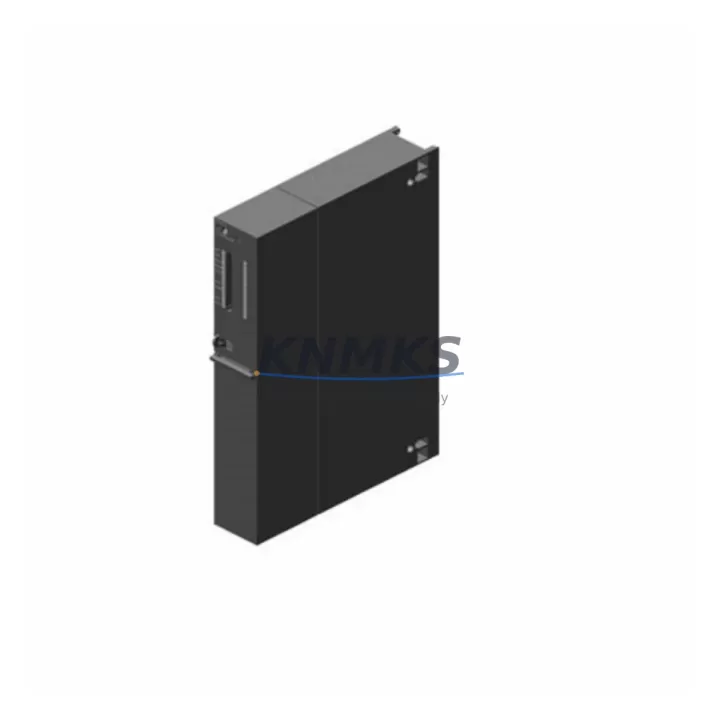
Siemens 6ES7414-3XM05-0AB0 Migration-Ready CPU for Legacy Control Systems
The Siemens 6ES7414-3XM05-0AB0 is a high-performance CPU 414-3 module engineered for the SIMATIC S7-400 platform, purpose-built to serve as a direct replacement in legacy control system modernization projects. Whether your facility is retiring an aging CPU 412-2, decommissioning a CPU 416-2, or consolidating a multi-rack S7-400 installation, this module provides the processing headroom, communication flexibility, and firmware compatibility required to execute a controlled migration without disrupting production continuity.
Designed for industrial environments where uptime is non-negotiable, the 6ES7414-3XM05-0AB0 supports MPI, PROFIBUS DP, and integrated Ethernet interfaces, enabling seamless integration into existing communication architectures. Its compatibility with the S7-400 UR1 and UR2 universal racks means that existing backplane wiring, power supply modules such as the PS 407 10A, and I/O expansion racks can be retained during the upgrade cycle, significantly reducing retrofit scope and associated downtime risk.
For plants operating legacy STEP 7 programs, the CPU 414-3 accepts existing AWL, KOP, and FUP source code with minimal modification, preserving years of validated control logic. Engineers migrating from earlier CPU generations should verify the firmware version loaded on the replacement module against the project’s hardware configuration file (HW Config) to ensure symbol table alignment and OB interrupt compatibility before going live.
Migration Compatibility Table
| Parameter | 6ES7414-3XM05-0AB0 (This Unit) | Retrofit Notes |
|---|---|---|
| Platform | SIMATIC S7-400 | Compatible with UR1, UR2, ER1, ER2 racks |
| Communication Interfaces | MPI, PROFIBUS DP (2x), Ethernet (1x) | Verify DP master/slave address assignments before swap |
| Power Supply Compatibility | PS 407 4A / 10A / 20A | Confirm rail current budget with I/O load calculation |
| Backplane Interface | S7-400 standard backplane bus | No backplane modification required for same-rack swap |
| Program Memory | 4 MB work memory (expandable via MC) | Verify MC card compatibility; retain original MC if possible |
| Firmware Version | V5.x (confirm on label) | Match to STEP 7 project HW Config firmware entry |
| Module Address | Slot-based, configurable in HW Config | Re-download HW Config after physical swap |
| HMI Compatibility | WinCC, TP/OP panels via MPI/DP/Ethernet | Update HMI connection parameters if IP or DP address changes |
| Installation Space | Standard S7-400 single-slot CPU | No mechanical modification to cabinet required |
| Replacement Path | CPU 412-2, CPU 414-2, CPU 414-3 (earlier FW) | Direct slot replacement; re-configure DP subnets as needed |
| Pre-Shipment Testing | Yes — power-on and communication verified | Test report available on request |
| Support terms | 12 Months | Covers manufacturing defects; excludes physical damage |
Retrofit Planning for Existing Automation Systems
A successful S7-400 CPU migration begins well before the physical module swap. The first step is a thorough audit of the existing rack configuration: document every module installed in the UR1 or UR2 rack, including SM 321 digital input modules, SM 322 digital output modules, SM 331 analog input modules, and any CP 443-1 Ethernet communication processors. Each of these modules must be accounted for in the updated HW Config to prevent address conflicts after the CPU is replaced.
Power budget verification is equally critical. The PS 407 10A power supply module feeding the rack must have sufficient reserve capacity to support the 6ES7414-3XM05-0AB0’s current draw alongside all installed I/O and communication modules. If the existing power supply is operating near its rated output, consider upgrading to a PS 407 20A unit during the same maintenance window to avoid nuisance trips post-retrofit.
For systems using PROFIBUS DP networks, the DP master configuration stored in the CPU must be re-validated. Slave addresses assigned to remote I/O stations, drives, and field devices must match the GSD file entries in the new HW Config. If the plant uses IM 460/IM 461 interface modules for multi-rack expansion, verify that the inter-rack communication parameters are preserved during the CPU swap. Similarly, any IM 153-2 ET 200M remote I/O stations connected via DP should be tested for cyclic data exchange immediately after the replacement CPU is powered on.
HMI panels connected via MPI — including legacy TP 270 and OP 270 operator panels — will require their communication parameters reviewed if the MPI address of the replacement CPU differs from the original. WinCC Runtime projects should be backed up before the migration and validated against the new CPU’s tag server connection after restart.
For facilities using SIMATIC NET CP 5611 or CP 5613 programming adapters, confirm that the PC station’s network configuration in NetPro is updated to reflect the replacement CPU’s MPI/DP node address. Programming cables and adapters used during commissioning should be tested on a bench setup before field deployment to eliminate variables during the live cutover.
Downtime Control During System Migration
Minimizing production downtime during a CPU replacement requires a structured cutover plan executed in defined phases. Begin by creating a full backup of the existing CPU’s program blocks, data blocks, and system function blocks using STEP 7’s Upload to PG function. Store this backup on at least two independent media — a local engineering workstation and a removable MC memory card — before any hardware is disturbed.
Where process conditions allow, perform a controlled shutdown of the affected control loop rather than an emergency stop. This preserves the last known output states in the data blocks and reduces the risk of process upsets when the replacement CPU is brought online. For continuous process applications, coordinate with operations to identify a planned maintenance window of sufficient duration — typically two to four hours — to complete the physical swap, HW Config download, program restore, and initial I/O verification.
After installing the 6ES7414-3XM05-0AB0, perform a cold restart and monitor the diagnostic buffer in STEP 7 for any configuration mismatches or module faults. Address all red entries in the hardware diagnostics before releasing the system to automatic mode. Verify that all PROFIBUS DP slaves have returned to cyclic exchange state and that all analog input channels are reading within expected engineering unit ranges before handing control back to the process.
For critical applications, consider a parallel run period where the replacement CPU operates in STOP mode while the original (if still functional) remains in RUN, allowing engineers to validate the program logic and I/O mapping without process risk. This approach is particularly valuable in water treatment, chemical dosing, and power generation applications where control continuity is mandatory.
Retrofit Support FAQ
Q: Is the 6ES7414-3XM05-0AB0 a direct replacement for the CPU 414-2 DP?
A: Yes, the 6ES7414-3XM05-0AB0 installs in the same rack slot and is compatible with the same S7-400 backplane. However, the CPU 414-3 adds a third communication interface (Ethernet), so the HW Config must be updated to reflect the new module order number. Re-download the updated configuration to the CPU after installation.
Q: What wiring changes are required when replacing an older CPU 414-3 with this unit?
A: No backplane wiring changes are required for a same-generation CPU swap within the S7-400 rack. MPI and PROFIBUS DP port connections use standard Sub-D9 connectors and can be transferred directly. If the Ethernet interface is being activated for the first time, an RJ45 patch cable to the plant network switch will need to be added.
Q: How is pre-shipment testing performed on this unit?
A: Each 6ES7414-3XM05-0AB0 unit undergoes power-on verification, communication interface check, and firmware version confirmation before dispatch. A test report is available on request. Units are packed in anti-static ESD packaging with foam protection to prevent transit damage.
Q: What does the support terms confirmed by quotation cover?
A: The support terms confirmed by quotation cover manufacturing defects and functional failures under normal operating conditions. It does not cover damage resulting from incorrect installation, overvoltage events, physical impact, or unauthorized modification. Support requests are processed within 5 business days of receipt of the returned unit.
—
2026 KNMKS. All rights reserved.
Original Source: https://knmks.com
Contact: admin@knmks.com | +86 18359268345
Product Identification
- Brand / Ecosystem
-
Siemens
Siemens - Model / Series
-
6ES7414-3XM05-0AB0
SIMATIC Series - Product Family
- PLCs & Controllers
- Availability Status
- Available on request after model and quantity confirmation
- Inquiry Type
- B2B RFQ, replacement inquiry and project spare-part request
- Pre-Quote Check
- Exact SKU, brand, series, quantity, nameplate photos and destination country are checked before quotation
System Path
Where this product fits in the KNMKS automation structure.
Specification & Inquiry Focus
- Control platform
- PLC, PAC and modular controllers
- Common needs
- CPU, rack, power and I/O expansion
- Project support
- Replacement, cabinet build and maintenance
Buyer Confirmation
Information KNMKS checks before replying.
- Exact model
- 6ES7414-3XM05-0AB0
- Brand / ecosystem
- Siemens
- Product family
- PLCs & Controllers
- Application note
- Replacement, maintenance, project build or spare-part list
- Useful photos
- Nameplate, installed unit, cabinet layout or connector side
- Delivery details
- Quantity, destination country and target schedule
Document Support
Files and notes can be confirmed during quotation.
- Product photos or nameplate confirmation when available
- Packing and delivery notes before quotation confirmation
- Support scope and delivery terms confirmed per inquiry
- Export document coordination for qualified B2B requests
Inquiry Support
- Model cross-checking before quotation
- CPU, power, rack and expansion module matching
- Support for replacement and project inquiry
What to Send Us
- Brand and exact model number: Siemens 6ES7414-3XM05-0AB0
- Quantity and required delivery time
- Application, replacement requirement or nameplate photo
- Destination country and shipping preference
RFQ Preparation
This is a product inquiry page built for RFQ communication.
Fast Model Check
Send this model to KNMKS for confirmation.
Include quantity, destination country and photos if this is a maintenance replacement. The inquiry will be saved with a reference number after submission.
Brand & Compatibility Note
KNMKS displays automation product information for well-known industrial brand ecosystems and compatible replacement references. Brand names are used for product identification and compatibility reference only; final availability and commercial terms are confirmed per quotation.
 Manufacturing
 Machine Tools
 Packaging
 Energy & Power



 HMI & Displays
 Servo Systems
 Variable Frequency Drives
 Sensors