
Overview
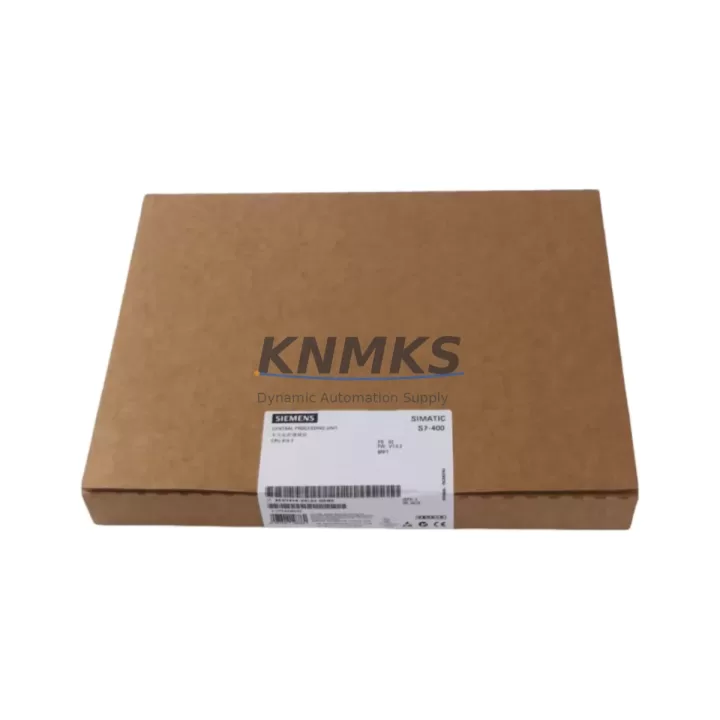
Siemens 6ES7414-2XL07-0AB0 Migration-Ready CPU for Legacy S7-400 Control Systems
The Siemens 6ES7414-2XL07-0AB0 (CPU414-2 DP) is a high-performance central processing unit designed for the SIMATIC S7-400 programmable logic controller platform. As legacy S7-400 installations approach end-of-life and original CPU modules become increasingly difficult to source, the 6ES7414-2XL07-0AB0 serves as a proven, migration-ready replacement that preserves existing program logic, rack architecture, and field wiring without requiring a full system redesign. Whether you are managing a planned retrofit, responding to an unplanned failure, or building a strategic spare-parts inventory to extend the operational life of your control infrastructure, this CPU module delivers the processing capacity, communication flexibility, and firmware compatibility required for a controlled, low-risk transition.
The CPU414-2 DP supports both MPI and PROFIBUS-DP communication interfaces natively, making it directly compatible with existing distributed I/O networks, HMI panels, and drive systems already deployed in your facility. Engineers replacing a failed or obsolete CPU can retain their existing DP network topology, preserving connections to ET 200M remote I/O stations, frequency inverters, and field devices without rewiring or reconfiguring the communication backbone. The module installs into standard S7-400 racks — including the UR1, UR2, and CR2 rack variants — and interfaces with the existing power supply modules such as the PS 407 series, eliminating the need for rack or power infrastructure changes during the swap.
Before initiating a CPU replacement, engineers should systematically verify several critical parameters to ensure a seamless cutover. Power supply capacity must be confirmed against the total current draw of all installed modules in the rack, including signal modules, communication processors, and interface modules. Terminal wiring on the MPI/DP port should be inspected and documented prior to removal of the legacy unit. Backplane slot addressing and module configuration data stored in the STEP 7 project must be reviewed to confirm that the replacement CPU’s memory capacity — 512 KB work memory on the 6ES7414-2XL07-0AB0 — is sufficient to hold the existing program blocks, data blocks, and system function libraries. Module rack addresses and DP master system configurations should be exported and archived before the swap to accelerate recommissioning.
Program compatibility is a primary concern in any CPU migration. The 6ES7414-2XL07-0AB0 is fully compatible with STEP 7 V5.x project structures, and existing OB, FB, FC, and DB blocks can be downloaded directly after hardware configuration is updated in the STEP 7 HW Config tool. HMI screens built on WinCC or SIMATIC Panel systems communicating via MPI or PROFIBUS do not require modification, as the CPU’s communication parameters and MPI address can be configured to match the legacy unit exactly. Firmware version alignment between the CPU and any installed communication processors — such as the CP 443-1 Ethernet module or CP 443-5 PROFIBUS module — should be verified in advance to prevent initialization errors during startup.
Installation space within the control cabinet should be measured before ordering, particularly in retrofit scenarios where the original rack may be mounted in a congested enclosure. The 6ES7414-2XL07-0AB0 occupies a single slot in the S7-400 rack and requires standard clearance for front connector access and ventilation. In systems where the original CPU was paired with an IM 460/461 interface module for multi-rack expansion, the interface module configuration and rack numbering must be preserved in the hardware configuration to maintain correct I/O addressing across all expansion racks.
For facilities managing a broader S7-400 modernization program, the 6ES7414-2XL07-0AB0 is frequently deployed alongside complementary modules that address specific upgrade requirements. Signal modules such as the SM 321 digital input module and SM 322 digital output module are commonly replaced in parallel when terminal blocks show signs of wear or when I/O channel counts need to be adjusted. The SM 331 analog input module is another frequent companion replacement in process control applications where legacy analog cards have drifted out of calibration tolerance. In communication-intensive applications, the CP 443-1 Advanced Ethernet communication processor is often added or upgraded during the same maintenance window to enable modern OPC UA or S7 communication with SCADA systems. Where PROFIBUS segment integrity is a concern, the IM 153-2 interface module for ET 200M distributed I/O stations may also be inspected and replaced as part of the same retrofit scope.
All units supplied are subject to pre-shipment functional testing covering CPU initialization, memory integrity, communication port verification, and firmware version confirmation. Stock is maintained across multiple regional warehouses to support urgent replacement requirements with short lead times. Each 6ES7414-2XL07-0AB0 unit is covered by a support terms confirmed by quotation against manufacturing defects and functional failures, with direct technical support available for commissioning assistance and compatibility verification.
Migration Compatibility Table
| Parameter | Details |
|---|---|
| Compatible Rack | S7-400 UR1, UR2, CR2 (standard backplane) |
| Slot Requirement | 1 slot (CPU slot, position 2 or 3) |
| Communication Interfaces | MPI (187.5 kbps – 12 Mbps), PROFIBUS-DP Master/Slave |
| Work Memory | 512 KB (code + data) |
| Power Supply Compatibility | PS 407 4A / 10A / 20A series |
| Programming Software | STEP 7 V5.4 and above (HW Config update required) |
| HMI Compatibility | WinCC, SIMATIC TP/OP panels via MPI/DP — no screen modification required |
| Firmware Version | Verify against installed CP modules before download |
| Replacement for | 6ES7414-2XG04-0AB0, 6ES7414-2XK05-0AB0, 6ES7414-2XL05-0AB0 |
| Commissioning Note | Export STEP 7 project and DP config before swap; restore MPI address post-install |
| Support terms | 12 months from shipment date |
Retrofit Planning for Existing Automation Systems
A successful S7-400 CPU retrofit begins with a complete audit of the existing rack configuration. Document every module installed in the rack — including the power supply module (typically a PS 407 10A or PS 407 20A), all signal modules occupying the remaining slots, and any communication processors such as the CP 443-1 for Ethernet connectivity or CP 443-5 for PROFIBUS master functionality. Confirm that the total current consumption of all installed modules does not exceed the rated output of the power supply after the CPU swap, as the 6ES7414-2XL07-0AB0 has a defined backplane current draw that must be factored into the rack power budget.
In multi-rack systems, the IM 460-0 or IM 460-3 send interface module and the corresponding IM 461-0 or IM 461-3 receive interface module must remain correctly configured and addressed. Any change to the CPU hardware configuration in STEP 7 HW Config that affects rack numbering or DP master system assignment will require a full download and cold restart to take effect. Engineers should plan for this restart window during scheduled downtime rather than attempting a hot swap in a running system.
For distributed I/O segments connected via PROFIBUS-DP, each ET 200M station with its IM 153-2 interface module must be verified for firmware compatibility with the new CPU’s DP master implementation. In older installations, some IM 153-1 interface modules may require firmware updates before they will initialize correctly under the 6ES7414-2XL07-0AB0’s DP master. Similarly, any SM 331 analog input modules or SM 332 analog output modules installed in remote ET 200M racks should be inspected for correct parameterization, as analog module configuration is stored in the CPU’s system data and will be re-downloaded during the first program transfer.
Signal isolation requirements should also be reviewed during retrofit planning. In applications where the existing wiring runs share conduit with high-voltage power cables, signal isolators or barriers installed between field devices and the SM 321 or SM 322 signal modules should be tested for correct operation after the CPU replacement, as any ground reference changes introduced during the swap can affect analog signal integrity.
Downtime Control During System Migration
Minimizing production downtime during a CPU replacement requires preparation that begins well before the physical swap. The first step is to create a complete backup of the STEP 7 project, including all program blocks, hardware configuration, symbol tables, and variable tables, stored on a secure offline medium. A second backup should be archived to a network location accessible from the engineering workstation that will be used for the download. The DP network configuration, including all slave addresses, I/O byte assignments, and diagnostic addresses, should be printed or exported to a reference document that technicians can use during recommissioning without relying on the engineering workstation.
During the physical swap, the CPU should be removed only after the system has been placed in a safe state — all outputs de-energized, drives stopped, and process held at a stable setpoint where possible. The replacement 6ES7414-2XL07-0AB0 should be inserted into the same rack slot, and the MPI address set using the CPU’s front panel mode selector before power is applied. After power-up, the CPU will enter STOP mode and await a program download. The STEP 7 HW Config should be compiled and downloaded first, followed by the program blocks, to ensure that the hardware configuration is consistent with the installed modules before the program begins executing.
Once the download is complete, a controlled startup sequence should be followed: verify that all DP slaves have initialized correctly by checking the DP diagnostic buffer in STEP 7, confirm that all HMI panels have re-established communication and are displaying current process values, and perform a manual scan of all critical I/O points before releasing the system to automatic operation. Pre-tested replacement units supplied with a factory test report reduce the risk of encountering a defective module during a time-critical cutover, and our pre-shipment testing protocol is designed specifically to support this requirement.
Retrofit Support FAQ
Q: Is the 6ES7414-2XL07-0AB0 a direct drop-in replacement for earlier CPU414-2 variants such as the 6ES7414-2XG04-0AB0 or 6ES7414-2XK05-0AB0?
A: Yes, the 6ES7414-2XL07-0AB0 is mechanically and electrically compatible with earlier CPU414-2 DP variants and installs into the same rack slot. A hardware configuration update in STEP 7 HW Config is required to reflect the new firmware version, followed by a full program download. No wiring changes are required at the MPI or DP port.
Q: What pre-shipment testing is performed on each unit?
A: Each unit undergoes a functional test covering CPU power-on initialization, work memory integrity verification, MPI and PROFIBUS-DP port communication check, and firmware version confirmation. A test report is available upon request and can be provided with the shipment documentation to support your incoming inspection process.
Q: How should I verify wiring compatibility before installing the replacement CPU?
A: Compare the MPI/DP port connector pinout of the replacement unit against the existing cable assembly. The 6ES7414-2XL07-0AB0 uses the standard 9-pin Sub-D PROFIBUS connector. Inspect the cable shield connection and bus termination resistors at both ends of the DP segment. If the existing cable shows signs of insulation damage or connector wear, replacement is recommended before the CPU swap to avoid introducing a wiring fault into the newly commissioned system.
Q: What is the support terms coverage and what does it include?
A: All units are covered by a support terms confirmed by quotation from the date of shipment. The support terms covers functional failures and manufacturing defects under normal operating conditions. Technical support for commissioning, compatibility verification, and STEP 7 configuration guidance is available directly from our engineering team at admin@knmks.com or +86 18359268345.
© 2026 KNMKS. All rights reserved.
Original Source: https://knmks.com
Contact: admin@knmks.com | +86 18359268345
Product Identification
- Brand / Ecosystem
-
Siemens
Siemens - Model / Series
-
6ES7414-2XL07-0AB0
SIMATIC Series - Product Family
- PLCs & Controllers
- Availability Status
- Available on request after model and quantity confirmation
- Inquiry Type
- B2B RFQ, replacement inquiry and project spare-part request
- Pre-Quote Check
- Exact SKU, brand, series, quantity, nameplate photos and destination country are checked before quotation
System Path
Where this product fits in the KNMKS automation structure.
Specification & Inquiry Focus
- Control platform
- PLC, PAC and modular controllers
- Common needs
- CPU, rack, power and I/O expansion
- Project support
- Replacement, cabinet build and maintenance
Buyer Confirmation
Information KNMKS checks before replying.
- Exact model
- 6ES7414-2XL07-0AB0
- Brand / ecosystem
- Siemens
- Product family
- PLCs & Controllers
- Application note
- Replacement, maintenance, project build or spare-part list
- Useful photos
- Nameplate, installed unit, cabinet layout or connector side
- Delivery details
- Quantity, destination country and target schedule
Document Support
Files and notes can be confirmed during quotation.
- Product photos or nameplate confirmation when available
- Packing and delivery notes before quotation confirmation
- Support scope and delivery terms confirmed per inquiry
- Export document coordination for qualified B2B requests
Inquiry Support
- Model cross-checking before quotation
- CPU, power, rack and expansion module matching
- Support for replacement and project inquiry
What to Send Us
- Brand and exact model number: Siemens 6ES7414-2XL07-0AB0
- Quantity and required delivery time
- Application, replacement requirement or nameplate photo
- Destination country and shipping preference
RFQ Preparation
This is a product inquiry page built for RFQ communication.
Fast Model Check
Send this model to KNMKS for confirmation.
Include quantity, destination country and photos if this is a maintenance replacement. The inquiry will be saved with a reference number after submission.
Brand & Compatibility Note
KNMKS displays automation product information for well-known industrial brand ecosystems and compatible replacement references. Brand names are used for product identification and compatibility reference only; final availability and commercial terms are confirmed per quotation.
 Manufacturing
 Machine Tools
 Packaging
 Energy & Power



 HMI & Displays
 Servo Systems
 Variable Frequency Drives
 Sensors