
Overview
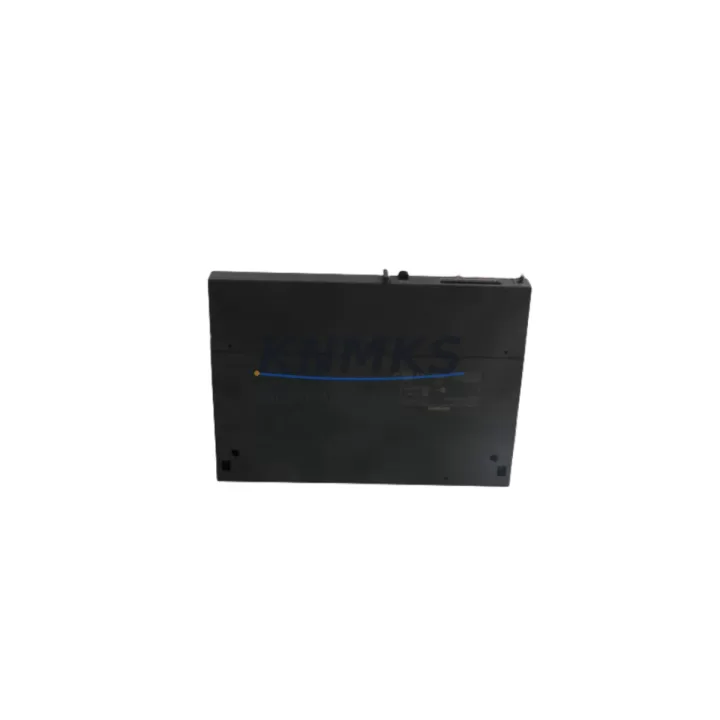
Siemens 6ES7414-2XK05-0AB0 Maintenance-Proven Spare Part for Factory Uptime
The Siemens 6ES7414-2XK05-0AB0 is the CPU 414-2 central processing unit for the SIMATIC S7-400 programmable logic controller platform — one of the most widely deployed high-performance automation systems in process industries, automotive manufacturing, and heavy industrial environments. When this CPU fails or reaches end-of-service life, the entire control cabinet goes offline. Sourcing a verified, pre-tested replacement unit is the fastest path to restoring production continuity and avoiding extended unplanned downtime.
At KNMKS, every 6ES7414-2XK05-0AB0 unit is inspected, functionally tested, and dispatched with a support terms confirmed by quotation. Our inventory is maintained specifically for maintenance engineers and procurement teams who require reliable spare parts availability on short notice — whether for emergency breakdown response, scheduled annual overhaul, or long-term spare parts stock replenishment.
Spare Maintenance Table
| Parameter | Specification |
|---|---|
| Part Number / SKU | 6ES7414-2XK05-0AB0 |
| Product Series | SIMATIC S7-400 |
| Module Type | CPU 414-2 Central Processing Unit |
| Brand / Manufacturer | Siemens |
| Country of Origin | Germany (DE) |
| Working Memory | 4 MB (expandable via memory card) |
| Communication Interfaces | MPI / DP (PROFIBUS-DP integrated) |
| Backplane Bus | S7-400 standard rack (UR1 / UR2 / ER1 / ER2) |
| Power Supply Compatibility | PS 405 / PS 407 series (24 VDC / 120–230 VAC) |
| Operating Temperature | 0 °C to +60 °C |
| Protection Class | IP20 |
| Firmware | Compatible with STEP 7 V5.x and TIA Portal (via legacy mode) |
| Replacement Compatibility | Direct replacement for CPU 414-2 DP variants in S7-400 racks |
| Pre-Shipment Testing | Yes — functional power-on and communication test |
| Support terms | 12 Months from date of shipment |
| Condition | Original spare / refurbished-to-spec |
Maintenance Planning for Continuous Operation
Replacing the 6ES7414-2XK05-0AB0 CPU is rarely an isolated task. A thorough maintenance engineer will treat a CPU swap as an opportunity to audit the entire control cabinet for latent faults that could trigger the next unplanned stop. Before returning the system to service, the following components in the same rack and electrical circuit should be inspected or replaced as part of a complete maintenance cycle:
Power Supply Module (PS 407): The Siemens PS 407 10A (6ES7407-0KA02-0AA0) or PS 405 4A supplies the S7-400 rack backplane. A CPU failure is sometimes preceded by power supply ripple or undervoltage events. Verify output voltage stability and capacitor condition before commissioning the replacement CPU.
Interface Module (IM 460 / IM 461): If the S7-400 system uses expansion racks, the IM 460-0 or IM 461-0 interface modules carry the backplane bus signal between racks. Inspect connectors and bus cables for oxidation or mechanical damage during the CPU replacement window.
Digital I/O Modules (SM 421 / SM 422): High-cycle digital input/output modules such as the SM 421 DI 32×DC 24V or SM 422 DO 32×DC 24V are subject to channel-level wear. A CPU fault event may mask underlying I/O channel failures — run a full I/O diagnostic scan after CPU replacement.
PROFIBUS-DP Communication Cable and Connectors: The CPU 414-2 integrates a PROFIBUS-DP port. Inspect the DP bus termination resistors, cable shielding continuity, and connector pin condition. A degraded DP network can cause intermittent CPU communication faults that are misdiagnosed as CPU hardware failure.
Backup Battery / Capacitor Module: The S7-400 CPU relies on a backup battery (6ES7971-1AA00-0AA0) or integrated supercapacitor to retain program memory and real-time clock data during power loss. Always replace the backup battery when swapping the CPU to prevent data loss on the next power cycle.
Signal Isolation Modules and Fuse Protection: For analog signal circuits connected to the S7-400 system, verify that signal isolators and fuse terminals in the marshalling cabinet are intact. A shorted field device can propagate transient voltages that stress the CPU backplane interface — replacing fuses and checking isolator output ranges is a low-cost step that protects the new CPU investment.
Site Replacement Workflow
Step 1 — Pre-Replacement Backup: Before removing the 6ES7414-2XK05-0AB0, upload the current CPU program to a SIMATIC memory card (6ES7952-1KK00-0AA0 or equivalent) or back up via STEP 7 / TIA Portal to a programming device. Confirm the backup includes all DB, OB, FC, and FB blocks plus hardware configuration.
Step 2 — Power Down and Rack Isolation: Switch the PS 407 power supply to OFF. Verify zero voltage on the backplane bus using a multimeter before touching the CPU module. Discharge any residual capacitance in the power supply output.
Step 3 — Module Swap: Slide out the old CPU 414-2 from its rack slot. Insert the replacement 6ES7414-2XK05-0AB0 into the same slot. Ensure the module locking lever engages fully and the backplane connector seats without force.
Step 4 — Firmware and Hardware Configuration Restore: Power on the rack. Use STEP 7 or TIA Portal to download the backed-up hardware configuration and program blocks to the new CPU. Verify the CPU transitions from STOP to RUN mode without fault LEDs.
Step 5 — Communication Verification: Confirm PROFIBUS-DP slave devices are recognized and communication is error-free. Check MPI network connectivity if a SIMATIC HMI panel (e.g., TP 177B or MP 277) is connected to the MPI port.
Step 6 — Functional Test and Handover: Run a supervised production cycle or simulation to verify all I/O responses, interlocks, and safety functions operate correctly. Document the replacement in the maintenance log with the new unit serial number and support terms start date.
This workflow minimizes total downtime to under 2 hours for a prepared maintenance team and ensures the replacement CPU is fully validated before the system returns to autonomous operation.
Spare Parts Support FAQ
Q1: Is the 6ES7414-2XK05-0AB0 a direct drop-in replacement for earlier CPU 414-2 variants?
Yes. The 6ES7414-2XK05-0AB0 is mechanically and electrically compatible with the S7-400 standard rack slot assigned to CPU 414-2 modules. It supports the same PROFIBUS-DP and MPI interfaces. A hardware configuration download via STEP 7 is required after installation to align firmware parameters with your specific system setup.
Q2: What pre-shipment testing does KNMKS perform on this unit?
Every unit undergoes a functional power-on test, communication interface verification, and visual inspection for connector and housing integrity before dispatch. Units that do not pass all test criteria are not shipped. A support terms confirmed by quotation is provided from the date of shipment, covering hardware defects under normal operating conditions.
Q3: Can KNMKS support long-term spare parts supply agreements for the S7-400 platform?
Yes. KNMKS maintains ongoing inventory of S7-400 CPU modules, power supplies, I/O modules, and communication components to support 12–36 month supply agreements. This is particularly relevant for facilities operating legacy S7-400 systems beyond Siemens’ standard product lifecycle, where OEM availability is limited. Contact our sales team to discuss volume pricing and reserved stock arrangements.
Q4: How should procurement teams manage inventory risk for end-of-life S7-400 CPUs?
For critical production lines, we recommend holding a minimum of one cold-standby CPU 414-2 unit per control system. Given the S7-400 platform’s extended installed base, sourcing windows for original spare units are narrowing. Procuring 2–3 units under a long-term supply agreement with KNMKS reduces lead time risk and ensures consistent part quality with traceable support terms coverage across all units.
© 2026 KNMKS. All rights reserved.
Original Source: https://knmks.com
Contact: admin@knmks.com | +86 18359268345
Product Identification
- Brand / Ecosystem
-
Siemens
Siemens - Model / Series
-
6ES7414-2XK05-0AB0
SIMATIC Series - Product Family
- PLCs & Controllers
- Availability Status
- Available on request after model and quantity confirmation
- Inquiry Type
- B2B RFQ, replacement inquiry and project spare-part request
- Pre-Quote Check
- Exact SKU, brand, series, quantity, nameplate photos and destination country are checked before quotation
System Path
Where this product fits in the KNMKS automation structure.
Specification & Inquiry Focus
- Control platform
- PLC, PAC and modular controllers
- Common needs
- CPU, rack, power and I/O expansion
- Project support
- Replacement, cabinet build and maintenance
Buyer Confirmation
Information KNMKS checks before replying.
- Exact model
- 6ES7414-2XK05-0AB0
- Brand / ecosystem
- Siemens
- Product family
- PLCs & Controllers
- Application note
- Replacement, maintenance, project build or spare-part list
- Useful photos
- Nameplate, installed unit, cabinet layout or connector side
- Delivery details
- Quantity, destination country and target schedule
Document Support
Files and notes can be confirmed during quotation.
- Product photos or nameplate confirmation when available
- Packing and delivery notes before quotation confirmation
- Support scope and delivery terms confirmed per inquiry
- Export document coordination for qualified B2B requests
Inquiry Support
- Model cross-checking before quotation
- CPU, power, rack and expansion module matching
- Support for replacement and project inquiry
What to Send Us
- Brand and exact model number: Siemens 6ES7414-2XK05-0AB0
- Quantity and required delivery time
- Application, replacement requirement or nameplate photo
- Destination country and shipping preference
RFQ Preparation
This is a product inquiry page built for RFQ communication.
Fast Model Check
Send this model to KNMKS for confirmation.
Include quantity, destination country and photos if this is a maintenance replacement. The inquiry will be saved with a reference number after submission.
Brand & Compatibility Note
KNMKS displays automation product information for well-known industrial brand ecosystems and compatible replacement references. Brand names are used for product identification and compatibility reference only; final availability and commercial terms are confirmed per quotation.
 Manufacturing
 Machine Tools
 Packaging
 Energy & Power



 HMI & Displays
 Servo Systems
 Variable Frequency Drives
 Sensors