
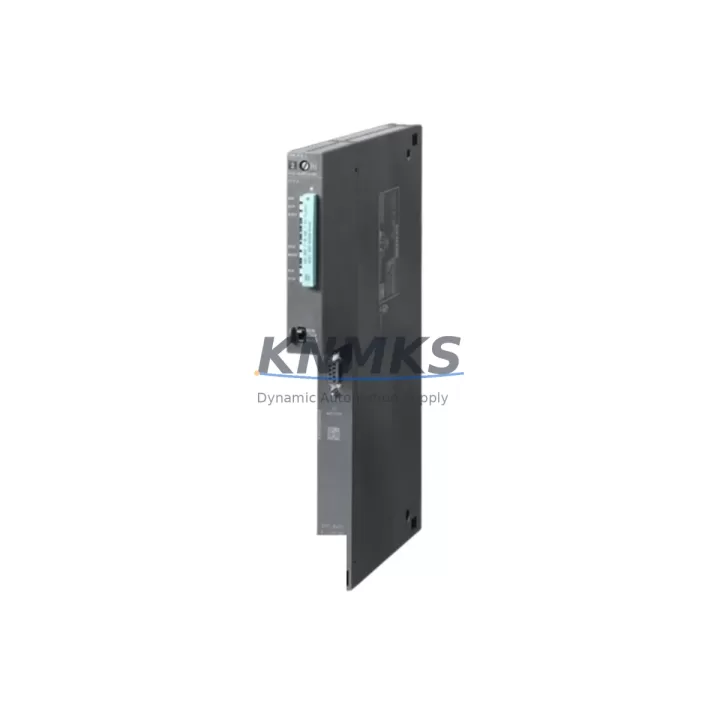
Overview
Siemens 6ES7412-1XJ07-0AB0 Maintenance-Proven Spare Part for Factory Uptime
The Siemens 6ES7412-1XJ07-0AB0 is the CPU 412-1 central processing unit for the SIMATIC S7-400 programmable logic controller platform — one of the most widely deployed process automation architectures in heavy industry, power generation, chemical processing, and automotive manufacturing. As production lines age and OEM support windows close, maintaining a verified, tested spare of the 6ES7412-1XJ07-0AB0 in your site inventory is a direct investment in factory uptime and operational continuity.
This unit is sourced as an original Siemens component, manufactured in Germany, and dispatched only after passing a structured pre-shipment functional test. Every unit is covered by a support terms confirmed by quotation from the date of delivery, giving maintenance engineers and procurement teams a reliable, low-risk procurement path for both emergency replacement and planned annual overhaul stock.
Spare Maintenance Table
| Parameter | Specification |
|---|---|
| SKU / Part Number | 6ES7412-1XJ07-0AB0 |
| Product Series | SIMATIC S7-400 |
| Module Type | CPU 412-1 Central Processing Unit |
| Brand / Manufacturer | Siemens |
| Country of Origin | Germany (DE) |
| Working Memory | 256 KB (expandable via memory card) |
| MPI / PROFIBUS Interface | 1 × MPI/DP interface (up to 12 Mbit/s) |
| Backplane Bus Compatibility | S7-400 UR1 / UR2 / UR2-H rack systems |
| Power Supply Compatibility | PS 405 / PS 407 series (24 VDC / 120–230 VAC) |
| Operating Temperature | 0 °C to +60 °C |
| Protection Class | IP20 |
| Firmware Version | V7.0 (as labeled; confirm with STEP 7 / TIA Portal) |
| Replacement Compatibility | Direct replacement for earlier 412-1 variants in S7-400 racks |
| Pre-Shipment Test | Yes — functional verification before dispatch |
| Support terms | 12 Months from delivery date |
| Typical Application | Process control, batch automation, DCS integration, legacy system extension |
Maintenance Planning for Continuous Operation
When a 6ES7412-1XJ07-0AB0 CPU is flagged during a routine control cabinet inspection or fails during a production shift, the replacement scope rarely ends at the CPU itself. Experienced maintenance engineers know that a CPU fault in an S7-400 rack is often accompanied by — or can be caused by — degraded components elsewhere in the same electrical circuit.
Start with the power supply module. The Siemens PS 407 10A (6ES7407-0KA02-0AA0) or equivalent PS 405 variant feeds the S7-400 rack directly; a marginal power supply delivering unstable 24 VDC rail voltage is a common root cause of CPU resets and memory errors. Always measure output voltage under load before condemning the CPU.
Next, inspect the S7-400 signal modules seated in the same UR rack — SM 421 digital input modules and SM 422 digital output modules share the backplane bus with the CPU. A shorted output channel or a failed input module can generate bus faults that appear as CPU errors in diagnostics. Pull and reseat each module, check the backplane connector pins for corrosion or mechanical damage, and verify that all module front connectors are fully engaged.
Communication integrity is equally critical. If the 6ES7412-1XJ07-0AB0 is networked via PROFIBUS DP to remote I/O stations or drives, inspect the CP 443-1 or CP 443-5 communication processor modules in the same rack. A failing CP module can cause the CPU to enter STOP mode due to communication timeouts. Check bus termination resistors at both ends of the PROFIBUS segment and verify cable shielding continuity.
For sites running SIMATIC HMI panels (TP or OP series) connected via MPI, confirm that the MPI network address assignments are unique and that the HMI firmware is compatible with the CPU firmware version. An MPI address conflict after a CPU swap is a frequent cause of post-replacement commissioning delays.
Finally, review the 24 VDC fuse and circuit protection feeding the rack. Blade fuses or NH fuses in the distribution board upstream of the PS 407 should be inspected and replaced if discolored or showing signs of thermal stress. Pairing a new CPU with a compromised power distribution path risks premature failure of the replacement unit.
Maintaining a consolidated spare parts kit — CPU, power supply module, at least one SM 421/422 I/O module, CP communication module, and a set of rack fuses — reduces mean time to repair (MTTR) from hours to minutes and is the foundation of any credible S7-400 lifecycle extension strategy.
Site Replacement Workflow
Step 1 — Pre-replacement documentation: Before powering down, use STEP 7 or TIA Portal to upload the current CPU program and hardware configuration to a programming device. Confirm the firmware version of the installed 6ES7412-1XJ07-0AB0 and note the MPI address, PROFIBUS DP address, and any configured communication partners.
Step 2 — Safe isolation: Switch the CPU to STOP mode via the mode selector switch. Confirm all outputs are de-energized and that the process is in a safe state. Disconnect the MPI/DP bus connector before removing the CPU to avoid bus disturbance.
Step 3 — Physical swap: Remove the memory card from the old CPU and retain it. Slide the old CPU out of the rack slot. Insert the replacement 6ES7412-1XJ07-0AB0, ensuring the backplane connector is fully seated. Reinstall the memory card.
Step 4 — Configuration restore: Reconnect the MPI/DP bus connector. Power up the rack and download the saved hardware configuration and program from the programming device. Verify that the CPU transitions to RUN mode without fault LEDs.
Step 5 — Functional verification: Confirm I/O module status in the diagnostics buffer, verify PROFIBUS DP slave communication, and check HMI connectivity. Run a short production cycle under supervision before returning the line to full automatic operation.
This workflow is compatible with both hot-standby and simplex S7-400 configurations and minimizes unplanned downtime to the shortest achievable window.
Spare Parts Support FAQ
Q1: Is the 6ES7412-1XJ07-0AB0 a direct drop-in replacement for earlier CPU 412-1 variants?
In most S7-400 rack configurations, yes. The 6ES7412-1XJ07-0AB0 (firmware V7.0) is backward compatible with UR1 and UR2 racks and accepts the same memory cards as earlier 412-1 variants. However, always verify the hardware configuration in STEP 7 or TIA Portal after replacement to confirm module addressing and DP master system settings are correctly recognized.
Q2: What pre-shipment testing is performed before dispatch?
Each unit undergoes a functional power-on test to verify CPU initialization, memory integrity, and interface activity. Units that fail any test stage are quarantined and not dispatched. A test record is available on request. All dispatched units are covered by a support terms confirmed by quotation from the delivery date.
Q3: Can you support long-term supply agreements for S7-400 spare parts?
Yes. KNMKS supports 12–36 month supply agreements for critical S7-400 components including CPU modules, power supply modules, and I/O cards. Long-term agreements include reserved stock allocation, priority dispatch, and fixed pricing to protect against market volatility. Contact admin@knmks.com to discuss your site’s requirements.
Q4: How do I verify compatibility before ordering if my installed firmware version is unknown?
The firmware version of an installed CPU 412-1 can be read directly from the STEP 7 hardware configuration (HW Config → Module Properties) or from the CPU’s front panel display if accessible. If the installed unit is non-functional and the firmware version cannot be confirmed, provide the full order number from the module label (including the trailing version suffix) when contacting our technical team. We will advise on compatibility and, where necessary, arrange firmware verification before dispatch.
© 2026 KNMKS. All rights reserved.
Original Source: https://knmks.com
Contact: admin@knmks.com | +86 18359268345
Product Identification
- Brand / Ecosystem
-
Siemens
Siemens - Model / Series
-
6ES7412-1XJ07-0AB0
SIMATIC Series - Product Family
- PLCs & Controllers
- Availability Status
- Available on request after model and quantity confirmation
- Inquiry Type
- B2B RFQ, replacement inquiry and project spare-part request
- Pre-Quote Check
- Exact SKU, brand, series, quantity, nameplate photos and destination country are checked before quotation
System Path
Where this product fits in the KNMKS automation structure.
Specification & Inquiry Focus
- Control platform
- PLC, PAC and modular controllers
- Common needs
- CPU, rack, power and I/O expansion
- Project support
- Replacement, cabinet build and maintenance
Buyer Confirmation
Information KNMKS checks before replying.
- Exact model
- 6ES7412-1XJ07-0AB0
- Brand / ecosystem
- Siemens
- Product family
- PLCs & Controllers
- Application note
- Replacement, maintenance, project build or spare-part list
- Useful photos
- Nameplate, installed unit, cabinet layout or connector side
- Delivery details
- Quantity, destination country and target schedule
Document Support
Files and notes can be confirmed during quotation.
- Product photos or nameplate confirmation when available
- Packing and delivery notes before quotation confirmation
- Support scope and delivery terms confirmed per inquiry
- Export document coordination for qualified B2B requests
Inquiry Support
- Model cross-checking before quotation
- CPU, power, rack and expansion module matching
- Support for replacement and project inquiry
What to Send Us
- Brand and exact model number: Siemens 6ES7412-1XJ07-0AB0
- Quantity and required delivery time
- Application, replacement requirement or nameplate photo
- Destination country and shipping preference
RFQ Preparation
This is a product inquiry page built for RFQ communication.
Fast Model Check
Send this model to KNMKS for confirmation.
Include quantity, destination country and photos if this is a maintenance replacement. The inquiry will be saved with a reference number after submission.
Brand & Compatibility Note
KNMKS displays automation product information for well-known industrial brand ecosystems and compatible replacement references. Brand names are used for product identification and compatibility reference only; final availability and commercial terms are confirmed per quotation.
 Manufacturing
 Machine Tools
 Packaging
 Energy & Power



 HMI & Displays
 Servo Systems
 Variable Frequency Drives
 Sensors