
Overview
Siemens 6ES7405-0KA02-0AA0 Maintenance Spare for S7-400: Factory Uptime Power Supply
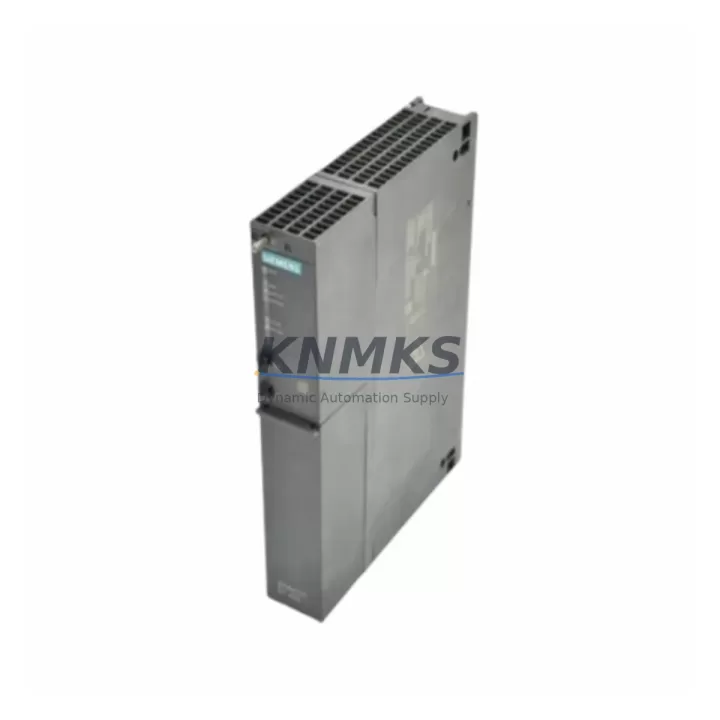
The Siemens 6ES7405-0KA02-0AA0 is a PS 405 10A DC power supply module designed for the SIMATIC S7-400 programmable logic controller platform. In industrial maintenance environments, this module is a critical component for sustaining continuous operation of process control cabinets, DCS integration racks, and high-availability automation lines. Maintenance engineers and spare parts procurement teams rely on verified, pre-tested replacements to minimize mean time to repair (MTTR) and prevent unplanned production shutdowns.
This unit delivers a regulated 24 VDC output at up to 10A, powering the S7-400 central rack and connected I/O modules. Its robust design supports operation in demanding industrial environments including chemical processing, automotive assembly, power generation, and discrete manufacturing. Stocking this module as a critical spare ensures that any power supply failure can be resolved within a single maintenance shift rather than triggering extended downtime while awaiting procurement.
Spare Maintenance Table
| SKU / Part Number | 6ES7405-0KA02-0AA0 |
| Series | SIMATIC S7-400 / PS 405 |
| Module Type | DC Power Supply Module |
| Output Voltage | 24 VDC |
| Output Current | 10 A |
| Input Voltage | 24 VDC (nominal) |
| Mounting | S7-400 Central Rack (UR1, UR2) |
| Slot Position | Slot 1 (Power Supply Slot) |
| Protection Class | IP20 |
| Operating Temperature | 0 °C to +60 °C |
| Compatibility | SIMATIC S7-400 UR1 / UR2 / UR2-H racks; compatible with all S7-400 CPU modules |
| Origin | Germany |
| Pre-Shipment Testing | Yes — functional output and load test performed |
| Support terms | 12 Months |
| Condition | Original / Surplus / Refurbished (specify on inquiry) |
Maintenance Planning for Continuous Operation
When replacing the 6ES7405-0KA02-0AA0 in an S7-400 control cabinet, a thorough site inspection of the surrounding electrical environment is essential to prevent repeat failures and confirm system integrity. Begin by verifying the 24 VDC input supply rail — check the upstream industrial power supply unit (PSU) or UPS for output stability, ripple, and load capacity before energizing the new module. Inspect the input fuse or circuit breaker protecting the PS 405 slot; a blown fuse often indicates an upstream surge or short that must be resolved before replacement.
Examine the S7-400 central rack backplane for signs of corrosion, bent connector pins, or thermal damage at the power supply slot. A damaged backplane connector can cause intermittent faults even with a new PS module installed. If the rack is a UR2-H redundant configuration, verify that the redundancy module and the second PS 405 unit — such as a 6ES7405-0KA01-0AA0 or 6ES7405-0RA01-0AA0 — are also in serviceable condition.
Review the CPU module (e.g., 6ES7414-series or 6ES7416-series) for any stored diagnostic buffer entries related to power undervoltage events. These entries help identify whether the power supply failure was sudden or progressive. Check all I/O modules seated in the rack — particularly analog input modules and communication processors such as CP 443-series Ethernet modules — for proper seating and connector integrity, as power interruptions can cause latent connector issues.
For cabinets with signal isolation requirements, inspect any installed signal isolators or barriers on the 24 VDC loop. Verify that terminal blocks and wiring on the DC bus are torqued to specification and free of oxidation. If the cabinet includes an HMI panel (e.g., SIMATIC TP or MP series) powered from the same 24 VDC rail, confirm that the HMI power draw does not exceed the PS 405 10A budget after accounting for all connected loads. Maintaining a spare 6ES7405-0KA02-0AA0 alongside a spare CPU battery module and a set of spare fuses for the cabinet distribution board is a recognized best practice for S7-400 high-availability installations.
Site Replacement Workflow
1. Pre-Replacement Preparation: Document the current CPU operating mode (RUN/STOP) and back up the PLC program via STEP 7 or TIA Portal before any power interruption. Confirm the replacement 6ES7405-0KA02-0AA0 firmware revision is compatible with the installed CPU and rack configuration.
2. Safe Isolation: Switch the CPU to STOP mode. Isolate the 24 VDC input supply to the PS 405 slot using the cabinet’s main disconnect or the dedicated PSU breaker. Verify zero voltage at the module input terminals with a calibrated multimeter before proceeding.
3. Module Removal: Release the PS 405 module locking lever and slide the unit out of Slot 1. Inspect the rack connector for damage. Clean the slot with dry compressed air if contamination is present.
4. Replacement Installation: Slide the new 6ES7405-0KA02-0AA0 into Slot 1 until the connector seats fully and the locking lever engages. Reconnect the 24 VDC input wiring, observing polarity markings on the module terminal block.
5. Power-Up and Verification: Restore the 24 VDC input supply. Observe the PS 405 status LED — a steady green indicates normal operation. Switch the CPU to RUN mode and verify that all I/O modules return to active status. Check the CPU diagnostic buffer for any new fault entries. Confirm HMI communication and process variable readback before releasing the line to production.
6. Documentation: Record the replacement date, module serial number, and post-replacement test results in the equipment maintenance log. Update the spare parts inventory to trigger reorder of a replacement unit.
Spare Parts Support FAQ
Q1: Is the 6ES7405-0KA02-0AA0 compatible with all S7-400 rack configurations?
This module is designed for the SIMATIC S7-400 UR1 and UR2 central racks and is compatible with all standard S7-400 CPU modules. It is not compatible with S7-300 or S7-1500 racks. For UR2-H redundant rack configurations, two PS 405 units are required. Always verify the rack order number against the PS 405 installation manual before installation.
Q2: What pre-shipment testing is performed on this spare part?
Each unit undergoes a functional output voltage and load test prior to shipment. Output voltage stability, current delivery at rated load, and LED status indication are verified. A test report is available on request. This process reduces the risk of receiving a non-functional spare and supports your incoming inspection procedure.
Q3: What is the support terms coverage and long-term supply commitment?
All units are covered by a support terms confirmed by quotation against manufacturing defects and functional failure under normal operating conditions. For procurement engineers managing long-term maintenance contracts, we support multi-unit blanket orders and scheduled delivery to ensure continuous spare parts availability for legacy S7-400 installations.
Q4: How do I confirm compatibility before placing a bulk spare parts order?
Provide your rack order number, CPU part number, and current PS 405 revision level. Our technical team will confirm compatibility and advise on any firmware or hardware revision considerations. For critical infrastructure applications, we recommend ordering a minimum of two units to maintain a working spare on-site at all times.
© 2026 KNMKS. All rights reserved.
Original Source: https://knmks.com
Contact: admin@knmks.com | +86 18359268345
Product Identification
- Brand / Ecosystem
-
Siemens
Siemens - Model / Series
-
6ES7405-0KA02-0AA0
SIMATIC Series - Product Family
- PLCs & Controllers
- Availability Status
- Available on request after model and quantity confirmation
- Inquiry Type
- B2B RFQ, replacement inquiry and project spare-part request
- Pre-Quote Check
- Exact SKU, brand, series, quantity, nameplate photos and destination country are checked before quotation
System Path
Where this product fits in the KNMKS automation structure.
Specification & Inquiry Focus
- Control platform
- PLC, PAC and modular controllers
- Common needs
- CPU, rack, power and I/O expansion
- Project support
- Replacement, cabinet build and maintenance
Buyer Confirmation
Information KNMKS checks before replying.
- Exact model
- 6ES7405-0KA02-0AA0
- Brand / ecosystem
- Siemens
- Product family
- PLCs & Controllers
- Application note
- Replacement, maintenance, project build or spare-part list
- Useful photos
- Nameplate, installed unit, cabinet layout or connector side
- Delivery details
- Quantity, destination country and target schedule
Document Support
Files and notes can be confirmed during quotation.
- Product photos or nameplate confirmation when available
- Packing and delivery notes before quotation confirmation
- Support scope and delivery terms confirmed per inquiry
- Export document coordination for qualified B2B requests
Inquiry Support
- Model cross-checking before quotation
- CPU, power, rack and expansion module matching
- Support for replacement and project inquiry
What to Send Us
- Brand and exact model number: Siemens 6ES7405-0KA02-0AA0
- Quantity and required delivery time
- Application, replacement requirement or nameplate photo
- Destination country and shipping preference
RFQ Preparation
This is a product inquiry page built for RFQ communication.
Fast Model Check
Send this model to KNMKS for confirmation.
Include quantity, destination country and photos if this is a maintenance replacement. The inquiry will be saved with a reference number after submission.
Brand & Compatibility Note
KNMKS displays automation product information for well-known industrial brand ecosystems and compatible replacement references. Brand names are used for product identification and compatibility reference only; final availability and commercial terms are confirmed per quotation.
 Manufacturing
 Machine Tools
 Packaging
 Energy & Power



 HMI & Displays
 Servo Systems
 Variable Frequency Drives
 Sensors