
Overview
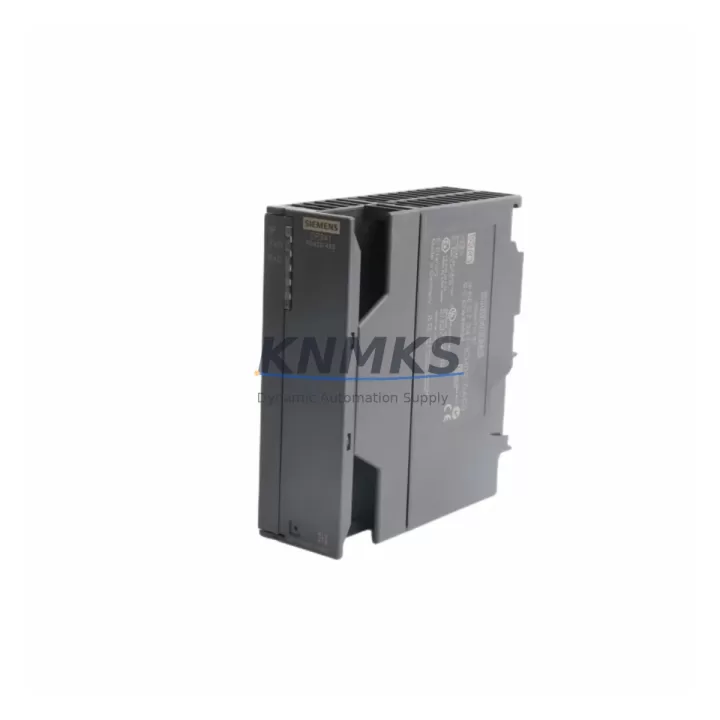
Siemens 6ES7341-1CH02-0AE0 Spare Part for CP341 S7-300: Maintenance-Proven for Factory Uptime
The Siemens 6ES7341-1CH02-0AE0 is a CP341 serial communications processor designed for the SIMATIC S7-300 PLC platform. It supports RS422 and RS485 point-to-point protocols, enabling reliable data exchange between PLCs, drives, barcode readers, weighing systems, and third-party field devices. In maintenance-critical environments — including automotive assembly, chemical processing, food and beverage lines, and discrete manufacturing — this module is a high-priority spare that directly affects production continuity.
Sourced as an original Siemens component, each unit undergoes pre-shipment functional verification before dispatch. Long-term supply availability is maintained to support both emergency replacement and planned annual maintenance cycles. All units are covered by a support terms confirmed by quotation from date of shipment.
Spare Maintenance Table
| SKU / Part Number | 6ES7341-1CH02-0AE0 |
| Series | SIMATIC S7-300 |
| Module Type | CP341 Serial Communications Processor |
| Supported Protocols | RS422, RS485 (Point-to-Point) |
| Baud Rate Range | 300 bps – 76.8 kbps |
| Supply Voltage | DC 5 V (via S7-300 backplane bus) |
| Current Consumption | Approx. 160 mA at 5 V DC |
| Operating Temperature | 0 °C to +60 °C |
| Mounting | S7-300 DIN rail, standard module slot |
| Dimensions (W×H×D) | 40 × 125 × 120 mm |
| Weight | Approx. 240 g |
| Country of Origin | Germany |
| Compatibility | SIMATIC S7-300 CPU 312 – 319 series; compatible backplanes and IM interface modules |
| Firmware / Configuration | Configured via STEP 7 or TIA Portal (S7-300 mode); ASCII, 3964(R), RK512 driver support |
| Pre-Shipment Testing | Functional communication test performed before dispatch |
| Support terms | 12 Months from date of shipment |
Maintenance Planning for Continuous Operation
When replacing the 6ES7341-1CH02-0AE0 in a live S7-300 control cabinet, a structured inspection of the surrounding electrical environment is essential to prevent repeat failures and reduce mean time to repair (MTTR). Maintenance engineers should treat this replacement as an opportunity for a broader cabinet health check.
Begin with the S7-300 backplane (rack) — inspect the bus connector pins and slot contacts for oxidation or mechanical damage. A faulty backplane connection is a common root cause of intermittent CP module faults. Next, verify the PS307 or PS305 power supply module output voltage under load; an aging power supply delivering marginal 24 V DC can cause CP341 communication resets that mimic module failure.
Check all RS422/RS485 signal cables and terminal blocks connected to the CP341 front connector. Shielding continuity, termination resistors (typically 120 Ω at line ends), and correct A/B polarity are critical for stable serial communication. Corroded or loose terminals on the SM321/SM322 digital I/O modules in the same rack should also be inspected, as shared 24 V DC distribution faults can affect multiple modules simultaneously.
If the S7-300 system includes a CP343-1 Ethernet communications module for SCADA or MES connectivity, verify its configuration remains intact after the CP341 swap — STEP 7 hardware configuration downloads can inadvertently reset network parameters. For systems using IM360/IM361 expansion interface modules across multiple racks, confirm that inter-rack communication is unaffected after the replacement.
Procurement engineers planning annual maintenance budgets should consider stocking the 6ES7307-1EA01-0AA0 PS307 5A power supply and a set of 6ES7392-1AJ00-0AA0 front connectors alongside the CP341 spare. These components share the same maintenance cycle and failure profile in high-cycle industrial environments. Maintaining a minimum of one CP341 unit per active S7-300 line is recommended for facilities operating 24/7 production schedules.
Site Replacement Workflow
Step 1 — Pre-replacement documentation: Record the current CP341 slot position, front connector wiring layout, and STEP 7 hardware configuration (HW Config). Export the project backup before any hardware change.
Step 2 — Safe isolation: Place the S7-300 CPU in STOP mode. De-energize the control cabinet following local lockout/tagout (LOTO) procedures. Remove the front connector from the existing CP341 — the connector retains wiring and can be transferred directly to the replacement module.
Step 3 — Module swap: Release the bus connector locking mechanism, slide out the 6ES7341-1CH02-0AE0, and install the replacement unit in the same slot. Reattach the front connector. Confirm the bus connector is fully seated.
Step 4 — Configuration restore: Power up the rack. Download the existing STEP 7 HW Config to the CPU. The CP341 will initialize with the stored communication parameters — no re-parameterization is required if the replacement module matches the original order number exactly.
Step 5 — Communication verification: Monitor the CP341 diagnostic LEDs (SF, RxD, TxD). Confirm data exchange with the connected field device using STEP 7 online diagnostics or the CP341 configuration tool. Log the replacement date and module serial number in the maintenance record.
This workflow supports direct like-for-like replacement without system reconfiguration, minimizing downtime to under 30 minutes in most field scenarios.
Spare Parts Support FAQ
Q1: Is the 6ES7341-1CH02-0AE0 still available as a new original spare?
Yes. This part number remains available as a new original Siemens component. Long-term supply is maintained to support S7-300 systems in extended service. Contact us to confirm current lead time and stock status.
Q2: What compatibility verification is required before installation?
Confirm the target rack is a standard S7-300 rail (not S7-300C or ET 200M compact variants without standard module slots). Verify the STEP 7 or TIA Portal project references the correct CP341 order number (6ES7341-1CH02-0AE0) in the hardware configuration. No firmware update is required for standard replacement.
Q3: What pre-shipment testing is performed on each unit?
Each 6ES7341-1CH02-0AE0 undergoes a functional communication test prior to dispatch, verifying RS422/RS485 interface operation and backplane bus integrity. Units that do not pass testing are not shipped. Test records are available on request.
Q4: What does the support terms confirmed by quotation cover?
The support terms confirmed by quotation cover manufacturing defects and functional failures under normal operating conditions from the date of shipment. It does not cover damage resulting from incorrect installation, overvoltage events, or environmental conditions outside the specified operating range. Support requests are processed with return authorization — contact admin@knmks.com to initiate.
© 2026 KNMKS. All rights reserved.
Original Source: https://knmks.com
Contact: admin@knmks.com | +86 18359268345
Product Identification
- Brand / Ecosystem
-
Siemens
Siemens - Model / Series
-
6ES7341-1CH02-0AE0
SIMATIC Series - Product Family
- PLCs & Controllers
- Availability Status
- Available on request after model and quantity confirmation
- Inquiry Type
- B2B RFQ, replacement inquiry and project spare-part request
- Pre-Quote Check
- Exact SKU, brand, series, quantity, nameplate photos and destination country are checked before quotation
System Path
Where this product fits in the KNMKS automation structure.
Specification & Inquiry Focus
- Control platform
- PLC, PAC and modular controllers
- Common needs
- CPU, rack, power and I/O expansion
- Project support
- Replacement, cabinet build and maintenance
Buyer Confirmation
Information KNMKS checks before replying.
- Exact model
- 6ES7341-1CH02-0AE0
- Brand / ecosystem
- Siemens
- Product family
- PLCs & Controllers
- Application note
- Replacement, maintenance, project build or spare-part list
- Useful photos
- Nameplate, installed unit, cabinet layout or connector side
- Delivery details
- Quantity, destination country and target schedule
Document Support
Files and notes can be confirmed during quotation.
- Product photos or nameplate confirmation when available
- Packing and delivery notes before quotation confirmation
- Support scope and delivery terms confirmed per inquiry
- Export document coordination for qualified B2B requests
Inquiry Support
- Model cross-checking before quotation
- CPU, power, rack and expansion module matching
- Support for replacement and project inquiry
What to Send Us
- Brand and exact model number: Siemens 6ES7341-1CH02-0AE0
- Quantity and required delivery time
- Application, replacement requirement or nameplate photo
- Destination country and shipping preference
RFQ Preparation
This is a product inquiry page built for RFQ communication.
Fast Model Check
Send this model to KNMKS for confirmation.
Include quantity, destination country and photos if this is a maintenance replacement. The inquiry will be saved with a reference number after submission.
Brand & Compatibility Note
KNMKS displays automation product information for well-known industrial brand ecosystems and compatible replacement references. Brand names are used for product identification and compatibility reference only; final availability and commercial terms are confirmed per quotation.
 Manufacturing
 Machine Tools
 Packaging
 Energy & Power



 HMI & Displays
 Servo Systems
 Variable Frequency Drives
 Sensors