
Overview
Siemens 6ES7341-1CH01-0AE0 Migration-Ready Serial CP for Legacy S7-300 Control Systems
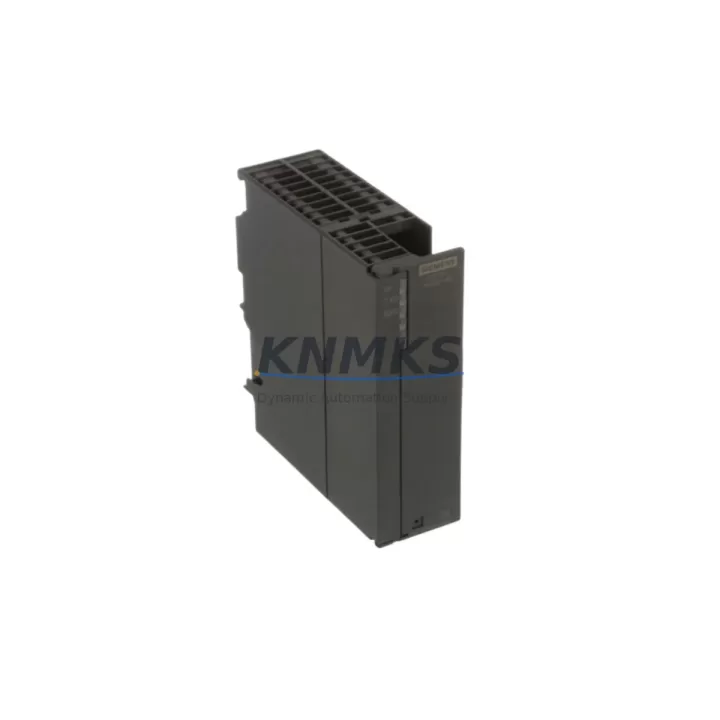
The Siemens 6ES7341-1CH01-0AE0 is a CP 341 Communications Processor designed for the SIMATIC S7-300 platform, providing serial point-to-point communication via RS-232, RS-422, and RS-485 interfaces. As legacy S7-300 installations approach end-of-life and original CP 341 units become increasingly difficult to source, this migration-ready replacement module enables engineers to restore full serial communication capability without modifying existing PLC racks, backplane wiring, or control logic.
This module is stocked, pre-shipment tested, and backed by a support terms confirmed by quotation, making it a reliable drop-in solution for plants operating aging SIMATIC S7-300 systems across petrochemical, power generation, water treatment, metallurgy, and port automation environments.
Migration Compatibility Table
| Parameter | Details |
|---|---|
| SKU / Order Number | 6ES7341-1CH01-0AE0 |
| Module Type | CP 341 — Serial Communications Processor |
| Compatible Platform | SIMATIC S7-300 (all standard racks) |
| Communication Interfaces | RS-232 / RS-422 / RS-485 (point-to-point serial) |
| Backplane Interface | S7-300 standard backplane bus (K-bus) |
| Installation Slot | Any signal module slot on S7-300 rack (Slot 4 onward) |
| Power Supply Requirement | 5 VDC via backplane (no external 24 VDC required for logic) |
| Protocol Support | 3964(R), Modbus RTU/ASCII, USS, RK512, free ASCII |
| Firmware Compatibility | Compatible with STEP 7 V5.x and TIA Portal (via legacy mode) |
| Replacement for | 6ES7341-1CH00-0AE0 (earlier hardware revision) |
| Commissioning Tool | STEP 7 HW Config / TIA Portal; CP341 loadable driver required |
| Pre-Shipment Testing | Yes — functional verification before dispatch |
| Support terms | 12 Months from date of shipment |
| Country of Origin | Germany |
Retrofit Planning for Existing Automation Systems
When integrating the 6ES7341-1CH01-0AE0 into an existing S7-300 control cabinet, engineers must confirm several interdependent system parameters before powering up the replacement module. The first priority is verifying the PS 307 power supply module (e.g., 6ES7307-1EA01-0AA0) has sufficient current headroom to support the additional CP 341 load on the backplane — particularly in dense racks where multiple SM 321/SM 322 digital I/O modules are already installed.
Terminal wiring at the RS-232 or RS-485 port must be confirmed against the original cable pinout. In many legacy installations, the serial cable was custom-fabricated for a specific third-party device — such as a barcode reader, weighing terminal, or SCADA RTU — and the pinout documentation may no longer be readily available. A direct continuity check and loopback test at the DB9 or terminal block connector is strongly recommended before loading the CP 341 driver.
The CP 341 loadable driver (available via Siemens SIOS) must match the firmware version of the replacement module. If the existing STEP 7 project was configured for an earlier hardware revision (6ES7341-1CH00-0AE0), the HW Config must be updated to reflect the -1CH01- variant before downloading. Failure to update the hardware configuration will result in a module fault on the CPU — typically a CPU 315-2 DP (6ES7315-2AG10-0AB0) or CPU 317-2 DP — and the CP will not initialize correctly.
For systems using PROFIBUS DP alongside serial communication, confirm that the CP 341 slot assignment does not conflict with existing IM 360/IM 361 interface module addressing in multi-rack configurations. In extended rack setups, the rack number and slot address must be re-entered in the FB/FC communication blocks (typically FB7 or FB8 for CP 341 point-to-point) to match the physical installation.
Where the legacy system includes an OP 7 or OP 17 HMI panel communicating via MPI, verify that the HMI screen tags referencing serial data (e.g., weight values, scanner outputs) are mapped to the correct DB addresses. A CP 341 slot change will not affect MPI-based HMI communication directly, but any DB reorganization during the retrofit may shift tag offsets and require HMI project re-download.
For installations migrating from an older CP 340 (6ES7340-1AH02-0AE0) to the CP 341, note that the CP 341 offers higher baud rates (up to 76.8 kbps on RS-232) and expanded protocol support. The physical form factor and backplane connector are identical, but the loadable driver and FB/FC block structure differ — existing communication blocks must be replaced and the DB interface re-mapped accordingly.
Downtime Control During System Migration
Minimizing unplanned downtime during a CP 341 replacement requires a structured pre-outage preparation sequence. Before the maintenance window opens, the existing STEP 7 project — including the complete hardware configuration, all OB/FB/FC/DB blocks, and the current CPU memory card image — should be archived and stored offline. This ensures that if the replacement module triggers unexpected behavior, the original program state can be restored within minutes.
During the swap, the CPU should be placed in STOP mode before removing the CP 341 from the rack. Hot-swapping communications processors on the S7-300 backplane is not supported and risks corrupting the K-bus communication state. Once the 6ES7341-1CH01-0AE0 is seated and the rack is powered, the updated HW Config should be downloaded first — before any program blocks — to allow the CPU to recognize the new module hardware revision.
After the HW Config download, perform a cold restart of the CPU and monitor the CP 341 diagnostic buffer via STEP 7 online mode. Confirm that the module transitions from “SF” (system fault) to a steady green “RUN” LED before initiating the serial communication test. Use the CP 341’s integrated diagnostic function block to send a test frame to the connected device and verify the response before returning the system to automatic mode.
For critical production lines where even a 30-minute outage carries significant cost, consider staging the replacement on a bench test rack using a spare CPU 314 and a matching power supply module. This allows the loadable driver, FB configuration, and DB structure to be validated offline before the live system is touched — reducing the on-site commissioning window to a simple module swap and HW Config download.
All units supplied by KNMKS are pre-tested for serial port functionality and backplane communication prior to shipment, reducing the risk of receiving a non-functional module on the day of the planned maintenance outage.
Retrofit Support FAQ
Q1: Is the 6ES7341-1CH01-0AE0 a direct replacement for the 6ES7341-1CH00-0AE0?
Yes. The -1CH01- is a later hardware revision of the same CP 341 product family. It is physically and functionally compatible with the same S7-300 rack slots. The STEP 7 HW Config must be updated to select the correct hardware revision, and the matching loadable driver version must be used. No wiring changes are required.
Q2: Which serial protocols does this module support, and can it communicate with third-party devices?
The CP 341 supports 3964(R), Modbus RTU, Modbus ASCII, USS protocol, RK512, and free ASCII communication. It is widely used to interface S7-300 PLCs with third-party weighing systems, barcode scanners, SCADA RTUs, drives, and legacy DCS gateways. Protocol selection is made via the loadable driver installed in STEP 7.
Q3: What pre-shipment testing is performed, and what does the support terms confirmed by quotation cover?
Each unit undergoes functional verification including backplane interface check and serial port continuity testing before dispatch. The support terms confirmed by quotation cover manufacturing defects and functional failures under normal operating conditions. Units showing damage from incorrect installation, overvoltage, or environmental exposure outside Siemens-specified limits are not covered.
Q4: Is stock available for immediate shipment, and what is the typical lead time?
Yes. The 6ES7341-1CH01-0AE0 is held availability confirmed by RFQ and available for same-day or next-business-day dispatch depending on order confirmation time. For urgent maintenance requirements or multi-unit orders, contact admin@knmks.com or call +86 18359268345 to confirm availability and arrange priority shipment.
© 2026 KNMKS. All rights reserved.
Original Source: https://knmks.com
Contact: admin@knmks.com | +86 18359268345
Product Identification
- Brand / Ecosystem
-
Siemens
Siemens - Model / Series
-
6ES7341-1CH01-0AE0
SIMATIC Series - Product Family
- PLCs & Controllers
- Availability Status
- Available on request after model and quantity confirmation
- Inquiry Type
- B2B RFQ, replacement inquiry and project spare-part request
- Pre-Quote Check
- Exact SKU, brand, series, quantity, nameplate photos and destination country are checked before quotation
System Path
Where this product fits in the KNMKS automation structure.
Specification & Inquiry Focus
- Control platform
- PLC, PAC and modular controllers
- Common needs
- CPU, rack, power and I/O expansion
- Project support
- Replacement, cabinet build and maintenance
Buyer Confirmation
Information KNMKS checks before replying.
- Exact model
- 6ES7341-1CH01-0AE0
- Brand / ecosystem
- Siemens
- Product family
- PLCs & Controllers
- Application note
- Replacement, maintenance, project build or spare-part list
- Useful photos
- Nameplate, installed unit, cabinet layout or connector side
- Delivery details
- Quantity, destination country and target schedule
Document Support
Files and notes can be confirmed during quotation.
- Product photos or nameplate confirmation when available
- Packing and delivery notes before quotation confirmation
- Support scope and delivery terms confirmed per inquiry
- Export document coordination for qualified B2B requests
Inquiry Support
- Model cross-checking before quotation
- CPU, power, rack and expansion module matching
- Support for replacement and project inquiry
What to Send Us
- Brand and exact model number: Siemens 6ES7341-1CH01-0AE0
- Quantity and required delivery time
- Application, replacement requirement or nameplate photo
- Destination country and shipping preference
RFQ Preparation
This is a product inquiry page built for RFQ communication.
Fast Model Check
Send this model to KNMKS for confirmation.
Include quantity, destination country and photos if this is a maintenance replacement. The inquiry will be saved with a reference number after submission.
Brand & Compatibility Note
KNMKS displays automation product information for well-known industrial brand ecosystems and compatible replacement references. Brand names are used for product identification and compatibility reference only; final availability and commercial terms are confirmed per quotation.
 Manufacturing
 Machine Tools
 Packaging
 Energy & Power



 HMI & Displays
 Servo Systems
 Variable Frequency Drives
 Sensors