
Overview
Siemens 6ES7331-7KF01-0AB0 Analog Input S7-300 Retrofit: Legacy System Migration and Compatible Upgrade
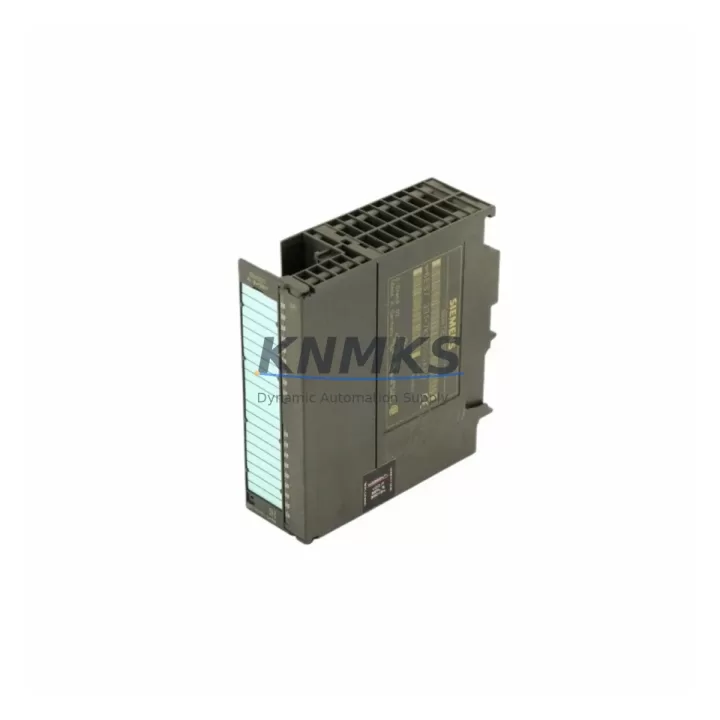
The Siemens 6ES7331-7KF01-0AB0 is an SM331 series 8-channel analog input module designed for the SIMATIC S7-300 programmable logic controller platform. As legacy S7-300 systems approach end-of-life and original Siemens spare parts become increasingly difficult to source, this migration-ready replacement module provides a direct drop-in solution for facilities managing aging control infrastructure. Whether you are replacing a failed unit on a bottling line, upgrading a legacy control cabinet in a water treatment plant, or extending the service life of a discontinued automation system, the 6ES7331-7KF01-0AB0 delivers the signal resolution, channel density, and backplane compatibility required for uninterrupted production continuity.
This module supports voltage and current input ranges including ±10 V, ±5 V, 0–20 mA, and 4–20 mA, with 12-bit resolution across all 8 channels. It mounts directly onto the S7-300 DIN rail rack and communicates via the integrated S7-300 backplane bus — no additional communication hardware is required. For sites running PROFIBUS DP networks, the module integrates seamlessly with CP 342-5 communication processors and IM 360/361 interface modules already installed in the control cabinet.
Before installation, engineers should verify the existing PS 307 power supply capacity, as adding analog input modules increases backplane current draw. Confirm that the existing rack — whether a UR1, UR2, or ER1 expansion rack — has an available slot and that the module address assignment in STEP 7 or TIA Portal matches the hardware configuration stored in the CPU, such as the CPU 315-2 DP or CPU 314C-2 DP. Terminal wiring should be cross-referenced against the original SM331 wiring diagram to confirm shielding, sensor supply, and measurement type jumper settings on the front connector.
Migration Compatibility Table
| Parameter | 6ES7331-7KF01-0AB0 (This Module) | Retrofit Notes |
|---|---|---|
| Platform | SIMATIC S7-300 | Direct backplane replacement; no adapter required |
| Channels | 8 × Analog Input | Matches SM331 8-ch variants; verify jumper settings |
| Input Ranges | ±10 V, ±5 V, 0–20 mA, 4–20 mA | Confirm measurement type per channel via front connector jumpers |
| Resolution | 12-bit | Compatible with existing STEP 7 / TIA Portal scaling blocks |
| Backplane Interface | S7-300 integrated bus | Slot address must match original HW Config; re-download if changed |
| Communication | PROFIBUS DP (via CPU/CP) | No change to DP network topology required |
| Power Supply | DC 5 V via backplane (typ. 60 mA) | Verify PS 307 headroom before installation |
| Installation Space | Standard S7-300 single-slot | Fits UR1, UR2, ER1 racks; confirm slot availability |
| Firmware Compatibility | Compatible with STEP 7 V5.x and TIA Portal V13+ | No firmware update required for standard replacement |
| Support terms | 12 Months | Covers manufacturing defects; includes pre-shipment functional test |
Retrofit Planning for Existing Automation Systems
Successful integration of the 6ES7331-7KF01-0AB0 into an existing S7-300 control system requires a structured pre-installation review. Begin by auditing the current rack layout and identifying the slot occupied by the failed or obsolete module. If the system uses an IM 360 or IM 361 interface module to connect expansion racks, confirm that the inter-rack bus cable is intact and that the expansion rack power supply is functioning correctly before swapping the analog input module.
Terminal wiring is a critical step. The SM331 front connector uses a 20-pin removable terminal block. If the original front connector is undamaged, it can be transferred directly to the replacement module, preserving all field wiring without re-termination. This significantly reduces installation time and eliminates the risk of miswiring during a live system retrofit. If the front connector must be replaced, refer to the original STEP 7 symbol table or HMI tag database — typically built on a SIMATIC WinCC Flexible or WinCC Advanced panel — to verify each channel’s engineering unit, scaling range, and alarm threshold before recommencing production.
For systems where the CPU 315-2 DP or CPU 314 manages multiple analog input modules across several racks, confirm that the module address in the hardware configuration matches the physical slot. A mismatch will generate a hardware fault and prevent the CPU from entering RUN mode. After physical installation, perform a partial download of the hardware configuration to the CPU without overwriting the existing program logic. This preserves all function block instances, data blocks, and PID loop parameters accumulated over years of operation.
If the control system also includes an ET 200M distributed I/O station connected via PROFIBUS DP, note that the 6ES7331-7KF01-0AB0 can also be used in ET 200M racks with an IM 153-1 or IM 153-2 interface module, extending its applicability beyond centralized S7-300 cabinets to remote field panels. This flexibility makes it a preferred stocking item for maintenance teams managing multi-cabinet automation systems across large production facilities.
Downtime Control During System Migration
Minimizing unplanned downtime is the primary concern during any analog input module replacement on a running production system. The recommended approach is to pre-configure the replacement 6ES7331-7KF01-0AB0 offline using STEP 7 or TIA Portal before the maintenance window begins. Export the existing hardware configuration, verify the module parameters — including input type, integration time, interference frequency suppression, and diagnostic interrupt settings — and prepare a configuration file ready for immediate download.
During the maintenance window, power down only the affected rack segment if the system architecture permits partial shutdown. Remove the failed SM331 module, transfer the front connector if reusable, insert the replacement module, and restore power. The CPU should recognize the module automatically if the hardware configuration has not changed. If a configuration download is required, use the partial download function in STEP 7 to avoid resetting the CPU memory and losing retentive data blocks that store production counters, recipe parameters, or calibration offsets.
After restoration, verify all 8 analog input channels against known reference signals before releasing the system to production. Check that HMI faceplate values on the WinCC or WinCC Flexible panel match field instrument readings. Confirm that any PROFIBUS DP diagnostic messages have cleared and that the CPU status LED shows steady RUN green. Document the replacement date, module serial number, and post-installation test results in the site maintenance log to support future support requests and audit compliance.
Every 6ES7331-7KF01-0AB0 unit shipped from our inventory undergoes a pre-shipment functional test covering channel continuity, input range verification, and backplane communication handshake. This reduces the risk of receiving a non-functional module and supports the goal of completing the replacement within a single planned maintenance shift.
Retrofit Support FAQ
Q1: Is the 6ES7331-7KF01-0AB0 a direct replacement for the original Siemens SM331 module?
Yes. The 6ES7331-7KF01-0AB0 is the standard Siemens order number for the SM331 8-channel analog input module for the S7-300 platform. It is a direct slot-for-slot replacement. If the original front connector is intact, field wiring can be transferred without re-termination. No changes to the STEP 7 or TIA Portal hardware configuration are required if the module is installed in the same rack slot.
Q2: What pre-shipment testing is performed on each unit?
Each module undergoes a functional test covering backplane communication, channel input range verification across voltage and current modes, and diagnostic register readback before shipment. A test record is available upon request. All units are covered by a support terms confirmed by quotation against manufacturing defects from the date of shipment.
Q3: Can this module be used in an ET 200M distributed I/O station?
Yes. The 6ES7331-7KF01-0AB0 is compatible with ET 200M racks using IM 153-1 or IM 153-2 interface modules connected via PROFIBUS DP. This makes it suitable for both centralized S7-300 control cabinets and remote field panel installations. Confirm the IM 153 firmware version supports the SM331 module type before installation.
Q4: What is the lead time and stock availability?
We maintain in-stock inventory of the 6ES7331-7KF01-0AB0 to support urgent replacement requirements. Standard orders ship within 1–3 business days. For large-quantity orders or scheduled maintenance programs requiring multiple units, contact our sales team to confirm availability and arrange consolidated shipment. All units are supplied with a support terms confirmed by quotation and pre-shipment test documentation.
© 2026 KNMKS. All rights reserved.
Original Source: https://knmks.com
Contact: admin@knmks.com | +86 18359268345
Product Identification
- Brand / Ecosystem
-
Siemens
Siemens - Model / Series
-
6ES7331-7KF01-0AB0
SIMATIC Series - Product Family
- PLCs & Controllers
- Availability Status
- Available on request after model and quantity confirmation
- Inquiry Type
- B2B RFQ, replacement inquiry and project spare-part request
- Pre-Quote Check
- Exact SKU, brand, series, quantity, nameplate photos and destination country are checked before quotation
System Path
Where this product fits in the KNMKS automation structure.
Specification & Inquiry Focus
- Control platform
- PLC, PAC and modular controllers
- Common needs
- CPU, rack, power and I/O expansion
- Project support
- Replacement, cabinet build and maintenance
Buyer Confirmation
Information KNMKS checks before replying.
- Exact model
- 6ES7331-7KF01-0AB0
- Brand / ecosystem
- Siemens
- Product family
- PLCs & Controllers
- Application note
- Replacement, maintenance, project build or spare-part list
- Useful photos
- Nameplate, installed unit, cabinet layout or connector side
- Delivery details
- Quantity, destination country and target schedule
Document Support
Files and notes can be confirmed during quotation.
- Product photos or nameplate confirmation when available
- Packing and delivery notes before quotation confirmation
- Support scope and delivery terms confirmed per inquiry
- Export document coordination for qualified B2B requests
Inquiry Support
- Model cross-checking before quotation
- CPU, power, rack and expansion module matching
- Support for replacement and project inquiry
What to Send Us
- Brand and exact model number: Siemens 6ES7331-7KF01-0AB0
- Quantity and required delivery time
- Application, replacement requirement or nameplate photo
- Destination country and shipping preference
RFQ Preparation
This is a product inquiry page built for RFQ communication.
Fast Model Check
Send this model to KNMKS for confirmation.
Include quantity, destination country and photos if this is a maintenance replacement. The inquiry will be saved with a reference number after submission.
Brand & Compatibility Note
KNMKS displays automation product information for well-known industrial brand ecosystems and compatible replacement references. Brand names are used for product identification and compatibility reference only; final availability and commercial terms are confirmed per quotation.
 Manufacturing
 Machine Tools
 Packaging
 Energy & Power



 HMI & Displays
 Servo Systems
 Variable Frequency Drives
 Sensors