
Overview
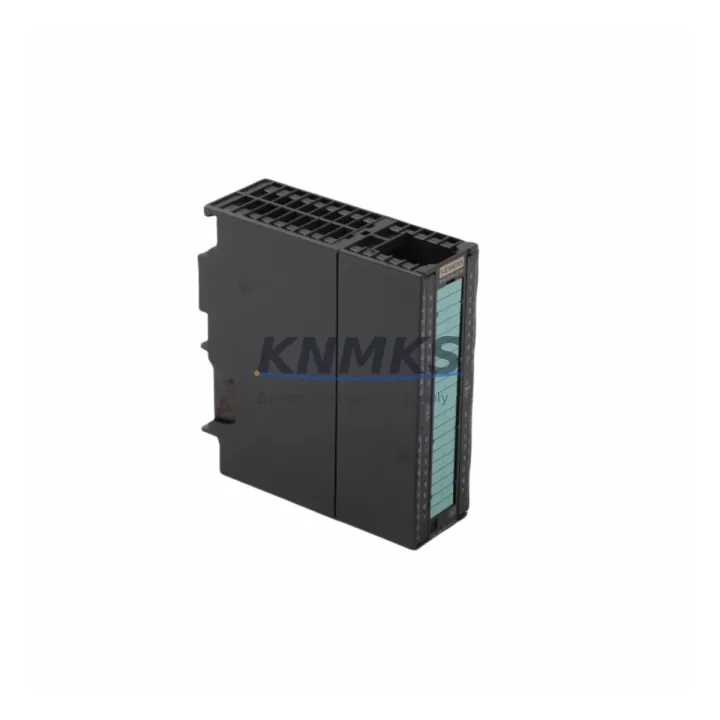
Siemens 6ES7323-1BL00-0AA0 Migration-Ready Digital I/O Module for Legacy S7-300 Control Systems
The Siemens 6ES7323-1BL00-0AA0 is a 32-channel digital combination input/output module from the SIMATIC S7-300 SM323 series, designed for direct integration into existing S7-300 rack configurations. As legacy S7-300 systems approach end-of-support milestones, engineering teams managing aging production lines, process control cabinets, and distributed automation architectures increasingly rely on verified drop-in replacements to extend operational life without full system redesign. This module addresses that need precisely — offering a pre-tested, protocol-compatible, and mechanically interchangeable solution for facilities that cannot afford unplanned downtime or extended commissioning windows.
Each unit supplied by KNMKS is sourced from authorized distribution channels, inspected prior to shipment, and covered by a support terms confirmed by quotation. Multi-region stock is maintained to support both emergency replacement scenarios and scheduled maintenance outages, with global dispatch capability to minimize lead time impact on critical operations.
Migration Compatibility Table
| Parameter | Specification / Retrofit Guidance |
|---|---|
| SKU / Part Number | 6ES7323-1BL00-0AA0 |
| Series | SIMATIC S7-300, SM323 |
| Channel Configuration | 16 DI + 16 DO (24 VDC, transistor output) |
| Backplane Interface | S7-300 standard backplane bus — direct slot replacement, no adapter required |
| Installation Requirement | DIN rail mount; fits standard S7-300 rack (UR1, UR2, ER1, ER2); confirm slot address in HW Config |
| Communication Compatibility | MPI, PROFIBUS DP (via CPU); no module-level fieldbus — verify CPU firmware ≥ V2.6 |
| Wiring Compatibility | 40-pin front connector (6ES7392-1AM00-0AA0 or equivalent); verify terminal assignment against existing I/O map |
| Replacement Recommendation | Direct replacement for 6ES7323-1BL00-0AA0; cross-check with 6ES7323-1BH01-0AA0 (16-ch variant) if channel count differs |
| Commissioning Focus | Module address reassignment in STEP 7 / TIA Portal; force table verification; HMI tag re-mapping if applicable |
| Firmware Compatibility | Compatible with STEP 7 V5.x and TIA Portal V13–V18; confirm GSD file version for PROFIBUS nodes |
| Support terms | 12 months from shipment date — covers manufacturing defects and functional failure under normal operating conditions |
| Origin | Germany (DE) |
Retrofit Planning for Existing Automation Systems
Replacing the 6ES7323-1BL00-0AA0 within a live S7-300 installation requires a structured approach that accounts for the full control cabinet ecosystem. Before removal of the existing module, engineers should document the current I/O address map, verify the front connector wiring against the original terminal diagram, and confirm that the replacement unit’s channel configuration matches the process requirements — particularly where mixed DI/DO assignments are used across the same 40-pin connector block.
In rack configurations where the S7-300 CPU 315-2 DP or CPU 317-2 PN/DP is the primary controller, the module slot address must be re-confirmed in the hardware configuration tool (STEP 7 HW Config or TIA Portal Device Configuration) after physical installation. If the rack also houses a CP 343-1 Lean communication processor for Ethernet connectivity, or an IM 360/IM 361 interface module pair for multi-rack expansion, these components should be verified for firmware compatibility before the replacement module is brought online.
Power budget validation is a critical pre-installation step. The S7-300 PS 307 power supply module (5 A or 10 A variant) must have sufficient headroom to support the replacement I/O module’s current draw alongside existing modules in the rack. In high-density configurations where multiple SM321, SM322, or SM323 modules share the same rack, total backplane current consumption should be recalculated against the power supply’s rated output.
For installations that include an OP 277 or TP 277 HMI panel connected via MPI or PROFIBUS, HMI tag addresses linked to the replaced module’s I/O points must be reviewed and updated if the module slot address changes. Signal isolators or relay output modules positioned downstream of the digital outputs should also be verified for compatibility with the replacement module’s transistor output characteristics, particularly in applications involving inductive loads or long cable runs.
Where a programming cable (PC Adapter USB or CP 5611) is used for direct STEP 7 access during commissioning, ensure the laptop or engineering workstation has the correct STEP 7 version installed and that the project file reflects the current hardware configuration before downloading any changes to the CPU.
Downtime Control During System Migration
Minimizing production interruption during a module replacement begins with pre-staging the replacement unit and verifying its configuration offline before the maintenance window opens. KNMKS supplies each 6ES7323-1BL00-0AA0 unit with pre-shipment functional testing completed, reducing the risk of receiving a non-functional module during a time-critical outage.
To protect existing program logic, the current CPU program (OB, FB, FC, DB blocks) should be uploaded and archived to the engineering workstation before any hardware changes are made. If the CPU is a CPU 315-2 DP with a memory card (MMC), the program backup can be stored directly on the card, providing an additional recovery path if the download process encounters errors.
During the physical swap, the front connector — with all field wiring attached — can be removed from the old module and transferred directly to the replacement unit, provided the connector type matches (6ES7392-1AM00-0AA0 or compatible 40-pin variant). This approach eliminates the need to re-terminate individual wires at the terminal block, significantly reducing commissioning time and the risk of wiring errors.
After installation, a structured commissioning sequence should include: forcing individual I/O channels in the STEP 7 force table to verify field device response, checking diagnostic buffer entries in the CPU for any module fault codes, and confirming that all PROFIBUS DP slaves (if present) have re-established communication. HMI screens should be monitored for correct tag updates before returning the system to automatic mode. Total planned downtime for a like-for-like replacement in a well-documented installation is typically achievable within a single shift window.
Retrofit Support FAQ
Q1: Is the 6ES7323-1BL00-0AA0 a direct drop-in replacement for the same part number currently installed in my S7-300 rack?
Yes. The 6ES7323-1BL00-0AA0 is a direct slot-compatible replacement for the same SKU. No hardware adapter, rack modification, or software reconfiguration is required if the module occupies the same slot position. Verify the front connector type (40-pin) and terminal wiring assignment before installation.
Q2: Can this module be commissioned using TIA Portal, or is STEP 7 V5.x required?
Both tools are supported. The SM323 module is recognized in TIA Portal V13 and later when the S7-300 hardware catalog is installed. For legacy projects maintained in STEP 7 V5.5 or V5.6, the module GSD and hardware catalog entries are fully compatible. Confirm the CPU firmware version supports the TIA Portal project version in use.
Q3: What pre-shipment testing is performed on each unit, and what does the support terms confirmed by quotation cover?
Each unit undergoes functional I/O channel verification and backplane interface testing prior to dispatch. The support terms confirmed by quotation cover manufacturing defects and functional failure under normal operating conditions from the shipment date. Units that fail on arrival or develop faults within the confirmed support period are replaced or refunded subject to inspection.
Q4: Is stock available for immediate dispatch, and can multiple units be supplied for a planned maintenance program?
Yes. KNMKS maintains multi-region inventory of the 6ES7323-1BL00-0AA0 to support both emergency single-unit replacements and bulk orders for scheduled maintenance programs. Contact admin@knmks.com or +86 18359268345 to confirm current stock levels and lead times for your region.
© 2026 KNMKS. All rights reserved.
Original Source: https://knmks.com
Contact: admin@knmks.com | +86 18359268345
Product Identification
- Brand / Ecosystem
-
Siemens
Siemens - Model / Series
-
6ES7323-1BL00-0AA0
SIMATIC Series - Product Family
- PLCs & Controllers
- Availability Status
- Available on request after model and quantity confirmation
- Inquiry Type
- B2B RFQ, replacement inquiry and project spare-part request
- Pre-Quote Check
- Exact SKU, brand, series, quantity, nameplate photos and destination country are checked before quotation
System Path
Where this product fits in the KNMKS automation structure.
Specification & Inquiry Focus
- Control platform
- PLC, PAC and modular controllers
- Common needs
- CPU, rack, power and I/O expansion
- Project support
- Replacement, cabinet build and maintenance
Buyer Confirmation
Information KNMKS checks before replying.
- Exact model
- 6ES7323-1BL00-0AA0
- Brand / ecosystem
- Siemens
- Product family
- PLCs & Controllers
- Application note
- Replacement, maintenance, project build or spare-part list
- Useful photos
- Nameplate, installed unit, cabinet layout or connector side
- Delivery details
- Quantity, destination country and target schedule
Document Support
Files and notes can be confirmed during quotation.
- Product photos or nameplate confirmation when available
- Packing and delivery notes before quotation confirmation
- Support scope and delivery terms confirmed per inquiry
- Export document coordination for qualified B2B requests
Inquiry Support
- Model cross-checking before quotation
- CPU, power, rack and expansion module matching
- Support for replacement and project inquiry
What to Send Us
- Brand and exact model number: Siemens 6ES7323-1BL00-0AA0
- Quantity and required delivery time
- Application, replacement requirement or nameplate photo
- Destination country and shipping preference
RFQ Preparation
This is a product inquiry page built for RFQ communication.
Fast Model Check
Send this model to KNMKS for confirmation.
Include quantity, destination country and photos if this is a maintenance replacement. The inquiry will be saved with a reference number after submission.
Brand & Compatibility Note
KNMKS displays automation product information for well-known industrial brand ecosystems and compatible replacement references. Brand names are used for product identification and compatibility reference only; final availability and commercial terms are confirmed per quotation.
 Manufacturing
 Machine Tools
 Packaging
 Energy & Power



 HMI & Displays
 Servo Systems
 Variable Frequency Drives
 Sensors