
Overview
Siemens 6ES7322-8BH10-0AB0 Maintenance-Proven Spare Part for Factory Uptime
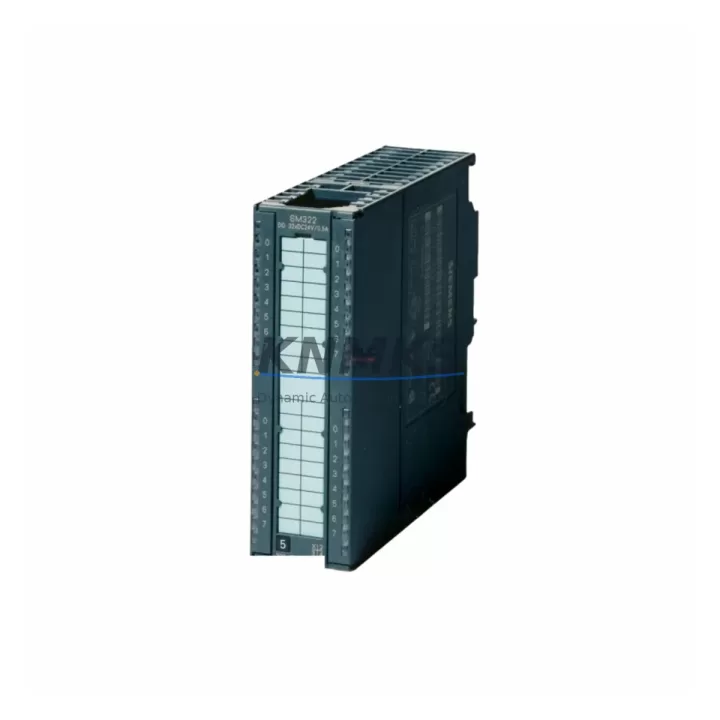
The Siemens 6ES7322-8BH10-0AB0 is an SM322 series digital output module designed for the SIMATIC S7-300 programmable logic controller platform. With 16 transistor output channels rated at DC 24V / 0.5A per channel, this module serves as a critical interface between the S7-300 CPU and field-level actuators including solenoid valves, motor contactors, indicator lamps, and relay coils. For maintenance engineers managing aging S7-300 control cabinets, securing a verified original spare of the 6ES7322-8BH10-0AB0 is a foundational step in any proactive uptime strategy.
This module is sourced as an original Siemens component, pre-shipment tested under load conditions, and dispatched with a support terms confirmed by quotation. Whether you are responding to an unplanned output channel failure, building a critical spare inventory for a multi-line facility, or executing a scheduled annual overhaul, the 6ES7322-8BH10-0AB0 is available for fast global dispatch to minimize production downtime.
Spare Maintenance Table
| Parameter | Specification |
|---|---|
| SKU / Order Number | 6ES7322-8BH10-0AB0 |
| Module Series | SM322 — Digital Output Module |
| Compatible Platform | SIMATIC S7-300 (all CPU variants) |
| Number of Output Channels | 16 x Transistor (sourcing) |
| Output Voltage | DC 24V |
| Output Current per Channel | 0.5A max |
| Total Current per Module | 4A max |
| Isolation | Optocoupler isolation, channel groups to backplane |
| Backplane Bus Interface | S7-300 DIN rail / backplane connector |
| Mounting | DIN rail, S7-300 rack (UR1, UR2, ER1, ER2) |
| Operating Temperature | 0°C to +60°C |
| Protection Class | IP20 |
| Country of Origin | Germany |
| Support terms | 12 Months from dispatch |
| Pre-Shipment Test | Yes — functional output verification under load |
| Condition | Original Siemens spare |
Maintenance Planning for Continuous Operation
When a 6ES7322-8BH10-0AB0 output module fails or shows intermittent channel faults, experienced maintenance engineers know that the root cause is rarely isolated to the module alone. A thorough site inspection should extend to the surrounding electrical environment to prevent repeat failures and ensure a durable recovery.
Begin by inspecting the S7-300 backplane and rack assembly — a damaged backplane bus connector or cracked rack segment can cause erratic module behavior that mimics output channel failure. Verify that the rack (UR1 or UR2) is free of corrosion, mechanical stress, and loose module seating before installing the replacement 6ES7322-8BH10-0AB0.
Check the 24VDC load power supply feeding the output module’s L+ terminal. Voltage sag, ripple, or intermittent dropout from an aging SITOP PSU300S or equivalent industrial power supply is a common contributor to transistor output degradation. A replacement module installed on an unstable supply will fail prematurely. Measure supply voltage under full load before commissioning the new spare.
Inspect all field wiring and terminal connections at the module’s front connector. Loose or corroded terminals on the 40-pin front connector are a frequent cause of channel-level faults. Re-torque all terminals and check for insulation damage, especially in high-vibration or high-humidity environments. If the front connector itself shows signs of arcing or pin damage, replace it as part of the maintenance event.
Review the status of output-side protection components: fuses, miniature circuit breakers, and surge suppressors protecting inductive loads such as solenoid valves and motor starters. A blown fuse or failed suppressor diode on an output circuit can cause the module to report a fault that is misdiagnosed as module failure. Verify each output circuit’s protection before declaring the module at fault.
For facilities running mixed S7-300 configurations, also inspect adjacent modules in the rack — particularly SM321 digital input modules and SM331 analog input modules — for signs of shared power rail issues or backplane communication errors. In multi-rack configurations, verify the integrity of the IM360/IM361 interface module pair connecting expansion racks, as backplane communication faults can cascade across all modules in the affected rack segment.
If the control cabinet includes CP343-1 or CP343-1 Advanced communication processors for PROFINET or Industrial Ethernet connectivity, confirm that network communication is stable after module replacement. Output module swaps occasionally trigger CPU restart sequences that require network re-initialization.
Finally, update your site’s spare parts register to reflect the replacement event, log the failed module’s serial number and failure mode, and confirm that at least one additional 6ES7322-8BH10-0AB0 is held in local inventory for the next unplanned event. For high-criticality lines, a minimum stock of two units per rack configuration is recommended.
Site Replacement Workflow
Step 1 — Isolate and de-energize. Place the S7-300 CPU in STOP mode via the mode selector switch or STEP 7 / TIA Portal online command. De-energize the 24VDC load supply to the output module group. Verify zero voltage at the module’s L+ terminal with a calibrated multimeter before proceeding.
Step 2 — Remove the front connector. Unclip and remove the 40-pin front connector from the 6ES7322-8BH10-0AB0. Label all field wiring if not already documented. The front connector retains wiring and can be transferred directly to the replacement module — this is a key advantage of the S7-300 modular architecture that eliminates rewiring time during emergency replacements.
Step 3 — Extract the failed module. Release the module’s top and bottom mounting clips and slide it out of the rack slot. Note the slot number for correct reinstallation of the replacement unit.
Step 4 — Install the replacement 6ES7322-8BH10-0AB0. Slide the new module into the same rack slot until the backplane connector seats fully. Secure the mounting clips. Attach the front connector — the connector’s coding key ensures correct orientation and prevents mis-installation.
Step 5 — Restore power and verify. Re-energize the 24VDC load supply. Switch the CPU to RUN mode. In STEP 7 or TIA Portal, perform an online diagnostic to confirm the module is recognized and all 16 output channels are reporting correctly. Conduct a functional test by activating each output channel and verifying field device response.
Step 6 — Document and close. Record the replacement in the site maintenance log. Update the spare parts inventory. If the failed module is to be returned for repair or failure analysis, package it in anti-static packaging and retain the front connector for the site.
This workflow is compatible with hot-swap-capable rack configurations where the CPU supports module replacement without full system shutdown — consult your S7-300 system manual for CPU-specific hot-swap support before attempting live replacement.
Spare Parts Support FAQ
Q1: Is the 6ES7322-8BH10-0AB0 compatible with all S7-300 CPU variants?
Yes. The SM322 6ES7322-8BH10-0AB0 is compatible with all standard S7-300 CPUs including the CPU 312, 313, 314, 315, 316, and 317 series, as well as fail-safe and technology CPU variants. It installs in any slot of the UR1, UR2, ER1, or ER2 rack. No hardware configuration changes are required when replacing a like-for-like module — the CPU reads the module’s electronic type label automatically on startup.
Q2: What pre-shipment testing is performed on this spare?
Each 6ES7322-8BH10-0AB0 unit is functionally tested prior to dispatch. Testing includes power-on verification, backplane communication check, and output channel activation under a resistive load to confirm all 16 channels are operational. Units that do not pass full channel verification are not dispatched. A test record is available on request for quality-critical procurement processes.
Q3: How should this module be stored as a long-term spare?
Store the 6ES7322-8BH10-0AB0 in its original anti-static packaging in a dry, temperature-controlled environment (recommended: 0°C to +40°C, relative humidity below 75% non-condensing). Avoid storage near strong magnetic fields or in environments with conductive dust. Inspect the module annually for any signs of corrosion on the backplane connector pins. Long-term storage beyond 24 months should include a functional power-on test before deployment to confirm capacitor and component integrity.
Q4: What is the support terms coverage and what does it include?
This spare carries a support terms confirmed by quotation from the date of dispatch. The support terms covers manufacturing defects, component failure under normal operating conditions, and any failure attributable to the module itself rather than external electrical faults. Support requests are supported by our technical team with replacement dispatch or credit resolution. Damage caused by incorrect installation, overvoltage, reverse polarity, or environmental conditions outside the module’s rated specification is not covered under support terms. Contact admin@knmks.com with your order reference and failure description to initiate a support terms claim.
© 2026 KNMKS. All rights reserved.
Original Source: https://knmks.com
Contact: admin@knmks.com | +86 18359268345
Product Identification
- Brand / Ecosystem
-
Siemens
Siemens - Model / Series
-
6ES7322-8BH10-0AB0
SIMATIC Series - Product Family
- PLCs & Controllers
- Availability Status
- Available on request after model and quantity confirmation
- Inquiry Type
- B2B RFQ, replacement inquiry and project spare-part request
- Pre-Quote Check
- Exact SKU, brand, series, quantity, nameplate photos and destination country are checked before quotation
System Path
Where this product fits in the KNMKS automation structure.
Specification & Inquiry Focus
- Control platform
- PLC, PAC and modular controllers
- Common needs
- CPU, rack, power and I/O expansion
- Project support
- Replacement, cabinet build and maintenance
Buyer Confirmation
Information KNMKS checks before replying.
- Exact model
- 6ES7322-8BH10-0AB0
- Brand / ecosystem
- Siemens
- Product family
- PLCs & Controllers
- Application note
- Replacement, maintenance, project build or spare-part list
- Useful photos
- Nameplate, installed unit, cabinet layout or connector side
- Delivery details
- Quantity, destination country and target schedule
Document Support
Files and notes can be confirmed during quotation.
- Product photos or nameplate confirmation when available
- Packing and delivery notes before quotation confirmation
- Support scope and delivery terms confirmed per inquiry
- Export document coordination for qualified B2B requests
Inquiry Support
- Model cross-checking before quotation
- CPU, power, rack and expansion module matching
- Support for replacement and project inquiry
What to Send Us
- Brand and exact model number: Siemens 6ES7322-8BH10-0AB0
- Quantity and required delivery time
- Application, replacement requirement or nameplate photo
- Destination country and shipping preference
RFQ Preparation
This is a product inquiry page built for RFQ communication.
Fast Model Check
Send this model to KNMKS for confirmation.
Include quantity, destination country and photos if this is a maintenance replacement. The inquiry will be saved with a reference number after submission.
Brand & Compatibility Note
KNMKS displays automation product information for well-known industrial brand ecosystems and compatible replacement references. Brand names are used for product identification and compatibility reference only; final availability and commercial terms are confirmed per quotation.
 Manufacturing
 Machine Tools
 Packaging
 Energy & Power



 HMI & Displays
 Servo Systems
 Variable Frequency Drives
 Sensors