
Overview
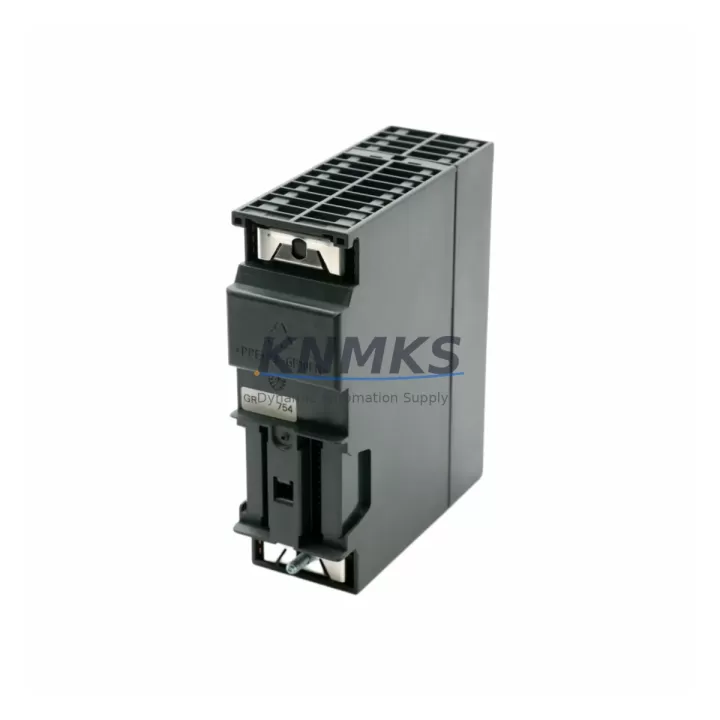
Siemens 6ES7322-1BP00-0AA0 Maintenance-Proven Spare Part for Factory Uptime
The Siemens 6ES7322-1BP00-0AA0 is a 32-channel digital output module (SM322) designed for the SIMATIC S7-300 programmable logic controller platform. With 24 VDC output capability and a compact DIN-rail form factor, this module is a critical component in discrete manufacturing, process automation, and utility control systems worldwide. Maintaining a verified spare of the 6ES7322-1BP00-0AA0 in your site inventory is one of the most cost-effective strategies for protecting production continuity against unplanned downtime.
At KNMKS, every 6ES7322-1BP00-0AA0 unit is sourced as an original Siemens component, subjected to pre-shipment functional testing, and dispatched with a support terms confirmed by quotation. Multi-region stock availability ensures fast global dispatch for both emergency replacements and scheduled annual maintenance outages.
Spare Maintenance Table
| SKU / Part Number | 6ES7322-1BP00-0AA0 |
| Module Type | SM322 Digital Output Module |
| Series / Platform | SIMATIC S7-300 |
| Brand / Manufacturer | Siemens |
| Output Channels | 32 × Digital Output (DO) |
| Output Voltage | 24 VDC |
| Output Current per Channel | 0.5 A |
| Total Current Load | Max. 4 A per group (8 channels) |
| Backplane Bus Interface | S7-300 DIN-rail backplane (P-bus) |
| Isolation | Optocoupler isolation between field and backplane |
| Operating Temperature | 0 °C to +60 °C |
| Storage Temperature | -40 °C to +70 °C |
| Dimensions (W × H × D) | 40 mm × 125 mm × 120 mm |
| Weight | Approx. 260 g |
| Country of Origin | Germany |
| Compatibility | SIMATIC S7-300 racks; compatible with CPU 312–319 series |
| Installation | Snap-on DIN rail; front connector 6ES7392-1BM01-0AA0 required |
| Condition | Original Siemens, pre-tested before shipment |
| Support terms | 12 Months |
| Dispatch | Multi-region stock; fast global dispatch |
Maintenance Planning for Continuous Operation
When a 6ES7322-1BP00-0AA0 digital output module fails or is flagged during a scheduled inspection, the replacement workflow extends beyond the module itself. Maintenance engineers should treat this event as a trigger for a broader control cabinet audit to prevent cascading failures and reduce the risk of repeat downtime.
Begin by verifying the 24 VDC field supply feeding the output groups. A degraded or undersized power supply module — such as the Siemens PS307 series (e.g., 6ES7307-1EA01-0AA0) — can cause intermittent output faults that are misdiagnosed as module failure. Confirm that supply voltage is within tolerance under full load before installing the replacement 6ES7322-1BP00-0AA0.
Inspect the front connector (6ES7392-1BM01-0AA0) for terminal corrosion, loose wiring, or heat-damaged insulation. Front connectors are reusable but should be replaced if contact resistance is elevated or if the locking mechanism is worn. Wiring continuity to field devices — actuators, solenoid valves, motor starters — should be verified with a multimeter before reconnecting.
Check adjacent I/O modules on the same rack. If the S7-300 rack houses analog input modules such as the SM331 (6ES7331-7KF02-0AB0) or additional digital input modules from the SM321 family, inspect their status LEDs and diagnostic buffers in STEP 7 or TIA Portal. A single rack fault can propagate diagnostic alarms across multiple slots.
Review the backplane bus connectors between modules. Damaged or oxidized bus connectors are a common root cause of intermittent communication faults in aging S7-300 installations. If the rack has been in service for more than 10 years, proactive replacement of bus connectors during the same maintenance window is strongly recommended.
For systems using PROFIBUS DP communication, verify that the CP 342-5 or IM 360/361 interface modules are operating normally and that the PROFIBUS cable termination resistors are correctly set. A disrupted PROFIBUS segment can cause the CPU to report I/O access errors that appear as output module faults.
Finally, confirm that the CPU’s diagnostic buffer shows no persistent hardware faults after module replacement. Use STEP 7 or TIA Portal to perform a hardware configuration download if the slot assignment has changed, and verify that all 32 output channels respond correctly during a functional test before returning the line to production.
Site Replacement Workflow
Step 1 — Isolate and de-energize. Switch the machine to a safe state. De-energize the 24 VDC field supply to the output module group. Lock out / tag out (LOTO) per site safety procedures.
Step 2 — Record configuration. In STEP 7 or TIA Portal, note the slot number, hardware configuration, and any module-specific parameters (output behavior on CPU STOP, substitute values). Take a photograph of the front connector wiring before disconnection.
Step 3 — Remove the front connector. Disconnect the 6ES7392-1BM01-0AA0 front connector. The connector retains wiring and can be transferred directly to the replacement module, eliminating rewiring errors.
Step 4 — Remove the faulty module. Release the DIN-rail locking tab and slide the 6ES7322-1BP00-0AA0 out of the rack slot. Inspect the backplane bus connector on the rack for damage before inserting the replacement.
Step 5 — Install the replacement module. Snap the new 6ES7322-1BP00-0AA0 into the same rack slot. Reconnect the front connector. Restore field power.
Step 6 — Verify and commission. Power up the CPU. Confirm no hardware fault LEDs are active. Use STEP 7 or TIA Portal to verify the module is recognized in the correct slot. Perform a channel-by-channel output test. Document the replacement in the site maintenance log.
This workflow minimizes mean time to repair (MTTR) and ensures the replacement is fully validated before production resumes. Keeping a pre-tested 6ES7322-1BP00-0AA0 spare on-site reduces the replacement cycle to under 30 minutes for experienced maintenance teams.
Spare Parts Support FAQ
Q1: Is the 6ES7322-1BP00-0AA0 still available as a new original Siemens part?
The SM322 32DO module has reached end-of-sale status in many markets, but KNMKS maintains verified original stock sourced through authorized industrial supply channels. Each unit is inspected and tested before shipment. For long-term S7-300 installations, we recommend securing a minimum of two spare units to cover both emergency replacement and scheduled maintenance cycles.
Q2: What is the compatibility of the 6ES7322-1BP00-0AA0 with different S7-300 CPU versions?
The 6ES7322-1BP00-0AA0 is compatible with all standard S7-300 racks and CPU variants from the 312 to 319 series, including the CPU 315-2 DP and CPU 317-2 PN/DP. No firmware update is required for the module itself. Slot assignment must match the hardware configuration in STEP 7 or TIA Portal. If migrating from an older rack layout, a hardware configuration download to the CPU is required after installation.
Q3: How does KNMKS verify the condition of spare modules before shipment?
Every 6ES7322-1BP00-0AA0 unit undergoes a pre-shipment functional test that includes power-on verification, output channel actuation testing, and backplane bus communication check. Units that do not pass all test criteria are quarantined and not dispatched. A support terms confirmed by quotation is provided on all shipped units, covering manufacturing defects and functional failures under normal operating conditions.
Q4: Can KNMKS support long-term supply agreements for the 6ES7322-1BP00-0AA0?
Yes. KNMKS offers long-term supply agreements for maintenance teams managing multiple S7-300 installations or operating in industries with strict spare parts inventory requirements (energy, petrochemical, automotive, water treatment). Contact our team to discuss annual volume commitments, reserved stock arrangements, and priority dispatch terms.
© 2026 KNMKS. All rights reserved.
Original Source: https://knmks.com
Contact: admin@knmks.com | +86 18359268345
Product Identification
- Brand / Ecosystem
-
Siemens
Siemens - Model / Series
-
6ES7322-1BP00-0AA0
SIMATIC Series - Product Family
- PLCs & Controllers
- Availability Status
- Available on request after model and quantity confirmation
- Inquiry Type
- B2B RFQ, replacement inquiry and project spare-part request
- Pre-Quote Check
- Exact SKU, brand, series, quantity, nameplate photos and destination country are checked before quotation
System Path
Where this product fits in the KNMKS automation structure.
Specification & Inquiry Focus
- Control platform
- PLC, PAC and modular controllers
- Common needs
- CPU, rack, power and I/O expansion
- Project support
- Replacement, cabinet build and maintenance
Buyer Confirmation
Information KNMKS checks before replying.
- Exact model
- 6ES7322-1BP00-0AA0
- Brand / ecosystem
- Siemens
- Product family
- PLCs & Controllers
- Application note
- Replacement, maintenance, project build or spare-part list
- Useful photos
- Nameplate, installed unit, cabinet layout or connector side
- Delivery details
- Quantity, destination country and target schedule
Document Support
Files and notes can be confirmed during quotation.
- Product photos or nameplate confirmation when available
- Packing and delivery notes before quotation confirmation
- Support scope and delivery terms confirmed per inquiry
- Export document coordination for qualified B2B requests
Inquiry Support
- Model cross-checking before quotation
- CPU, power, rack and expansion module matching
- Support for replacement and project inquiry
What to Send Us
- Brand and exact model number: Siemens 6ES7322-1BP00-0AA0
- Quantity and required delivery time
- Application, replacement requirement or nameplate photo
- Destination country and shipping preference
RFQ Preparation
This is a product inquiry page built for RFQ communication.
Fast Model Check
Send this model to KNMKS for confirmation.
Include quantity, destination country and photos if this is a maintenance replacement. The inquiry will be saved with a reference number after submission.
Brand & Compatibility Note
KNMKS displays automation product information for well-known industrial brand ecosystems and compatible replacement references. Brand names are used for product identification and compatibility reference only; final availability and commercial terms are confirmed per quotation.
 Manufacturing
 Machine Tools
 Packaging
 Energy & Power



 HMI & Displays
 Servo Systems
 Variable Frequency Drives
 Sensors