
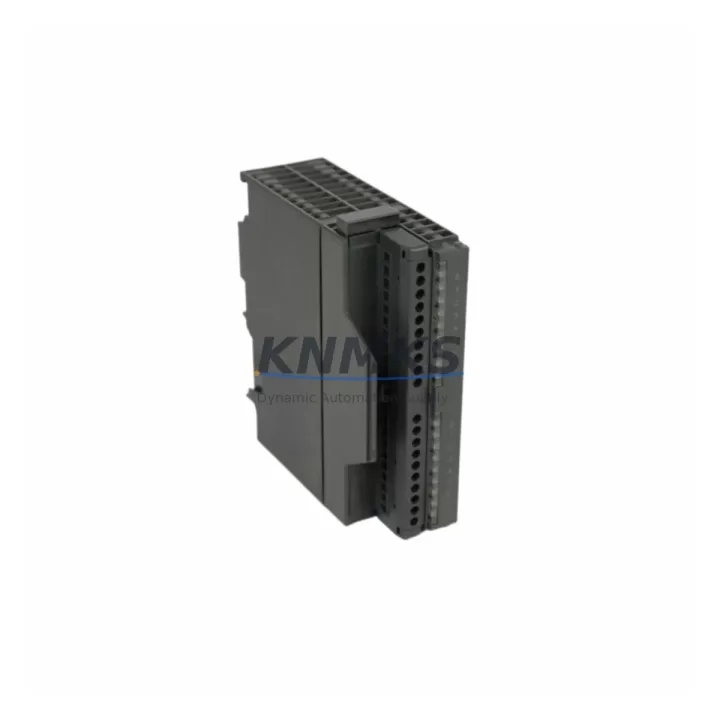
Overview
Siemens 6ES7321-1BH82-0AA0 Migration-Ready Digital Input Module for Legacy S7-300 Control Systems
The Siemens 6ES7321-1BH82-0AA0 is a 16-channel digital input module from the SM 321 family, designed for the SIMATIC S7-300 programmable logic controller platform. As legacy S7-300 systems approach end-of-life and spare parts become increasingly scarce, the 6ES7321-1BH82-0AA0 remains one of the most sought-after migration-ready replacements for aging DI modules across petrochemical plants, power generation facilities, water treatment stations, and port automation systems. This module accepts 24 VDC digital signals and integrates directly into the S7-300 rack without hardware modification, making it a true drop-in replacement for earlier SM 321 variants including the 6ES7321-1BH01-0AA0 and 6ES7321-1BH02-0AA0.
When planning a retrofit or spare parts replenishment strategy, engineers must verify several critical parameters before commissioning the replacement module. Power budget on the existing S7-300 rack is the first checkpoint — the 6ES7321-1BH82-0AA0 draws current from the 24 VDC backplane supply, and the installed power supply module (such as the PS 307 series) must have sufficient headroom to support the additional load alongside other installed I/O modules. Terminal wiring is fully compatible with the standard 40-pin front connector used across the SM 321 family, so existing field wiring can be reconnected without re-termination, significantly reducing downtime during the swap.
Module slot addressing is preserved through the S7-300 rack’s physical slot numbering, which means the hardware configuration in STEP 7 or TIA Portal does not require reassignment provided the replacement module is inserted into the same rack slot. However, engineers should confirm that the firmware version of the CPU — whether a CPU 315-2 DP, CPU 317-2 PN/DP, or a CPU 319-3 PN/DP — is compatible with the hardware revision of the replacement module. In most cases, the 6ES7321-1BH82-0AA0 is backward-compatible with all S7-300 CPUs that previously supported the SM 321 16DI 24VDC specification.
Communication link integrity is another key concern during migration. The S7-300 platform communicates over MPI or PROFIBUS DP, and the digital input module itself does not participate directly in the communication protocol — it reports its status through the backplane bus to the CPU. Nevertheless, if the retrofit is part of a broader system upgrade that includes replacing the CPU or IM 360/361 interface modules for multi-rack configurations, the PROFIBUS DP address settings and GSD file assignments must be re-validated in the hardware configuration tool before going live.
Migration Compatibility Table
| Parameter | 6ES7321-1BH82-0AA0 (This Module) | Legacy / Replaced Models |
|---|---|---|
| Input Channels | 16 × Digital Input, 24 VDC | 16 × Digital Input, 24 VDC |
| Rack / Backplane | S7-300 Standard Rail (UR1, UR2) | Same — no rack change required |
| Front Connector | 40-pin screw-type (6ES7392-1AJ00-0AA0) | Compatible — existing wiring reusable |
| Communication | S7-300 Backplane Bus (MPI / PROFIBUS DP via CPU) | Fully compatible |
| Programming Tool | STEP 7 V5.x / TIA Portal V13+ | No program changes required for direct swap |
| Installation Space | Standard S7-300 module width (40 mm) | Same footprint — no cabinet modification |
| Replacement Models | 6ES7321-1BH01-0AA0, 6ES7321-1BH02-0AA0 | Direct functional replacement |
| Commissioning Focus | Slot address, power budget, front connector seating | Verify CPU hardware config after swap |
| Support terms | support terms confirmed by quotation | Pre-Shipment Functional Test Included | |
Retrofit Planning for Existing Automation Systems
A successful retrofit of the 6ES7321-1BH82-0AA0 into an existing S7-300 control cabinet requires a structured approach that accounts for the interdependencies between modules sharing the same rack. In a typical multi-slot S7-300 configuration, the digital input module operates alongside analog input modules such as the SM 331 series, digital output modules from the SM 322 family, and communication processors like the CP 342-5 for PROFIBUS DP network extensions. When the retrofit scope extends beyond a single module swap, engineers should audit the full rack population to identify any modules approaching end-of-life that could be replaced in the same maintenance window, reducing future unplanned outages.
Power supply capacity is a recurring constraint in legacy cabinet retrofits. The PS 307 5A or PS 307 10A power supply modules that are commonly installed in S7-300 panels must be evaluated against the total current draw of all installed I/O modules, the CPU, and any IM 360 or IM 361 expansion interface modules used in multi-rack configurations. If the power budget is marginal, the retrofit plan should include a power supply upgrade as a parallel workstream to avoid field failures after commissioning.
For systems that include HMI panels — such as SIMATIC TP700 Comfort or OP 177B units — the screen tag assignments linked to the digital input addresses must be verified against the new module’s slot position. In most direct-swap scenarios, the HMI tag database requires no modification because the slot address and I/O byte mapping remain unchanged. However, if the retrofit involves relocating the module to a different slot due to rack damage or reconfiguration, the hardware configuration in TIA Portal must be updated and downloaded to the CPU before the HMI tags will resolve correctly.
Field wiring documentation should be updated to reflect the replacement module’s serial number and hardware revision. This is particularly important for facilities operating under IEC 61511 functional safety requirements, where change management records must be maintained for all safety-instrumented system components. If the 6ES7321-1BH82-0AA0 is installed in a safety-relevant application, the safety validation plan should include a functional test of all 16 input channels under live process conditions before returning the system to automatic operation.
Downtime Control During System Migration
Minimizing unplanned downtime is the primary driver behind maintaining a stock of validated spare modules for legacy S7-300 systems. The 6ES7321-1BH82-0AA0 supports a hot-swap-aware replacement procedure when the CPU is placed in STOP mode: the front connector can be unplugged, the failed module removed, the replacement inserted, and the front connector reattached — all without disturbing the field wiring. The CPU can then be returned to RUN mode, and the replacement module will be recognized automatically based on the existing hardware configuration stored in the CPU’s load memory.
To protect the original program logic during the swap, engineers should perform a full CPU backup using STEP 7 or TIA Portal before beginning the replacement procedure. This backup captures the program blocks, hardware configuration, and data blocks in their current state, providing a recovery point if the CPU requires a memory reset during the process. In facilities where the S7-300 CPU is connected to a SCADA system via the CP 343-1 Ethernet communication processor, the SCADA operator should be notified before the CPU is placed in STOP mode to prevent false alarms from propagating to the control room.
For multi-rack systems using IM 360 and IM 361 interface modules, the expansion rack containing the failed module can often be isolated and serviced without stopping the CPUs in the main rack, provided the process logic does not depend on the specific I/O points being replaced. This approach allows the replacement to be completed during a partial shutdown window rather than a full system outage, significantly reducing the impact on production continuity. Pre-shipment functional testing of the 6ES7321-1BH82-0AA0 ensures that the replacement module is verified before it arrives on site, eliminating the risk of receiving a defective unit during a time-critical maintenance event.
Retrofit Support FAQ
Q1: Is the 6ES7321-1BH82-0AA0 a direct replacement for the 6ES7321-1BH01-0AA0 and 6ES7321-1BH02-0AA0?
Yes. The 6ES7321-1BH82-0AA0 is functionally equivalent to earlier SM 321 16DI 24VDC variants and can be installed in the same rack slot using the existing 40-pin front connector and field wiring. No changes to the STEP 7 or TIA Portal hardware configuration are required for a direct slot-for-slot replacement.
Q2: What commissioning steps are required after installing the replacement module?
After seating the module and reconnecting the front connector, place the CPU in RUN mode and verify that all 16 input channels are reporting correctly in the diagnostic buffer. Perform a functional test by activating each field device connected to the module and confirming the corresponding input bit changes state in the CPU’s process image. Update the maintenance log with the new module’s serial number and hardware revision before returning the system to automatic operation.
Q3: Can this module be used in a system that has been partially upgraded to TIA Portal?
Yes. The 6ES7321-1BH82-0AA0 is supported in both STEP 7 V5.x and TIA Portal V13 and later. If the project has been migrated from STEP 7 to TIA Portal, the module will appear in the hardware catalog and can be configured without modification. Ensure that the TIA Portal hardware support package (HSP) for the SM 321 family is installed if the module does not appear in the default catalog.
Q4: What does the support terms confirmed by quotation cover, and is pre-shipment testing included?
Every 6ES7321-1BH82-0AA0 unit shipped by KNMKS is functionally tested prior to dispatch to verify channel integrity, power consumption, and backplane communication. The support terms confirmed by quotation cover defects in materials and workmanship under normal operating conditions. Units that fail during the confirmed support period will be replaced or repaired at no additional cost. Contact admin@knmks.com or +86 18359268345 to initiate a support terms claim or request a test report for your records.
© 2026 KNMKS. All rights reserved.
Original Source: https://knmks.com
Contact: admin@knmks.com | +86 18359268345
Product Identification
- Brand / Ecosystem
-
Siemens
Siemens - Model / Series
-
6ES7321-1BH82-0AA0
SIMATIC Series - Product Family
- PLCs & Controllers
- Availability Status
- Available on request after model and quantity confirmation
- Inquiry Type
- B2B RFQ, replacement inquiry and project spare-part request
- Pre-Quote Check
- Exact SKU, brand, series, quantity, nameplate photos and destination country are checked before quotation
System Path
Where this product fits in the KNMKS automation structure.
Specification & Inquiry Focus
- Control platform
- PLC, PAC and modular controllers
- Common needs
- CPU, rack, power and I/O expansion
- Project support
- Replacement, cabinet build and maintenance
Buyer Confirmation
Information KNMKS checks before replying.
- Exact model
- 6ES7321-1BH82-0AA0
- Brand / ecosystem
- Siemens
- Product family
- PLCs & Controllers
- Application note
- Replacement, maintenance, project build or spare-part list
- Useful photos
- Nameplate, installed unit, cabinet layout or connector side
- Delivery details
- Quantity, destination country and target schedule
Document Support
Files and notes can be confirmed during quotation.
- Product photos or nameplate confirmation when available
- Packing and delivery notes before quotation confirmation
- Support scope and delivery terms confirmed per inquiry
- Export document coordination for qualified B2B requests
Inquiry Support
- Model cross-checking before quotation
- CPU, power, rack and expansion module matching
- Support for replacement and project inquiry
What to Send Us
- Brand and exact model number: Siemens 6ES7321-1BH82-0AA0
- Quantity and required delivery time
- Application, replacement requirement or nameplate photo
- Destination country and shipping preference
RFQ Preparation
This is a product inquiry page built for RFQ communication.
Fast Model Check
Send this model to KNMKS for confirmation.
Include quantity, destination country and photos if this is a maintenance replacement. The inquiry will be saved with a reference number after submission.
Brand & Compatibility Note
KNMKS displays automation product information for well-known industrial brand ecosystems and compatible replacement references. Brand names are used for product identification and compatibility reference only; final availability and commercial terms are confirmed per quotation.
 Manufacturing
 Machine Tools
 Packaging
 Energy & Power



 HMI & Displays
 Servo Systems
 Variable Frequency Drives
 Sensors