
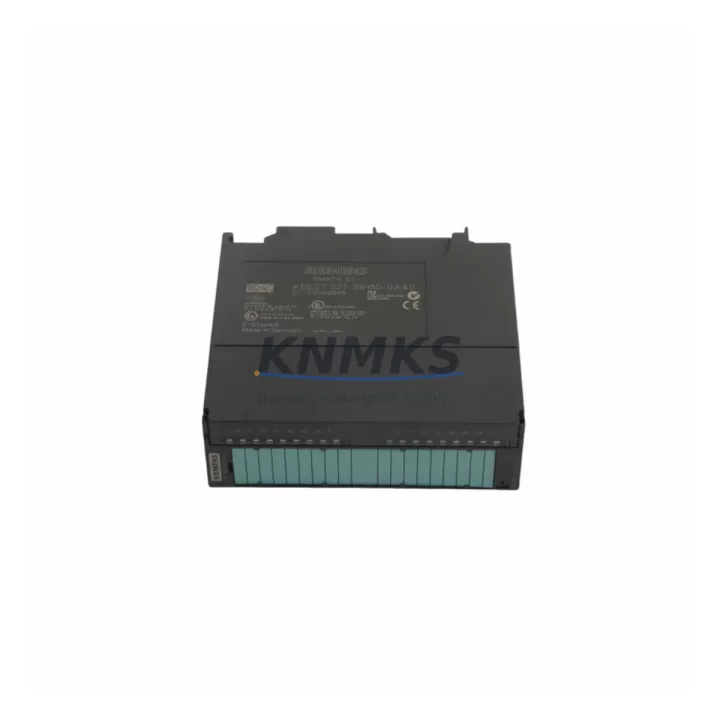
Overview
Siemens 6ES7321-1BH50-0AA0 Migration-Ready Digital Input Module: Legacy System Retrofit & Compatible Upgrade
The Siemens 6ES7321-1BH50-0AA0 is a 16-channel 24 VDC digital input module from the SIMATIC S7-300 SM321 series, engineered for high-reliability signal acquisition in industrial control environments. As legacy S7-300 installations approach end-of-life and OEM spare parts become increasingly scarce, this module serves as a verified drop-in replacement and migration-ready component for engineers managing plant modernization, control cabinet upgrades, and production line continuity programs.
Whether you are replacing a failed input module on an aging S7-300 rack, consolidating spare parts inventory ahead of a planned shutdown, or executing a phased migration toward a SIMATIC S7-1500 platform, the 6ES7321-1BH50-0AA0 provides the electrical and mechanical compatibility required to minimize engineering rework and reduce unplanned downtime. Each unit shipped by KNMKS undergoes pre-delivery functional testing and is backed by a support terms confirmed by quotation covering manufacturing defects and operational failures under normal industrial use conditions.
Migration Compatibility Table
| Parameter | Specification / Retrofit Guidance |
|---|---|
| Module Type | SM321 Digital Input, 16-channel, 24 VDC |
| Order Number | 6ES7321-1BH50-0AA0 |
| Compatible Rack | S7-300 standard rail (UR1, UR2); direct slot replacement |
| Backplane Interface | S7-300 P-bus; no additional bus connector required |
| Terminal Wiring | 20-pin front connector (6ES7392-1AJ00-0AA0 compatible); existing field wiring reusable |
| Input Voltage | 24 VDC (18–30 V); verify field supply before installation |
| Communication Protocol | S7-300 internal P-bus; no PROFIBUS or PROFINET address required |
| Module Address | Assigned by slot position; confirm in STEP 7 or TIA Portal hardware configuration |
| Firmware Compatibility | Compatible with STEP 7 V5.x and TIA Portal V13 and above |
| Installation Space | Standard S7-300 single-slot width; no mechanical modification required |
| Replacement Candidates | 6ES7321-1BH01-0AA0, 6ES7321-1BH02-0AA0, 6ES7321-1BH10-0AA0 (verify I/O count and wiring) |
| Commissioning Focus | Re-download hardware configuration; verify input byte addresses; test signal states before restart |
| Support terms | 12 months from shipment date; covers manufacturing defects and operational failure |
Retrofit Planning for Existing Automation Systems
Successful integration of the 6ES7321-1BH50-0AA0 into an existing S7-300 control system requires a structured pre-installation review. Begin by auditing the current rack layout to confirm available slot positions and verify that the PS 307 power supply module — typically a 6ES7307-1BA01-0AA0 or equivalent — can sustain the additional current draw introduced by the replacement module. The S7-300 backplane distributes 5 VDC logic power across all installed modules, and exceeding the CPU’s rated backplane current budget is a common cause of intermittent faults during retrofit projects.
Terminal wiring compatibility is the next critical checkpoint. The 6ES7321-1BH50-0AA0 uses a standard 20-pin S7-300 front connector. If the existing front connector is already wired and in good condition, it can be transferred directly to the new module without rewiring field cables — a significant time saving during live-line maintenance windows. Confirm that all 16 input channels are mapped correctly in the STEP 7 hardware configuration or TIA Portal project before downloading to the CPU 315-2 DP or CPU 317-2 PN/DP controller.
For installations that include a CP 343-1 PROFINET communication processor or an ET 200M distributed I/O interface module, ensure that the module address assignments in the hardware configuration file match the physical slot positions after the replacement. Address mismatches are a frequent source of post-retrofit diagnostic alarms that can be resolved without hardware changes but require a controlled CPU restart. If the control system also incorporates an IM 360/361 interface module for rack expansion, verify that the inter-rack bus cable is undamaged and that the expansion rack slot numbering is consistent with the master rack configuration.
Where the retrofit scope extends to HMI panel updates — for example, replacing a TP 177B or OP 177B operator panel — confirm that the screen tag database references the correct input byte addresses associated with the 6ES7321-1BH50-0AA0 slot position. Misaligned HMI tags will not cause a CPU fault but will produce incorrect status displays that can mislead operators during the commissioning phase.
Downtime Control During System Migration
Minimizing production downtime during a digital input module replacement requires preparation that begins well before the scheduled maintenance window. The recommended approach is to export and archive the current STEP 7 or TIA Portal project, including the hardware configuration and all program blocks, before any physical work begins. This ensures that the original program logic, including organization blocks, function blocks, and data blocks, can be restored within minutes if an unexpected issue arises during the swap.
During the physical replacement, power down the S7-300 rack using the CPU mode selector switch rather than interrupting the 24 VDC field supply. This approach preserves the state of other field devices connected to adjacent output modules and reduces the risk of unintended actuator movements during the transition. After seating the 6ES7321-1BH50-0AA0 in the target slot, reconnect the front connector, restore rack power, and allow the CPU to complete its startup diagnostic cycle before switching to RUN mode.
Post-installation verification should include a channel-by-channel input signal test using the STEP 7 variable monitor or TIA Portal watch table to confirm that all 16 input channels respond correctly to field signals. Document the test results as part of the retrofit record. For systems operating under IEC 62443 or ISO 13849 functional safety requirements, a formal re-validation of the affected safety functions may be required before returning the system to production. KNMKS provides pre-shipment functional test reports on request to support accelerated site acceptance testing and reduce total commissioning time.
Retrofit Support FAQ
Q1: Is the 6ES7321-1BH50-0AA0 a direct replacement for the 6ES7321-1BH02-0AA0?
In most cases, yes. Both modules are 16-channel 24 VDC SM321 digital input modules for the S7-300 platform and share the same front connector pinout and backplane interface. However, minor differences in input filter times and diagnostic capabilities exist between hardware revisions. Review the module data sheets and confirm the hardware configuration in your STEP 7 or TIA Portal project before finalizing the replacement.
Q2: Can I reuse the existing front connector and field wiring?
Yes. The 6ES7321-1BH50-0AA0 uses the standard S7-300 20-pin front connector. If the existing connector is in serviceable condition, it can be transferred directly to the replacement module. Inspect the connector locking tab and terminal screws for wear before reuse. No rewiring of field cables is required if the connector is compatible.
Q3: What commissioning steps are required after installation?
After physical installation, download the hardware configuration to the CPU to register the new module address. Use the STEP 7 variable monitor or TIA Portal watch table to verify that all 16 input channels report the correct signal states. Check the CPU diagnostic buffer for any module-related fault entries. For systems with distributed I/O via ET 200M or CP 343-1, confirm that the communication link is re-established before switching the CPU to RUN mode.
Q4: What does the support terms confirmed by quotation cover, and how is stock availability managed?
KNMKS provides a support terms confirmed by quotation from the shipment date covering manufacturing defects and operational failures under normal industrial use conditions. Each unit undergoes pre-shipment functional testing. Stock is maintained across regional distribution hubs to support urgent spare parts requirements and planned retrofit projects. Contact our sales team for lead time confirmation and bulk order pricing.
© 2026 KNMKS. All rights reserved.
Original Source: https://knmks.com
Contact: admin@knmks.com | +86 18359268345
Product Identification
- Brand / Ecosystem
-
Siemens
Siemens - Model / Series
-
6ES7321-1BH50-0AA0
SIMATIC Series - Product Family
- PLCs & Controllers
- Availability Status
- Available on request after model and quantity confirmation
- Inquiry Type
- B2B RFQ, replacement inquiry and project spare-part request
- Pre-Quote Check
- Exact SKU, brand, series, quantity, nameplate photos and destination country are checked before quotation
System Path
Where this product fits in the KNMKS automation structure.
Specification & Inquiry Focus
- Control platform
- PLC, PAC and modular controllers
- Common needs
- CPU, rack, power and I/O expansion
- Project support
- Replacement, cabinet build and maintenance
Buyer Confirmation
Information KNMKS checks before replying.
- Exact model
- 6ES7321-1BH50-0AA0
- Brand / ecosystem
- Siemens
- Product family
- PLCs & Controllers
- Application note
- Replacement, maintenance, project build or spare-part list
- Useful photos
- Nameplate, installed unit, cabinet layout or connector side
- Delivery details
- Quantity, destination country and target schedule
Document Support
Files and notes can be confirmed during quotation.
- Product photos or nameplate confirmation when available
- Packing and delivery notes before quotation confirmation
- Support scope and delivery terms confirmed per inquiry
- Export document coordination for qualified B2B requests
Inquiry Support
- Model cross-checking before quotation
- CPU, power, rack and expansion module matching
- Support for replacement and project inquiry
What to Send Us
- Brand and exact model number: Siemens 6ES7321-1BH50-0AA0
- Quantity and required delivery time
- Application, replacement requirement or nameplate photo
- Destination country and shipping preference
RFQ Preparation
This is a product inquiry page built for RFQ communication.
Fast Model Check
Send this model to KNMKS for confirmation.
Include quantity, destination country and photos if this is a maintenance replacement. The inquiry will be saved with a reference number after submission.
Brand & Compatibility Note
KNMKS displays automation product information for well-known industrial brand ecosystems and compatible replacement references. Brand names are used for product identification and compatibility reference only; final availability and commercial terms are confirmed per quotation.
 Manufacturing
 Machine Tools
 Packaging
 Energy & Power



 HMI & Displays
 Servo Systems
 Variable Frequency Drives
 Sensors