
Overview
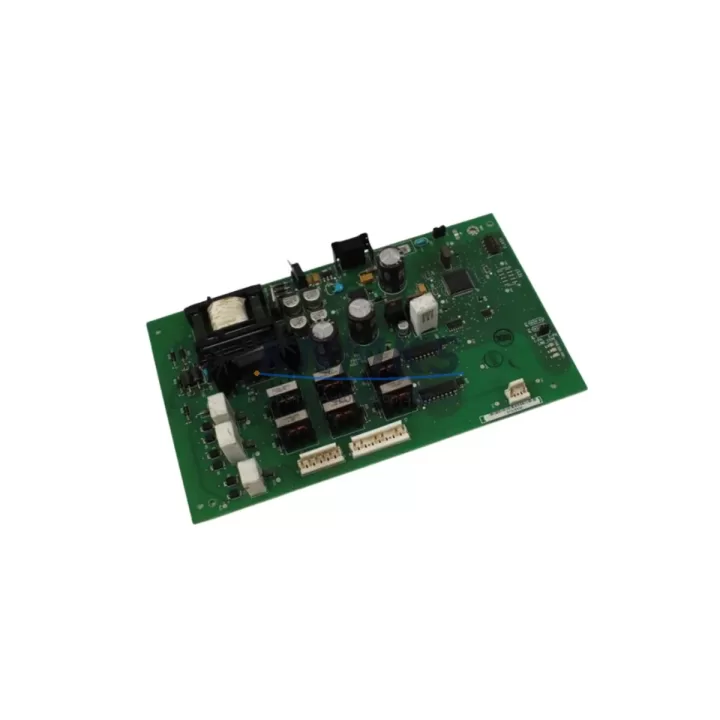
Siemens 6ES7314-6EH04-0AB0 Spare Part for Factory Uptime
The Siemens 6ES7314-6EH04-0AB0 CPU 314C-2 PN/DP is a high-performance central processing unit designed for the SIMATIC S7-300 programmable logic controller platform. As a maintenance-proven spare part, this module is essential for manufacturing facilities, process plants, and industrial automation environments that depend on continuous production uptime. With integrated PROFINET and PROFIBUS DP interfaces, 192 KB of working memory, and onboard digital and analog I/O, the 6ES7314-6EH04-0AB0 delivers the processing power and connectivity required to sustain complex control architectures without costly system redesigns.
For maintenance engineers managing aging S7-300 control cabinets, holding a verified spare of the 6ES7314-6EH04-0AB0 in inventory is a proven strategy to reduce mean time to repair (MTTR). When a CPU fault is detected during routine inspection or triggered by a watchdog alarm, immediate swap capability eliminates the lead time risk associated with emergency procurement. Each unit supplied by KNMKS is pre-shipment tested, functionally verified, and backed by a support terms confirmed by quotation, giving procurement engineers the confidence to plan long-term spare parts agreements covering 12 to 36 months of operational coverage.
From a compatibility standpoint, the 6ES7314-6EH04-0AB0 is a direct replacement for earlier CPU 314C-2 PN/DP revisions within the S7-300 rack architecture. It mounts on standard S7-300 rail systems and interfaces with existing backplane bus connectors without hardware modification. Firmware version alignment should be confirmed prior to installation to ensure seamless program transfer from the SIMATIC Manager or TIA Portal environment.
Spare Maintenance Table
| Parameter | Specification |
|---|---|
| Part Number | 6ES7314-6EH04-0AB0 |
| Series | SIMATIC S7-300 |
| Module Type | CPU 314C-2 PN/DP |
| Working Memory | 192 KB |
| Communication Interfaces | PROFINET (1× RJ45), PROFIBUS DP (1× RS-485) |
| Onboard Digital I/O | 24 DI / 16 DO |
| Onboard Analog I/O | 4 AI / 2 AO |
| Supply Voltage | 24 V DC (via PS 307 or equivalent power supply module) |
| Operating Temperature | 0 °C to +60 °C |
| Mounting | S7-300 DIN Rail, Standard Backplane Bus |
| Origin | Germany |
| Support terms | 12 Months — Pre-Shipment Tested & Functionally Verified |
| Replacement Compatibility | CPU 314C-2 PN/DP (all prior revisions) |
| Programming Environment | SIMATIC Manager (STEP 7), TIA Portal V13+ |
Maintenance Planning for Continuous Operation
Replacing the 6ES7314-6EH04-0AB0 in a live production environment requires a structured approach to minimize downtime and prevent secondary faults. Maintenance engineers should treat a CPU replacement as a full control cabinet audit opportunity. Before powering down the rack, document all active PROFIBUS DP slave addresses and PROFINET device names assigned to the existing CPU. These parameters must be restored identically on the replacement unit to avoid communication faults with distributed I/O stations and field devices.
The 6ES7314-6EH04-0AB0 operates on 24 V DC supplied by a dedicated power supply module such as the Siemens PS 307 (6ES7307 series). During replacement, inspect the PS 307 output voltage under load — a degraded power supply is a common root cause of intermittent CPU faults and should be replaced proactively if output ripple or voltage drop is detected. Verify that the backplane bus connector on the S7-300 rack is free of corrosion or mechanical damage before seating the new CPU.
For facilities running mixed S7-300 configurations, the 6ES7314-6EH04-0AB0 frequently operates alongside SM 321 digital input modules, SM 322 digital output modules, and SM 331 or SM 332 analog I/O modules. During a CPU swap, inspect the front connector wiring on adjacent signal modules for terminal looseness, insulation degradation, or incorrect labeling — field wiring errors discovered during CPU replacement are a leading cause of post-maintenance faults. If the control cabinet includes CP 343-1 Ethernet communication processors or CP 342-5 PROFIBUS masters, verify their configuration data is consistent with the replacement CPU’s project file.
For systems with operator interface panels such as the Siemens TP700 Comfort or OP 177B HMI, confirm that the HMI connection parameters (IP address, rack/slot assignment) match the replacement CPU configuration before restarting the HMI runtime. Signal isolators and relay output modules in the same cabinet should also be inspected for contact wear or coil degradation, as these components share the same maintenance cycle as the CPU in high-cycle production environments. Fuse protection on the 24 V DC bus feeding the CPU rack should be checked and replaced if the fuse shows signs of thermal stress.
Site Replacement Workflow
A structured site replacement workflow for the 6ES7314-6EH04-0AB0 begins with a full backup of the existing CPU program using SIMATIC Manager or TIA Portal. Save the project to a local engineering station and verify the backup integrity before proceeding. Power down the S7-300 rack via the PS 307 power supply module, then remove the front connector and bus connector from the faulty CPU. Seat the replacement 6ES7314-6EH04-0AB0, reconnect the bus connector, and restore the front connector wiring.
After power-up, the replacement CPU will enter STOP mode. Download the verified project file, restore PROFIBUS DP slave parameters and PROFINET device name assignments, then perform a controlled RUN transition. Monitor the diagnostic buffer for the first 15 minutes of operation to confirm all I/O modules, communication processors, and field devices have re-established normal communication. This workflow is compatible with all S7-300 rack configurations and does not require hardware modification when replacing like-for-like CPU revisions.
For facilities managing legacy S7-300 systems approaching end-of-life, the 6ES7314-6EH04-0AB0 provides a cost-effective path to extend system service life by 5 to 10 years without migrating to S7-1500 or ET 200SP architectures. KNMKS supports long-term spare parts supply agreements, ensuring consistent availability of this module for multi-site maintenance programs.
Spare Parts Support FAQ
Q1: Is the 6ES7314-6EH04-0AB0 compatible with all S7-300 rack configurations?
Yes. The 6ES7314-6EH04-0AB0 is compatible with all standard S7-300 rail and rack configurations. It replaces all prior CPU 314C-2 PN/DP hardware revisions without requiring rack or wiring modifications. Firmware version should be aligned with the existing project file to ensure seamless program download.
Q2: What pre-shipment testing is performed on each unit?
Every 6ES7314-6EH04-0AB0 supplied by KNMKS undergoes functional power-on verification, communication interface testing (PROFINET and PROFIBUS DP), and I/O channel validation prior to dispatch. Units are shipped with a support terms confirmed by quotation covering manufacturing defects and functional failures under normal operating conditions.
Q3: Can KNMKS support long-term or multi-unit spare parts agreements?
Yes. KNMKS offers long-term supply agreements for the 6ES7314-6EH04-0AB0 covering 12 to 36 months of forward inventory commitment. This is particularly suited for multi-site manufacturing operations, OEM maintenance programs, and facilities with standardized S7-300 control architectures requiring consistent spare parts availability.
Q4: How should the 6ES7314-6EH04-0AB0 be stored as a standby spare?
Store the unit in its original anti-static packaging in a dry environment between -40 °C and +70 °C with relative humidity below 95% (non-condensing). Avoid storage near strong electromagnetic fields or corrosive atmospheres. Inspect the unit annually and perform a functional power-on test every 24 months to confirm readiness for emergency deployment.
© 2026 KNMKS. All rights reserved.
Original Source: https://knmks.com
Contact: admin@knmks.com | +86 18359268345
Product Identification
- Brand / Ecosystem
-
Siemens
Siemens - Model / Series
-
394877-A02
SIMATIC Series - Product Family
- PLCs & Controllers
- Availability Status
- Available on request after model and quantity confirmation
- Inquiry Type
- B2B RFQ, replacement inquiry and project spare-part request
- Pre-Quote Check
- Exact SKU, brand, series, quantity, nameplate photos and destination country are checked before quotation
System Path
Where this product fits in the KNMKS automation structure.
Specification & Inquiry Focus
- Control platform
- PLC, PAC and modular controllers
- Common needs
- CPU, rack, power and I/O expansion
- Project support
- Replacement, cabinet build and maintenance
Buyer Confirmation
Information KNMKS checks before replying.
- Exact model
- 394877-A02
- Brand / ecosystem
- Siemens
- Product family
- PLCs & Controllers
- Application note
- Replacement, maintenance, project build or spare-part list
- Useful photos
- Nameplate, installed unit, cabinet layout or connector side
- Delivery details
- Quantity, destination country and target schedule
Document Support
Files and notes can be confirmed during quotation.
- Product photos or nameplate confirmation when available
- Packing and delivery notes before quotation confirmation
- Support scope and delivery terms confirmed per inquiry
- Export document coordination for qualified B2B requests
Inquiry Support
- Model cross-checking before quotation
- CPU, power, rack and expansion module matching
- Support for replacement and project inquiry
What to Send Us
- Brand and exact model number: Siemens 394877-A02
- Quantity and required delivery time
- Application, replacement requirement or nameplate photo
- Destination country and shipping preference
RFQ Preparation
This is a product inquiry page built for RFQ communication.
Fast Model Check
Send this model to KNMKS for confirmation.
Include quantity, destination country and photos if this is a maintenance replacement. The inquiry will be saved with a reference number after submission.
Brand & Compatibility Note
KNMKS displays automation product information for well-known industrial brand ecosystems and compatible replacement references. Brand names are used for product identification and compatibility reference only; final availability and commercial terms are confirmed per quotation.
 Manufacturing
 Machine Tools
 Packaging
 Energy & Power



 HMI & Displays
 Servo Systems
 Variable Frequency Drives
 Sensors