
Overview
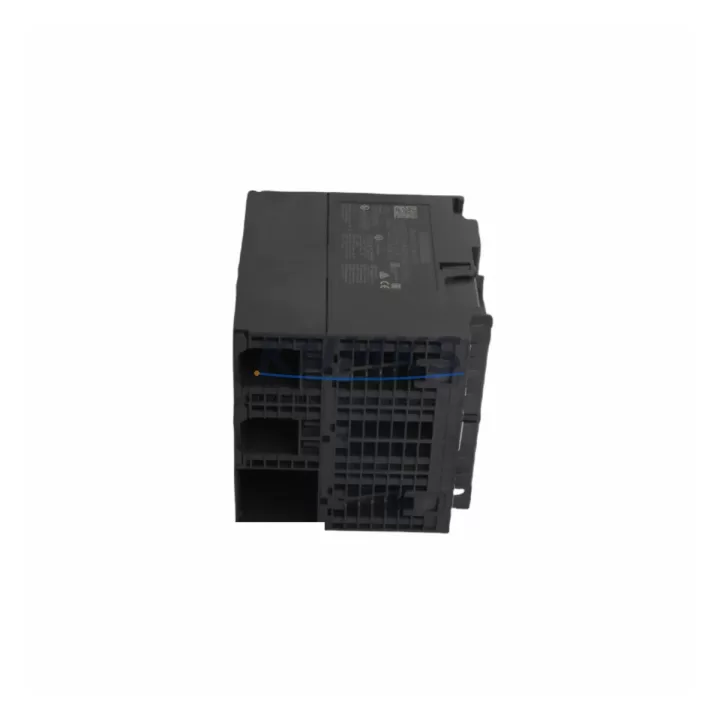
Siemens 6ES7314-6EH04-0AB0 Maintenance-Proven Spare Part for Factory Uptime
The Siemens 6ES7314-6EH04-0AB0 is a CPU 314C-2 PN/DP compact central processing unit designed for the SIMATIC S7-300 programmable logic controller platform. As a maintenance-proven spare part, this module is a critical component for industrial facilities that depend on continuous production uptime. Whether you are managing a scheduled annual overhaul, responding to an unplanned line stoppage, or building a strategic spare parts inventory, the 6ES7314-6EH04-0AB0 delivers the processing power, integrated I/O, and dual-port communication capability required to restore and sustain S7-300-based control systems with minimal disruption.
This CPU integrates PROFINET IO (2-port switch) and PROFIBUS DP interfaces in a single compact housing, eliminating the need for separate communication modules in many retrofit and replacement scenarios. With 192 KB work memory, onboard digital and analog I/O, and support for MPI, PROFIBUS DP master/slave, and PROFINET IO controller/device roles, the 6ES7314-6EH04-0AB0 is a versatile replacement for aging or failed CPUs across a wide range of S7-300 installations in automotive, chemical, food and beverage, water treatment, and discrete manufacturing environments.
Every unit supplied by KNMKS is sourced from verified industrial channels, functionally tested prior to dispatch, and covered by a support terms confirmed by quotation. We maintain long-term stock to support both emergency replacement orders and planned procurement cycles.
Spare Maintenance Table
| SKU / Part Number | 6ES7314-6EH04-0AB0 |
| Brand | Siemens |
| Series | SIMATIC S7-300 |
| Module Type | CPU 314C-2 PN/DP — Compact CPU |
| Work Memory | 192 KB (expandable via MMC) |
| Integrated Digital I/O | 24 DI / 16 DO |
| Integrated Analog I/O | 4 AI / 2 AO |
| Communication Interfaces | PROFINET IO (2-port switch), PROFIBUS DP (master/slave), MPI |
| Supply Voltage | 24 V DC (via PS 307 or equivalent power supply module) |
| Mounting | DIN rail, S7-300 standard rack (UR1, UR2, ER1, ER2) |
| Operating Temperature | 0 °C to +60 °C |
| Protection Class | IP20 |
| Origin | Germany |
| Compatibility | Direct replacement for 6ES7314-6EH04-0AB0; compatible with S7-300 racks and standard SM/CP/FM modules |
| Firmware | V3.3 or as shipped; upgradeable via SIMATIC Micro Memory Card (MMC) |
| Support terms | 12 Months — Functional guarantee covering CPU processing, I/O, and communication ports |
| Testing | Power-on functional test and communication port verification prior to shipment |
| Lead Time | availability confirmed by RFQ — ships within 1–3 business days |
Maintenance Planning for Continuous Operation
When a 6ES7314-6EH04-0AB0 CPU fails or is flagged during a routine control cabinet inspection, the replacement process should be treated as a system-level maintenance event rather than a single-component swap. Maintenance engineers and procurement teams should evaluate the condition of all interdependent components before returning the system to production.
The CPU draws 24 V DC power from the rack’s power supply module. A Siemens PS 307 (6ES7307 series) in the same rack should be inspected for output voltage stability, ripple, and thermal condition. A degraded power supply is a common root cause of intermittent CPU faults and should be replaced proactively if it shows signs of aging or has exceeded its recommended service interval.
The S7-300 backplane rack itself — whether a UR1, UR2, ER1, or ER2 — should be checked for bus connector integrity, slot contact corrosion, and mechanical damage. Faulty bus connectors between the CPU and adjacent signal modules (SM 321 digital input, SM 322 digital output, SM 331 analog input) are a frequent source of communication errors that can be misdiagnosed as CPU failure.
PROFIBUS DP wiring and termination resistors should be verified at both ends of the segment. A missing or incorrectly placed termination resistor on the PROFIBUS network will cause bus errors that appear as CPU or slave faults. Similarly, the PROFINET IO network switch ports on the CPU should be tested for link integrity, and any managed switches or SCALANCE X series devices in the same network segment should be inspected for port errors or firmware currency.
If the control cabinet includes a CP 343-1 or CP 343-1 Advanced communication processor for Ethernet connectivity, its configuration and firmware version should be reviewed during the same maintenance window. Relay output modules, terminal blocks (such as Weidmüller or Phoenix Contact series), and fuse holders protecting the 24 V DC supply rail should also be inspected and replaced if showing signs of wear. For systems with analog signal conditioning, any installed signal isolators or barriers in the I/O loop should be tested for drift before the system is recommissioned.
Maintaining a minimum spare parts kit that includes the 6ES7314-6EH04-0AB0 CPU, a matched PS 307 power supply, one set of bus connectors, and a spare MMC card with the current project backup will reduce mean time to repair (MTTR) significantly and protect against extended downtime caused by supply chain delays.
Site Replacement Workflow
Step 1 — Backup: Before removing the existing CPU, use SIMATIC Manager or TIA Portal to upload the current program from the MMC card. Verify the backup is complete and readable on the engineering station.
Step 2 — Power Down: De-energize the rack via the PS 307 power supply switch. Confirm 24 V DC is absent at the CPU supply terminals using a calibrated multimeter before proceeding.
Step 3 — Disconnect: Remove the PROFIBUS DP connector, PROFINET cables, and MPI programming cable. Label all connections before removal to ensure correct reinstallation.
Step 4 — Remove and Replace: Slide the CPU out of its rack slot. Insert the replacement 6ES7314-6EH04-0AB0. Ensure the bus connector is fully seated and the module latch is engaged.
Step 5 — MMC Transfer: Transfer the Micro Memory Card (MMC) containing the project backup to the new CPU, or use SIMATIC Manager to download the program via MPI/PROFIBUS after power-up.
Step 6 — Power On and Verify: Restore power and observe the CPU LEDs. Confirm RUN mode, verify PROFIBUS DP and PROFINET IO slave/device status, and check all I/O modules for correct operation via the diagnostic buffer.
Step 7 — Functional Test: Run a controlled I/O test sequence before returning the line to production. Document the replacement in the maintenance log with the new module’s serial number and firmware version.
This workflow is compatible with direct replacement of earlier 6ES7314-6EH04-0AB0 units and is also applicable when upgrading from the 6ES7314-6EH04-0AB0’s predecessor variants, provided the project has been verified for firmware compatibility in TIA Portal or SIMATIC Manager.
Spare Parts Support FAQ
Q1: Is the 6ES7314-6EH04-0AB0 a direct drop-in replacement for earlier CPU 314C-2 PN/DP variants?
Yes. The 6ES7314-6EH04-0AB0 is the current production variant of the CPU 314C-2 PN/DP and is mechanically and electrically compatible with the same rack slot. Program compatibility should be verified in SIMATIC Manager or TIA Portal, particularly if the existing project was created on an earlier firmware version. KNMKS recommends testing on a non-production system or during a planned maintenance window before full deployment.
Q2: What does the support terms confirmed by quotation cover?
The support terms confirmed by quotation cover all functional aspects of the CPU module, including program execution, onboard digital and analog I/O operation, PROFIBUS DP and PROFINET IO communication ports, and MPI interface. Units that fail under normal operating conditions within the confirmed support period will be replaced or repaired at no additional cost. The support terms does not cover damage resulting from incorrect installation, overvoltage, or environmental conditions outside the specified operating range.
Q3: How should I manage long-term spare parts inventory for S7-300 systems?
For S7-300 installations with a planned service life extending beyond 5 years, we recommend holding at least one CPU spare per production line, alongside matched power supply modules and a set of the most critical signal modules (SM 321, SM 322, SM 331). KNMKS maintains long-term stock of S7-300 components and can support blanket purchase orders or scheduled delivery agreements to align with your annual maintenance budget cycle.
Q4: Can KNMKS supply other S7-300 components alongside the 6ES7314-6EH04-0AB0?
Yes. KNMKS stocks a broad range of SIMATIC S7-300 components including SM 321/322/331/332 signal modules, PS 307 power supplies, CP 343-1 communication processors, FM 350/351 function modules, and IM 360/361 interface modules for multi-rack configurations. Contact our technical sales team to discuss your complete spare parts list and receive a consolidated quotation.
© 2026 KNMKS. All rights reserved.
Original Source: https://knmks.com
Contact: admin@knmks.com | +86 18359268345
Product Identification
- Brand / Ecosystem
-
Siemens
Siemens - Model / Series
-
6ES7314-6EH04-0AB0
SIMATIC Series - Product Family
- PLCs & Controllers
- Availability Status
- Available on request after model and quantity confirmation
- Inquiry Type
- B2B RFQ, replacement inquiry and project spare-part request
- Pre-Quote Check
- Exact SKU, brand, series, quantity, nameplate photos and destination country are checked before quotation
System Path
Where this product fits in the KNMKS automation structure.
Specification & Inquiry Focus
- Control platform
- PLC, PAC and modular controllers
- Common needs
- CPU, rack, power and I/O expansion
- Project support
- Replacement, cabinet build and maintenance
Buyer Confirmation
Information KNMKS checks before replying.
- Exact model
- 6ES7314-6EH04-0AB0
- Brand / ecosystem
- Siemens
- Product family
- PLCs & Controllers
- Application note
- Replacement, maintenance, project build or spare-part list
- Useful photos
- Nameplate, installed unit, cabinet layout or connector side
- Delivery details
- Quantity, destination country and target schedule
Document Support
Files and notes can be confirmed during quotation.
- Product photos or nameplate confirmation when available
- Packing and delivery notes before quotation confirmation
- Support scope and delivery terms confirmed per inquiry
- Export document coordination for qualified B2B requests
Inquiry Support
- Model cross-checking before quotation
- CPU, power, rack and expansion module matching
- Support for replacement and project inquiry
What to Send Us
- Brand and exact model number: Siemens 6ES7314-6EH04-0AB0
- Quantity and required delivery time
- Application, replacement requirement or nameplate photo
- Destination country and shipping preference
RFQ Preparation
This is a product inquiry page built for RFQ communication.
Fast Model Check
Send this model to KNMKS for confirmation.
Include quantity, destination country and photos if this is a maintenance replacement. The inquiry will be saved with a reference number after submission.
Brand & Compatibility Note
KNMKS displays automation product information for well-known industrial brand ecosystems and compatible replacement references. Brand names are used for product identification and compatibility reference only; final availability and commercial terms are confirmed per quotation.
 Manufacturing
 Machine Tools
 Packaging
 Energy & Power



 HMI & Displays
 Servo Systems
 Variable Frequency Drives
 Sensors