
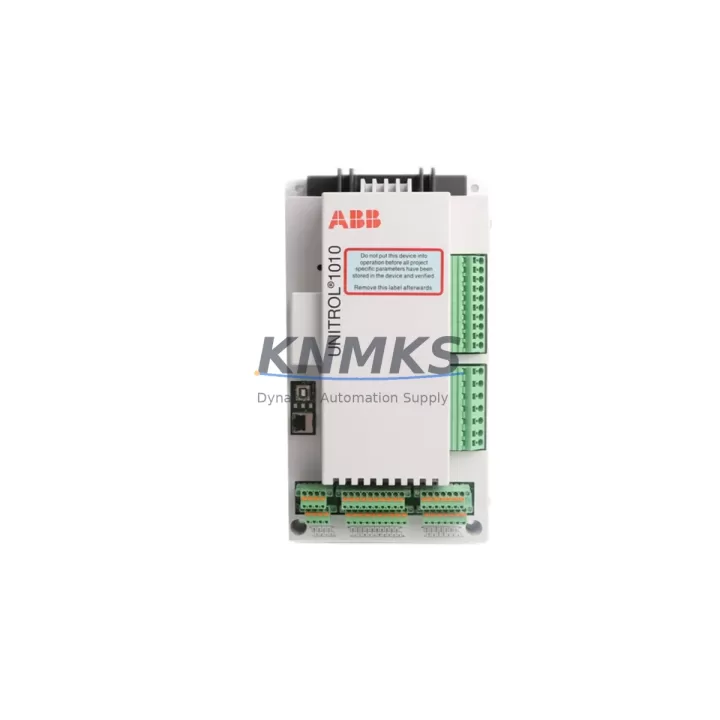
Overview
Siemens 6ES7314-6EH04-0AB0 Maintenance-Proven Spare Part for Factory Uptime
The Siemens 6ES7314-6EH04-0AB0 is the CPU314C-2 DP compact central processing unit within the SIMATIC S7-300 series — one of the most widely deployed PLC platforms in global industrial automation. Designed for medium-complexity control tasks, this CPU integrates onboard digital and analog I/O, a PROFIBUS DP master/slave interface, and MPI communication, making it a cornerstone component in manufacturing lines, process control panels, and utility automation systems worldwide.
For maintenance engineers and spare parts procurement teams, securing a verified original 6ES7314-6EH04-0AB0 is critical. Unplanned downtime caused by CPU failure can halt entire production lines within minutes. Keeping this module in your approved spare parts inventory — or sourcing it rapidly from a reliable industrial supplier — is a proven strategy for minimizing mean time to repair (MTTR) and protecting factory uptime commitments.
At KNMKS, every 6ES7314-6EH04-0AB0 unit is sourced from authorized channels, inspected prior to dispatch, and shipped with a support terms confirmed by quotation. We support urgent replacement orders, long-term blanket supply agreements, and technical compatibility verification for legacy S7-300 installations.
Spare Maintenance Table
| Part Number | 6ES7314-6EH04-0AB0 |
| Description | CPU314C-2 DP, Compact CPU with MPI, PROFIBUS DP Master/Slave |
| Brand | Siemens |
| Series | SIMATIC S7-300 |
| Product Type | PLC CPU Module |
| Work Memory | 192 KB |
| Onboard Digital I/O | 24 DI / 16 DO |
| Onboard Analog I/O | 4 AI / 2 AO |
| Communication Interfaces | MPI (187.5 kbps), PROFIBUS DP (up to 12 Mbps) |
| PROFIBUS DP Role | Master and Slave |
| Supply Voltage | DC 24 V (via PS307 or equivalent power supply module) |
| Backplane Bus | S7-300 standard backplane (UR1, UR2, ER1, ER2) |
| Programming Software | STEP 7 V5.x / TIA Portal (via legacy support) |
| Operating Temperature | 0 °C to +60 °C |
| Country of Origin | Germany |
| Compatibility | SIMATIC S7-300 standard rail, compatible with SM, FM, CP expansion modules |
| Maintenance Recommendation | Replace battery (6ES7971-1AA00-0AA0) every 2–3 years; inspect PROFIBUS connector and MPI cable annually |
| Support terms | 12 Months — tested before shipment |
Maintenance Planning for Continuous Operation
When replacing the 6ES7314-6EH04-0AB0 in a live control cabinet, a disciplined maintenance workflow extends well beyond swapping the CPU module itself. Experienced maintenance engineers treat a CPU replacement as a full cabinet health checkpoint — an opportunity to prevent secondary failures that could cause repeat downtime within weeks.
Power Supply Verification: The CPU314C-2 DP draws 24 VDC from the rack power supply. Before installing the replacement module, verify the output voltage and ripple of the Siemens PS307 (6ES7307-1EA01-0AA0) or equivalent power supply module. A degraded PSU is a common root cause of intermittent CPU faults and should be replaced proactively if it shows signs of aging.
Backplane and Rack Integrity: Inspect the S7-300 mounting rail and backplane bus connectors for oxidation, mechanical damage, or loose module seating. The CPU communicates with expansion modules — including SM321/SM322 digital I/O modules and SM331/SM332 analog I/O modules — via the backplane bus. Any intermittent bus contact will cause diagnostic errors after the new CPU is installed.
PROFIBUS DP Network Check: The 6ES7314-6EH04-0AB0 serves as a PROFIBUS DP master in most installations. After CPU replacement, validate the DP network topology: check termination resistors at both ends of the bus, inspect the PROFIBUS connector (6ES7972-0BB52-0XA0) for pin damage, and confirm that all DP slaves — including remote I/O stations, drives, and valve islands — are responding correctly in STEP 7 hardware diagnostics.
MPI and HMI Connectivity: If the system includes an HMI panel (such as a Siemens TP700 or MP277), verify MPI address assignments and communication parameters after CPU swap. A new CPU loaded from a memory card or STEP 7 project should restore MPI configuration automatically, but physical cable condition and connector integrity should be confirmed on-site.
Signal Isolation and Wiring: For analog I/O channels connected to the CPU’s onboard 4 AI / 2 AO, inspect signal cables for shielding continuity and grounding. In environments with high electromagnetic interference — common in motor drive cabinets — consider adding signal isolators between field transmitters and the CPU analog inputs to protect the replacement module from surge damage.
Fuse and Protection Components: Check all 24 VDC fuses and miniature circuit breakers in the control cabinet supply circuit. A blown fuse or tripped breaker that caused the original CPU failure must be identified and replaced before energizing the new module. Overlooking this step is the single most common cause of repeat CPU failures during maintenance.
Maintaining a local spare parts kit that includes the 6ES7314-6EH04-0AB0 CPU, a backup PS307 power supply, a set of PROFIBUS connectors, and a replacement CPU battery ensures that your team can execute a full cabinet restoration within a single maintenance shift — without waiting for emergency procurement.
Site Replacement Workflow
Step 1 — Documentation: Before powering down, export the current STEP 7 project from the CPU using a PG/PC connection. Confirm the firmware version and CPU order number match the replacement unit. If the system uses a memory card (6ES7954-8LF03-0AA0 or equivalent), verify the card is readable and contains the latest program version.
Step 2 — Safe Isolation: Follow your site LOTO (Lockout/Tagout) procedure. Isolate the 24 VDC supply to the S7-300 rack. Allow capacitors in the power supply to discharge before handling modules.
Step 3 — Module Removal: Release the bus connector on the left side of the CPU, then unscrew and slide the module off the DIN rail. Label all front connector wiring before disconnecting. The CPU314C-2 DP has a 40-pin front connector for onboard I/O — photograph the wiring layout before removal.
Step 4 — Replacement Installation: Mount the new 6ES7314-6EH04-0AB0 on the rail, reconnect the bus connector, and reattach the front connector. Insert the memory card if applicable. Power up the rack and observe the CPU status LEDs: SF (System Fault), BF (Bus Fault), DC5V, FRCE (Force), and RUN/STOP.
Step 5 — Program Restore and Validation: Load the STEP 7 project to the CPU via MPI or PROFIBUS. Perform a full I/O force test on critical channels. Confirm PROFIBUS DP slave status in the diagnostic buffer. Resume production only after all I/O channels and communication links are verified.
This structured approach reduces average replacement time, eliminates configuration errors, and ensures the replacement 6ES7314-6EH04-0AB0 is fully operational before the line restarts — protecting both equipment and production schedules.
Spare Parts Support FAQ
Q1: Is the 6ES7314-6EH04-0AB0 still available as a new original spare?
A: Yes. KNMKS maintains stock of original Siemens 6ES7314-6EH04-0AB0 units sourced from authorized distribution channels. Each unit is inspected and tested before shipment. While Siemens has announced the long-term phase-out roadmap for the S7-300 series, original spare parts remain available through specialist industrial suppliers. We recommend securing buffer stock now to protect legacy installations against future supply constraints.
Q2: How is the unit tested before shipment?
A: Every 6ES7314-6EH04-0AB0 dispatched from KNMKS undergoes a pre-shipment functional check covering power-on self-test, LED status verification, and communication interface continuity. Units are packed in anti-static ESD packaging with protective foam inserts. A support terms confirmed by quotation is included with every shipment, covering manufacturing defects and functional failures under normal operating conditions.
Q3: Can the 6ES7314-6EH04-0AB0 directly replace earlier CPU314C-2 DP versions?
A: The -0AB0 firmware revision is generally backward compatible with earlier S7-300 CPU314C-2 DP hardware revisions within the same STEP 7 project framework. However, we recommend verifying the hardware revision against your existing STEP 7 hardware configuration (HW Config) before installation. If the project was configured for an earlier order number, a hardware reconfiguration and download may be required. Our technical team can assist with compatibility verification prior to purchase.
Q4: Do you support long-term supply agreements for S7-300 spare parts?
A: Yes. KNMKS supports blanket purchase orders and long-term supply agreements for the 6ES7314-6EH04-0AB0 and related S7-300 components. This is particularly valuable for plant operators managing multiple S7-300 installations who need guaranteed stock availability over a 12–36 month horizon. Contact our sales team to discuss volume pricing, lead times, and consignment stock arrangements.
—
© 2026 KNMKS. All rights reserved.
Original Source: https://knmks.com
Contact: admin@knmks.com | +86 18359268345
Product Identification
- Brand / Ecosystem
-
Siemens
Siemens - Model / Series
-
MA01
SIMATIC Series - Product Family
- PLCs & Controllers
- Availability Status
- Available on request after model and quantity confirmation
- Inquiry Type
- B2B RFQ, replacement inquiry and project spare-part request
- Pre-Quote Check
- Exact SKU, brand, series, quantity, nameplate photos and destination country are checked before quotation
System Path
Where this product fits in the KNMKS automation structure.
Specification & Inquiry Focus
- Control platform
- PLC, PAC and modular controllers
- Common needs
- CPU, rack, power and I/O expansion
- Project support
- Replacement, cabinet build and maintenance
Buyer Confirmation
Information KNMKS checks before replying.
- Exact model
- MA01
- Brand / ecosystem
- Siemens
- Product family
- PLCs & Controllers
- Application note
- Replacement, maintenance, project build or spare-part list
- Useful photos
- Nameplate, installed unit, cabinet layout or connector side
- Delivery details
- Quantity, destination country and target schedule
Document Support
Files and notes can be confirmed during quotation.
- Product photos or nameplate confirmation when available
- Packing and delivery notes before quotation confirmation
- Support scope and delivery terms confirmed per inquiry
- Export document coordination for qualified B2B requests
Inquiry Support
- Model cross-checking before quotation
- CPU, power, rack and expansion module matching
- Support for replacement and project inquiry
What to Send Us
- Brand and exact model number: Siemens MA01
- Quantity and required delivery time
- Application, replacement requirement or nameplate photo
- Destination country and shipping preference
RFQ Preparation
This is a product inquiry page built for RFQ communication.
Fast Model Check
Send this model to KNMKS for confirmation.
Include quantity, destination country and photos if this is a maintenance replacement. The inquiry will be saved with a reference number after submission.
Brand & Compatibility Note
KNMKS displays automation product information for well-known industrial brand ecosystems and compatible replacement references. Brand names are used for product identification and compatibility reference only; final availability and commercial terms are confirmed per quotation.
 Manufacturing
 Machine Tools
 Packaging
 Energy & Power



 HMI & Displays
 Servo Systems
 Variable Frequency Drives
 Sensors