
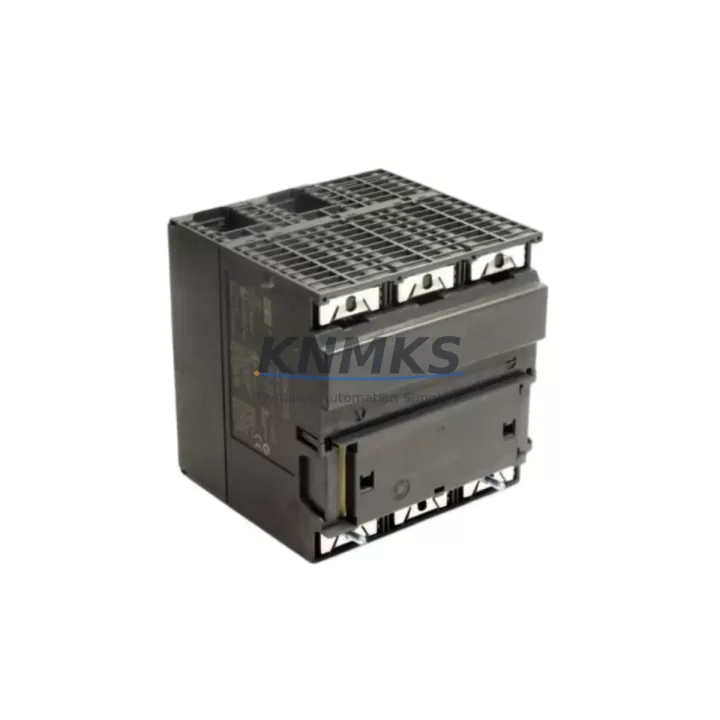
Overview
Siemens 6ES7313-5BG04-0AB0 Spare Part for Factory Uptime
The Siemens 6ES7313-5BG04-0AB0 is a compact CPU 313C module within the SIMATIC S7-300 series, integrating onboard digital I/O and high-speed counting functions into a single unit. For maintenance engineers managing aging S7-300 control systems, keeping a verified spare of this CPU on the shelf is a fundamental strategy for minimizing unplanned downtime. Whether you are responding to a fault alarm at 2 AM or executing a planned annual overhaul, having a pre-tested 6ES7313-5BG04-0AB0 ready for immediate swap-out is the difference between a two-hour recovery and a two-day production loss.
At KNMKS, every 6ES7313-5BG04-0AB0 unit is sourced as an original Siemens component, inspected prior to dispatch, and backed by a support terms confirmed by quotation. We support B2B procurement teams and plant maintenance departments with reliable long-term supply, transparent lead times, and technical documentation on request.
Spare Maintenance Table
| Part Number | 6ES7313-5BG04-0AB0 |
| Brand | Siemens |
| Series | SIMATIC S7-300 |
| Module Type | Compact CPU (CPU 313C) |
| Onboard DI/DO | 24 DI / 16 DO |
| Onboard Analog | 4 AI / 2 AO |
| High-Speed Counters | 3 × 30 kHz |
| Work Memory | 32 KB |
| MPI Interface | Yes (integrated) |
| Supply Voltage | 24 V DC |
| Operating Temperature | 0 °C to +60 °C |
| Protection Rating | IP20 |
| Origin | Germany |
| Compatibility | SIMATIC S7-300 standard rail; compatible with SM 321/322/331/332 signal modules |
| Installation | DIN rail mount on S7-300 standard backplane |
| Maintenance Note | Backup SIMATIC Micro Memory Card (MMC) before replacement; restore program after swap |
| Support terms | 12 Months |
| Condition | Original, pre-shipment tested |
Maintenance Planning for Continuous Operation
When the 6ES7313-5BG04-0AB0 is flagged during a control cabinet inspection or triggers a CPU STOP fault, the replacement process rarely involves the CPU alone. A thorough maintenance engineer will use the event as an opportunity to audit the surrounding system components to prevent secondary failures after restart.
Begin with the PS 307 power supply module (e.g., 6ES7307-1BA01-0AA0 or 6ES7307-1EA01-0AA0): verify output voltage stability at 24 V DC under load, as an unstable power supply is a common root cause of intermittent CPU faults. Next, inspect the SIMATIC Micro Memory Card (MMC) — the 6ES7313-5BG04-0AB0 requires an MMC for program storage; confirm the card is not corrupted and that a current backup exists before the swap.
Check the SM 321 digital input modules and SM 322 digital output modules installed on the same rack. Loose terminal connections, blown output channels, or degraded input signal levels can cause the new CPU to report faults immediately after startup. Similarly, if the system uses SM 331 or SM 332 analog I/O modules, verify signal wiring continuity and calibration offsets, particularly in process control applications where analog drift can trigger alarms.
For systems using MPI or PROFIBUS communication, inspect the CP 342-5 or CP 343-1 communication processor and associated bus connectors. A damaged bus terminator or corroded MPI connector can prevent the replacement CPU from establishing network communication, extending downtime unnecessarily. If the cabinet includes an IM 360/361 interface module for multi-rack expansion, confirm the rack interconnect cables are seated correctly after the CPU swap.
Finally, review the 24 V DC distribution fuses and circuit breakers feeding the CPU rack. A blown fuse upstream of the PS 307 is sometimes the actual cause of a CPU failure event. Replacing the CPU without restoring proper power protection will expose the new module to the same risk. Document all findings in the maintenance log and update the spare parts inventory to replenish the consumed 6ES7313-5BG04-0AB0 unit immediately.
Site Replacement Workflow
Step 1 — Isolate and document. Place the S7-300 CPU in STOP mode via SIMATIC Manager or the mode selector switch. Record the current program version, MMC serial number, and any active fault codes from the diagnostic buffer before powering down the rack.
Step 2 — Power down safely. Switch off the PS 307 power supply and lock out the cabinet per site LOTO procedures. Allow capacitors to discharge for at least 30 seconds before handling modules.
Step 3 — Remove the faulty CPU. Disconnect the MPI/PROFIBUS connector and any front connector wiring. Release the module locking screw and slide the 6ES7313-5BG04-0AB0 off the DIN rail. Transfer the Micro Memory Card to the replacement unit if the card is confirmed good.
Step 4 — Install the replacement module. Slide the new 6ES7313-5BG04-0AB0 onto the rail, secure the locking screw, and reconnect all connectors. Verify the MMC is seated correctly.
Step 5 — Power up and validate. Restore power via the PS 307. The CPU should transition to RUN mode automatically if the MMC program is intact. Confirm all I/O channels are responding correctly via SIMATIC Manager online diagnostics. Check the diagnostic buffer for any residual fault entries.
Step 6 — Restore communication. Verify MPI or PROFIBUS network connectivity from the HMI (e.g., SIMATIC TP or MP panel) and from any connected SCADA or DCS nodes. Confirm the production line resumes normal operation before closing the cabinet.
This workflow is designed to minimize total downtime to under two hours for a prepared maintenance team with a verified spare on hand.
Spare Parts Support FAQ
Q1: Is the 6ES7313-5BG04-0AB0 still available as a new original part?
A: Yes. KNMKS maintains stock of original Siemens 6ES7313-5BG04-0AB0 units. While Siemens has introduced successor models in the S7-300 line, the 6ES7313-5BG04-0AB0 remains available for direct replacement in existing installations. Contact admin@knmks.com to confirm current stock and lead time before your next scheduled maintenance window.
Q2: How do I verify compatibility before installation?
A: The 6ES7313-5BG04-0AB0 is a direct drop-in replacement for any existing CPU 313C installation on a standard S7-300 DIN rail. Confirm your rack’s power supply rating supports the module’s 24 V DC requirement and that your Micro Memory Card contains the correct program version. No hardware modification is required for like-for-like replacement.
Q3: What pre-shipment testing is performed on each unit?
A: Every 6ES7313-5BG04-0AB0 dispatched by KNMKS undergoes functional power-on verification and visual inspection for physical integrity. Units are packed in anti-static packaging with protective foam inserts to prevent transit damage. A test report is available on request for quality-controlled procurement processes.
Q4: What does the support terms confirmed by quotation cover?
A: The support terms confirmed by quotation cover manufacturing defects and functional failures under normal operating conditions as specified in the Siemens SIMATIC S7-300 hardware manual. It does not cover damage resulting from incorrect installation, overvoltage events, or environmental conditions outside the rated operating range. For support requests or long-term supply agreements, contact admin@knmks.com or call +86 18359268345.
© 2026 KNMKS. All rights reserved.
Original Source: https://knmks.com
Contact: admin@knmks.com | +86 18359268345
Product Identification
- Brand / Ecosystem
-
Siemens
Siemens - Model / Series
-
6ES7313-5BG04-0AB0
SIMATIC Series - Product Family
- PLCs & Controllers
- Availability Status
- Available on request after model and quantity confirmation
- Inquiry Type
- B2B RFQ, replacement inquiry and project spare-part request
- Pre-Quote Check
- Exact SKU, brand, series, quantity, nameplate photos and destination country are checked before quotation
System Path
Where this product fits in the KNMKS automation structure.
Specification & Inquiry Focus
- Control platform
- PLC, PAC and modular controllers
- Common needs
- CPU, rack, power and I/O expansion
- Project support
- Replacement, cabinet build and maintenance
Buyer Confirmation
Information KNMKS checks before replying.
- Exact model
- 6ES7313-5BG04-0AB0
- Brand / ecosystem
- Siemens
- Product family
- PLCs & Controllers
- Application note
- Replacement, maintenance, project build or spare-part list
- Useful photos
- Nameplate, installed unit, cabinet layout or connector side
- Delivery details
- Quantity, destination country and target schedule
Document Support
Files and notes can be confirmed during quotation.
- Product photos or nameplate confirmation when available
- Packing and delivery notes before quotation confirmation
- Support scope and delivery terms confirmed per inquiry
- Export document coordination for qualified B2B requests
Inquiry Support
- Model cross-checking before quotation
- CPU, power, rack and expansion module matching
- Support for replacement and project inquiry
What to Send Us
- Brand and exact model number: Siemens 6ES7313-5BG04-0AB0
- Quantity and required delivery time
- Application, replacement requirement or nameplate photo
- Destination country and shipping preference
RFQ Preparation
This is a product inquiry page built for RFQ communication.
Fast Model Check
Send this model to KNMKS for confirmation.
Include quantity, destination country and photos if this is a maintenance replacement. The inquiry will be saved with a reference number after submission.
Brand & Compatibility Note
KNMKS displays automation product information for well-known industrial brand ecosystems and compatible replacement references. Brand names are used for product identification and compatibility reference only; final availability and commercial terms are confirmed per quotation.
 Manufacturing
 Machine Tools
 Packaging
 Energy & Power



 HMI & Displays
 Servo Systems
 Variable Frequency Drives
 Sensors