
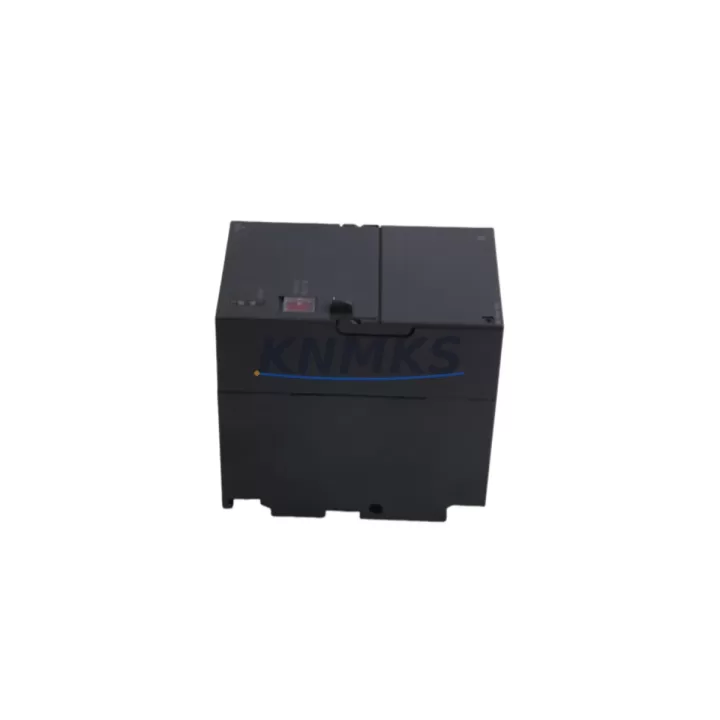
Overview
Siemens 6ES7307-1EA80-0AA0 Maintenance-Proven Spare for Uptime
The Siemens 6ES7307-1EA80-0AA0 is the PS307 5A regulated 24 VDC power supply module designed for the SIMATIC S7-300 programmable logic controller platform. In industrial automation environments where continuous production is non-negotiable, maintaining a verified spare of this module is a foundational element of any credible maintenance strategy. Power supply failures are among the most common root causes of unplanned PLC downtime, and the 6ES7307-1EA80-0AA0 is the OEM-specified replacement that restores system operation without requiring firmware reconfiguration or hardware adaptation.
Maintenance engineers and procurement teams working with SIMATIC S7-300 control cabinets recognize that the PS307 series is the backbone of rack power distribution. The 6ES7307-1EA80-0AA0 accepts a wide-range AC input (120/230 VAC, 50/60 Hz) and delivers a stable 5 A at 24 VDC output, powering the CPU, signal modules, and communication processors mounted on the S7-300 backplane. Its compact DIN-rail form factor and direct backplane integration make it a drop-in replacement with zero mechanical modification to the existing cabinet layout.
From a procurement risk perspective, sourcing the 6ES7307-1EA80-0AA0 through a verified distributor with pre-shipment electrical testing eliminates the risk of receiving counterfeit or refurbished units that may pass visual inspection but fail under load. Every unit dispatched from our warehouse undergoes output voltage verification, ripple measurement, and thermal stability confirmation before packaging. This pre-shipment protocol is backed by a support terms confirmed by quotation covering manufacturing defects and electrical performance.
Spare Maintenance Table
| Parameter | Specification |
|---|---|
| Part Number | 6ES7307-1EA80-0AA0 |
| Series | PS307 / SIMATIC S7-300 |
| Brand | Siemens |
| Module Type | Regulated DC Power Supply |
| Input Voltage | 120 / 230 VAC, 50/60 Hz (wide-range) |
| Output Voltage | 24 VDC (regulated) |
| Output Current | 5 A |
| Output Power | 120 W |
| Mounting | DIN Rail, S7-300 Backplane Slot 1 |
| Dimensions (W×H×D) | 80 × 125 × 120 mm (approx.) |
| Weight | 600 g |
| Protection Class | IP20 |
| Operating Temperature | 0 °C to +60 °C |
| Compatibility | SIMATIC S7-300 CPU 31x series, ET 200M IM 153-x |
| Origin | Germany |
| Support terms | 12 Months (manufacturing defects & electrical performance) |
| Pre-Shipment Test | Output voltage, ripple, load regulation verified |
| Replacement For | 6ES7307-1EA00-0AA0, 6ES7307-1EA01-0AA0 (legacy PS307 variants) |
Maintenance Planning for Continuous Operation
When a PS307 5A module fails or shows signs of degraded output — indicated by CPU fault LEDs, intermittent I/O errors, or unexpected rack resets — the replacement workflow extends beyond swapping the power supply in isolation. A thorough site inspection should accompany every 6ES7307-1EA80-0AA0 replacement to prevent repeat failures and confirm system integrity.
Begin by inspecting the S7-300 backplane (6ES7390-1AE80-0AA0 or equivalent) for signs of corrosion, bent connector pins, or thermal discoloration at the power slot. A damaged backplane can cause the replacement PS307 to fail prematurely. Next, verify the CPU module — typically a CPU 315-2 DP (6ES7315-2AH14-0AB0) or CPU 317-2 PN/DP — is not drawing excessive current due to a shorted memory card or failed PROFIBUS interface, which would overload the new power supply.
Check all SM321/SM322 digital I/O modules and SM331/SM334 analog modules for short-circuit conditions on field wiring. A single shorted 24 VDC field device can cause the PS307 output to fold back into current limiting, mimicking a power supply fault. Inspect terminal blocks and wiring harnesses within the cabinet for insulation breakdown, particularly in high-vibration or high-temperature environments.
For cabinets with CP 343-1 or CP 343-5 communication processors, confirm that the Ethernet or PROFIBUS network is not generating excessive bus load that could cause CPU watchdog trips coinciding with power events. Additionally, review the status of any 24 VDC fuse protection on the output distribution rail — blown fuses downstream of the PS307 are a common secondary finding during power supply replacement.
Procurement engineers managing multi-cabinet S7-300 installations should consider maintaining a minimum buffer of one PS307 5A unit per three active racks, alongside a spare CPU battery (6ES7971-0BA00) and at least one spare IM 360/361 interface module for multi-rack configurations. This buffer strategy aligns with a 12-month planned maintenance cycle and reduces emergency procurement lead times from weeks to hours.
Site Replacement Workflow
Step 1 — Preparation: Download and archive the current CPU program using STEP 7 or TIA Portal before any hardware intervention. Confirm the replacement 6ES7307-1EA80-0AA0 output voltage with a calibrated multimeter prior to installation.
Step 2 — Safe Isolation: Switch the main cabinet isolator to OFF. Verify zero voltage on the PS307 AC input terminals using a non-contact voltage tester. Allow 60 seconds for internal capacitors to discharge.
Step 3 — Module Removal: Disconnect the AC input wiring from terminals L1, N, and PE. Remove the two mounting screws securing the PS307 to the DIN rail. Slide the module out of backplane slot 1.
Step 4 — Replacement Installation: Seat the new 6ES7307-1EA80-0AA0 into slot 1, ensuring the backplane connector is fully engaged. Secure mounting screws. Reconnect AC input wiring per the original terminal markings.
Step 5 — Power-On Verification: Restore AC supply. Confirm 24 VDC output on the PS307 DC terminals. Observe CPU RUN LED and I/O module status LEDs. Verify no fault codes in the CPU diagnostic buffer via STEP 7 online diagnostics.
Step 6 — System Validation: Run a full I/O force test on critical outputs. Confirm PROFIBUS/PROFINET communication is re-established. Document the replacement in the cabinet maintenance log with date, technician ID, and new module serial number.
This workflow is compatible with legacy PS307 variants including the 6ES7307-1EA00-0AA0 and 6ES7307-1EA01-0AA0, allowing direct substitution without hardware configuration changes in STEP 7 or TIA Portal.
Spare Parts Support FAQ
Q1: Is the 6ES7307-1EA80-0AA0 a direct replacement for older PS307 variants?
Yes. The 6ES7307-1EA80-0AA0 is backward compatible with earlier PS307 5A variants (6ES7307-1EA00-0AA0, 6ES7307-1EA01-0AA0). The backplane connector, DIN rail footprint, and electrical output specification are identical, requiring no hardware or software reconfiguration in STEP 7 or TIA Portal.
Q2: What pre-shipment testing is performed on each unit?
Every 6ES7307-1EA80-0AA0 dispatched from our facility undergoes output voltage verification at rated load (5 A / 24 VDC), output ripple measurement, and a 30-minute thermal stability burn-in. Units that do not meet OEM electrical specifications are quarantined and not shipped. A test report is available upon request.
Q3: What is the recommended inventory buffer for a multi-rack S7-300 installation?
For installations with three or more S7-300 racks, we recommend maintaining one PS307 5A spare per three active racks as a minimum buffer. For critical production lines with zero-tolerance downtime requirements, a 1:1 spare ratio per rack is advisable. Combine this with a spare CPU battery and one IM 360/361 interface module to cover the most common single-point failure modes.
Q4: What support terms and long-term supply commitment applies to this part?
All units carry a support terms confirmed by quotation covering manufacturing defects and electrical performance from the date of dispatch. For customers requiring long-term supply continuity — particularly for aging S7-300 installations approaching end-of-life — we offer forward stock reservation agreements to lock in availability and pricing for 12–36 month horizons. Contact our technical sales team to discuss a supply agreement tailored to your maintenance schedule.
© 2026 KNMKS. All rights reserved.
Original Source: https://knmks.com
Contact: admin@knmks.com | +86 18359268345
Product Identification
- Brand / Ecosystem
-
Siemens
Siemens - Model / Series
-
6ES7307-1EA80-0AA0
SIMATIC Series - Product Family
- PLCs & Controllers
- Availability Status
- Available on request after model and quantity confirmation
- Inquiry Type
- B2B RFQ, replacement inquiry and project spare-part request
- Pre-Quote Check
- Exact SKU, brand, series, quantity, nameplate photos and destination country are checked before quotation
System Path
Where this product fits in the KNMKS automation structure.
Specification & Inquiry Focus
- Control platform
- PLC, PAC and modular controllers
- Common needs
- CPU, rack, power and I/O expansion
- Project support
- Replacement, cabinet build and maintenance
Buyer Confirmation
Information KNMKS checks before replying.
- Exact model
- 6ES7307-1EA80-0AA0
- Brand / ecosystem
- Siemens
- Product family
- PLCs & Controllers
- Application note
- Replacement, maintenance, project build or spare-part list
- Useful photos
- Nameplate, installed unit, cabinet layout or connector side
- Delivery details
- Quantity, destination country and target schedule
Document Support
Files and notes can be confirmed during quotation.
- Product photos or nameplate confirmation when available
- Packing and delivery notes before quotation confirmation
- Support scope and delivery terms confirmed per inquiry
- Export document coordination for qualified B2B requests
Inquiry Support
- Model cross-checking before quotation
- CPU, power, rack and expansion module matching
- Support for replacement and project inquiry
What to Send Us
- Brand and exact model number: Siemens 6ES7307-1EA80-0AA0
- Quantity and required delivery time
- Application, replacement requirement or nameplate photo
- Destination country and shipping preference
RFQ Preparation
This is a product inquiry page built for RFQ communication.
Fast Model Check
Send this model to KNMKS for confirmation.
Include quantity, destination country and photos if this is a maintenance replacement. The inquiry will be saved with a reference number after submission.
Brand & Compatibility Note
KNMKS displays automation product information for well-known industrial brand ecosystems and compatible replacement references. Brand names are used for product identification and compatibility reference only; final availability and commercial terms are confirmed per quotation.
 Manufacturing
 Machine Tools
 Packaging
 Energy & Power



 HMI & Displays
 Servo Systems
 Variable Frequency Drives
 Sensors