
Overview
Siemens 6ES7288-3AM06-0AA0 Migration-Ready Analog I/O for Legacy Control Systems
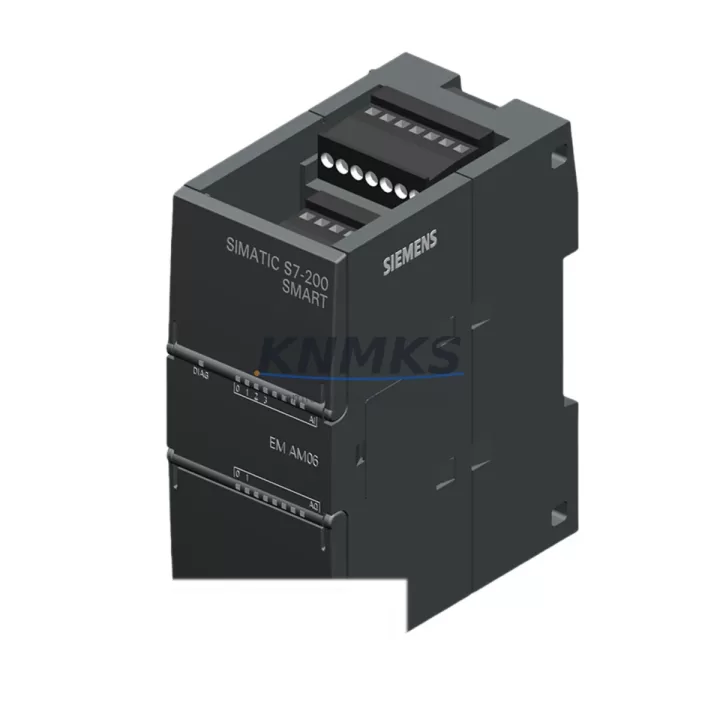
The Siemens 6ES7288-3AM06-0AA0 is a compact analog expansion module designed for the S7-200 SMART series, providing 2 analog inputs (AI) and 1 analog output (AO) in a single DIN-rail-mounted housing. As legacy S7-200 Classic systems reach end-of-life and production lines demand continuity, this module serves as a verified drop-in replacement and migration bridge for engineers managing retrofit projects across manufacturing, energy, petrochemical, and infrastructure sectors.
Whether you are replacing a failed analog card in an aging control cabinet, upgrading a distributed I/O rack to meet new process requirements, or migrating from an S7-200 Classic platform to the S7-200 SMART architecture, the 6ES7288-3AM06-0AA0 delivers the signal resolution, wiring compatibility, and firmware alignment needed to minimize engineering rework and reduce commissioning time on the plant floor.
Migration Compatibility Table
| Parameter | Details |
|---|---|
| SKU / Part Number | 6ES7288-3AM06-0AA0 |
| Series | Siemens S7-200 SMART Expansion |
| Analog Inputs (AI) | 2 × ±10 V / 0–20 mA / 4–20 mA (software selectable) |
| Analog Output (AO) | 1 × ±10 V / 0–20 mA |
| Resolution | 12-bit (AI), 12-bit (AO) |
| Backplane Interface | S7-200 SMART expansion bus connector (right-side bus) |
| Power Supply | 5 VDC via backplane bus (no external 24 VDC required for logic) |
| Installation | DIN rail, side-by-side with CPU or other expansion modules |
| Communication Compatibility | PROFIBUS DP (via CPU), Modbus RTU (via CPU RS485 port) |
| Replacement Path | Direct replacement for S7-200 Classic analog modules in SMART-based retrofits |
| Firmware Compatibility | Compatible with STEP 7-Micro/WIN SMART V2.4 and above |
| Commissioning Note | Verify module address offset in CPU configuration; re-map AI/AO tags in HMI if migrating from Classic |
| Support terms | 12 Months from date of shipment |
Retrofit Planning for Existing Automation Systems
Successful integration of the 6ES7288-3AM06-0AA0 into an existing control system requires a structured pre-retrofit assessment. Engineers should begin by auditing the current control cabinet layout to confirm available expansion slots on the S7-200 SMART CPU rack. The module occupies one expansion slot and connects directly to the CPU or preceding expansion module via the right-side bus connector — no additional backplane or rack hardware is required for standard configurations.
Power budget verification is a critical first step. The 6ES7288-3AM06-0AA0 draws logic power from the 5 VDC backplane bus supplied by the CPU module (such as the CPU SR20, CPU ST30, or CPU CR40). Before adding this module, confirm that the CPU’s total expansion bus current budget is not exceeded when combined with other installed expansion modules, including digital I/O modules like the 6ES7288-2DR08-0AA0 (8DI/8DO relay) or additional analog cards. Exceeding the bus current limit will cause unpredictable module behavior and potential CPU faults.
Terminal wiring adaptation is the next consideration. The 6ES7288-3AM06-0AA0 uses a removable screw-terminal connector for field wiring. When replacing an S7-200 Classic analog module, verify that the existing field cable terminations match the new terminal layout — particularly the differential input wiring for 4–20 mA transmitters and the shielding connection points. In many retrofit scenarios, a signal isolator or loop-powered isolator may be inserted between the field transmitter and the module input to eliminate ground loop interference introduced by the new wiring topology.
For systems that previously relied on a dedicated PROFIBUS DP communication module or an EM 277 PROFIBUS-DP module for network integration, the migration to S7-200 SMART requires re-evaluating the communication architecture. The S7-200 SMART CPU supports Modbus RTU natively over its RS485 port and can communicate with SIMATIC HMI panels such as the KTP700 Basic or KTP400 Basic via Ethernet. HMI screen tag re-mapping is typically required when the analog channel addresses change between the Classic and SMART module addressing schemes — this should be completed and validated in the STEP 7-Micro/WIN SMART programming environment before live commissioning.
Where the retrofit involves I/O expansion beyond the base CPU capacity, engineers may also need to evaluate the 6ES7288-3AE04-0AA0 (4AI analog input module) or the 6ES7288-3AQ02-0AA0 (2AO analog output module) to match the original I/O count of the legacy system. Programming cables such as the USB-PPI adapter remain compatible with the SMART platform and can be reused from the Classic installation, reducing tooling costs during the migration phase.
Downtime Control During System Migration
Minimizing production downtime during a control system retrofit is the primary operational concern for plant engineers and maintenance managers. For the 6ES7288-3AM06-0AA0, a structured hot-swap preparation protocol significantly reduces the risk of extended outages.
Before initiating the physical module swap, export and archive the complete CPU program from the existing S7-200 SMART system using STEP 7-Micro/WIN SMART. Verify that all data blocks, symbol tables, and HMI variable tables are saved and version-controlled. If the system is migrating from an S7-200 Classic platform, the program logic must be re-compiled for the SMART CPU — this step should be completed, simulated, and validated offline before the scheduled maintenance window begins.
During the physical installation, power down the CPU and all expansion modules in the correct sequence: field power first, then CPU power. Install the 6ES7288-3AM06-0AA0 in the designated expansion slot, reconnect the field wiring terminals, and restore power. The CPU will automatically detect the new module during its startup diagnostic cycle. Confirm that the module status LED indicates normal operation (solid green) before proceeding to program download.
After program download, perform a structured I/O verification test: force each analog input channel to a known signal value using a calibrated signal generator and verify the corresponding process variable reading in the HMI or SCADA system. For the analog output channel, command a known setpoint from the CPU and verify the output signal at the field terminal with a calibrated multimeter. This end-to-end signal path verification confirms wiring integrity, module addressing, and program logic correctness before returning the system to automatic control.
All units shipped by KNMKS undergo pre-shipment functional testing, including power-on verification and I/O channel continuity checks, to ensure the module arrives ready for installation. A support terms confirmed by quotation cover manufacturing defects and functional failures under normal operating conditions.
Retrofit Support FAQ
Q1: Is the 6ES7288-3AM06-0AA0 a direct replacement for S7-200 Classic analog modules?
The 6ES7288-3AM06-0AA0 is designed for the S7-200 SMART expansion bus and is not electrically pin-compatible with S7-200 Classic EM231/EM232 analog modules. However, it is the correct replacement module when the CPU has already been upgraded to an S7-200 SMART platform. If the Classic CPU is still in service, a full CPU migration to the SMART series is required before this module can be installed.
Q2: What wiring changes are required when installing this module in a retrofit application?
Terminal layout and wiring polarity should be verified against the 6ES7288-3AM06-0AA0 hardware manual before reconnecting field cables. In most 4–20 mA loop applications, the existing field wiring can be reused with minor terminal re-labeling. Differential input wiring and shield grounding points should be confirmed to match the new terminal block layout to prevent signal noise issues after commissioning.
Q3: How do I verify firmware and software compatibility before installation?
The 6ES7288-3AM06-0AA0 is compatible with STEP 7-Micro/WIN SMART V2.4 and later versions. Confirm your programming software version before generating the module configuration. If your existing project was created in an earlier version, update the software and re-validate the module configuration block to ensure correct AI/AO channel mapping and scaling parameters.
Q4: What is the stock availability and support terms coverage for this module?
KNMKS maintains in-stock inventory of the 6ES7288-3AM06-0AA0 to support urgent retrofit and breakdown replacement requirements. All units are covered by a support terms confirmed by quotation from the date of shipment. Pre-shipment functional testing is performed on every unit. For volume orders or long-term supply commitments, contact our sales team to discuss stocking agreements and lead time guarantees.
© 2026 KNMKS. All rights reserved.
Original Source: https://knmks.com
Contact: admin@knmks.com | +86 18359268345
Product Identification
- Brand / Ecosystem
-
Siemens
Siemens - Model / Series
-
6ES7288-3AM06-0AA0
SIMATIC Series - Product Family
- PLCs & Controllers
- Availability Status
- Available on request after model and quantity confirmation
- Inquiry Type
- B2B RFQ, replacement inquiry and project spare-part request
- Pre-Quote Check
- Exact SKU, brand, series, quantity, nameplate photos and destination country are checked before quotation
System Path
Where this product fits in the KNMKS automation structure.
Specification & Inquiry Focus
- Control platform
- PLC, PAC and modular controllers
- Common needs
- CPU, rack, power and I/O expansion
- Project support
- Replacement, cabinet build and maintenance
Buyer Confirmation
Information KNMKS checks before replying.
- Exact model
- 6ES7288-3AM06-0AA0
- Brand / ecosystem
- Siemens
- Product family
- PLCs & Controllers
- Application note
- Replacement, maintenance, project build or spare-part list
- Useful photos
- Nameplate, installed unit, cabinet layout or connector side
- Delivery details
- Quantity, destination country and target schedule
Document Support
Files and notes can be confirmed during quotation.
- Product photos or nameplate confirmation when available
- Packing and delivery notes before quotation confirmation
- Support scope and delivery terms confirmed per inquiry
- Export document coordination for qualified B2B requests
Inquiry Support
- Model cross-checking before quotation
- CPU, power, rack and expansion module matching
- Support for replacement and project inquiry
What to Send Us
- Brand and exact model number: Siemens 6ES7288-3AM06-0AA0
- Quantity and required delivery time
- Application, replacement requirement or nameplate photo
- Destination country and shipping preference
RFQ Preparation
This is a product inquiry page built for RFQ communication.
Fast Model Check
Send this model to KNMKS for confirmation.
Include quantity, destination country and photos if this is a maintenance replacement. The inquiry will be saved with a reference number after submission.
Brand & Compatibility Note
KNMKS displays automation product information for well-known industrial brand ecosystems and compatible replacement references. Brand names are used for product identification and compatibility reference only; final availability and commercial terms are confirmed per quotation.
 Manufacturing
 Machine Tools
 Packaging
 Energy & Power



 HMI & Displays
 Servo Systems
 Variable Frequency Drives
 Sensors