
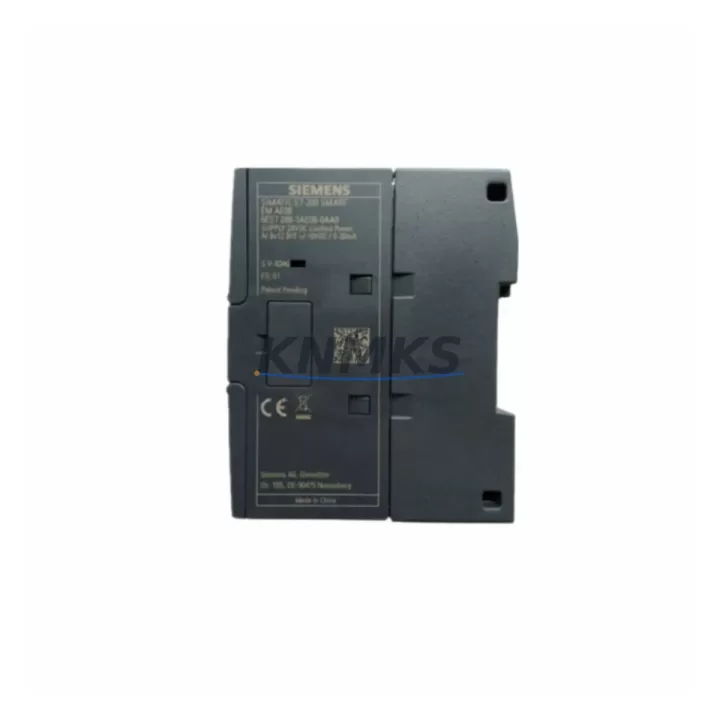
Overview
Siemens 6ES7288-3AE08-0AA0 Maintenance-Proven Spare for Factory Uptime
The Siemens 6ES7288-3AE08-0AA0 is the EM AE08 analog expansion module for the S7-200 SMART PLC series — a precision-engineered spare part designed to restore analog signal processing capability in manufacturing and process control environments. With 8 analog inputs and 4 analog outputs, this module supports voltage and current signal ranges critical to closed-loop control, sensor interfacing, and actuator command in continuous production lines.
For maintenance engineers managing aging S7-200 SMART control cabinets, sourcing a verified original replacement for the 6ES7288-3AE08-0AA0 is a time-sensitive priority. Signal drift, channel failure, or module fault codes on the CPU (such as the 6ES7288-1SR20-0AA0 CPU SR20 or 6ES7288-1ST40-0AA0 CPU ST40) often trace back to a degraded analog expansion module. Replacing the EM AE08 with a tested original unit is the fastest path to restoring process visibility and control authority.
Every unit supplied by KNMKS is sourced from authorized channels, electrically tested prior to shipment, and backed by a support terms confirmed by quotation. We maintain long-term inventory of S7-200 SMART spare parts to support both emergency replacement and planned annual maintenance programs.
Spare Maintenance Table
| Part Number | 6ES7288-3AE08-0AA0 |
| Module Designation | EM AE08 |
| Brand / Series | Siemens / S7-200 SMART |
| Analog Inputs | 8 × AI (±10 V / 0–20 mA / 4–20 mA) |
| Analog Outputs | 4 × AO (±10 V / 0–20 mA) |
| Resolution | 12-bit (inputs); 11-bit (outputs) |
| Supply Voltage | 24 V DC (via CPU expansion bus) |
| Compatibility | S7-200 SMART CPU SR/ST/CR/CT series |
| Connection Interface | Expansion bus connector (right-side CPU port) |
| Operating Temperature | 0 °C to +55 °C |
| Protection Rating | IP20 |
| Country of Origin | Germany |
| Product Type | PLC Analog I/O Expansion Module |
| Maintenance Application | Signal channel restoration, closed-loop control recovery, sensor/actuator interfacing |
| Pre-Shipment Test | Electrical function test on all AI/AO channels |
| Support terms | 12 Months |
Maintenance Planning for Continuous Operation
When a 6ES7288-3AE08-0AA0 fails or shows degraded channel performance, the fault rarely exists in isolation. A structured inspection of the surrounding control cabinet components is essential before and after replacement to prevent repeat failures and confirm system integrity.
Begin with the 24 V DC power supply feeding the S7-200 SMART expansion bus. Voltage ripple or transient spikes are a leading cause of analog module damage — verify output stability with a calibrated meter before installing the replacement EM AE08. If the cabinet uses a Siemens SITOP PSU100S or equivalent DIN-rail power supply, inspect for overload indicators and confirm rated current capacity covers the full expansion chain.
Next, inspect the expansion bus ribbon cable connecting the CPU to the EM AE08 and any downstream modules such as the 6ES7288-3AQ02-0AA0 EM AQ02 (2AO) or 6ES7288-3AM06-0AA0 EM AM06 (4AI+2AO). Damaged or oxidized connectors on the expansion bus are a common source of intermittent module faults that mimic analog hardware failure.
For signal wiring, check all field-side terminal connections on the EM AE08’s screw terminals. Loose or corroded wiring on AI channels connected to pressure transmitters, temperature sensors (4–20 mA), or position encoders will cause erratic readings even after module replacement. Inspect signal isolators or barriers in the loop — particularly in hazardous area installations — to confirm they remain within calibration tolerance.
If the S7-200 SMART system includes a 6ES7288-3CM08-0AA0 EM CM08 communication module or an HMI panel such as the SMART LINE series, verify that the CPU program and HMI tag database correctly map the new module’s I/O addresses after replacement. Address remapping errors are a frequent post-replacement commissioning issue that delays production restart.
Finally, review the cabinet’s fuse and circuit protection for the 24 V DC rail. A blown fuse or tripped miniature circuit breaker on the analog module supply circuit is sometimes the root cause of the original failure. Replace any suspect protection components as part of the corrective maintenance cycle, and document the event in the site maintenance log for future reference.
Site Replacement Workflow
Step 1 — Isolate and de-energize. Switch the S7-200 SMART CPU to STOP mode via the programming software (STEP 7-Micro/WIN SMART) or the onboard mode selector. De-energize the 24 V DC supply to the expansion rack before disconnecting the EM AE08.
Step 2 — Document wiring. Photograph or record all field-side terminal connections on the EM AE08 before removal. Label each wire with its channel designation (AI0+, AI0−, AO0, etc.) to prevent miswiring during reinstallation.
Step 3 — Remove the faulty module. Disconnect the expansion bus connector and release the DIN-rail mounting clip. Slide the module out of the expansion chain. Inspect the bus connector pins on both the CPU and adjacent modules for damage.
Step 4 — Install the replacement 6ES7288-3AE08-0AA0. Seat the new EM AE08 onto the DIN rail and engage the expansion bus connector firmly. Reconnect all field-side wiring per the documented terminal layout.
Step 5 — Power-up and verify. Restore 24 V DC power and switch the CPU to RUN mode. Monitor the module’s diagnostic LED — a steady green indicates normal operation. Use STEP 7-Micro/WIN SMART to read live AI channel values and confirm AO channel outputs match commanded setpoints.
Step 6 — Functional test. Simulate or apply field signals to each AI channel and verify correct engineering unit conversion in the CPU program. Command each AO channel to minimum, midpoint, and maximum values and confirm actuator response. Record test results before returning the system to production.
This workflow applies equally to planned annual maintenance replacements and emergency unscheduled repairs. Maintaining one spare 6ES7288-3AE08-0AA0 in the site spare parts cabinet eliminates the lead-time risk associated with emergency procurement and supports a target mean-time-to-repair (MTTR) of under two hours for analog module faults.
Spare Parts Support FAQ
Q1: Is the 6ES7288-3AE08-0AA0 compatible with all S7-200 SMART CPU variants?
Yes. The EM AE08 is compatible with all S7-200 SMART CPU models in the SR, ST, CR, and CT series. It connects via the standard right-side expansion bus and is recognized automatically by STEP 7-Micro/WIN SMART without requiring firmware updates. Confirm your CPU firmware version is V2.0 or later for full analog feature support.
Q2: How is the unit tested before shipment?
Each 6ES7288-3AE08-0AA0 supplied by KNMKS undergoes electrical function testing on all 8 analog input channels and 4 analog output channels prior to dispatch. Test records are available on request. Units are packed in anti-static packaging with physical protection for the expansion bus connector.
Q3: What is the support terms coverage and what does it include?
All units carry a support terms confirmed by quotation from the date of shipment. The support terms covers manufacturing defects and functional failures under normal operating conditions. It does not cover damage resulting from incorrect installation, overvoltage events, or physical mishandling. KNMKS provides replacement or repair support within the confirmed support period.
Q4: Can KNMKS support long-term or recurring procurement for S7-200 SMART spare parts?
Yes. KNMKS maintains standing inventory of S7-200 SMART expansion modules, including the EM AE08, EM AQ02, EM AM06, and related CPU and communication modules. We support annual maintenance procurement programs, blanket purchase orders, and emergency single-unit shipments. Contact our technical sales team to discuss inventory reservation and lead-time commitments for your site’s maintenance schedule.
© 2026 KNMKS. All rights reserved.
Original Source: https://knmks.com
Contact: admin@knmks.com | +86 18359268345
Product Identification
- Brand / Ecosystem
-
Siemens
Siemens - Model / Series
-
6ES7288-3AE08-0AA0
SIMATIC Series - Product Family
- PLCs & Controllers
- Availability Status
- Available on request after model and quantity confirmation
- Inquiry Type
- B2B RFQ, replacement inquiry and project spare-part request
- Pre-Quote Check
- Exact SKU, brand, series, quantity, nameplate photos and destination country are checked before quotation
System Path
Where this product fits in the KNMKS automation structure.
Specification & Inquiry Focus
- Control platform
- PLC, PAC and modular controllers
- Common needs
- CPU, rack, power and I/O expansion
- Project support
- Replacement, cabinet build and maintenance
Buyer Confirmation
Information KNMKS checks before replying.
- Exact model
- 6ES7288-3AE08-0AA0
- Brand / ecosystem
- Siemens
- Product family
- PLCs & Controllers
- Application note
- Replacement, maintenance, project build or spare-part list
- Useful photos
- Nameplate, installed unit, cabinet layout or connector side
- Delivery details
- Quantity, destination country and target schedule
Document Support
Files and notes can be confirmed during quotation.
- Product photos or nameplate confirmation when available
- Packing and delivery notes before quotation confirmation
- Support scope and delivery terms confirmed per inquiry
- Export document coordination for qualified B2B requests
Inquiry Support
- Model cross-checking before quotation
- CPU, power, rack and expansion module matching
- Support for replacement and project inquiry
What to Send Us
- Brand and exact model number: Siemens 6ES7288-3AE08-0AA0
- Quantity and required delivery time
- Application, replacement requirement or nameplate photo
- Destination country and shipping preference
RFQ Preparation
This is a product inquiry page built for RFQ communication.
Fast Model Check
Send this model to KNMKS for confirmation.
Include quantity, destination country and photos if this is a maintenance replacement. The inquiry will be saved with a reference number after submission.
Brand & Compatibility Note
KNMKS displays automation product information for well-known industrial brand ecosystems and compatible replacement references. Brand names are used for product identification and compatibility reference only; final availability and commercial terms are confirmed per quotation.
 Manufacturing
 Machine Tools
 Packaging
 Energy & Power



 HMI & Displays
 Servo Systems
 Variable Frequency Drives
 Sensors