
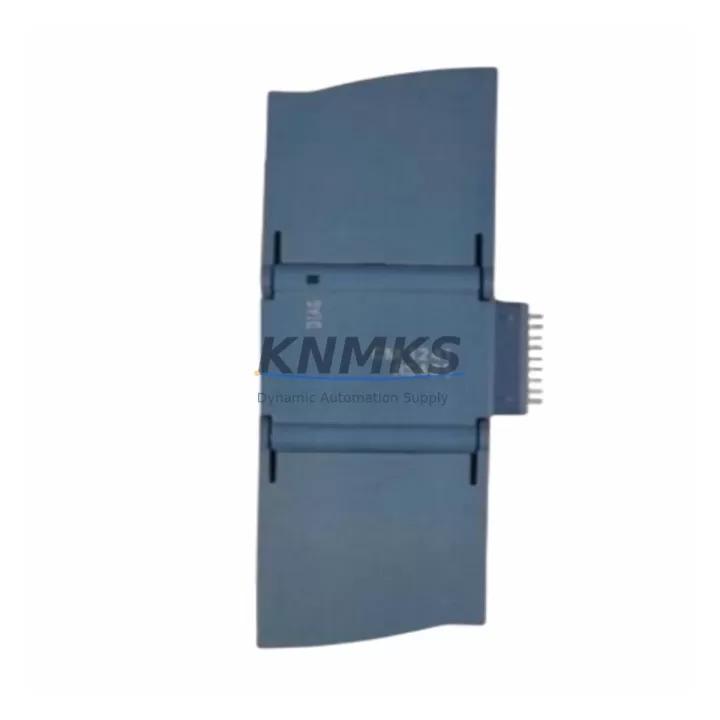
Overview
Siemens 6ES7241-1CH30-0XB0 Spare Part for Factory Uptime
The Siemens 6ES7241-1CH30-0XB0 is the CM 1241 RS422/485 communication module designed for the SIMATIC S7-1200 controller family. As a maintenance-proven spare part, it supports point-to-point serial communication with legacy field devices, drives, barcode readers, and third-party controllers — making it a critical component in production lines where RS422 or RS485 protocol continuity is non-negotiable. Sourced as an original Siemens spare, each unit is pre-shipment tested and backed by a support terms confirmed by quotation, ensuring your replacement cycle is predictable and your downtime window is minimized.
For maintenance engineers managing aging S7-1200 installations, the 6ES7241-1CH30-0XB0 is a direct plug-in replacement that requires no hardware reconfiguration when swapping like-for-like. Its compact form factor mounts directly to the left side of any S7-1200 CPU — from the CPU 1211C through the CPU 1217C — and is fully compatible with TIA Portal V13 SP1 and later firmware versions. Procurement engineers can rely on our long-term supply commitment: this SKU is stocked for immediate dispatch, with lead times confirmed at order placement.
Spare Maintenance Table
| SKU / Part Number | 6ES7241-1CH30-0XB0 |
| Product Series | SIMATIC S7-1200 / CM 1241 |
| Communication Standard | RS422 / RS485 (Point-to-Point) |
| Baud Rate | 300 bps – 115.2 kbps |
| Supply Voltage | 5 VDC (via S7-1200 backplane bus) |
| Power Consumption | Max. 1.5 W |
| Compatible CPUs | CPU 1211C, 1212C, 1214C, 1215C, 1217C |
| Max. Modules per CPU | 3 × CM 1241 per CPU |
| TIA Portal Compatibility | V13 SP1 and above |
| Firmware Version | V2.0 and above |
| Operating Temperature | 0 °C to +55 °C (horizontal), 0 °C to +45 °C (vertical) |
| Protection Rating | IP20 |
| Country of Origin | Germany |
| Installation | DIN rail, left-side plug-in to S7-1200 CPU |
| Pre-Shipment Testing | Yes — functional and communication verified |
| Support terms | 12 Months |
Maintenance Planning for Continuous Operation
When replacing the 6ES7241-1CH30-0XB0 in a live S7-1200 panel, a structured inspection of the surrounding electrical circuit is essential to prevent repeat failures and confirm system integrity before restart. Begin with the CPU itself — verify that the CPU 1214C or CPU 1215C firmware is current and that the communication configuration in TIA Portal matches the replacement module’s parameter set. A mismatch in baud rate or parity settings is the most common cause of post-replacement communication faults.
Inspect the 24 VDC power supply module (such as the PM 1207 or equivalent SITOP PSU100S) feeding the S7-1200 rack. Voltage ripple or marginal load capacity can stress communication modules and accelerate failure. Check terminal blocks and cable shields on the RS485 bus — corroded or loose terminations on the two-wire bus are a frequent source of intermittent communication errors that are often misdiagnosed as module failure.
If the S7-1200 system includes a CP 1242-7 GPRS module or a CM 1243-5 PROFIBUS master module in the same cabinet, verify that the backplane bus current budget is not exceeded after adding the replacement CM 1241. Review the SM 1221 or SM 1222 digital I/O signal modules for any pending fault indicators — a communication module failure can mask downstream I/O faults that become visible only after the serial link is restored. For installations using a KTP700 Basic or TP1200 Comfort HMI panel connected via the CPU’s PROFINET port, confirm that the HMI project is not dependent on data blocks populated by the CM 1241’s serial receive buffer, as these will need to be re-initialized after module swap.
Finally, check the fuse or circuit breaker protecting the 24 VDC rail and inspect any signal isolators or surge protection devices on the RS485 line — particularly in environments with variable-frequency drives or high-inductive loads nearby, where transient voltages are a known cause of communication module degradation.
Site Replacement Workflow
Step 1 — Isolate and document: Before removal, capture the current module configuration from TIA Portal (hardware configuration export) and note the DB assignments for the CM 1241’s send/receive instructions (Send_P2P / Receive_P2P). This eliminates re-commissioning guesswork.
Step 2 — Power down safely: De-energize the S7-1200 rack via the main disconnect. The CM 1241 is a hot-plug-capable module in some firmware versions, but for maintenance replacements, a controlled power-down is always recommended to protect the CPU backplane connector.
Step 3 — Physical swap: Slide the 6ES7241-1CH30-0XB0 out of the left-side slot. Insert the replacement unit — it is keyed and cannot be installed incorrectly. No tools are required.
Step 4 — Power up and verify: Restore power and observe the module’s DIAG LED. A steady green indicates normal operation. Use TIA Portal online diagnostics to confirm the module is recognized and the serial communication link is active. Run a loopback test or trigger a known message exchange with the connected field device to validate end-to-end communication.
Step 5 — Update maintenance log: Record the replacement date, firmware version, and test result. Schedule the next inspection interval based on the operating environment — typically 12–18 months for standard industrial conditions.
This workflow applies equally when upgrading from an older 6ES7241-1AH30-0XB0 (RS232 variant) to the RS422/485 version, or when consolidating multiple serial communication channels onto a single S7-1200 CPU using up to three CM 1241 modules in parallel.
Spare Parts Support FAQ
Q: Is the 6ES7241-1CH30-0XB0 compatible with all S7-1200 CPU variants?
A: Yes. The CM 1241 RS422/485 module is compatible with all S7-1200 CPUs — CPU 1211C, 1212C, 1214C, 1215C, and 1217C — running firmware V2.0 or above, with TIA Portal V13 SP1 or later. Up to three CM 1241 modules can be installed on a single CPU simultaneously.
Q: What pre-shipment testing is performed before dispatch?
A: Each 6ES7241-1CH30-0XB0 unit undergoes functional power-on testing and RS422/485 communication verification before shipment. Test records are available on request. Units are packed in anti-static protective packaging to prevent transit damage.
Q: Can you guarantee long-term supply for this SKU?
A: Yes. We maintain dedicated stock for the 6ES7241-1CH30-0XB0 and can support blanket purchase orders for annual maintenance programs. Lead time and availability are confirmed at order placement. For end-of-life planning, we also source compatible alternatives and can advise on migration paths to newer S7-1200 communication modules.
Q: What does the support terms confirmed by quotation cover?
A: The support terms confirmed by quotation cover manufacturing defects and functional failure under normal operating conditions as specified in the Siemens datasheet. It does not cover damage caused by incorrect installation, overvoltage, or operation outside the rated environmental parameters. Support requests are processed with a replacement-first policy to minimize your downtime.
© 2026 KNMKS. All rights reserved.
Original Source: https://knmks.com
Contact: admin@knmks.com | +86 18359268345
Product Identification
- Brand / Ecosystem
-
Siemens
Siemens - Model / Series
-
SIEMENS 6ES7241-1CH30-0XB0 Communication module
SIMATIC Series - Product Family
- PLCs & Controllers
- Availability Status
- Available on request after model and quantity confirmation
- Inquiry Type
- B2B RFQ, replacement inquiry and project spare-part request
- Pre-Quote Check
- Exact SKU, brand, series, quantity, nameplate photos and destination country are checked before quotation
System Path
Where this product fits in the KNMKS automation structure.
Specification & Inquiry Focus
- Control platform
- PLC, PAC and modular controllers
- Common needs
- CPU, rack, power and I/O expansion
- Project support
- Replacement, cabinet build and maintenance
Buyer Confirmation
Information KNMKS checks before replying.
- Exact model
- SIEMENS 6ES7241-1CH30-0XB0 Communication module
- Brand / ecosystem
- Siemens
- Product family
- PLCs & Controllers
- Application note
- Replacement, maintenance, project build or spare-part list
- Useful photos
- Nameplate, installed unit, cabinet layout or connector side
- Delivery details
- Quantity, destination country and target schedule
Document Support
Files and notes can be confirmed during quotation.
- Product photos or nameplate confirmation when available
- Packing and delivery notes before quotation confirmation
- Support scope and delivery terms confirmed per inquiry
- Export document coordination for qualified B2B requests
Inquiry Support
- Model cross-checking before quotation
- CPU, power, rack and expansion module matching
- Support for replacement and project inquiry
What to Send Us
- Brand and exact model number: Siemens SIEMENS 6ES7241-1CH30-0XB0 Communication module
- Quantity and required delivery time
- Application, replacement requirement or nameplate photo
- Destination country and shipping preference
RFQ Preparation
This is a product inquiry page built for RFQ communication.
Fast Model Check
Send this model to KNMKS for confirmation.
Include quantity, destination country and photos if this is a maintenance replacement. The inquiry will be saved with a reference number after submission.
Brand & Compatibility Note
KNMKS displays automation product information for well-known industrial brand ecosystems and compatible replacement references. Brand names are used for product identification and compatibility reference only; final availability and commercial terms are confirmed per quotation.
 Manufacturing
 Machine Tools
 Packaging
 Energy & Power



 HMI & Displays
 Servo Systems
 Variable Frequency Drives
 Sensors