
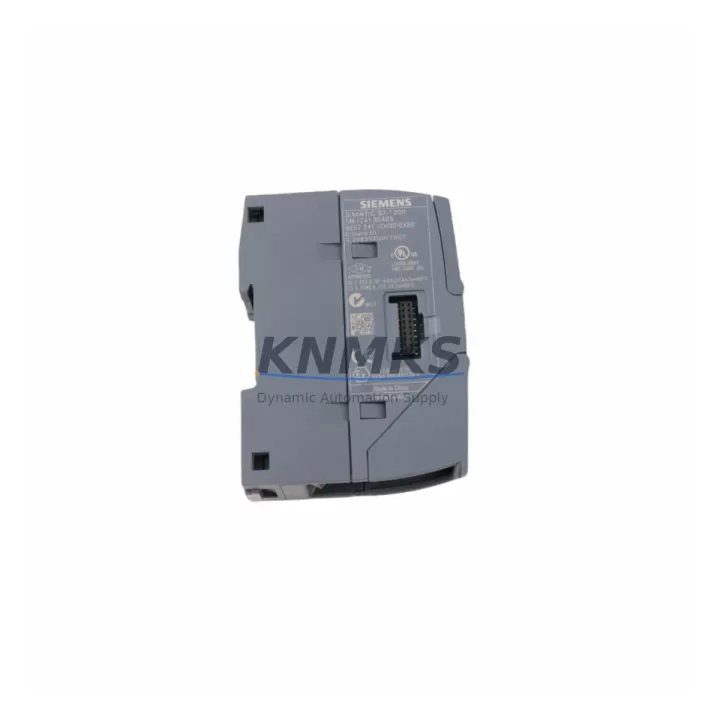
Overview
Siemens 6ES7241-1CH30-0XB0 CB 1241 RS485 for S7-1200: Migration-Ready Communication Board for Legacy Control System Upgrades
The Siemens 6ES7241-1CH30-0XB0 is the CB 1241 RS485 Communication Board designed for direct integration with the S7-1200 CPU series. As industrial facilities accelerate the retirement of aging S7-200 and S7-300 platforms, this module serves as a critical bridge component — enabling RS485-based serial communication continuity during phased migration projects without requiring a full control cabinet redesign. Whether you are replacing a failed communication interface on an active production line or planning a structured upgrade from legacy Modbus RTU or USS protocol networks, the 6ES7241-1CH30-0XB0 delivers the compatibility and reliability that retrofit engineers depend on.
This board plugs directly into the left-side communication board slot of S7-1200 CPUs (CPU 1211C, CPU 1212C, CPU 1214C, CPU 1215C, and CPU 1217C), requiring no additional backplane adapter or rack modification. The compact form factor preserves existing control cabinet space — a key consideration when retrofitting panels originally designed around S7-200 CPU 224 or CPU 226 footprints. Terminal wiring follows the standard RS485 two-wire differential signal convention, and the board supports both point-to-point and multi-drop network topologies at baud rates up to 115.2 kbps.
Migration Compatibility Table
| Parameter | Details |
|---|---|
| SKU / Part Number | 6ES7241-1CH30-0XB0 |
| Module Type | CB 1241 RS485 Communication Board |
| Compatible CPUs | S7-1200: CPU 1211C, 1212C, 1214C, 1215C, 1217C (all firmware V2.0+) |
| Legacy Systems Replaced | S7-200 CP 243-1, S7-300 CP 340 RS485, EM 277 PROFIBUS adapter |
| Communication Interface | RS485 (2-wire, half-duplex), 9-pin terminal block |
| Supported Protocols | Modbus RTU (Master/Slave), USS, Freeport (ASCII/Binary) |
| Baud Rate Range | 300 bps – 115.2 kbps |
| Installation Method | Direct plug-in to S7-1200 CPU left-side CB slot — no tools required |
| Power Supply | Powered via CPU backplane — no external 24 VDC supply needed |
| Cabinet Space Required | No additional DIN rail space; board mounts flush to CPU housing |
| Firmware Compatibility | TIA Portal V13 SP1 and above; STEP 7 Basic / Professional |
| Commissioning Tool | TIA Portal HSP (Hardware Support Package) for CB 1241 required |
| Retrofit Wiring Note | Verify terminal polarity (A+/B−) against legacy device pinout before power-on |
| Support terms | 12 Months — covers manufacturing defects and functional failure under normal operating conditions |
Retrofit Planning for Existing Automation Systems
Successful integration of the 6ES7241-1CH30-0XB0 into a running automation environment requires a structured pre-installation review. Engineers replacing a legacy S7-200 system with an S7-1200 platform must first audit the existing RS485 network segment: document all connected slave devices, their Modbus RTU addresses, baud rate settings, and parity configurations. This data forms the baseline for reconfiguring the CB 1241 communication parameters in TIA Portal.
In multi-axis drive systems using Siemens SINAMICS G120 or V20 inverters over USS protocol, the CB 1241 board maintains the same physical layer as the legacy CP 340 RS485 module, allowing the drive parameter sets (P2010, P2011 baud rate and USS address registers) to remain unchanged during the CPU swap. This significantly reduces commissioning time and eliminates the need to re-tune drive ramp profiles or PID setpoints stored in the inverter.
For cabinet builds that previously relied on a Siemens SM 1223 digital I/O expansion module or an SM 1231 analog input module connected to the S7-1200 CPU via the signal board slot, note that the CB 1241 occupies the communication board position — not the signal board slot — so I/O expansion capacity is unaffected. Engineers can continue to stack SM 1221, SM 1222, and SM 1231 modules on the right side of the CPU without conflict.
Where the legacy control architecture included a TP700 Comfort HMI or KTP700 Basic Panel communicating over MPI or PROFIBUS DP, the migration path typically involves reconfiguring the HMI connection to use PROFINET or Ethernet-based S7 communication via the CPU’s onboard LAN port, while the CB 1241 handles the remaining RS485 field device network independently. This parallel communication architecture eliminates the need for a CP 343-1 Ethernet module that was common in S7-300 retrofit projects.
Power budget verification is essential before finalizing the retrofit design. The S7-1200 CPU internal 5 VDC bus supplies the CB 1241 board directly; confirm that the total current draw from all attached signal boards and communication boards does not exceed the CPU’s internal supply rating (typically 1000 mA for CPU 1214C and 1215C). If the budget is tight, consider relocating non-critical I/O to a distributed ET 200SP station connected via PROFINET to free up local bus capacity.
Downtime Control During System Migration
Minimizing unplanned downtime is the primary operational constraint in any live-system retrofit. For installations where the 6ES7241-1CH30-0XB0 replaces a failed RS485 interface on an active S7-1200 CPU, the board can be hot-swapped only after the CPU is placed in STOP mode — a procedure that takes under 60 seconds and does not require disconnecting field wiring from the terminal block if the replacement board uses the same pinout.
Before initiating the CPU STOP, export the current project from TIA Portal and archive the program blocks, including all Modbus RTU instruction FB instances (MB_COMM_LOAD, MB_MASTER, MB_SLAVE) and their associated data blocks. This ensures that communication parameters — station address, baud rate, response timeout, and inter-character gap — are preserved exactly and can be reloaded to the replacement CPU or restored after a firmware update without manual re-entry.
For phased migration projects where the S7-200 system remains partially active during transition, consider running the new S7-1200 with the CB 1241 in parallel on a separate RS485 segment, gradually migrating slave devices one by one. This approach maintains field control continuity, allows individual device verification under live conditions, and provides a clear rollback path: if a slave device fails to respond correctly to the new Modbus master, the legacy CPU can resume control of that segment without affecting the rest of the migrated network.
All units supplied by KNMKS undergo pre-shipment functional testing: communication port continuity, protocol handshake verification, and visual inspection for connector integrity. Units are shipped in anti-static packaging with original Siemens labeling. Delivery lead time is confirmed at order placement, and support terms confirmed by quotation coverage begins from the date of invoice.
Retrofit Support FAQ
Q1: Is the 6ES7241-1CH30-0XB0 a direct replacement for the CP 340 RS485 module used in S7-300 systems?
The CB 1241 is not a form-factor replacement for the CP 340 — it is designed specifically for the S7-1200 CPU communication board slot. However, it replicates the RS485 protocol functionality of the CP 340 (Modbus RTU, USS, Freeport), making it the functional successor when migrating from S7-300 to S7-1200 architecture. Field device wiring and protocol configurations can be carried over with minimal modification.
Q2: What firmware version is required on the S7-1200 CPU to use this board?
The CB 1241 requires S7-1200 CPU firmware V2.0 or higher and TIA Portal V13 SP1 or above with the corresponding Hardware Support Package (HSP) installed. Verify the CPU firmware version via the TIA Portal online device view before installation. Firmware upgrades can be performed via the CPU’s onboard Ethernet port without removing the CPU from the DIN rail.
Q3: Can this board support both Modbus RTU Master and Slave roles simultaneously?
No — the CB 1241 RS485 port operates in one role at a time, configured via the MB_COMM_LOAD instruction in the CPU program. Master and Slave roles cannot run concurrently on the same port. If your application requires simultaneous Master and Slave operation on separate RS485 segments, a CM 1241 RS485 communication module (e.g., 6ES7241-1CH32-0XB0) installed in the signal module expansion area provides an additional independent RS485 port.
Q4: What does the support terms confirmed by quotation cover, and how is a support terms claim processed?
The support terms confirmed by quotation cover manufacturing defects and functional failure under normal industrial operating conditions (0–55°C ambient, non-condensing). It does not cover damage from incorrect wiring, overvoltage, or physical impact. To initiate a support terms claim, contact KNMKS with the invoice number and a description of the fault. Replacement units are dispatched after fault verification, and defective units are returned for inspection. confirmed support period begins from the invoice date.
© 2026 KNMKS. All rights reserved.
Original Source: https://knmks.com
Contact: admin@knmks.com | +86 18359268345
Product Identification
- Brand / Ecosystem
-
Siemens
Siemens - Model / Series
-
6ES7241-1CH30-0XB0
SIMATIC Series - Product Family
- PLCs & Controllers
- Availability Status
- Available on request after model and quantity confirmation
- Inquiry Type
- B2B RFQ, replacement inquiry and project spare-part request
- Pre-Quote Check
- Exact SKU, brand, series, quantity, nameplate photos and destination country are checked before quotation
System Path
Where this product fits in the KNMKS automation structure.
Specification & Inquiry Focus
- Control platform
- PLC, PAC and modular controllers
- Common needs
- CPU, rack, power and I/O expansion
- Project support
- Replacement, cabinet build and maintenance
Buyer Confirmation
Information KNMKS checks before replying.
- Exact model
- 6ES7241-1CH30-0XB0
- Brand / ecosystem
- Siemens
- Product family
- PLCs & Controllers
- Application note
- Replacement, maintenance, project build or spare-part list
- Useful photos
- Nameplate, installed unit, cabinet layout or connector side
- Delivery details
- Quantity, destination country and target schedule
Document Support
Files and notes can be confirmed during quotation.
- Product photos or nameplate confirmation when available
- Packing and delivery notes before quotation confirmation
- Support scope and delivery terms confirmed per inquiry
- Export document coordination for qualified B2B requests
Inquiry Support
- Model cross-checking before quotation
- CPU, power, rack and expansion module matching
- Support for replacement and project inquiry
What to Send Us
- Brand and exact model number: Siemens 6ES7241-1CH30-0XB0
- Quantity and required delivery time
- Application, replacement requirement or nameplate photo
- Destination country and shipping preference
RFQ Preparation
This is a product inquiry page built for RFQ communication.
Fast Model Check
Send this model to KNMKS for confirmation.
Include quantity, destination country and photos if this is a maintenance replacement. The inquiry will be saved with a reference number after submission.
Brand & Compatibility Note
KNMKS displays automation product information for well-known industrial brand ecosystems and compatible replacement references. Brand names are used for product identification and compatibility reference only; final availability and commercial terms are confirmed per quotation.
 Manufacturing
 Machine Tools
 Packaging
 Energy & Power



 HMI & Displays
 Servo Systems
 Variable Frequency Drives
 Sensors