
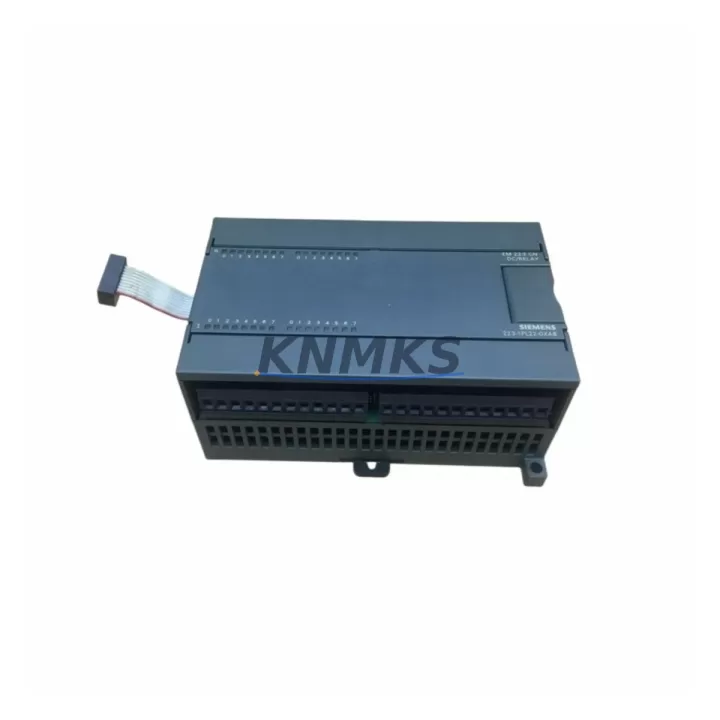
Overview
Siemens 6ES7223-1PL22-0XA8 Maintenance-Proven Spare Part for Factory Uptime
The Siemens 6ES7223-1PL22-0XA8 is an EM223 digital combination module for the S7-200 series PLC platform, providing 16 digital inputs (24 VDC) and 16 relay digital outputs. As a maintenance-proven spare part, it is a critical component for factories relying on legacy S7-200 control architectures to sustain continuous production, minimize unplanned downtime, and extend the operational life of installed automation systems. Sourced as an original Siemens component, each unit is pre-shipment tested and backed by a support terms confirmed by quotation, giving maintenance engineers and procurement teams the confidence to stock and deploy with minimal risk.
For industrial sites operating S7-200-based control panels — including packaging lines, conveyor systems, water treatment stations, and discrete manufacturing cells — the 6ES7223-1PL22-0XA8 represents a direct, plug-compatible replacement for worn or failed EM223 modules. Its relay output architecture makes it especially suited for applications requiring electrical isolation between the PLC logic and field devices such as contactors, solenoid valves, and motor starters.
Spare Maintenance Table
| Parameter | Specification |
|---|---|
| Part Number / SKU | 6ES7223-1PL22-0XA8 |
| Series | Siemens S7-200 / EM223 |
| Module Type | Digital Combination I/O Module |
| Digital Inputs | 16 × 24 VDC |
| Digital Outputs | 16 × Relay (Form A, NO contact) |
| Output Rated Current | 2 A per point |
| Supply Voltage | 24 VDC (sensor supply from CPU or external) |
| Relay Switching Voltage | Up to 250 VAC / 30 VDC |
| Isolation | Optical isolation (inputs); relay contact isolation (outputs) |
| Compatibility | Siemens S7-200 CPU 221, 222, 224, 224XP, 226 |
| Communication Interface | Expansion bus (direct backplane connection) |
| Mounting | DIN rail, direct module expansion |
| Operating Temperature | 0 °C to +55 °C |
| Storage Temperature | -40 °C to +70 °C |
| Protection Rating | IP20 |
| Country of Origin | Germany |
| Pre-Shipment Testing | Yes — functional I/O verification |
| Support terms | 12 Months |
| Typical Application | Conveyor control, packaging lines, water treatment, discrete manufacturing |
| Maintenance Recommendation | Inspect relay contacts every 12 months; verify input signal integrity annually |
Maintenance Planning for Continuous Operation
When replacing the 6ES7223-1PL22-0XA8 in a live S7-200 control cabinet, a disciplined maintenance workflow extends well beyond the module swap itself. Experienced maintenance engineers treat this replacement as an opportunity to audit the entire expansion chain and associated electrical infrastructure.
Begin with the S7-200 CPU module (such as the CPU 224 or CPU 226): verify firmware version compatibility, check the expansion bus connector for pin damage or oxidation, and confirm that the CPU’s 24 VDC sensor supply output is within tolerance before powering the new EM223. A degraded CPU power rail is a common root cause of repeated I/O module failures that goes undetected until a second module fails.
Inspect the 24 VDC power supply unit (e.g., Siemens LOGO! Power or equivalent DIN-rail PSU) feeding the control cabinet. Relay output modules like the 6ES7223-1PL22-0XA8 impose transient load spikes during contact switching; an aging or undersized PSU can cause voltage dips that corrupt PLC scan cycles. Measure output voltage under load and replace if ripple exceeds specification.
Check all terminal blocks and field wiring connected to the 16 relay output channels. Relay contacts are subject to arcing wear, especially on inductive loads. Inspect for discoloration, loose terminations, and carbon tracking on adjacent terminal strips. Where relay outputs drive motor contactors or solenoid valves, verify that surge suppression components (RC snubbers or varistors) are installed across the load coils to protect relay contacts and extend service life.
For the 16 digital input channels, trace field sensor wiring back to proximity switches, limit switches, or pushbutton stations. Confirm that input signal voltages are within the 24 VDC nominal range and that cable shielding is properly grounded at one end to prevent noise-induced false triggering — a frequent issue in high-EMI environments near variable frequency drives (VFDs) or large motor starters.
If the S7-200 system uses a CP 243-1 Ethernet module or EM 277 PROFIBUS-DP module for network communication, verify that the expansion bus address configuration remains consistent after the module replacement. Mismatched expansion module order can cause the CPU to report configuration errors on startup. Similarly, if an EM 231 analog input module or EM 232 analog output module is present in the same expansion chain, confirm that their calibration and scaling parameters are unaffected by the power cycle during replacement.
Finally, review the fuse and circuit protection for each output group. The 6ES7223-1PL22-0XA8 relay outputs are grouped; a blown group fuse will disable multiple outputs simultaneously and can be misdiagnosed as a module failure. Replacing fuses and documenting their ratings as part of the maintenance record prevents repeat incidents and supports future troubleshooting.
Site Replacement Workflow
The 6ES7223-1PL22-0XA8 is a direct plug-in replacement for any EM223 16DI/16DO relay module in the S7-200 expansion chain. No firmware update or software reconfiguration is required in STEP 7 Micro/WIN provided the module is installed in the same physical slot position. Follow this sequence to minimize downtime:
- Safe isolation: Place the S7-200 CPU in STOP mode via the mode selector switch or STEP 7 Micro/WIN. De-energize the control cabinet using the main isolator. Apply lockout/tagout (LOTO) per site safety procedures.
- Documentation: Photograph or record all field wiring terminations on the existing module before disconnection. Label each wire group by output channel number.
- Module removal: Disconnect the expansion bus ribbon cable or direct bus connector. Loosen terminal block screws and remove field wiring. Slide the module off the DIN rail.
- Inspection: Inspect the expansion bus connector on the CPU and adjacent modules for bent pins or contamination. Clean with dry compressed air if necessary.
- New module installation: Mount the 6ES7223-1PL22-0XA8 on the DIN rail in the same slot. Reconnect the expansion bus. Reconnect field wiring per the documented termination record.
- Power-up and verification: Restore power. Place CPU in RUN mode. Monitor the I/O status LEDs on the new module and verify all 16 input and 16 output channels respond correctly using the STEP 7 Micro/WIN status table or a handheld I/O tester.
- Functional test: Execute a controlled test cycle of all connected field devices before returning the line to production. Document the replacement in the site maintenance log.
This workflow is compatible with all S7-200 CPU variants and requires no special tools beyond standard electrician’s equipment. Total replacement time for a prepared maintenance team is typically under 30 minutes, supporting rapid recovery from unplanned downtime events.
Spare Parts Support FAQ
Q1: Is the 6ES7223-1PL22-0XA8 still available as a new original part, or only as refurbished stock?
We supply original Siemens 6ES7223-1PL22-0XA8 modules sourced from authorized distribution channels. Each unit undergoes pre-shipment functional testing covering all 16 digital inputs and 16 relay outputs. Condition and origin documentation is available upon request for procurement audit purposes.
Q2: What is the recommended spare parts inventory strategy for S7-200 EM223 modules?
For production lines with more than two S7-200 expansion racks, we recommend maintaining a minimum of one 6ES7223-1PL22-0XA8 per control cabinet as a cold standby spare. For critical 24/7 operations, a hot standby spare stored in the cabinet’s spare parts drawer reduces mean time to repair (MTTR) to under one hour. Annual inventory review aligned with planned shutdown schedules is best practice.
Q3: How is compatibility verified before shipment, and what does the support terms confirmed by quotation cover?
Each 6ES7223-1PL22-0XA8 is tested for correct I/O response, relay contact continuity, and expansion bus communication prior to dispatch. The support terms confirmed by quotation cover manufacturing defects and functional failures under normal operating conditions. It does not cover damage from incorrect installation, overvoltage events, or environmental exposure beyond the rated IP20 protection class.
Q4: Can you support long-term supply agreements for ongoing S7-200 maintenance programs?
Yes. We support blanket purchase orders and scheduled delivery agreements for maintenance teams managing large installed bases of S7-200 systems. Long-term supply contracts include price stability commitments and priority allocation during periods of market shortage — a significant risk mitigation factor given the end-of-sale status of the S7-200 platform. Contact our sales team to discuss volume pricing and delivery scheduling.
© 2026 KNMKS. All rights reserved.
Original Source: https://knmks.com
Contact: admin@knmks.com | +86 18359268345
Product Identification
- Brand / Ecosystem
-
Siemens
Siemens - Model / Series
-
6ES7223-1PL22-0XA8
SIMATIC Series - Product Family
- PLCs & Controllers
- Availability Status
- Available on request after model and quantity confirmation
- Inquiry Type
- B2B RFQ, replacement inquiry and project spare-part request
- Pre-Quote Check
- Exact SKU, brand, series, quantity, nameplate photos and destination country are checked before quotation
System Path
Where this product fits in the KNMKS automation structure.
Specification & Inquiry Focus
- Control platform
- PLC, PAC and modular controllers
- Common needs
- CPU, rack, power and I/O expansion
- Project support
- Replacement, cabinet build and maintenance
Buyer Confirmation
Information KNMKS checks before replying.
- Exact model
- 6ES7223-1PL22-0XA8
- Brand / ecosystem
- Siemens
- Product family
- PLCs & Controllers
- Application note
- Replacement, maintenance, project build or spare-part list
- Useful photos
- Nameplate, installed unit, cabinet layout or connector side
- Delivery details
- Quantity, destination country and target schedule
Document Support
Files and notes can be confirmed during quotation.
- Product photos or nameplate confirmation when available
- Packing and delivery notes before quotation confirmation
- Support scope and delivery terms confirmed per inquiry
- Export document coordination for qualified B2B requests
Inquiry Support
- Model cross-checking before quotation
- CPU, power, rack and expansion module matching
- Support for replacement and project inquiry
What to Send Us
- Brand and exact model number: Siemens 6ES7223-1PL22-0XA8
- Quantity and required delivery time
- Application, replacement requirement or nameplate photo
- Destination country and shipping preference
RFQ Preparation
This is a product inquiry page built for RFQ communication.
Fast Model Check
Send this model to KNMKS for confirmation.
Include quantity, destination country and photos if this is a maintenance replacement. The inquiry will be saved with a reference number after submission.
Brand & Compatibility Note
KNMKS displays automation product information for well-known industrial brand ecosystems and compatible replacement references. Brand names are used for product identification and compatibility reference only; final availability and commercial terms are confirmed per quotation.
 Manufacturing
 Machine Tools
 Packaging
 Energy & Power



 HMI & Displays
 Servo Systems
 Variable Frequency Drives
 Sensors