
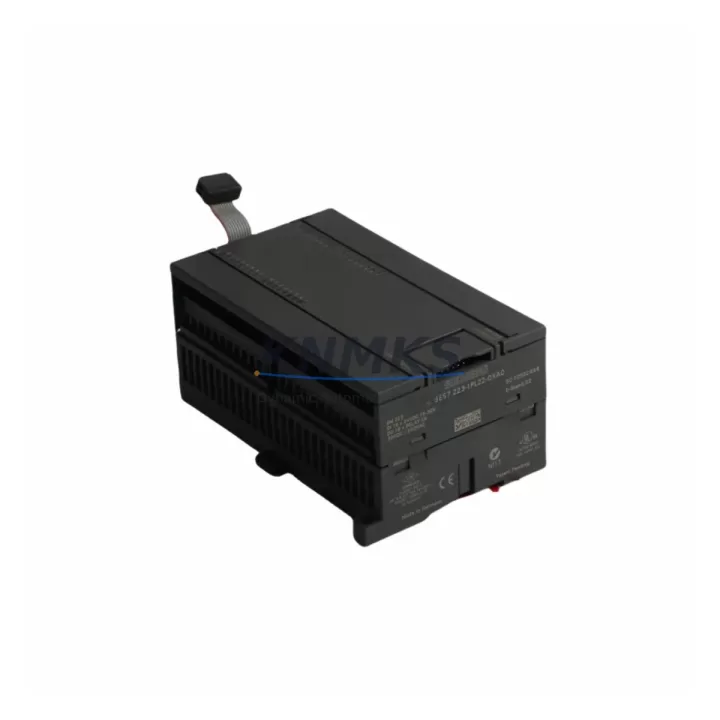
Overview
Siemens 6ES7223-1PL22-0XA0 Maintenance-Proven Spare Part for Factory Uptime
The Siemens 6ES7223-1PL22-0XA0 is an EM223 expansion module designed for the SIMATIC S7-200 series PLC platform, providing 16 digital inputs and 16 digital outputs in a compact DIN-rail-mounted housing. For maintenance engineers managing aging automation lines, this module represents a critical spare that directly impacts production continuity. Whether you are responding to an unplanned I/O failure, executing a scheduled annual overhaul, or building a strategic spare parts inventory for your control cabinet, the 6ES7223-1PL22-0XA0 is a proven replacement that restores system functionality without requiring software reconfiguration or hardware redesign.
Sourced as an original Siemens component, this module is fully compatible with the S7-200 CPU family — including the CPU 221, CPU 222, CPU 224, CPU 224XP, and CPU 226 — and integrates directly into existing expansion bus configurations. Procurement engineers can rely on our support terms confirmed by quotation, pre-shipment functional testing, and long-term supply commitment to reduce sourcing risk for legacy system support programs.
Spare Maintenance Table
| Parameter | Specification |
|---|---|
| Part Number / SKU | 6ES7223-1PL22-0XA0 |
| Series | SIMATIC S7-200 EM223 |
| Module Type | Digital Combination I/O Expansion Module |
| Digital Inputs | 16 × 24 VDC, IEC Type 1 Sink |
| Digital Outputs | 16 × 24 VDC Transistor (Source), 0.75 A per output |
| Supply Voltage | 24 VDC (20.4–28.8 VDC) |
| Current Consumption (5 VDC Bus) | Max. 145 mA |
| Current Consumption (24 VDC) | Max. 60 mA (no load) |
| Isolation | Optical isolation between field and logic circuits |
| Mounting | DIN Rail (35 mm) or Panel Mount |
| Dimensions (W × H × D) | Approx. 196 × 80 × 62 mm |
| Weight | Approx. 320 g |
| Operating Temperature | 0 °C to +55 °C |
| Storage Temperature | −40 °C to +70 °C |
| Degree of Protection | IP20 |
| Origin | Germany |
| Compatibility | SIMATIC S7-200: CPU 221, 222, 224, 224XP, 226 |
| Support terms | 12 Months |
| Pre-Shipment Testing | Functional I/O verification performed before dispatch |
Maintenance Planning for Continuous Operation
When a 6ES7223-1PL22-0XA0 module fails or is flagged during a control cabinet inspection, experienced maintenance engineers know that the fault rarely exists in isolation. A thorough site assessment should accompany any I/O module replacement to prevent repeat failures and ensure the restored system operates reliably through the next maintenance cycle.
Begin by verifying the 24 VDC field power supply feeding the module’s input and output circuits. A degraded or undersized power supply — such as a Siemens SITOP PSU100S or equivalent 24 VDC DIN-rail unit — can cause intermittent I/O errors that mimic module failure. Check output voltage under load and inspect for ripple or voltage drop before commissioning the replacement module.
Next, inspect the S7-200 CPU’s expansion bus connector and the ribbon cable linking the CPU to the EM223 module. The expansion bus cable is a common wear item in high-vibration environments and should be replaced proactively if the installation is more than five years old. While the cabinet is open, verify the CPU 224 or CPU 226 firmware version and battery backup status — a depleted CPU backup battery can cause program loss during power cycling, compounding the impact of an I/O module fault.
For output-side faults, examine the field wiring terminal blocks and any intermediate relay modules connected to the 6ES7223-1PL22-0XA0 outputs. Siemens S7-200 systems frequently use relay output expansion modules such as the EM222 alongside transistor output modules for mixed load applications. Inspect relay coil resistance and contact condition on any EM222 units in the same cabinet. Additionally, check the fuse or circuit breaker protecting the 24 VDC output supply — a blown fuse on the output commons is a frequent root cause of apparent module failure.
If the S7-200 system communicates via PPI or MPI networks, inspect the PC/PPI cable or CP 243-1 Ethernet module for communication errors. A corrupted communication module can prevent the CPU from correctly addressing expansion I/O, producing fault codes that appear to originate from the EM223 module. For systems integrated with HMI panels such as the Siemens TP177 or OP77, verify that the HMI communication parameters remain intact after the module swap.
Procurement engineers supporting legacy S7-200 installations should maintain a minimum stock of one EM223 16DI/16DO module per production line, alongside spare CPU batteries, expansion bus cables, and at least one spare CPU unit. This inventory strategy ensures that any single-point failure can be resolved within one shift, maintaining the factory uptime targets that justify continued operation of legacy PLC platforms.
Site Replacement Workflow
Step 1 — Safety Isolation: De-energize the control cabinet and lock out / tag out (LOTO) the 24 VDC supply to the S7-200 expansion rack. Confirm zero voltage at the module terminals before proceeding.
Step 2 — Document Wiring: Photograph or sketch the field wiring connections on the existing 6ES7223-1PL22-0XA0 before removal. Label each terminal group (I/O commons, input groups, output groups) to ensure accurate reconnection.
Step 3 — Module Removal: Disconnect the expansion bus ribbon cable from the left side of the module. Release the DIN-rail locking tab and slide the module free. Inspect the bus connector pins on both the removed module and the adjacent CPU or expansion module for damage or corrosion.
Step 4 — Install Replacement: Clip the new 6ES7223-1PL22-0XA0 onto the DIN rail and reconnect the expansion bus cable. Reconnect field wiring according to your documentation, verifying terminal torque to Siemens specification (typically 0.5–0.6 Nm for S7-200 terminal blocks).
Step 5 — Power-Up and Verification: Restore 24 VDC power and observe the module’s LED indicators. The green PWR LED should illuminate immediately; the I/O status LEDs should reflect the current field signal states. Use STEP 7 Micro/WIN or STEP 7 Micro/WIN SMART to force individual I/O points and verify correct operation before returning the system to automatic mode.
Step 6 — System Handover: Update the maintenance log with the replacement date, module serial number, and any observations noted during the swap. Schedule a follow-up inspection at the next planned maintenance window to confirm stable operation.
This workflow is applicable to direct replacement of obsolete or end-of-life EM223 variants, including earlier revisions of the 6ES7223 series. No software changes are required when replacing like-for-like within the same S7-200 hardware generation.
Spare Parts Support FAQ
Q1: Is the 6ES7223-1PL22-0XA0 compatible with all S7-200 CPU models?
The EM223 16DI/16DO module is compatible with the full SIMATIC S7-200 CPU range, including CPU 221, 222, 224, 224XP, and 226. The maximum number of expansion modules per CPU varies by model — the CPU 224 supports up to 7 expansion modules, while the CPU 221 supports none. Verify your CPU’s expansion capacity before ordering multiple modules for a single rack.
Q2: What testing is performed before shipment?
Each 6ES7223-1PL22-0XA0 unit undergoes functional I/O verification prior to dispatch. Input signal detection and output switching are tested under rated 24 VDC conditions. A test report is available upon request for quality-controlled procurement processes.
Q3: Can this module replace older revisions of the EM223?
Yes. The 6ES7223-1PL22-0XA0 is a current production revision of the EM223 16DI/16DO and is backward compatible with earlier hardware revisions used in the same S7-200 expansion bus. No firmware or software modifications are required for direct substitution.
Q4: What are the long-term supply and support terms terms?
We maintain ongoing stock of the 6ES7223-1PL22-0XA0 to support legacy S7-200 maintenance programs. All units are covered by a support terms confirmed by quotation against manufacturing defects and functional failure under normal operating conditions. For volume procurement or annual maintenance contracts requiring guaranteed availability, contact our sales team to discuss reserved stock arrangements.
© 2026 KNMKS. All rights reserved.
Original Source: https://knmks.com
Contact: admin@knmks.com | +86 18359268345
Product Identification
- Brand / Ecosystem
-
SIEMENS
Siemens - Model / Series
-
6ES7223-1PL22-0XA0
SIMATIC Series - Product Family
- PLCs & Controllers
- Availability Status
- Available on request after model and quantity confirmation
- Inquiry Type
- B2B RFQ, replacement inquiry and project spare-part request
- Pre-Quote Check
- Exact SKU, brand, series, quantity, nameplate photos and destination country are checked before quotation
System Path
Where this product fits in the KNMKS automation structure.
Specification & Inquiry Focus
- Control platform
- PLC, PAC and modular controllers
- Common needs
- CPU, rack, power and I/O expansion
- Project support
- Replacement, cabinet build and maintenance
Buyer Confirmation
Information KNMKS checks before replying.
- Exact model
- 6ES7223-1PL22-0XA0
- Brand / ecosystem
- SIEMENS
- Product family
- PLCs & Controllers
- Application note
- Replacement, maintenance, project build or spare-part list
- Useful photos
- Nameplate, installed unit, cabinet layout or connector side
- Delivery details
- Quantity, destination country and target schedule
Document Support
Files and notes can be confirmed during quotation.
- Product photos or nameplate confirmation when available
- Packing and delivery notes before quotation confirmation
- Support scope and delivery terms confirmed per inquiry
- Export document coordination for qualified B2B requests
Inquiry Support
- Model cross-checking before quotation
- CPU, power, rack and expansion module matching
- Support for replacement and project inquiry
What to Send Us
- Brand and exact model number: SIEMENS 6ES7223-1PL22-0XA0
- Quantity and required delivery time
- Application, replacement requirement or nameplate photo
- Destination country and shipping preference
RFQ Preparation
This is a product inquiry page built for RFQ communication.
Fast Model Check
Send this model to KNMKS for confirmation.
Include quantity, destination country and photos if this is a maintenance replacement. The inquiry will be saved with a reference number after submission.
Brand & Compatibility Note
KNMKS displays automation product information for well-known industrial brand ecosystems and compatible replacement references. Brand names are used for product identification and compatibility reference only; final availability and commercial terms are confirmed per quotation.
 Manufacturing
 Machine Tools
 Packaging
 Energy & Power



 HMI & Displays
 Servo Systems
 Variable Frequency Drives
 Sensors