
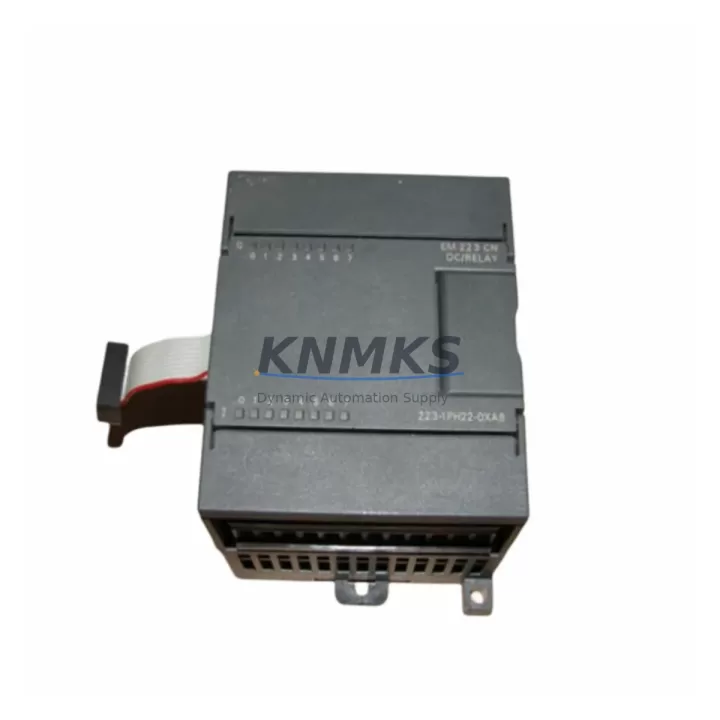
Overview
Siemens 6ES7223-1PH22-0XA8 Maintenance-Proven Spare for Factory Uptime
The Siemens 6ES7223-1PH22-0XA8 is a digital combination expansion module for the S7-200 SMART PLC series, providing 8 digital inputs (24 V DC) and 8 relay digital outputs (2 A, 250 V AC / 30 V DC). Designed for continuous industrial operation, this module is a critical spare part for maintenance engineers managing production lines, control cabinets, and legacy automation systems that depend on the S7-200 SMART platform. Sourced as an original Siemens component, each unit is tested before shipment and backed by a support terms confirmed by quotation, ensuring reliable drop-in replacement with zero compatibility risk.
For procurement engineers, stocking the 6ES7223-1PH22-0XA8 as a shelf spare eliminates unplanned downtime caused by relay output failures, I/O expansion faults, or aging module degradation. Its relay output architecture makes it suitable for direct load switching in motor control, conveyor, packaging, and process automation environments where solid-state outputs are not preferred. The module connects directly to the S7-200 SMART CPU via the expansion bus, requiring no additional configuration beyond the existing STEP 7-Micro/WIN SMART project.
Spare Maintenance Table
| Parameter | Specification |
|---|---|
| Part Number | 6ES7223-1PH22-0XA8 |
| Series | Siemens S7-200 SMART |
| Module Type | Digital Combination Expansion (8DI / 8DO Relay) |
| Digital Inputs | 8 × 24 V DC, IEC Type 1 sink |
| Digital Outputs | 8 × Relay, 2 A @ 250 V AC / 30 V DC |
| Output Isolation | Relay contact (galvanic isolation) |
| Supply Voltage | 24 V DC (sensor supply via CPU) |
| Power Consumption | ≤ 4 W (module) + load |
| Dimensions (W×H×D) | 71.2 × 100 × 81 mm |
| Operating Temperature | 0 °C to +55 °C |
| Storage Temperature | −40 °C to +70 °C |
| Degree of Protection | IP20 |
| Mounting | DIN rail (35 mm) or panel mount |
| Bus Connection | S7-200 SMART expansion bus connector |
| Compatible CPUs | S7-200 SMART CPU SR20 / SR30 / SR40 / SR60 / ST20 / ST30 / ST40 / ST60 |
| Origin | Germany |
| Support terms | 12 Months — tested before shipment |
Maintenance Planning for Continuous Operation
When replacing the 6ES7223-1PH22-0XA8 during a scheduled or emergency maintenance event, a thorough inspection of the surrounding electrical circuit is essential to prevent repeat failures and ensure system integrity. Maintenance engineers should begin by verifying the 24 V DC supply rail feeding the S7-200 SMART CPU and its expansion modules — a degraded or noisy power supply is a common root cause of I/O module faults. The Siemens S7-200 SMART PM207 power module or equivalent 24 V DC DIN-rail power supply should be load-tested and replaced if output ripple exceeds specification.
Inspect all expansion bus ribbon cables connecting the CPU to downstream expansion modules. Cracked connectors or intermittent bus contacts can cause the 6ES7223-1PH22-0XA8 to report communication errors even after module replacement. While the cabinet is open, check the S7-200 SMART EM AE04 or EM AQ02 analog expansion modules in the same rack for signs of overheating or terminal corrosion, as these share the same bus and power infrastructure.
On the output side, relay contacts driving inductive loads — motors, solenoids, and contactors — should be protected by RC snubber circuits or varistors at the load terminals. Missing or failed surge suppressors accelerate relay contact wear and are a leading cause of premature DO module failure. Verify that all terminal blocks and wiring ferrules on the I/O connector are torqued to specification and free of oxidation, particularly in humid or chemically aggressive environments.
For systems with communication requirements, confirm that the Siemens S7-200 SMART EM DP01 PROFIBUS-DP module or Ethernet CP module in the same cabinet is functioning correctly, as a bus fault on the communication side can mask or trigger false I/O diagnostics. If the control cabinet includes signal isolators or barriers between field sensors and PLC inputs, inspect these for drift or failure — degraded isolation can introduce ground loops that damage input circuits on the 6ES7223-1PH22-0XA8. Finally, check all fuses and circuit breakers on the 24 V DC distribution board; a slow-blow fuse rated for the relay output load should be installed on each output group to protect both the module and the field wiring.
Site Replacement Workflow
Step 1 — Isolate and de-energize: Switch off the 24 V DC supply to the S7-200 SMART expansion rack. Confirm zero voltage at the module terminals with a calibrated multimeter before proceeding.
Step 2 — Document wiring: Photograph or record all I/O terminal assignments on the 6ES7223-1PH22-0XA8 before disconnecting. The module uses a removable terminal block — label and retain the original connector to transfer wiring to the replacement unit without re-termination errors.
Step 3 — Remove the failed module: Disconnect the expansion bus connector, release the DIN rail locking tab, and slide the module free. Inspect the bus connector pins on both the CPU and adjacent modules for damage.
Step 4 — Install the replacement: Seat the new 6ES7223-1PH22-0XA8 on the DIN rail, engage the bus connector firmly, and reattach the pre-wired terminal block. No firmware or address configuration is required — the S7-200 SMART CPU auto-detects the module type on power-up.
Step 5 — Power-up and verify: Restore 24 V DC supply and observe the module LED indicators. The green RUN LED should illuminate within 3 seconds. Use STEP 7-Micro/WIN SMART to confirm module recognition in the system block and perform a forced I/O test on all 8 inputs and 8 relay outputs before returning the line to production.
Step 6 — Update maintenance records: Log the replacement date, module serial number, and test results in the equipment maintenance register. Schedule the next inspection interval based on relay switching cycle count and ambient operating conditions.
This workflow supports direct replacement of earlier S7-200 SMART relay expansion modules including the 6ES7223-1PH22-0XA0 and 6ES7223-1PH22-0XA8 revisions, maintaining full compatibility with existing STEP 7-Micro/WIN SMART projects without program modification.
Spare Parts Support FAQ
Q1: Is the 6ES7223-1PH22-0XA8 compatible with all S7-200 SMART CPU models?
Yes. The 6ES7223-1PH22-0XA8 is compatible with all S7-200 SMART CPU variants including SR20, SR30, SR40, SR60, ST20, ST30, ST40, and ST60. The module is auto-detected by the CPU on power-up and requires no manual address configuration. Confirm the total expansion module count does not exceed the CPU’s maximum expansion limit (typically 6 modules).
Q2: What does the support terms confirmed by quotation cover, and how is it validated?
Each 6ES7223-1PH22-0XA8 unit is functionally tested prior to shipment — inputs, relay outputs, bus communication, and LED indicators are verified. The support terms confirmed by quotation cover manufacturing defects and functional failures under normal operating conditions. Support requests are supported with shipment test records. Units showing damage from overvoltage, incorrect wiring, or environmental exposure outside specification are assessed case by case.
Q3: How should I manage long-term spare parts inventory for S7-200 SMART systems?
For production lines with more than two S7-200 SMART expansion racks, maintaining a minimum of one 6ES7223-1PH22-0XA8 per site as a cold spare is recommended. Given that the S7-200 SMART platform is a mature product line, sourcing original spares from verified supply channels or verified industrial suppliers is critical to avoid counterfeit components. Procurement engineers should establish a preferred supplier relationship and confirm lead times annually, particularly for relay output modules with high switching cycle loads.
Q4: Can this module replace older S7-200 (non-SMART) expansion modules?
No. The 6ES7223-1PH22-0XA8 is designed exclusively for the S7-200 SMART platform and is not physically or electrically compatible with the classic S7-200 series (e.g., EM 223 modules). If you are migrating from S7-200 to S7-200 SMART, a full I/O mapping review and program conversion using STEP 7-Micro/WIN SMART is required. Contact our technical team for migration support and compatible spare part recommendations.
© 2026 KNMKS. All rights reserved.
Original Source: https://knmks.com
Contact: admin@knmks.com | +86 18359268345
Product Identification
- Brand / Ecosystem
-
Siemens
Siemens - Model / Series
-
6ES7223-1PH22-0XA8
SIMATIC Series - Product Family
- PLCs & Controllers
- Availability Status
- Available on request after model and quantity confirmation
- Inquiry Type
- B2B RFQ, replacement inquiry and project spare-part request
- Pre-Quote Check
- Exact SKU, brand, series, quantity, nameplate photos and destination country are checked before quotation
System Path
Where this product fits in the KNMKS automation structure.
Specification & Inquiry Focus
- Control platform
- PLC, PAC and modular controllers
- Common needs
- CPU, rack, power and I/O expansion
- Project support
- Replacement, cabinet build and maintenance
Buyer Confirmation
Information KNMKS checks before replying.
- Exact model
- 6ES7223-1PH22-0XA8
- Brand / ecosystem
- Siemens
- Product family
- PLCs & Controllers
- Application note
- Replacement, maintenance, project build or spare-part list
- Useful photos
- Nameplate, installed unit, cabinet layout or connector side
- Delivery details
- Quantity, destination country and target schedule
Document Support
Files and notes can be confirmed during quotation.
- Product photos or nameplate confirmation when available
- Packing and delivery notes before quotation confirmation
- Support scope and delivery terms confirmed per inquiry
- Export document coordination for qualified B2B requests
Inquiry Support
- Model cross-checking before quotation
- CPU, power, rack and expansion module matching
- Support for replacement and project inquiry
What to Send Us
- Brand and exact model number: Siemens 6ES7223-1PH22-0XA8
- Quantity and required delivery time
- Application, replacement requirement or nameplate photo
- Destination country and shipping preference
RFQ Preparation
This is a product inquiry page built for RFQ communication.
Fast Model Check
Send this model to KNMKS for confirmation.
Include quantity, destination country and photos if this is a maintenance replacement. The inquiry will be saved with a reference number after submission.
Brand & Compatibility Note
KNMKS displays automation product information for well-known industrial brand ecosystems and compatible replacement references. Brand names are used for product identification and compatibility reference only; final availability and commercial terms are confirmed per quotation.
 Manufacturing
 Machine Tools
 Packaging
 Energy & Power



 HMI & Displays
 Servo Systems
 Variable Frequency Drives
 Sensors