
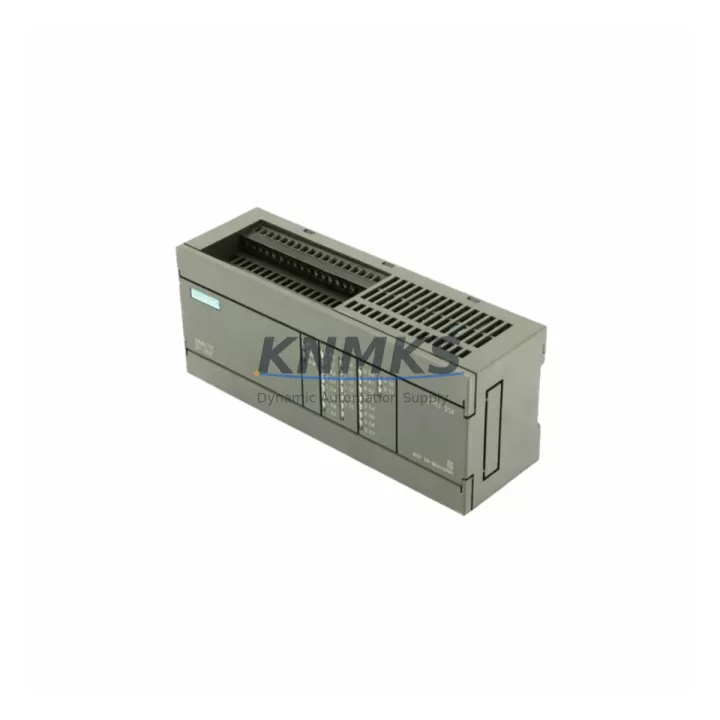
Overview
Siemens 6ES7214-1BC01-0XB0 Spare Part for Factory Uptime
The Siemens 6ES7214-1BC01-0XB0 is a SIMATIC S7-200 CPU 214 programmable logic controller module widely deployed across discrete manufacturing, water treatment, building automation, and light process control applications. As original equipment reaches end-of-support status, maintaining a verified replacement unit in your spare parts inventory is the most reliable strategy to protect production continuity. KNMKS supplies this CPU module as a pre-tested, original-grade spare with a support terms confirmed by quotation, multi-region stock availability, and fast global dispatch to support both emergency breakdowns and scheduled maintenance windows.
Spare Maintenance Table
| Parameter | Specification |
|---|---|
| SKU / Part Number | 6ES7214-1BC01-0XB0 |
| Brand | Siemens |
| Series | SIMATIC S7-200 |
| Module Type | PLC CPU Module (CPU 214) |
| Supply Voltage | 24 VDC |
| Digital Inputs | 14 DI |
| Digital Outputs | 10 DO (Relay) |
| Program Memory | 4 KB |
| Data Memory | 2.5 KB |
| Communication Port | 2 × RS-485 (PPI/MPI) |
| Expansion Modules | Up to 7 EM modules |
| Operating Temperature | 0 °C to +55 °C |
| Protection Rating | IP20 |
| Origin | Germany |
| Compatibility | SIMATIC S7-200 system; compatible with EM 221, EM 222, EM 223, EM 231, EM 232, EM 235 expansion modules |
| Programming Software | STEP 7-Micro/WIN |
| Pre-Shipment Testing | Yes — functional and communication verification |
| Support terms | 12 Months |
| Dispatch | Multi-region stock; global express available |
Maintenance Planning for Continuous Operation
When replacing the 6ES7214-1BC01-0XB0 CPU, a disciplined site inspection of the surrounding electrical cabinet is essential to prevent repeat failures and ensure a clean restart. Maintenance engineers should begin by verifying the 24 VDC power supply module — voltage ripple or transient spikes are a leading cause of CPU damage in S7-200 installations. Confirm that the power supply output is within tolerance before energizing the replacement unit.
Next, inspect all EM expansion modules connected to the CPU bus. The S7-200 CPU 214 supports up to seven expansion modules, and a failed or intermittently connected EM 223 digital I/O module or EM 231 analog input module can generate bus errors that are misdiagnosed as CPU faults. Check the ribbon connectors and module seating carefully. If the system uses analog signal conditioning, verify that any signal isolators in the 4–20 mA loops are functioning correctly, as degraded isolation can introduce ground loops that corrupt analog readings and trigger CPU faults.
Review the RS-485 communication wiring on both PPI ports. Damaged or improperly terminated network cables between the CPU and an HMI panel — such as a Siemens TP 177 or OP 77B — can cause communication timeouts that appear as CPU errors. Inspect the network termination resistors and cable shielding. If a PC Access or STEP 7-Micro/WIN programming adapter (PC/PPI cable or USB-PPI adapter) is used for diagnostics, confirm the adapter is compatible with the replacement CPU firmware version.
Check all input fuses and output relay contacts. The 10 relay outputs on the CPU 214 are subject to contact wear in high-cycle applications; if output channels were showing intermittent behavior before the CPU failure, the relay contacts may need replacement independently. Inspect the terminal blocks for loose wiring, corrosion, or thermal discoloration — these are common in cabinets operating near the upper temperature limit. Finally, if the installation includes a SIMATIC S7-200 Modem Module (EM 241) or a PROFIBUS DP module (EM 277) for remote communications, verify these modules are powered and communicating correctly after the CPU swap before returning the line to production.
Site Replacement Workflow
Step 1 — Document and Back Up: Before powering down, use STEP 7-Micro/WIN to upload and save the current PLC program, data block, and system block to a PC. Confirm the backup is complete and readable. Note the current CPU operating mode (RUN/STOP) and any active force tables.
Step 2 — Safe Isolation: Switch the CPU to STOP mode. Isolate the 24 VDC supply to the CPU and expansion modules using the cabinet’s main disconnect. Follow your site’s lockout/tagout (LOTO) procedure. Allow capacitors to discharge for at least 30 seconds before handling the module.
Step 3 — Module Removal: Disconnect the I/O wiring connectors from the CPU (they are removable on the S7-200 CPU 214, which preserves field wiring). Remove the expansion bus connector. Unclip the CPU from the DIN rail.
Step 4 — Install Replacement 6ES7214-1BC01-0XB0: Clip the new CPU onto the DIN rail. Reconnect the expansion bus connector and I/O wiring connectors in the correct order. Verify that all connectors are fully seated.
Step 5 — Program Download and Verification: Connect the programming adapter and download the saved program, data block, and system block to the new CPU. Set the CPU to RUN mode and monitor the program for one full machine cycle. Verify all I/O signals, communication links to the HMI, and any remote PROFIBUS or Modbus devices are operating correctly.
Step 6 — Return to Production: Confirm with the operations team that all process values are within normal range. Document the replacement in the site maintenance log, including the date, replaced part number, and technician name. Update the spare parts inventory to trigger a reorder for the consumed unit.
Spare Parts Support FAQ
Q1: Is the 6ES7214-1BC01-0XB0 still available as a new or original-grade spare?
Yes. Although the SIMATIC S7-200 series has reached end-of-sale status with Siemens, KNMKS maintains multi-region stock of original-grade 6ES7214-1BC01-0XB0 units sourced through verified industrial supply channels. Each unit undergoes pre-shipment functional testing and ships with a support terms confirmed by quotation, making it a reliable option for both emergency replacements and planned maintenance stock.
Q2: How do I verify compatibility before ordering?
The 6ES7214-1BC01-0XB0 is a direct fit for any SIMATIC S7-200 installation that previously used the CPU 214 with 24 VDC supply, 14 digital inputs, and 10 relay outputs. Confirm your existing expansion module count (maximum 7) and communication requirements (PPI/MPI via RS-485). If your system uses an EM 277 PROFIBUS module or EM 241 modem module, these remain compatible. Contact admin@knmks.com with your existing CPU label photo for confirmation before ordering if there is any uncertainty.
Q3: What is included in the pre-shipment testing process?
Every 6ES7214-1BC01-0XB0 unit shipped by KNMKS is tested for power-on functionality, I/O channel integrity, RS-485 communication port operation, and program download/upload capability using STEP 7-Micro/WIN. Units that do not pass all test criteria are not shipped. A test report is available upon request for quality-critical procurement processes.
Q4: What is your long-term supply commitment for this part?
KNMKS maintains a dedicated inventory position for end-of-life Siemens S7-200 CPU modules to support customers with extended system lifecycles. We offer long-term supply agreements (LTSAs) for customers requiring guaranteed annual quantities, priority allocation during supply constraints, and fixed pricing over a defined contract period. Contact our sales team to discuss an LTSA tailored to your maintenance schedule and annual consumption forecast.
© 2026 KNMKS. All rights reserved.
Original Source: https://knmks.com
Contact: admin@knmks.com | +86 18359268345
Product Identification
- Brand / Ecosystem
-
Siemens
Siemens - Model / Series
-
6ES7214-1BC01-0XB0
SIMATIC Series - Product Family
- PLCs & Controllers
- Availability Status
- Available on request after model and quantity confirmation
- Inquiry Type
- B2B RFQ, replacement inquiry and project spare-part request
- Pre-Quote Check
- Exact SKU, brand, series, quantity, nameplate photos and destination country are checked before quotation
System Path
Where this product fits in the KNMKS automation structure.
Specification & Inquiry Focus
- Control platform
- PLC, PAC and modular controllers
- Common needs
- CPU, rack, power and I/O expansion
- Project support
- Replacement, cabinet build and maintenance
Buyer Confirmation
Information KNMKS checks before replying.
- Exact model
- 6ES7214-1BC01-0XB0
- Brand / ecosystem
- Siemens
- Product family
- PLCs & Controllers
- Application note
- Replacement, maintenance, project build or spare-part list
- Useful photos
- Nameplate, installed unit, cabinet layout or connector side
- Delivery details
- Quantity, destination country and target schedule
Document Support
Files and notes can be confirmed during quotation.
- Product photos or nameplate confirmation when available
- Packing and delivery notes before quotation confirmation
- Support scope and delivery terms confirmed per inquiry
- Export document coordination for qualified B2B requests
Inquiry Support
- Model cross-checking before quotation
- CPU, power, rack and expansion module matching
- Support for replacement and project inquiry
What to Send Us
- Brand and exact model number: Siemens 6ES7214-1BC01-0XB0
- Quantity and required delivery time
- Application, replacement requirement or nameplate photo
- Destination country and shipping preference
RFQ Preparation
This is a product inquiry page built for RFQ communication.
Fast Model Check
Send this model to KNMKS for confirmation.
Include quantity, destination country and photos if this is a maintenance replacement. The inquiry will be saved with a reference number after submission.
Brand & Compatibility Note
KNMKS displays automation product information for well-known industrial brand ecosystems and compatible replacement references. Brand names are used for product identification and compatibility reference only; final availability and commercial terms are confirmed per quotation.
 Manufacturing
 Machine Tools
 Packaging
 Energy & Power



 HMI & Displays
 Servo Systems
 Variable Frequency Drives
 Sensors