
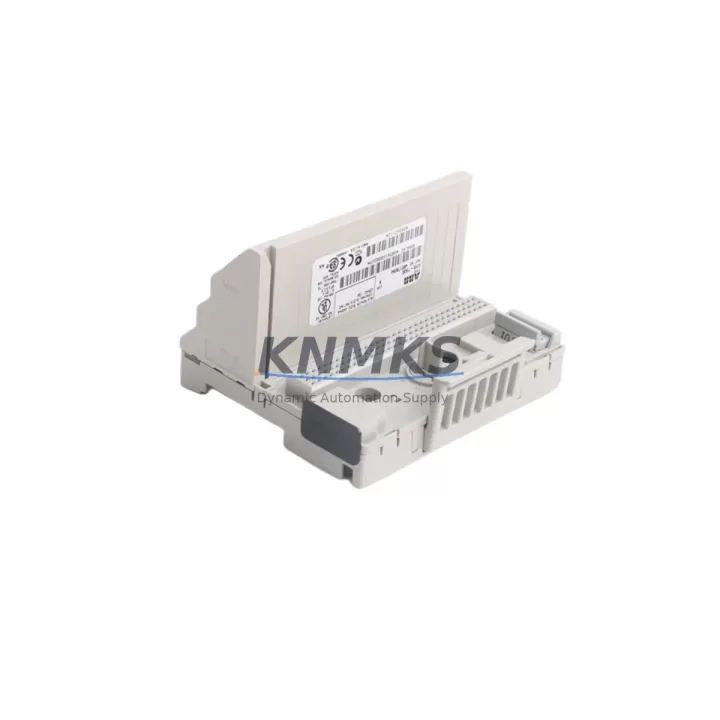
Overview
Siemens 6ES7214-1AG40-0XB0 Maintenance-Proven Spare Part for Factory Uptime
The Siemens 6ES7214-1AG40-0XB0 is the CPU 1214C DC/DC/DC module within the SIMATIC S7-1200 series — a compact, high-performance programmable logic controller widely deployed across discrete manufacturing, process automation, conveyor systems, packaging lines, and building automation. As a maintenance-proven spare part, this CPU module is a critical asset for any facility running S7-1200-based control architectures. Sourced as an original Siemens component, each unit at KNMKS is inspected, function-tested, and shipped with a support terms confirmed by quotation to support your plant’s continuous operation strategy.
For maintenance engineers managing aging S7-1200 installations, having a verified spare of the 6ES7214-1AG40-0XB0 on the shelf is not optional — it is a fundamental risk mitigation measure. CPU failures in PLC-controlled production lines can result in unplanned downtime measured in hours or days. With a pre-qualified replacement unit available, your team can execute a controlled swap, restore the program from a memory card or TIA Portal backup, and return the line to production within a single maintenance window.
Procurement engineers sourcing this module should verify the firmware revision compatibility with their existing TIA Portal project version. The 6ES7214-1AG40-0XB0 supports PROFINET communication, onboard digital I/O (14 DI / 10 DO), and 2 analog inputs, making it a versatile controller for mid-complexity automation tasks. Its DC/DC/DC power configuration is suitable for 24 VDC panel environments, which is the standard in most modern industrial control cabinets.
Spare Maintenance Table
| SKU / Part Number | 6ES7214-1AG40-0XB0 |
| Brand | Siemens |
| Series | SIMATIC S7-1200 |
| Module Type | CPU 1214C DC/DC/DC |
| Power Supply | 24 VDC |
| Digital Inputs | 14 × DI (24 VDC) |
| Digital Outputs | 10 × DO (24 VDC, 0.5 A transistor) |
| Analog Inputs | 2 × AI (0–10 V) |
| Work Memory | 100 KB |
| Communication | 1 × PROFINET port (RJ45) |
| Signal Board Slot | 1 × SB / CB expansion slot |
| Signal Module Expansion | Up to 8 × SM modules |
| Country of Origin | Germany |
| Operating Temperature | 0 °C to +55 °C |
| Protection Rating | IP20 |
| Programming Software | TIA Portal V13 SP1 and above |
| Compatibility | S7-1200 backplane, SM 1221/1222/1223/1231/1232, CM 1241/1243 |
| Support terms | 12 Months |
| Condition | Original, factory-tested |
| Shipping | Global express, insured packaging |
Maintenance Planning for Continuous Operation
When replacing the 6ES7214-1AG40-0XB0 in a live control cabinet, a disciplined maintenance approach requires inspecting more than just the CPU itself. The S7-1200 system architecture integrates tightly with surrounding components, and a CPU fault is often symptomatic of upstream or downstream issues that must be addressed simultaneously to prevent repeat failures.
Power supply integrity is the first checkpoint. The Siemens PM 1207 or equivalent 24 VDC stabilized power supply feeding the CPU rail should be load-tested before the new CPU is installed. Voltage ripple or transient spikes are a leading cause of premature CPU failure in high-cycle environments. Inspect the power supply output terminals and verify that the supply is within its rated current capacity given the total I/O load.
Signal modules (SM 1221, SM 1222, SM 1223) connected to the CPU backplane should be inspected for terminal corrosion, loose wiring, and blown output channels. A faulty SM can generate bus errors that are misdiagnosed as CPU faults. During the CPU replacement window, it is efficient practice to perform a full I/O channel verification using TIA Portal’s online diagnostics.
Communication modules such as the CM 1241 (RS-485/RS-232) or CM 1243-5 (PROFIBUS DP master) should be checked for firmware compatibility with the replacement CPU firmware version. Mismatched firmware between the CPU and communication modules can cause initialization errors after restart. If the system uses a CP 1242-7 for GSM/GPRS remote access, verify the SIM card and APN configuration remain intact after the CPU swap.
The PROFINET network segment connected to the CPU’s RJ45 port should be inspected for cable integrity, switch port status, and IP address conflicts. After installing the replacement 6ES7214-1AG40-0XB0, confirm that all PROFINET IO devices — including distributed I/O, drives, and HMI panels such as the Siemens KTP700 Basic or TP1200 Comfort — re-establish communication within the expected startup time.
Relay output modules and intermediate relays in the control cabinet should be tested for contact wear, especially in high-cycle applications. If the system uses a SM 1222 relay output module, check contact resistance and replace any relays showing signs of arcing or welding. Fuse holders and miniature circuit breakers protecting the 24 VDC distribution rail should also be inspected and replaced if showing signs of thermal stress.
For facilities managing long-term S7-1200 installations, maintaining a structured spare parts inventory that includes the 6ES7214-1AG40-0XB0 CPU, at least one SM 1223 digital I/O module, a replacement PM 1207 power supply, and a set of pre-terminated signal cables significantly reduces mean time to repair (MTTR) and supports a proactive maintenance culture rather than a reactive one.
Site Replacement Workflow
Step 1 — Pre-replacement preparation: Back up the existing CPU program using TIA Portal’s Upload from device function or retrieve the project from the SIMATIC Memory Card if one is installed. Document the current IP address, device name, and PROFINET configuration. Photograph all wiring connections on the front connector before removal.
Step 2 — Safe isolation: De-energize the control cabinet following your site’s lockout/tagout (LOTO) procedure. Confirm 0 VDC at the CPU power terminals using a calibrated multimeter before proceeding.
Step 3 — Module removal: Disconnect the front connector (wiring harness) from the existing CPU. Release the DIN rail mounting clip and slide the CPU off the rail. If signal modules are mounted to the right of the CPU, they do not need to be removed — the S7-1200 backplane bus connector remains in place.
Step 4 — Replacement installation: Mount the new 6ES7214-1AG40-0XB0 onto the DIN rail and engage the backplane bus connector to the first signal module. Reconnect the front connector. If using a SIMATIC Memory Card with the program pre-loaded, insert it before powering up.
Step 5 — Commissioning and verification: Restore power and observe the CPU’s RUN/STOP and ERROR LEDs. Use TIA Portal to download the project if no memory card is used. Verify all I/O channels, PROFINET connections, and HMI communication. Perform a controlled test cycle before returning the line to production.
This workflow is compatible with replacing older S7-1200 CPU variants including the 6ES7214-1AG31-0XB0 (V3.0) and 6ES7214-1AG40-0XB0 (V4.x), ensuring backward compatibility within the same hardware generation. No hardware modifications to the control cabinet are required.
Spare Parts Support FAQ
Q1: Is the 6ES7214-1AG40-0XB0 compatible with my existing S7-1200 signal modules and TIA Portal project?
Yes. The 6ES7214-1AG40-0XB0 (CPU 1214C V4.x) is compatible with all S7-1200 signal modules (SM 1221, SM 1222, SM 1223, SM 1231, SM 1232, SM 1234) and communication modules (CM 1241, CM 1243-5, CP 1242-7). TIA Portal V13 SP1 and above is required. If your project was created on an earlier firmware version, TIA Portal will prompt for a firmware upgrade during download — this is normal and does not affect program logic.
Q2: What testing is performed before shipment, and what does the support terms confirmed by quotation cover?
Each 6ES7214-1AG40-0XB0 unit is powered on, communication-tested via PROFINET, and verified for I/O channel functionality before packaging. The support terms confirmed by quotation cover hardware defects and functional failures under normal operating conditions. Units are shipped in anti-static packaging with insured express freight. If a unit fails within the confirmed support period, KNMKS provides a replacement or documented resolution support after fault verification.
Q3: Can you supply this module on an ongoing basis for our annual maintenance program?
Yes. KNMKS maintains stock of the 6ES7214-1AG40-0XB0 and related S7-1200 components to support long-term maintenance contracts and annual procurement schedules. For facilities requiring guaranteed availability, we recommend establishing a blanket order or framework agreement. Contact admin@knmks.com to discuss volume pricing, lead times, and reserved stock arrangements.
Q4: What if the exact SKU is discontinued or unavailable — what are the compatible alternatives?
The 6ES7214-1AG40-0XB0 is the current production variant of the CPU 1214C DC/DC/DC. If stock is temporarily constrained, the functional predecessor 6ES7214-1AG31-0XB0 (V3.0) can serve as an interim replacement in most applications, subject to firmware compatibility verification. KNMKS will advise on the most appropriate alternative based on your TIA Portal version and installed signal module configuration. We do not substitute without explicit customer confirmation.
© 2026 KNMKS. All rights reserved.
Original Source: https://knmks.com
Contact: admin@knmks.com | +86 18359268345
Product Identification
- Brand / Ecosystem
-
Siemens
Siemens - Model / Series
-
S200-TB3S
SIMATIC Series - Product Family
- PLCs & Controllers
- Availability Status
- Available on request after model and quantity confirmation
- Inquiry Type
- B2B RFQ, replacement inquiry and project spare-part request
- Pre-Quote Check
- Exact SKU, brand, series, quantity, nameplate photos and destination country are checked before quotation
System Path
Where this product fits in the KNMKS automation structure.
Specification & Inquiry Focus
- Control platform
- PLC, PAC and modular controllers
- Common needs
- CPU, rack, power and I/O expansion
- Project support
- Replacement, cabinet build and maintenance
Buyer Confirmation
Information KNMKS checks before replying.
- Exact model
- S200-TB3S
- Brand / ecosystem
- Siemens
- Product family
- PLCs & Controllers
- Application note
- Replacement, maintenance, project build or spare-part list
- Useful photos
- Nameplate, installed unit, cabinet layout or connector side
- Delivery details
- Quantity, destination country and target schedule
Document Support
Files and notes can be confirmed during quotation.
- Product photos or nameplate confirmation when available
- Packing and delivery notes before quotation confirmation
- Support scope and delivery terms confirmed per inquiry
- Export document coordination for qualified B2B requests
Inquiry Support
- Model cross-checking before quotation
- CPU, power, rack and expansion module matching
- Support for replacement and project inquiry
What to Send Us
- Brand and exact model number: Siemens S200-TB3S
- Quantity and required delivery time
- Application, replacement requirement or nameplate photo
- Destination country and shipping preference
RFQ Preparation
This is a product inquiry page built for RFQ communication.
Fast Model Check
Send this model to KNMKS for confirmation.
Include quantity, destination country and photos if this is a maintenance replacement. The inquiry will be saved with a reference number after submission.
Brand & Compatibility Note
KNMKS displays automation product information for well-known industrial brand ecosystems and compatible replacement references. Brand names are used for product identification and compatibility reference only; final availability and commercial terms are confirmed per quotation.
 Manufacturing
 Machine Tools
 Packaging
 Energy & Power



 HMI & Displays
 Servo Systems
 Variable Frequency Drives
 Sensors