
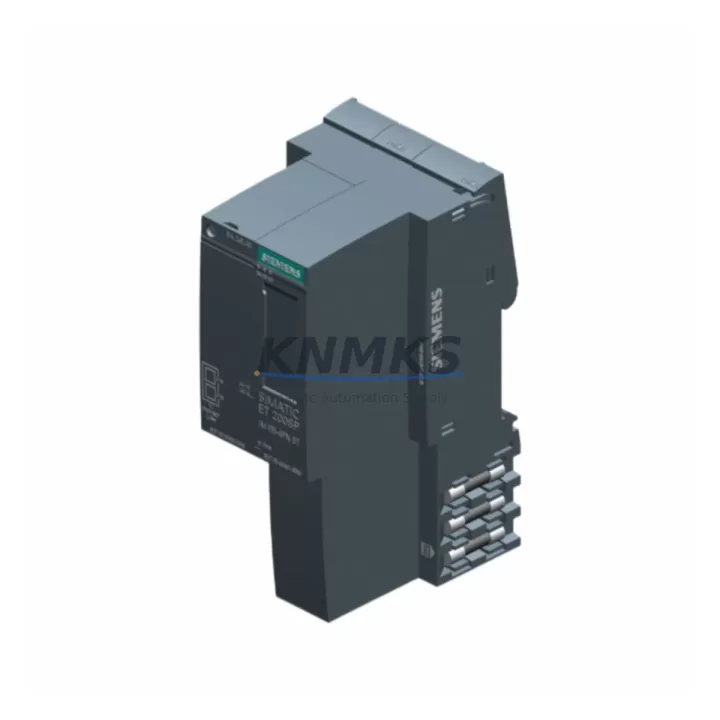
Overview
Siemens 6ES7155-6AA01-0BN0 Maintenance-Proven Spare for Factory Uptime
The Siemens 6ES7155-6AA01-0BN0 is the IM155-6PN ST PROFINET interface module for the ET 200SP distributed I/O system — a critical communication gateway between the S7-1500 PLC controller and field-level I/O stations. In high-availability production environments, a failed interface module can bring an entire I/O station offline within seconds. Stocking a verified replacement of the 6ES7155-6AA01-0BN0 is a fundamental element of any serious spare parts strategy for SIMATIC-based control architectures.
This unit is supplied as an original Siemens component, pre-shipment tested for PROFINET communication integrity, module recognition, and firmware compatibility. Each unit ships with a support terms confirmed by quotation covering manufacturing defects and functional failure under normal operating conditions. Our supply chain supports long-term procurement commitments, making this module suitable for both emergency replacement and planned annual maintenance stock.
Spare Maintenance Table
| SKU / Part Number | 6ES7155-6AA01-0BN0 |
| Module Designation | IM155-6PN ST (Standard) |
| Series / Platform | ET 200SP / SIMATIC S7-1500 |
| Communication Protocol | PROFINET IO (IRT / RT) |
| Supply Voltage | DC 24 V (via backplane bus) |
| Max. I/O Modules per Station | Up to 64 I/O modules |
| Integrated Web Server | Yes (diagnostics & topology) |
| Firmware Update Support | Yes (via TIA Portal / STEP 7) |
| Operating Temperature | 0 °C to +60 °C |
| Protection Class | IP20 |
| Mounting | DIN rail, ET 200SP BaseUnit |
| Weight | Approx. 230 g |
| Origin | Germany |
| Compatibility | S7-1500 CPU, TIA Portal V13 SP1 and above |
| Support terms | 12 Months — covers manufacturing defects and functional failure |
| Pre-Shipment Test | PROFINET link, module recognition, firmware boot verified |
Maintenance Planning for Continuous Operation
When replacing the 6ES7155-6AA01-0BN0 in a live control cabinet, the interface module is rarely the only component that warrants inspection. A PROFINET communication fault at the ET 200SP station level often originates from — or propagates to — adjacent components in the same electrical circuit. Maintenance engineers should treat the replacement of this interface module as an opportunity to audit the full station health.
Begin with the 24 VDC power supply feeding the ET 200SP rack. Modules such as the Siemens 6EP1333-2BA20 (SITOP PSU100S) or equivalent 24 V regulated supply should be load-tested; an aging power supply with marginal output voltage is a common root cause of intermittent PROFINET dropouts that are misdiagnosed as interface module failures. Check the terminal blocks and wiring harness at the BaseUnit — loose or corroded connections on the 24 V bus terminals can cause sporadic station resets.
Inspect the PROFINET patch cable and RJ45 connectors at both the interface module port and the upstream managed switch port. Industrial Ethernet cables rated for flex-cycle or drag-chain applications (e.g., SIMATIC NET IE FC TP Standard Cable) should be verified for continuity and shielding integrity. If the cabinet uses a SCALANCE X series managed switch (such as the X208 or X216), review the port diagnostics for CRC errors or link-down events that predate the module fault.
On the I/O side, review the digital and analog I/O modules installed on the ET 200SP BaseUnits downstream of this interface module — particularly any 6ES7131-6BF01-0BA0 (DI 8×24VDC ST) or 6ES7132-6BF01-0BA0 (DQ 8×24VDC/0.5A ST) modules showing channel-level faults in the TIA Portal diagnostics buffer. A failed I/O module can generate persistent PROFINET alarms that mask the true fault source. Also verify the server module (6ES7193-6PA00-0AA0) at the end of the ET 200SP station — a missing or damaged server module will prevent the station from initializing correctly after a module swap.
For systems with safety-rated I/O, confirm that any F-DI or F-DQ modules in the station are re-passivated and safety-acknowledged in the F-runtime after the interface module replacement. Finally, if the control system includes an HMI panel (such as a SIMATIC TP700 or KTP900) connected to the same PROFINET segment, verify that the HMI project’s device name and IP assignment still match the replaced module’s configured parameters in TIA Portal to avoid post-replacement communication errors.
Site Replacement Workflow
Step 1 — Pre-replacement backup: Export the current TIA Portal project and save the ET 200SP station configuration, including device name, IP address, and I/O module assignment. Note the firmware version of the existing 6ES7155-6AA01-0BN0 from the module’s front label or from the TIA Portal online device view.
Step 2 — Safe isolation: Place the S7-1500 CPU in STOP mode. De-energize the ET 200SP station by switching off the 24 VDC supply. Do not remove the interface module under power — the BaseUnit bus connectors are not rated for hot-swap on this variant.
Step 3 — Physical swap: Slide the 6ES7155-6AA01-0BN0 out of the BaseUnit. Insert the replacement module. Verify that the module clicks into the BaseUnit locking mechanism and that the bus connector is fully seated. Re-energize the 24 VDC supply.
Step 4 — PROFINET re-commissioning: In TIA Portal, use the “Assign device name” function to write the correct PROFINET device name to the replacement module. Confirm the IP address assignment. Download the hardware configuration to the S7-1500 CPU and switch to RUN mode. Verify that the ET 200SP station appears online with no diagnostic alarms in the network view.
Step 5 — Functional verification: Perform a channel-level I/O test for all modules in the station. Confirm that all process signals are reading correctly before releasing the line back to production. Log the replacement in the maintenance record with the new module’s serial number and firmware version.
This workflow minimizes downtime to under 30 minutes for a trained maintenance technician and ensures full system compatibility without requiring a TIA Portal project modification in most standard replacement scenarios.
Spare Parts Support FAQ
Q1: Is the 6ES7155-6AA01-0BN0 compatible with all S7-1500 CPU variants?
The IM155-6PN ST is compatible with all S7-1500 standard CPUs (e.g., CPU 1511-1 PN, CPU 1513-1 PN, CPU 1515-2 PN) and S7-1500 F-CPUs when used in standard I/O mode. It requires TIA Portal V13 SP1 or higher for configuration. Verify the firmware version of your existing station before replacement to ensure compatibility — firmware updates can be applied via TIA Portal if required.
Q2: What pre-shipment testing is performed on each unit?
Each 6ES7155-6AA01-0BN0 unit undergoes PROFINET link establishment testing, module self-diagnostic boot verification, and firmware version confirmation before dispatch. Units that fail any test are quarantined and not shipped. A test record is available upon request for quality-controlled procurement processes.
Q3: Can you support long-term supply commitments for annual maintenance contracts?
Yes. We support blanket purchase orders and scheduled release agreements for maintenance teams that require guaranteed stock availability across multiple annual inspection cycles. Contact our sales team to discuss volume pricing, lead time commitments, and consignment stock arrangements for the 6ES7155-6AA01-0BN0 and related ET 200SP components.
Q4: What does the support terms confirmed by quotation cover?
The support terms confirmed by quotation cover manufacturing defects, functional failure under normal operating conditions (24 VDC supply, operating temperature within specification, correct installation per Siemens documentation), and DOA (dead-on-arrival) units. It does not cover damage resulting from incorrect wiring, overvoltage events, or physical mishandling after delivery. Support requests are processed with a replacement-first policy to minimize your downtime.
© 2026 KNMKS. All rights reserved.
Original Source: https://knmks.com
Contact: admin@knmks.com | +86 18359268345
Product Identification
- Brand / Ecosystem
-
Siemens
Siemens - Model / Series
-
6ES7155-6AA01-0BN0
SIMATIC Series - Product Family
- PLCs & Controllers
- Availability Status
- Available on request after model and quantity confirmation
- Inquiry Type
- B2B RFQ, replacement inquiry and project spare-part request
- Pre-Quote Check
- Exact SKU, brand, series, quantity, nameplate photos and destination country are checked before quotation
System Path
Where this product fits in the KNMKS automation structure.
Specification & Inquiry Focus
- Control platform
- PLC, PAC and modular controllers
- Common needs
- CPU, rack, power and I/O expansion
- Project support
- Replacement, cabinet build and maintenance
Buyer Confirmation
Information KNMKS checks before replying.
- Exact model
- 6ES7155-6AA01-0BN0
- Brand / ecosystem
- Siemens
- Product family
- PLCs & Controllers
- Application note
- Replacement, maintenance, project build or spare-part list
- Useful photos
- Nameplate, installed unit, cabinet layout or connector side
- Delivery details
- Quantity, destination country and target schedule
Document Support
Files and notes can be confirmed during quotation.
- Product photos or nameplate confirmation when available
- Packing and delivery notes before quotation confirmation
- Support scope and delivery terms confirmed per inquiry
- Export document coordination for qualified B2B requests
Inquiry Support
- Model cross-checking before quotation
- CPU, power, rack and expansion module matching
- Support for replacement and project inquiry
What to Send Us
- Brand and exact model number: Siemens 6ES7155-6AA01-0BN0
- Quantity and required delivery time
- Application, replacement requirement or nameplate photo
- Destination country and shipping preference
RFQ Preparation
This is a product inquiry page built for RFQ communication.
Fast Model Check
Send this model to KNMKS for confirmation.
Include quantity, destination country and photos if this is a maintenance replacement. The inquiry will be saved with a reference number after submission.
Brand & Compatibility Note
KNMKS displays automation product information for well-known industrial brand ecosystems and compatible replacement references. Brand names are used for product identification and compatibility reference only; final availability and commercial terms are confirmed per quotation.
 Manufacturing
 Machine Tools
 Packaging
 Energy & Power



 HMI & Displays
 Servo Systems
 Variable Frequency Drives
 Sensors