
Overview
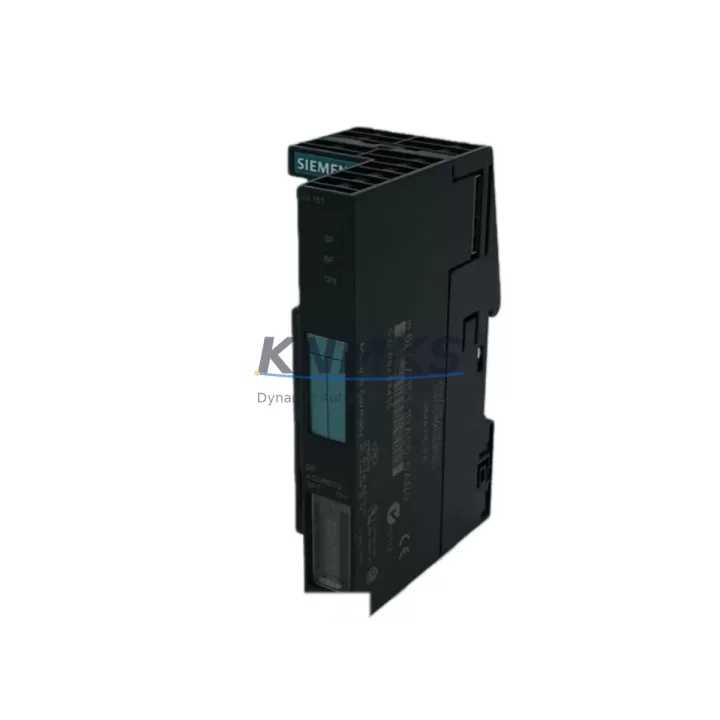
Siemens 6ES7151-1BA00-0AB0 Migration-Ready Interface for ET 200S: Legacy System Retrofit and Compatibility Upgrade
The Siemens 6ES7151-1BA00-0AB0 is the IM 151-1 Standard interface module for the ET 200S distributed I/O system, communicating via PROFIBUS DP at baud rates up to 12 Mbit/s. This module serves as the critical link between the PROFIBUS DP master — typically a Siemens S7-300 or S7-400 CPU — and the ET 200S terminal modules installed in the field cabinet. For facilities managing aging automation infrastructure, the 6ES7151-1BA00-0AB0 represents one of the most reliable migration anchors available: it retains full GSD file compatibility, preserves existing I/O addressing, and slots directly into the ET 200S rail without mechanical modification.
In legacy control environments where the original IM 151-1 has reached end-of-life or where spare parts availability has become a procurement risk, replacing the interface module with a tested, stocked unit is the lowest-disruption path to system continuity. The 6ES7151-1BA00-0AB0 supports up to 63 terminal modules per station and handles both digital and analog I/O expansion through the ET 200S PM-E power module and associated signal modules — meaning the surrounding infrastructure, including existing 2DI, 4DI, 2DO, and analog input terminal modules, remains fully operational after the swap.
Migration Compatibility Table
| Parameter | Specification / Retrofit Note |
|---|---|
| SKU / Part Number | 6ES7151-1BA00-0AB0 |
| Series | ET 200S / SIMATIC DP |
| Interface Protocol | PROFIBUS DP (up to 12 Mbit/s) |
| Compatible Masters | S7-300, S7-400, S7-1500 (via DP master proxy), third-party PROFIBUS DP masters with GSD support |
| Max Terminal Modules per Station | 63 |
| Supply Voltage | 24 V DC (via PM-E power module on ET 200S rail) |
| Installation | DIN rail mount, ET 200S standard rail — no mechanical modification required |
| GSD File Compatibility | Fully compatible with existing GSD/GSDML configuration — no re-parameterization required in STEP 7 or TIA Portal |
| Replaces / Supersedes | 6ES7151-1AA00-0AB0 (earlier IM 151-1 variant); direct form-fit-function replacement |
| Firmware | Verify firmware version compatibility with existing STEP 7 HW Config or TIA Portal project before commissioning |
| Communication Link Check | Confirm PROFIBUS address setting (rotary switch) matches original module address before power-on |
| Support terms | support terms confirmed by quotation — all units ship after functional test and burn-in verification |
Retrofit Planning for Existing Automation Systems
A successful ET 200S interface module replacement begins well before the maintenance window opens. Engineers should pull the existing STEP 7 HW Config or TIA Portal project and confirm the PROFIBUS DP station address currently assigned to the 6ES7151-1BA00-0AB0 — this address is set via the rotary switch on the module face and must be replicated exactly on the replacement unit before installation. Mismatched addresses are the single most common cause of post-swap communication faults and will prevent the DP master from recognizing the station.
Next, verify the PM-E power module (such as the 6ES7138-4CA01-0AA0) supplying 24 V DC to the ET 200S rail is within its rated load capacity after accounting for all connected terminal modules. Adding a replacement IM 151-1 does not change the power budget, but this is an appropriate checkpoint to audit the full station load — particularly if additional I/O terminal modules have been added to the station since the original commissioning. If the station is running near the PM-E’s rated output, consider replacing the power module concurrently to avoid a secondary failure during the retrofit window.
For sites running HMI panels — such as a Siemens TP700 Comfort or MP377 — connected to the same S7-300 CPU that masters this PROFIBUS DP segment, confirm that the HMI project’s symbol table and tag connections reference the ET 200S I/O by absolute address rather than symbolic name. Absolute addressing survives the module swap without HMI project modification; symbolic addressing tied to hardware configuration may require a re-download of the HMI runtime after the STEP 7 or TIA Portal project is updated.
Where the control system includes a CP 342-5 or CP 443-5 communications processor acting as the PROFIBUS DP master rather than the CPU’s integrated DP port, verify that the CP firmware version supports the GSD revision of the 6ES7151-1BA00-0AB0. In most cases the GSD file is backward compatible, but sites running older CP firmware should schedule a CP firmware update as part of the broader retrofit plan rather than discovering the incompatibility during commissioning.
If the ET 200S station includes analog input or output terminal modules — for example 2AI U or 2AO I — confirm that the analog signal wiring to field instruments remains undisturbed during the interface module swap. The terminal modules themselves do not need to be removed; only the IM 151-1 at the head of the rail is replaced. This is a significant advantage over rack-based I/O systems where a controller swap may require full I/O rewiring. For stations with a PROFIBUS DP repeater (RS 485 repeater, 6ES7972-0AA02-0XA0) in the segment, verify segment termination and cable length remain within PROFIBUS specification after the swap.
Downtime Control During System Migration
Minimizing unplanned downtime during an ET 200S interface module replacement requires a structured pre-outage checklist and a clear rollback path. Before the maintenance window, export the current STEP 7 or TIA Portal project to a backup archive and document the current PROFIBUS address, firmware version, and diagnostic LED status of the existing module. Photograph the rotary switch position and the terminal module sequence on the rail — this visual record accelerates reinstallation if the replacement unit needs to be returned for any reason.
During the swap, power down the ET 200S station via the PM-E power module rather than cutting the PROFIBUS cable — this ensures the DP master logs a clean station failure rather than a bus fault, which simplifies diagnostics if the master CPU generates an OB86 (rack failure) interrupt. Set the PROFIBUS address on the replacement 6ES7151-1BA00-0AB0 before mounting it on the rail. Power the station back up and observe the BF (Bus Fault) and SF (System Fault) LEDs: both should extinguish within the DP watchdog timeout period (typically 2–10 seconds) once the master recognizes the station.
If the BF LED remains lit after power-up, the most likely causes are address mismatch, incorrect termination on the PROFIBUS segment, or a GSD version conflict. Having a laptop with STEP 7 or TIA Portal and a PC Adapter USB (6ES7972-0CB20-0XA0) on-site allows immediate online diagnostics without requiring a control room workstation. This preparation alone can reduce fault resolution time from hours to minutes and is strongly recommended for any retrofit involving a live production line.
For critical processes where even a brief interruption is unacceptable, consider pre-staging the replacement module with the correct address setting and a verified firmware version in the days before the maintenance window. Ship-tested units from verified stock — with a support terms confirmed by quotation and pre-dispatch functional verification — eliminate the risk of receiving a faulty replacement that extends the outage beyond the planned window.
Retrofit Support FAQ
Q1: Is the 6ES7151-1BA00-0AB0 a direct drop-in replacement for the 6ES7151-1AA00-0AB0?
Yes. The 6ES7151-1BA00-0AB0 (IM 151-1 Standard) is the successor to the 6ES7151-1AA00-0AB0 and is mechanically and electrically compatible with the same ET 200S rail. The PROFIBUS address is set via the same rotary switch mechanism. No changes to the terminal module sequence or field wiring are required.
Q2: Do I need to modify my STEP 7 or TIA Portal project after replacing the interface module?
In most cases, no. If the replacement module uses the same GSD file revision as the original, the hardware configuration remains valid and no project download is required. If the firmware version differs, STEP 7 may prompt a hardware configuration update — always compare firmware versions before the maintenance window and plan accordingly.
Q3: What pre-shipment testing is performed on each unit?
Every 6ES7151-1BA00-0AB0 unit is functionally tested prior to dispatch, including PROFIBUS communication verification and power-on self-test confirmation. Units are shipped with a support terms confirmed by quotation covering manufacturing defects and functional failures under normal operating conditions. Test reports are available upon request for critical infrastructure procurement.
Q4: What is the typical lead time and do you hold stock?
We maintain ready stock of the 6ES7151-1BA00-0AB0 to support urgent retrofit and breakdown replacement requirements. Standard orders ship within 1–3 business days. For large-quantity procurement or long-term supply agreements supporting multi-site retrofit programs, contact our sales team to discuss inventory reservation and scheduled delivery options.
© 2026 KNMKS. All rights reserved.
Original Source: https://knmks.com
Contact: admin@knmks.com | +86 18359268345
Product Identification
- Brand / Ecosystem
-
Siemens
Siemens - Model / Series
-
6ES7151-1BA00-0AB0
SIMATIC Series - Product Family
- PLCs & Controllers
- Availability Status
- Available on request after model and quantity confirmation
- Inquiry Type
- B2B RFQ, replacement inquiry and project spare-part request
- Pre-Quote Check
- Exact SKU, brand, series, quantity, nameplate photos and destination country are checked before quotation
System Path
Where this product fits in the KNMKS automation structure.
Specification & Inquiry Focus
- Control platform
- PLC, PAC and modular controllers
- Common needs
- CPU, rack, power and I/O expansion
- Project support
- Replacement, cabinet build and maintenance
Buyer Confirmation
Information KNMKS checks before replying.
- Exact model
- 6ES7151-1BA00-0AB0
- Brand / ecosystem
- Siemens
- Product family
- PLCs & Controllers
- Application note
- Replacement, maintenance, project build or spare-part list
- Useful photos
- Nameplate, installed unit, cabinet layout or connector side
- Delivery details
- Quantity, destination country and target schedule
Document Support
Files and notes can be confirmed during quotation.
- Product photos or nameplate confirmation when available
- Packing and delivery notes before quotation confirmation
- Support scope and delivery terms confirmed per inquiry
- Export document coordination for qualified B2B requests
Inquiry Support
- Model cross-checking before quotation
- CPU, power, rack and expansion module matching
- Support for replacement and project inquiry
What to Send Us
- Brand and exact model number: Siemens 6ES7151-1BA00-0AB0
- Quantity and required delivery time
- Application, replacement requirement or nameplate photo
- Destination country and shipping preference
RFQ Preparation
This is a product inquiry page built for RFQ communication.
Fast Model Check
Send this model to KNMKS for confirmation.
Include quantity, destination country and photos if this is a maintenance replacement. The inquiry will be saved with a reference number after submission.
Brand & Compatibility Note
KNMKS displays automation product information for well-known industrial brand ecosystems and compatible replacement references. Brand names are used for product identification and compatibility reference only; final availability and commercial terms are confirmed per quotation.
 Manufacturing
 Machine Tools
 Packaging
 Energy & Power



 HMI & Displays
 Servo Systems
 Variable Frequency Drives
 Sensors