
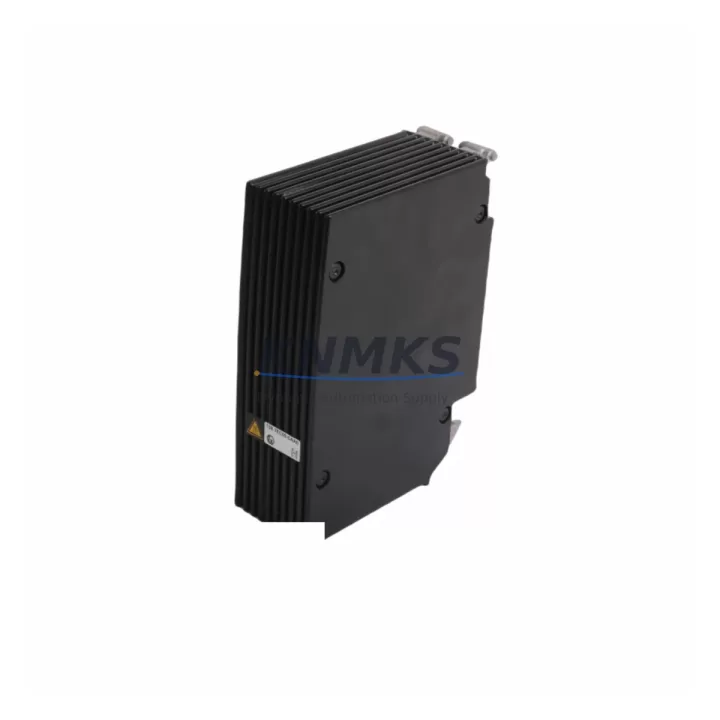
Overview
Siemens 6ES7138-7EC00-0AA0 Spare Part for ET 200SP Uptime
The Siemens 6ES7138-7EC00-0AA0 is a load group power supply module for the SIMATIC ET 200SP distributed I/O system. Designed to supply 24 V DC to a load group within the ET 200SP station, this module is a critical component in distributed control architectures where uninterrupted power delivery to field I/O is non-negotiable. In high-availability production environments — from automotive assembly lines to chemical processing plants — a failed or degraded load group power supply can cascade into full station loss, triggering unplanned downtime across multiple I/O segments.
KNMKS stocks the 6ES7138-7EC00-0AA0 as an original Siemens spare part, sourced through verified industrial supply channels. Every unit undergoes pre-shipment functional testing and ships with a support terms confirmed by quotation. Global dispatch is available for emergency replacement orders, supporting maintenance teams that cannot afford extended lead times on legacy or active ET 200SP deployments.
Spare Maintenance Table
| Parameter | Specification |
|---|---|
| Part Number | 6ES7138-7EC00-0AA0 |
| Product Family | SIMATIC ET 200SP |
| Module Type | Load Group Power Supply Module |
| Supply Voltage | 24 V DC (nominal) |
| Output Current | Up to 10 A per load group |
| Mounting | ET 200SP BaseUnit (BU type A0) |
| Communication Interface | PROFINET (via ET 200SP head module) |
| Protection Class | IP20 |
| Operating Temperature | 0 °C to +60 °C |
| Country of Origin | Germany |
| Compatibility | SIMATIC ET 200SP stations with IM 155-6 PN/HF, IM 155-6 PN/HS, IM 155-6 PN ST interface modules |
| Firmware Requirement | Compatible with TIA Portal V13 SP1 and above |
| Condition | Original Siemens, pre-shipment tested |
| Support terms | 12 Months |
| Dispatch | Global, express available |
Maintenance Planning for Continuous Operation
When a 6ES7138-7EC00-0AA0 load group power supply is flagged during routine cabinet inspection or fails under load, the replacement workflow should extend beyond the module itself. Maintenance engineers and procurement teams should treat this event as a trigger for a broader ET 200SP station health review.
Start with the 24 V DC supply rail feeding the ET 200SP station. A degraded or undersized power supply — such as a Siemens SITOP PSU8200 or equivalent 24 V DC industrial power supply — can cause repeated load group power supply failures through voltage sag or ripple. Verify input voltage stability at the cabinet terminal block before commissioning the replacement module.
Next, inspect the ET 200SP BaseUnit (BU type A0) on which the 6ES7138-7EC00-0AA0 is mounted. BaseUnit contacts and the integrated potential jumper must be clean and undamaged; a corroded or cracked BaseUnit will cause intermittent faults even with a new power supply module installed. If the BaseUnit shows wear, replace it concurrently to avoid a repeat callout.
The IM 155-6 PN interface module — the head module of the ET 200SP station — should also be checked for firmware currency and PROFINET link status. A head module running outdated firmware may misreport load group faults or fail to recover cleanly after a power supply swap. Confirm the interface module’s LED diagnostics are green before closing the cabinet.
Review the I/O modules downstream of the replaced load group. Digital input modules (e.g., 6ES7131-6BF00-0CA0) and digital output modules (e.g., 6ES7132-6BF00-0CA0) in the affected load group should be inspected for blown output channels or latched fault states. Clear all diagnostic buffers in TIA Portal after the power supply replacement and confirm each I/O channel returns to normal operation.
For stations in high-vibration or high-humidity environments, also inspect terminal block wiring and cable shield grounding at the ET 200SP station. Loose 24 V DC supply wiring is a common root cause of load group power supply stress. Where analog signal modules are present in the same station, verify that signal isolators or surge protection devices on analog input lines remain intact, as power transients during a module failure can damage unprotected analog inputs.
Finally, confirm that any fuse or circuit breaker protecting the 24 V DC feed to the ET 200SP station is rated correctly and has not been weakened by repeated trips. A correctly rated miniature circuit breaker (MCB) or electronic circuit protector upstream of the station is the last line of defense against cascading failures.
Site Replacement Workflow
Step 1 — Isolate and document. Before removing the 6ES7138-7EC00-0AA0, record the current station configuration in TIA Portal (export the hardware configuration). Note the slot position of the load group power supply within the ET 200SP station. Photograph the wiring and module arrangement for reference.
Step 2 — De-energize the load group. Switch off the 24 V DC supply to the affected load group. Confirm with a multimeter that voltage at the BaseUnit supply terminals is zero before proceeding. Do not rely solely on the module’s LED status.
Step 3 — Remove the faulty module. Unlock the module from the BaseUnit by pressing the release lever and sliding the module upward. The 6ES7138-7EC00-0AA0 is hot-swap capable in supported ET 200SP configurations — verify this in your station’s TIA Portal hardware configuration before attempting hot removal.
Step 4 — Install the replacement. Slide the new 6ES7138-7EC00-0AA0 into the BaseUnit until it clicks into place. Confirm the module is fully seated; a partially inserted module will not make reliable contact with the BaseUnit’s power bus.
Step 5 — Re-energize and verify. Restore 24 V DC to the load group. Observe the module’s PWR LED — it should illuminate green within seconds. In TIA Portal, go online with the CPU and confirm the ET 200SP station reports no faults. Clear the diagnostic buffer and verify all I/O channels in the load group are operational.
Step 6 — Update maintenance records. Log the replacement date, module serial number, and any associated findings (BaseUnit condition, supply voltage readings, downstream I/O status). Schedule a follow-up inspection at the next planned maintenance window to confirm stable operation.
This workflow minimizes downtime, ensures system compatibility, and provides an auditable maintenance record — critical for ISO-certified production environments and facilities operating under IEC 62443 cybersecurity and maintenance standards.
Spare Parts Support FAQ
Q1: Is the 6ES7138-7EC00-0AA0 still available as a new original Siemens part?
Yes. KNMKS stocks the 6ES7138-7EC00-0AA0 as an original Siemens spare part. Despite the ET 200SP platform’s maturity, Siemens continues to supply this module for active installations. We maintain buffer stock to support emergency orders and long-term maintenance contracts, with global dispatch available for urgent requirements.
Q2: How do I confirm compatibility with my existing ET 200SP station before ordering?
The 6ES7138-7EC00-0AA0 is compatible with ET 200SP stations using BU type A0 BaseUnits and IM 155-6 PN series interface modules. Confirm your station’s BaseUnit type and interface module part number in TIA Portal’s hardware configuration. If you are unsure, share your station’s hardware configuration export with our technical team at admin@knmks.com and we will confirm compatibility before shipment.
Q3: What pre-shipment testing is performed on each unit?
Every 6ES7138-7EC00-0AA0 dispatched by KNMKS undergoes functional power-on testing, output voltage verification, and visual inspection for physical damage. Units that do not meet Siemens’ original specification are quarantined and not shipped. Test records are available on request for quality-critical procurement processes.
Q4: What does the support terms confirmed by quotation cover, and how is a claim processed?
The support terms confirmed by quotation cover manufacturing defects and functional failures under normal operating conditions as defined by Siemens’ product specification. It does not cover damage caused by incorrect installation, overvoltage events, or environmental conditions outside the module’s rated range. To initiate a support terms claim, contact admin@knmks.com with your order reference, a description of the fault, and any available diagnostic data from TIA Portal. Replacement or repair is processed within agreed lead times.
© 2026 KNMKS. All rights reserved.
Original Source: https://knmks.com
Contact: admin@knmks.com | +86 18359268345
Product Identification
- Brand / Ecosystem
-
Siemens
Siemens - Model / Series
-
6ES7138-7EC00-0AA0
SIMATIC Series - Product Family
- PLCs & Controllers
- Availability Status
- Available on request after model and quantity confirmation
- Inquiry Type
- B2B RFQ, replacement inquiry and project spare-part request
- Pre-Quote Check
- Exact SKU, brand, series, quantity, nameplate photos and destination country are checked before quotation
System Path
Where this product fits in the KNMKS automation structure.
Specification & Inquiry Focus
- Control platform
- PLC, PAC and modular controllers
- Common needs
- CPU, rack, power and I/O expansion
- Project support
- Replacement, cabinet build and maintenance
Buyer Confirmation
Information KNMKS checks before replying.
- Exact model
- 6ES7138-7EC00-0AA0
- Brand / ecosystem
- Siemens
- Product family
- PLCs & Controllers
- Application note
- Replacement, maintenance, project build or spare-part list
- Useful photos
- Nameplate, installed unit, cabinet layout or connector side
- Delivery details
- Quantity, destination country and target schedule
Document Support
Files and notes can be confirmed during quotation.
- Product photos or nameplate confirmation when available
- Packing and delivery notes before quotation confirmation
- Support scope and delivery terms confirmed per inquiry
- Export document coordination for qualified B2B requests
Inquiry Support
- Model cross-checking before quotation
- CPU, power, rack and expansion module matching
- Support for replacement and project inquiry
What to Send Us
- Brand and exact model number: Siemens 6ES7138-7EC00-0AA0
- Quantity and required delivery time
- Application, replacement requirement or nameplate photo
- Destination country and shipping preference
RFQ Preparation
This is a product inquiry page built for RFQ communication.
Fast Model Check
Send this model to KNMKS for confirmation.
Include quantity, destination country and photos if this is a maintenance replacement. The inquiry will be saved with a reference number after submission.
Brand & Compatibility Note
KNMKS displays automation product information for well-known industrial brand ecosystems and compatible replacement references. Brand names are used for product identification and compatibility reference only; final availability and commercial terms are confirmed per quotation.
 Manufacturing
 Machine Tools
 Packaging
 Energy & Power



 HMI & Displays
 Servo Systems
 Variable Frequency Drives
 Sensors