
Overview
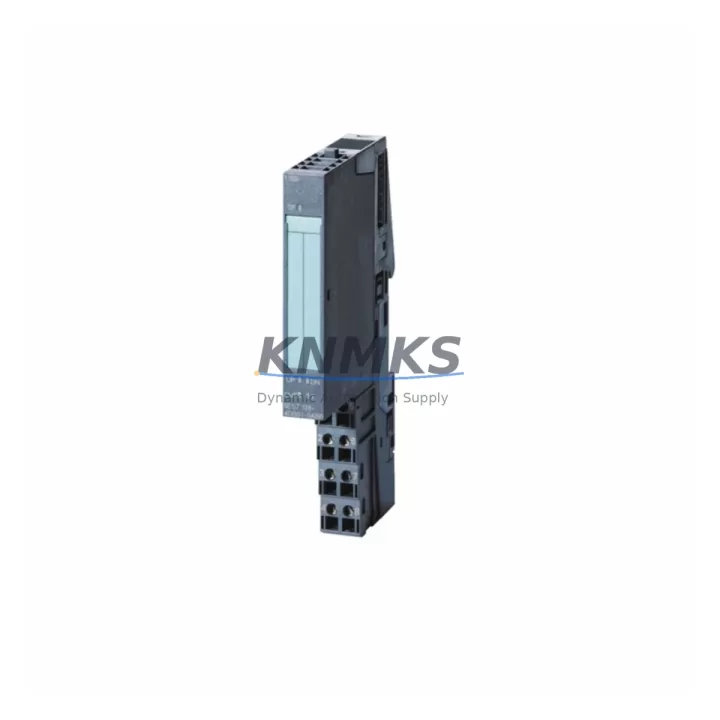
Siemens 6ES7138-4DF11-0AB0 Migration-Ready 4DO for ET 200S: Legacy System Retrofit & Upgrade
The Siemens 6ES7138-4DF11-0AB0 is a 4-channel digital output (4DO) electronic module designed for the ET 200S distributed I/O system, operating within the SIMATIC S7 automation platform. As legacy PROFIBUS-based control architectures face end-of-life pressures, this module has become a critical spare part and migration component for engineers managing aging production lines, control cabinet upgrades, and distributed I/O expansions across manufacturing, process, and infrastructure sectors.
Whether you are replacing a failed output module on an active line, consolidating spare parts inventory ahead of a planned shutdown, or executing a phased migration from an older S7-300 or S7-400 control platform to a modern S7-1500 architecture, the 6ES7138-4DF11-0AB0 provides a verified drop-in solution with minimal re-engineering overhead. Its compact form factor, standard terminal block wiring, and compatibility with the ET 200S power module and interface module infrastructure make it a reliable choice for both emergency replacement and long-term retrofit planning.
Migration Compatibility Table
| Parameter | 6ES7138-4DF11-0AB0 (This Module) | Retrofit / Migration Notes |
|---|---|---|
| Output Channels | 4 × Digital Output (24 V DC) | Verify load current per channel does not exceed rated spec; check actuator compatibility |
| Installation | ET 200S terminal module (e.g., TM-E series) | Confirm terminal module type on existing backplane; no rewiring required for like-for-like swap |
| Communication Interface | Via ET 200S IM 151 Interface Module (PROFIBUS DP / PROFINET) | Confirm IM 151 firmware version supports module; update GSD/GSDML file if migrating to PROFINET |
| Power Supply Compatibility | 24 V DC via ET 200S PM-E Power Module | Verify PM-E capacity covers total load after adding or replacing modules in the station |
| Module Address / Slot | Configured via STEP 7 / TIA Portal hardware configuration | Retain original slot assignment to avoid program address remapping; re-download HW config after swap |
| Program Compatibility | Compatible with STEP 7 V5.x and TIA Portal V13+ | No PLC program changes required for direct replacement; validate output Q-addresses in OB1/FC blocks |
| HMI Screen Impact | No direct HMI tag change for like-for-like swap | If migrating to new IM or DP address, update HMI tags referencing affected output addresses |
| Firmware Version | Factory default; no field firmware update required | Confirm IM 151 interface module firmware is current before commissioning |
| Installation Space | Standard ET 200S slot width (15 mm module) | No additional rail space required for direct replacement; verify cabinet depth clearance |
| Outgoing Test | Function-tested before dispatch | Recommend bench test with PM-E and IM 151 prior to installation on live system |
| Support terms | support terms confirmed by quotation — covers manufacturing defects and functional failure under normal operating conditions | |
Retrofit Planning for Existing Automation Systems
Successful integration of the 6ES7138-4DF11-0AB0 into an existing ET 200S station begins with a thorough audit of the current hardware configuration. Engineers should document the existing IM 151-1 or IM 151-3 interface module variant in use, as this determines whether the station communicates over PROFIBUS DP or PROFINET IO — a distinction that directly affects GSD file management and network topology planning during any protocol migration.
On the power side, the ET 200S PM-E 24 V DC Power Module must be assessed for available current budget. Adding or replacing output modules changes the aggregate load on the power segment. If the existing PM-E is operating near capacity, a supplementary power module may be required before the retrofit proceeds. This is especially relevant in dense control cabinets where multiple 4DO and 4DI modules share a single power rail.
Terminal wiring is handled through the ET 200S TM-E15S26-A1 or equivalent terminal module, which remains on the DIN rail during module replacement. This plug-and-replace architecture eliminates the need to disconnect field wiring during a module swap — a significant advantage for minimizing downtime on active production lines. Before removal, photograph or document the existing wiring layout and verify terminal torque specifications for reconnection.
For sites migrating from older S7-300 centralized I/O to a distributed ET 200S architecture, the 6ES7138-4DF11-0AB0 is frequently deployed alongside 6ES7138-4CA01-0AA0 (4AI analog input modules) and 6ES7138-4DB03-0AB0 (4DI digital input modules) to build out complete distributed I/O stations. Signal isolators may be required at the field interface level when integrating legacy 4–20 mA sensors or dry-contact inputs from older instrumentation panels into the new distributed architecture.
Communication link integrity should be validated end-to-end after any module replacement. On PROFIBUS networks, use a bus monitor or diagnostic tool to confirm the ET 200S station returns to OPERATE state without bus errors. On PROFINET systems, verify the device name assignment and IP address configuration in TIA Portal match the physical station before going online. A SIMATIC NET CP communication processor or PC adapter cable (e.g., PC Adapter USB A2) is typically used for initial commissioning and diagnostic access.
For sites managing HMI continuity, WinCC or SIMATIC HMI panels connected to the S7 controller should be reviewed for any output status tags mapped to the affected Q-address range. In a direct module swap with no slot or address change, HMI screens require no modification. However, if the retrofit involves restructuring the ET 200S station layout or reassigning DP slave addresses, HMI tag databases must be updated and re-downloaded before resuming production.
Downtime Control During System Migration
Minimizing unplanned downtime is the primary operational constraint in any live-system retrofit. For the 6ES7138-4DF11-0AB0, the plug-and-replace terminal module design is the single most effective downtime-reduction feature: field wiring stays connected to the terminal module while only the electronic module is exchanged. This reduces the physical swap time to under five minutes for a trained technician.
Before initiating the swap, place the affected outputs in a safe state through the PLC program — either by forcing outputs to zero in STEP 7 or TIA Portal, or by activating a maintenance mode routine that holds actuators in a defined position. This protects both the process and downstream equipment during the brief period when the module is physically absent from the station.
The original PLC program logic does not require modification for a like-for-like module replacement. The STEP 7 or TIA Portal hardware configuration retains the module type and slot assignment, and the CPU will automatically re-establish communication with the new module upon power-up. A forced re-download of the hardware configuration is only required if the replacement module has a different order number or if the station layout has changed.
For planned maintenance windows, a pre-staged and bench-tested replacement module — powered via a PM-E and connected to an IM 151 in a test rack — allows full functional verification before the production swap. This approach eliminates commissioning uncertainty on the live line and ensures the replacement module responds correctly to all 4 output channels before installation. Outgoing function testing is performed on every unit dispatched from our facility, providing an additional layer of assurance before the module reaches the field.
Post-swap, monitor the ET 200S station diagnostics in STEP 7 or TIA Portal for a minimum of one full production cycle. Confirm all four output channels are switching correctly, verify no diagnostic alarms are active on the IM 151, and document the replacement in the site maintenance log with the module serial number and installation date for support terms tracking purposes.
Retrofit Support FAQ
Q1: Is the 6ES7138-4DF11-0AB0 a direct replacement for earlier ET 200S 4DO variants?
Yes. The 6ES7138-4DF11-0AB0 is compatible with the standard ET 200S terminal module infrastructure and can replace earlier 4DO electronic modules (such as the 6ES7138-4DF00-0AB0) without rewiring or hardware configuration changes, provided the terminal module type matches. Always verify the terminal module order number on the existing installation before ordering.
Q2: What commissioning steps are required after installation?
For a direct like-for-like swap: power down the ET 200S station, remove the old electronic module, insert the new 6ES7138-4DF11-0AB0, and restore power. The CPU will automatically detect the module and resume normal operation. No hardware configuration re-download is required unless the module type or slot assignment has changed. Confirm OPERATE status on the IM 151 diagnostic LED before resuming production.
Q3: Can this module be used in a PROFINET ET 200S station?
Yes, provided the station uses a PROFINET-capable interface module such as the IM 151-3 PN. The 6ES7138-4DF11-0AB0 electronic module is interface-agnostic — it communicates through the ET 200S backplane to whichever IM is installed. Ensure the GSDML file for the IM is current in TIA Portal and that the module is correctly assigned in the hardware configuration.
Q4: What does the support terms confirmed by quotation cover, and what is your stock availability?
All units are covered by a support terms confirmed by quotation against manufacturing defects and functional failure under normal operating conditions. Stock is maintained across regional distribution hubs to support urgent replacement requirements. Units are function-tested before dispatch. For lead time confirmation and volume pricing, contact our technical sales team directly.
© 2026 KNMKS. All rights reserved.
Original Source: https://knmks.com
Contact: admin@knmks.com | +86 18359268345
Product Identification
- Brand / Ecosystem
-
Siemens
Siemens - Model / Series
-
6ES7138-4DF11-0AB0
SIMATIC Series - Product Family
- PLCs & Controllers
- Availability Status
- Available on request after model and quantity confirmation
- Inquiry Type
- B2B RFQ, replacement inquiry and project spare-part request
- Pre-Quote Check
- Exact SKU, brand, series, quantity, nameplate photos and destination country are checked before quotation
System Path
Where this product fits in the KNMKS automation structure.
Specification & Inquiry Focus
- Control platform
- PLC, PAC and modular controllers
- Common needs
- CPU, rack, power and I/O expansion
- Project support
- Replacement, cabinet build and maintenance
Buyer Confirmation
Information KNMKS checks before replying.
- Exact model
- 6ES7138-4DF11-0AB0
- Brand / ecosystem
- Siemens
- Product family
- PLCs & Controllers
- Application note
- Replacement, maintenance, project build or spare-part list
- Useful photos
- Nameplate, installed unit, cabinet layout or connector side
- Delivery details
- Quantity, destination country and target schedule
Document Support
Files and notes can be confirmed during quotation.
- Product photos or nameplate confirmation when available
- Packing and delivery notes before quotation confirmation
- Support scope and delivery terms confirmed per inquiry
- Export document coordination for qualified B2B requests
Inquiry Support
- Model cross-checking before quotation
- CPU, power, rack and expansion module matching
- Support for replacement and project inquiry
What to Send Us
- Brand and exact model number: Siemens 6ES7138-4DF11-0AB0
- Quantity and required delivery time
- Application, replacement requirement or nameplate photo
- Destination country and shipping preference
RFQ Preparation
This is a product inquiry page built for RFQ communication.
Fast Model Check
Send this model to KNMKS for confirmation.
Include quantity, destination country and photos if this is a maintenance replacement. The inquiry will be saved with a reference number after submission.
Brand & Compatibility Note
KNMKS displays automation product information for well-known industrial brand ecosystems and compatible replacement references. Brand names are used for product identification and compatibility reference only; final availability and commercial terms are confirmed per quotation.
 Manufacturing
 Machine Tools
 Packaging
 Energy & Power



 HMI & Displays
 Servo Systems
 Variable Frequency Drives
 Sensors